Task

Task Management: Why Messengers Are Not the Solution
In most companies, everything starts the same way: someone drops a task into the chat, someone replies "got it," someone puts an emoji to mark it done…
And then suddenly a client appears with the question: "So, how's my order?" And the detective story begins.
Messengers are convenient for quick communication. But when it comes to work management — they cause more chaos than benefit.
Why messengers work against you
1. Tasks dissolve in the message feed
New messages push important things further down. As a result, the team is unsure who is responsible for what and what still needs to be done.
Example: Oleh wrote in the chat "need to send a commercial proposal by the end of the day…". An hour later, the chat is already filled with other topics - and the proposal remains unsent.
2. No responsible person and clear deadlines
A messenger doesn't assign an assignee — everyone perceives the task differently.
Result: shifting responsibility and conflicts.
3. Priorities? Unknown
A manager cannot look at a single list and understand: what is critical and what can wait.
4. Execution control is nearly impossible
No reminders, reports, statuses. If a manager wants to check — they have to scroll endlessly. Or ask each employee individually.
5. Communication history does not = execution history
It is easy to lose information: files, links, key decisions.
When chat starts to harm business
Problems with task management arise when the team consists of at least 5 people, dozens of tasks appear every week, active work is conducted with clients, and processes contain different types of tasks and several execution stages. Add to this the need to store files and decision history - and it becomes clear that messengers can no longer cope.
If you recognize yourself — the way you manage tasks needs to be changed right now.
There is a solution: the "Tasks" module in Keruj™
For efficient work, you need a tool where:
each task is a separate entity
there is an assignee
there is a deadline
there are statuses and control
there is execution history
there are reminders
you can share files and comments
This is exactly what the "Tasks" module provides
How the "Tasks" module works in practice
To make the work clear and manageable, in Keruj™ each task is designed as a separate, full-fledged card with all the necessary information.
Step 1 - Creating a task
We specify:
name
description - details
status
assignee - executor (we can link to a project and add a monetary reward for execution)
deadline - time frame, reminder
Example:
Task: Prepare a commercial proposal for LLC "Alpha"
Deadline: November 14
Assignee: sales manager Mykhailo
Stage: Pending
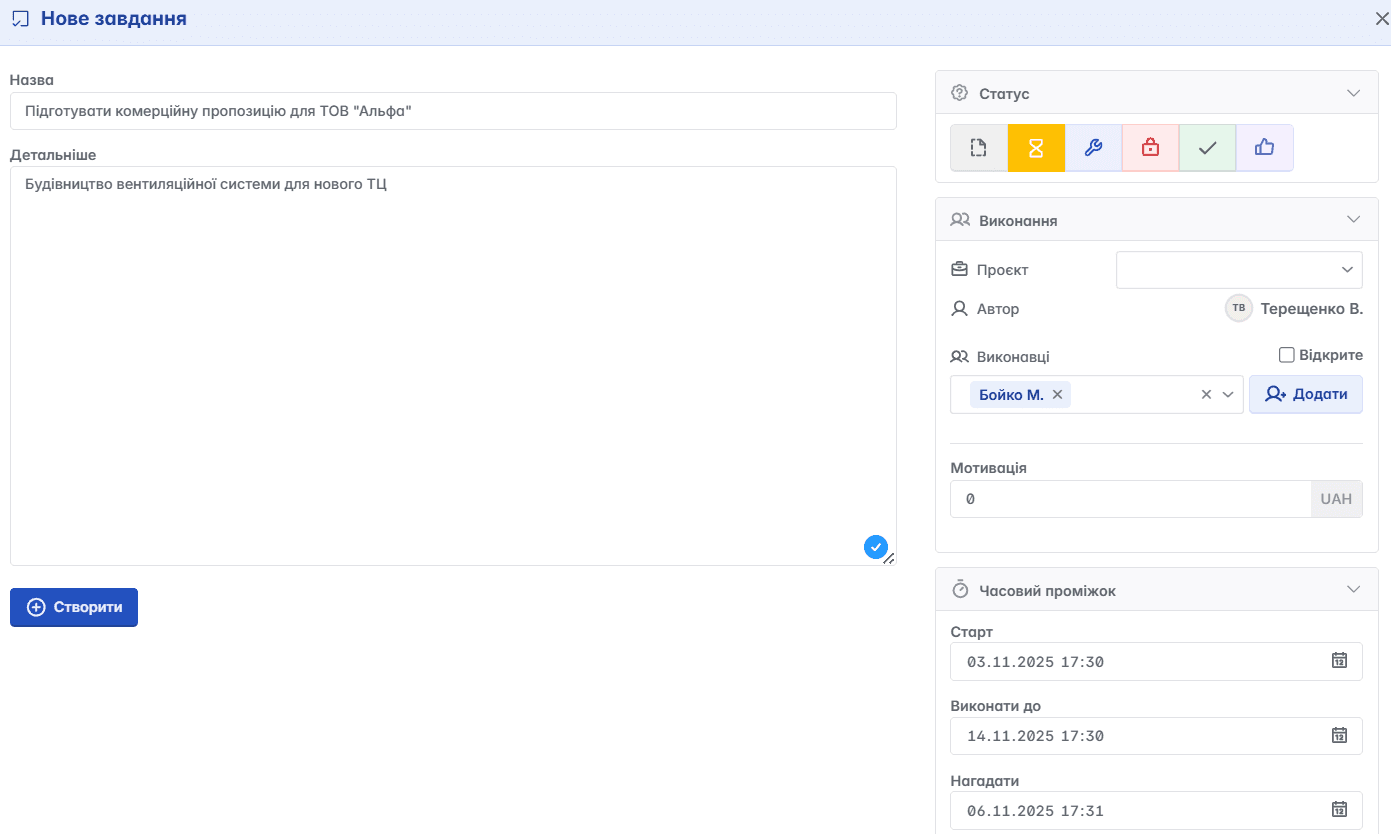
The team sees what to do and who is responsible for it.
Step 2 - Executing and updating statuses
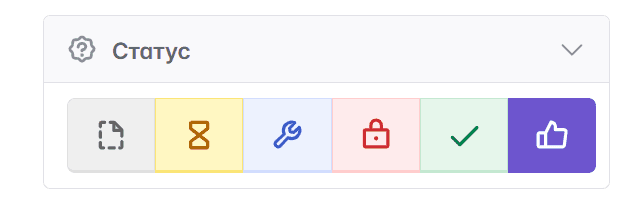
The executor moves the task through the stages:
Pending → In Progress → Completed
The service automatically reminds about deadlines, and the manager understands at which stage the task is, without extra questions.
Example: Mykhailo finished the proposal - he changes the stage to "Completed". The manager checks the created document. If all issues are resolved, the manager can change the status to "Accepted", which will notify Mykhailo that the work is finished.
Step 3 - Communicating inside the task
Files, comments, clarifications, checklists - everything is stored right here, not lost in chats.
Example: A client asked to replace a logo - the marketer attached a new file to the task, the designer immediately sees the changes and makes adjustments.
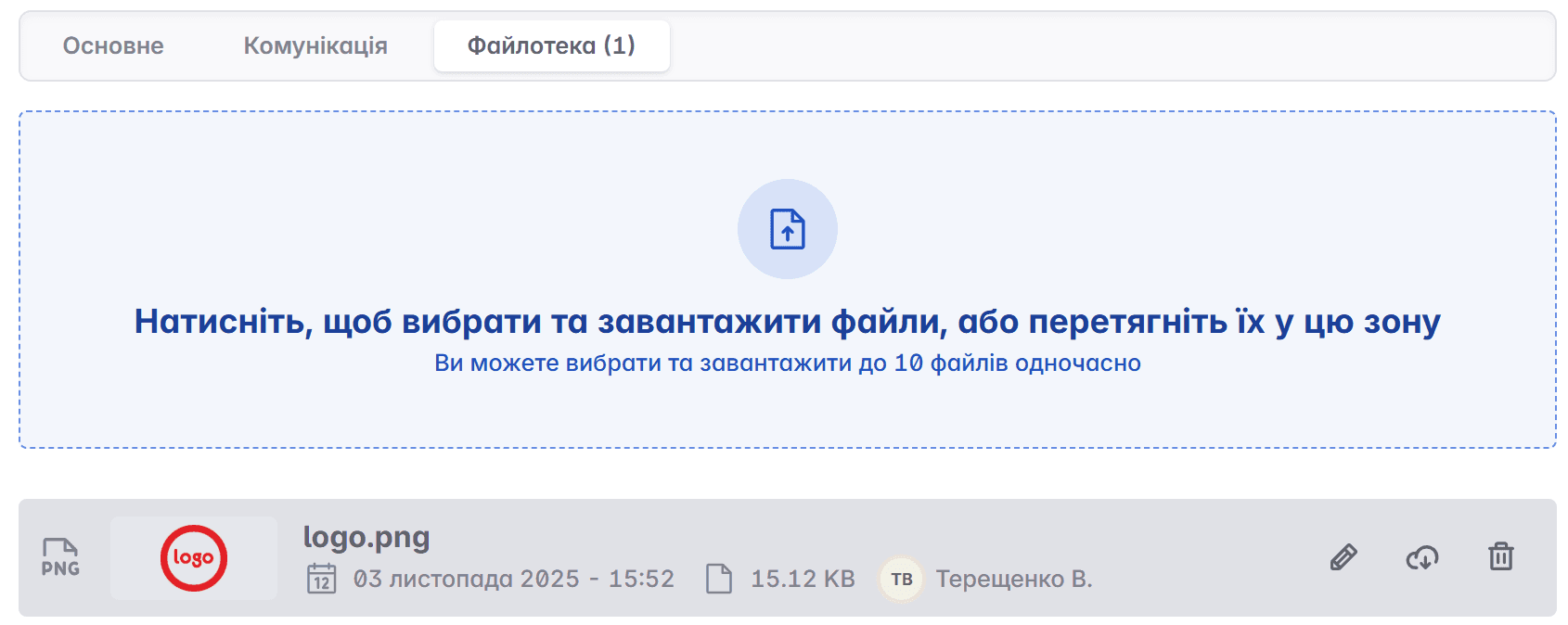
Nobody is looking for "where did you send this?".
Step 4 - Redistributing work
The task list shows the workload of the team: who is overloaded and who can take on more.
Example: Vita has 12 active tasks, while Maksym has 6. Part of the tasks can easily be transferred to Maksym in two clicks.
The team works more evenly and quickly.
Step 5 - Analyzing the result
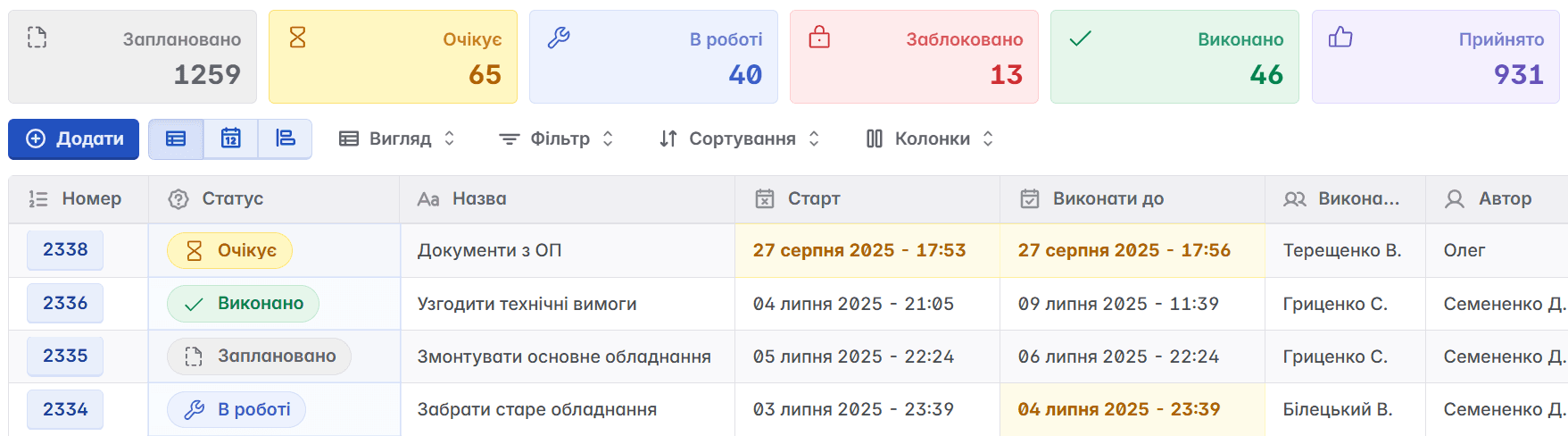
On the top panel of the module, we can track how many requests are "In progress" and how many are still in the "Pending" mode.

We can analyze what was completed on time and what is overdue; which stages slow down the work; who completes tasks most effectively.

So, let's highlight the business benefits of the "Tasks" module
Saving manager and team time
Responsibility and transparency in work
Systematic approach even with increasing workload
Understanding the efficiency of each stage
All history is saved and accessible
Messengers are for quick messages. Management is for Keruj™.
The "Tasks" module takes away chaos and returns control, try it in action! Order a demo or activate the module in your own Keruj™ space - and see for yourself how work gets organized from the very first day.