Finance

How sales automation saves a manager's time
In today's environment, a sales manager's daily tasks often include: creating commercial offers, maintaining a customer database, invoicing, monitoring payments, reminders, and searching for interaction history. All of this is an administrative burden that takes up time and distracts from active work with the client.
Keruj allows you to automate key elements of the sales and finance process - particularly through the "Sales" and "Finance" modules - and thereby significantly reduce the number of routine actions of the manager.
1. Automated Document Creation and Conversion
The "Sales" module allows you to create offers, which can then be quickly transformed into invoices or orders. This means that the manager:
does not waste time duplicating data (products, prices, details)
does not rewrite documents manually
has guaranteed data accuracy (fewer errors)
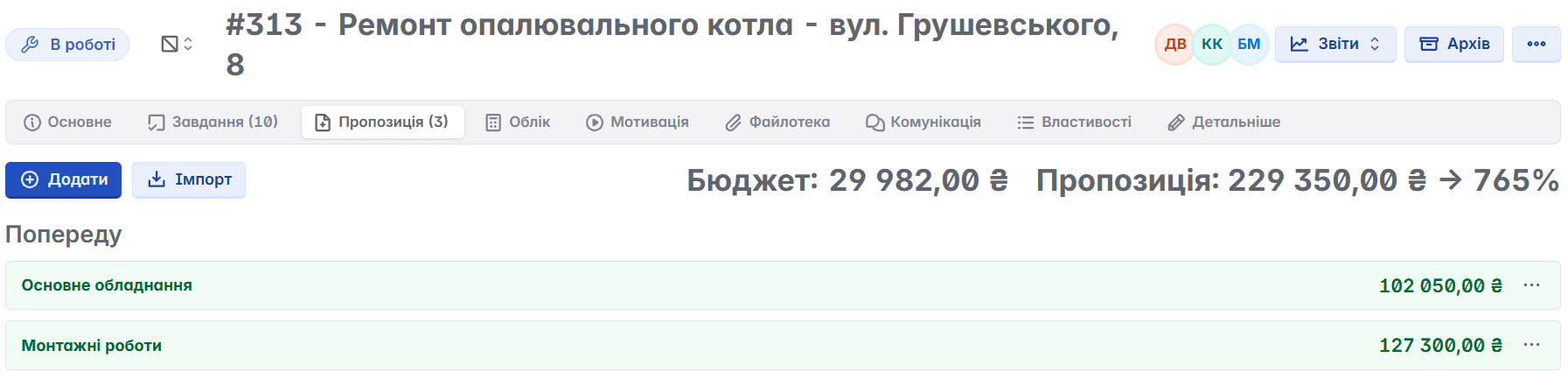
Let's imagine a manager who has to prepare a commercial offer for a new project. In Keruj, they can "Add" several offers at once
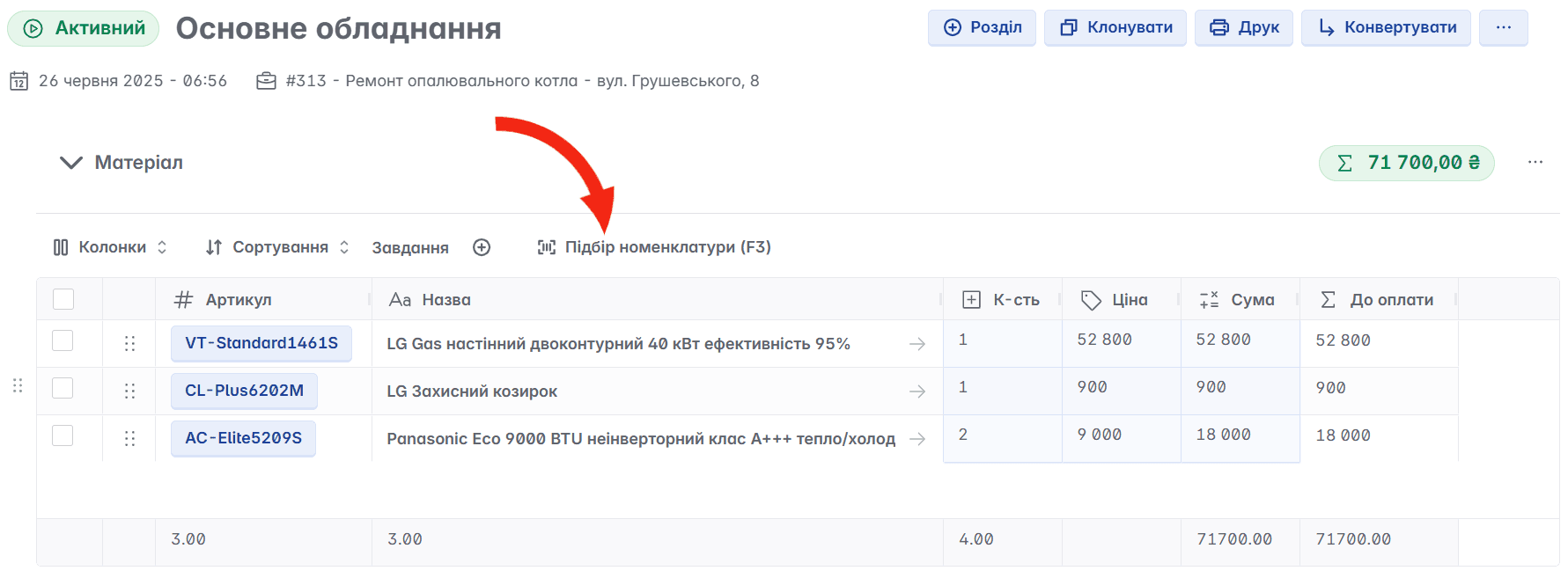
In the created offer, they add products/services - "Nomenclature selection"
After approval by the client - one click to "Convert" into the required document type
With the traditional method: 15-20 minutes to fill out the document + correspondence + checks; in Keruj - 5 minutes or less.

2. Control of Sales Stages and Tasks
In the service, you can configure document stages, document types, and document statuses. This means that the entire sales process has clear steps, and the manager knows at what stage the deal is and does not miss important stages (for example, invoicing after accepting an offer)
3. Financial Automation - Less Excel Routine
The "Finance" module in Keruj allows you to record invoices, monitor payments, and view reports.
This means that:
the manager immediately sees which counterparty has a debt
there is no need to manually check folders, letters, or scanned invoices
financial information is linked to sales - data is automatically integrated
Previously, a manager would send an invoice, wait for confirmation, then manually enter the payment in Excel, and then reconcile it with the client. In Keruj - the invoice is created, receipt of funds is recorded, and the mutual settlements report is automatically updated. The manager spends minutes checking rather than hours reconciling.

4. Centralized Database: Counterparties, Nomenclature, Documents
This means:
all clients, partners, and contacts are in one place
all products/services are standardized
the manager does not need to "search for a client in 3 spreadsheets" or determine "whether this is a new or old product"
reduces the risk of errors in names, details, and conditions
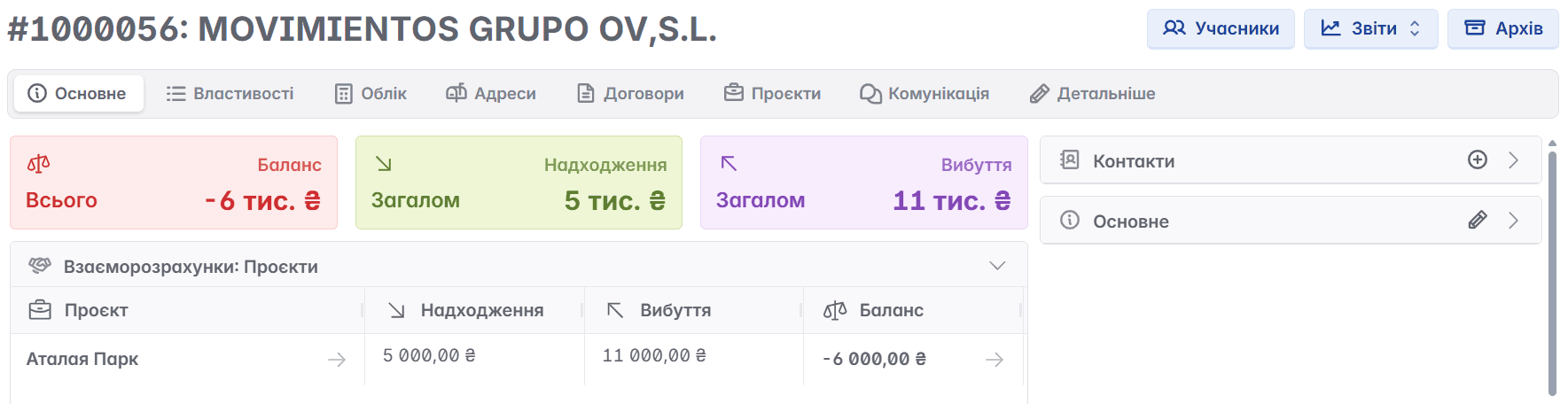
For example: a manager has several projects with one counterparty. In Keruj, they open the counterparty card and see the entire history: contracts, offers, invoices, projects, settlements. There is no need to separately open Excel, Gmail, or folders on the drive. This saves time and allows for better preparation for the conversation with the client.
5. Quick Access to Reports and Analytics
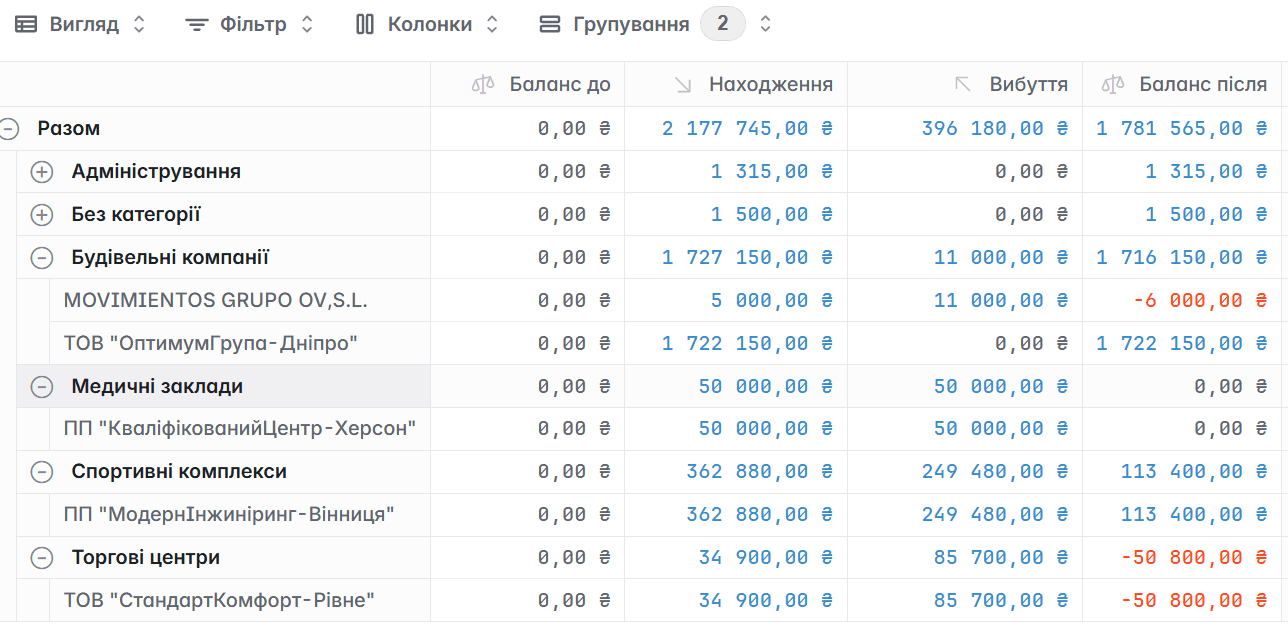
The "Reports" module allows you to view reports and analyze activities.
This means that the manager and supervisor can see the complete picture of the business activities, according to any given parameters and categories. The manager spends less time compiling reports manually - they already have ready-made data.
6. Real Time Savings
Less manual data entry → documents are created quickly
Processes are standardized → no "forgot a step"
Finance is monitored automatically → no manual reconciliation
Database is centralized → no searching through chaotic folders
Reports are ready-made → less time spent on analysis
How It Works?
If a manager spends 3 hours daily on documents and administration, automation can reduce this to 1 hour. Over a month - 40 working hours (the equivalent of one full working week) are freed up for real sales.
Implementation Recommendations
Set up directories (counterparties, products) before launching - this will ensure data accuracy.
Define sales stages, document types, and document statuses - make the process transparent.
Train managers to create offers by showing them: "One click - and it's done".
Work with the "Finance" module: register payments, analyze delays.
Use reports - review key financial indicators, performance of managers, solvency of consumers, and develop your business based on clear data.
Take the first step towards automating your business processes - Order a Demo and work efficiently with Keruj!


