Implementation

How to set up a warehouse and inventory management system in Keruj
Warehouse management is not just about storing goods. It is a strategic part of the business that affects costs, logistics, and order fulfillment speed. If inventory accounting is set up incorrectly, there may be surpluses or, conversely, shortages of goods. In Keruj, you have the tools to control all of this easily, effectively, and transparently.
Here is a simple step-by-step plan on how to set up the warehouse and inventory in Keruj
1. Define the warehouse structure
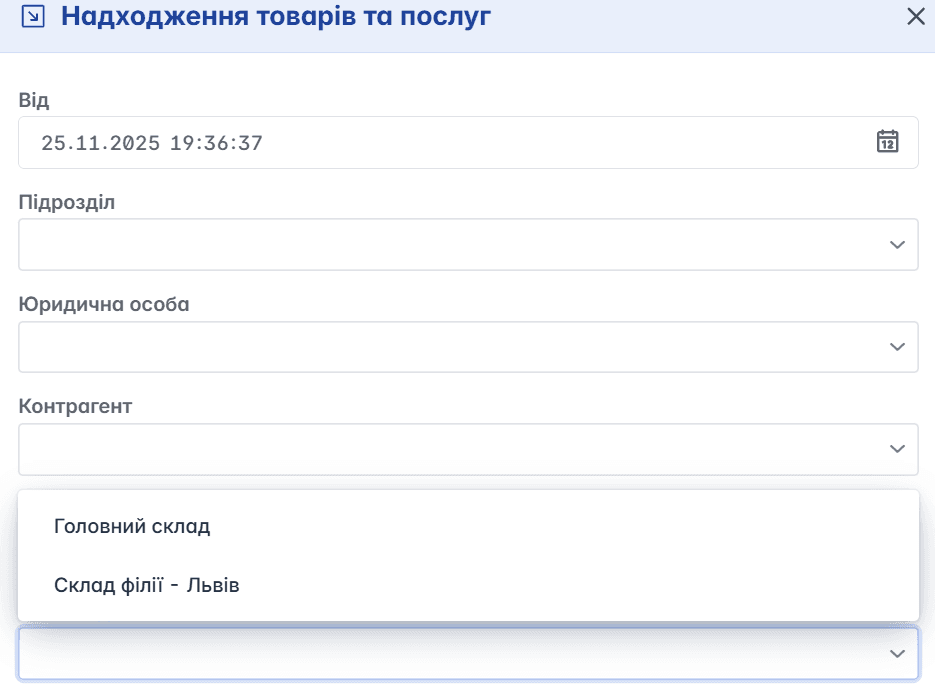
In the settings of your Keruj space, create separate warehouses and locations (for example: "Main Warehouse", "Branch Warehouse", "Reserve Warehouse") to clearly separate storage locations.
This will help control from where write-offs, transfers, or stock receipts occur.
Example: you have two warehouses: "Main Warehouse" and a location "Branch Warehouse - Lviv". When goods arrive, you choose which warehouse to receive them to, and during issuance - from where to write them off.
2. Add items/nomenclature
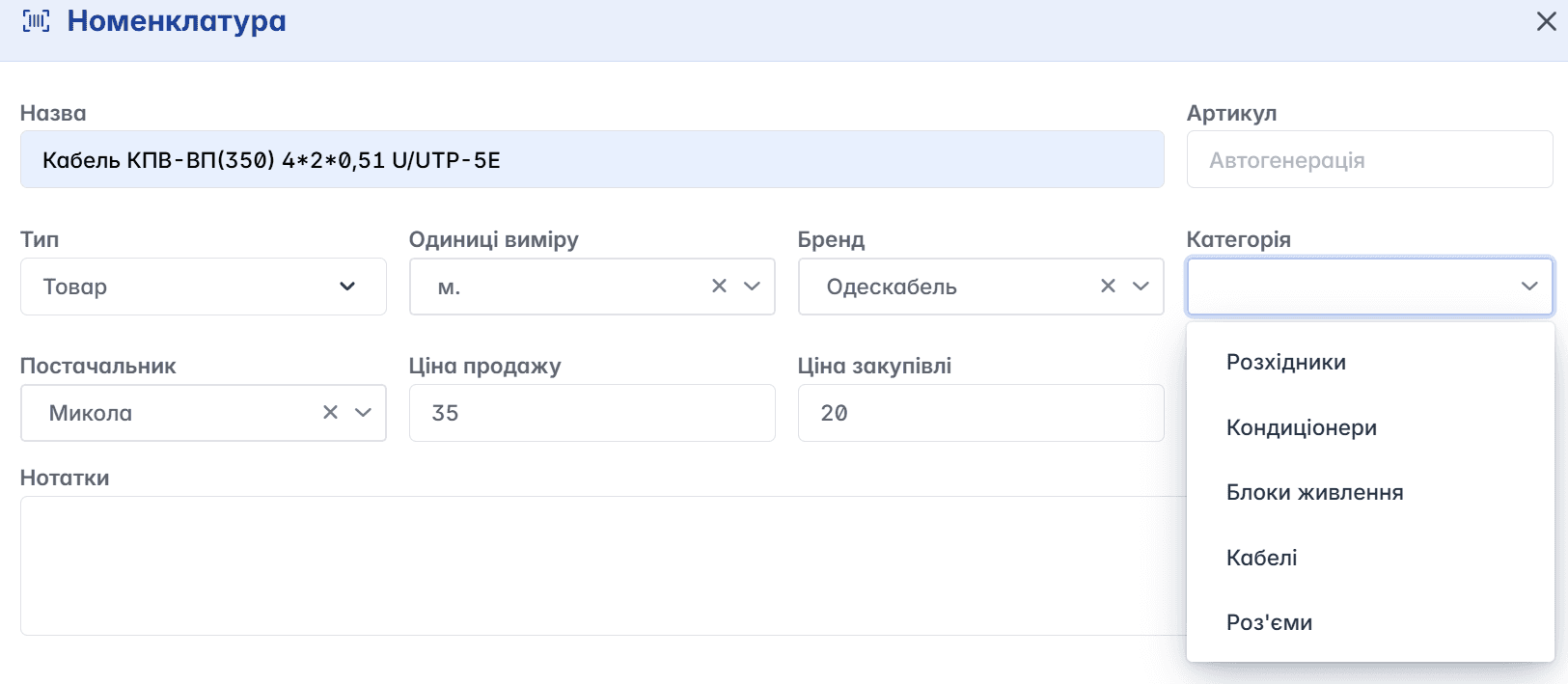
Add all products as nomenclature items. Each item must have an article number, name, unit of measurement, and category.
In the settings of your Keruj space, add the necessary categories for nomenclature (in the "Directories" section) to conveniently group and filter inventory.
Example: you have three types of goods - "Cables", "Connectors", "Power Supplies". In each product, specify the group to easily create reports and sort products later.
3. Posting of receipts
Create receipt notes - "Receipt of Goods and Services", when you receive goods from suppliers.
Choose which warehouse to "post" the items to - this records the balances.
Example: a supplier sent 1000 meters of cable. You create a "Receipt of Goods and Services" document, indicate that everything goes to the "Main Warehouse", select the required item in "Nomenclature Selection". After changing the document status to "Completed", the balance of goods in this warehouse will increase.

4. Transfer between warehouses
If you have several warehouses, you can create transfer documents between them in Keruj.
This is important so as not to keep excess balances in one warehouse or leave a shortage in another.
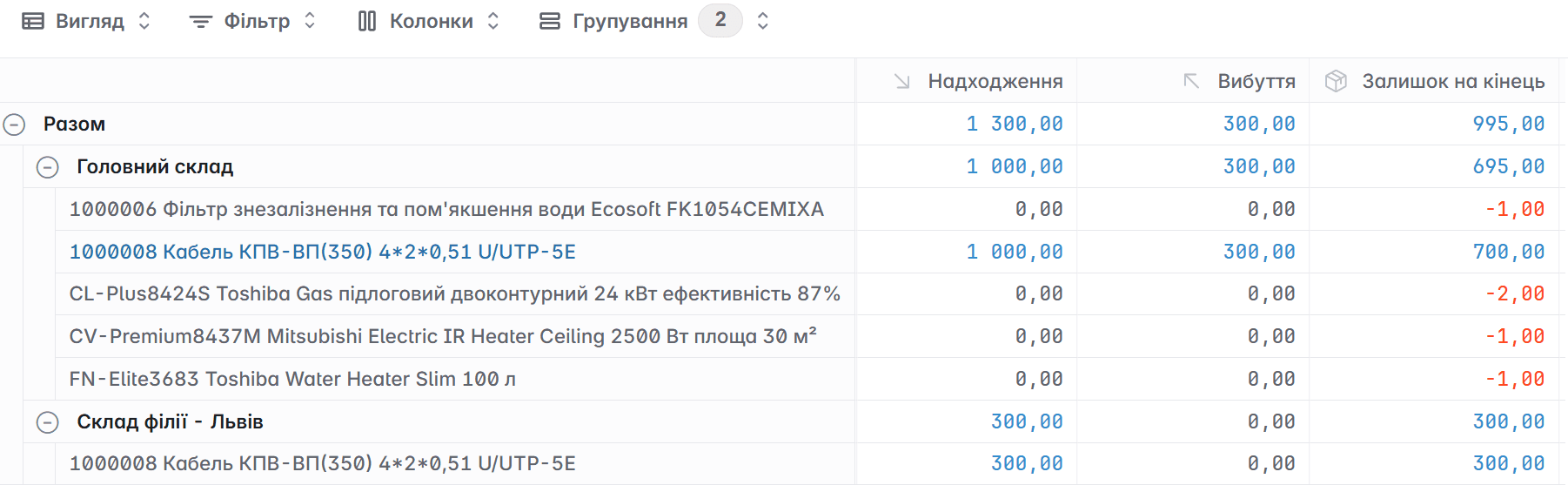
Example: you need to transport 300 meters of cable from "Main Warehouse" to "Branch Warehouse - Lviv". You create a "Transfer of Goods" document, indicate "from warehouse → to warehouse" in the creation form, add the required item and quantity to the created document, and change the status. Balances are adjusted automatically.
5. Writing off goods
For goods that are damaged or no longer suitable for sale, create a "Write-off of Balances" document.
Example: 10 units of connectors were damaged during transportation. Create a "Write-off of Balances" document, select the warehouse from which you need to write off the goods in the form, add the necessary units of goods to the document (If necessary, you can leave a note, for example, the reason for the write-off) - after changing the document status, the goods are removed from the warehouse.
6. Inventory reconciliation
Periodically conduct inventory reconciliations to compare actual balances with stock data in Keruj.
Perform reconciliation according to the warehouse report, and in case of discrepancies, adjust the data
Example: During cable inventory, it was determined that the actual quantity in the warehouse is 750 meters, while in the system it is 700. Create an "Entering Balances" document, add the required item, the difference (in our case 50 meters), and change the status.

7. Analytics and inventory control
Use Keruj reports to analyze balances, stock movements, and the most popular items.
Check which goods stay in the warehouse for too long or, conversely, sell out quickly - this will help optimize orders and purchases.
Example: according to the report, you see that connectors sell slowly, while power supplies sell very quickly. Based on this, you can change your strategy: reduce the purchase of connectors and focus on power supplies, perhaps add some other items.
8. Delegate rights to employees
In Keruj, configure roles and access rights: who can record receipts of goods, who can write off, who can perform inventory reconciliation.
This will ensure control and safe operations with the warehouse, avoiding accidental or unauthorized changes.
Example: your warehouse manager has the right to create receipts and transfers of goods, the accountant - to view reports and make write-offs of goods, and the warehouse worker - only to enter actual balances during inventory reconciliation.
9. Regular training and review
Conduct brief training for the warehouse team on how to generate documents, perform inventory reconciliation, and where to enter transfers.
Every few months, review processes to see if there are bottlenecks and if everything is working effectively.
Example: after three months of working in Keruj, you see that the warehousing process is running smoothly, but employees often forget to perform inventory reconciliation - create a corresponding task and monitor its execution.
Setting up warehouse and inventory management in Keruj is not difficult, but very important. By structuring warehouses, properly maintaining nomenclature, using warehouse documents, and analyzing data, you will gain full control over inventory. This will help reduce costs, avoid shortages, and make your business more efficient.
Ready to try? Book a demo - and set up your warehouse today.


