Task

How to set up a transparent motivation system in Keruj
In every company, there comes a point when you need not just to pay bonuses, but to build a transparent motivation system based on facts, numbers, and real results. The team should see what they are earning rewards for, the manager should control the results, and the CRM should automatically record the completed work.
In Keruj motivation is implemented simply and clearly: it is tied to the tasks that employees perform in the course of their work. The task itself is the source of information about:
what needs to be completed
who is responsible
what the deadlines are
what reward the employee receives upon completion
Where and how is motivation configured in Keruj
Motivation is configured in the task card. In Keruj, each task contains:
work description
assignee
deadline
execution status
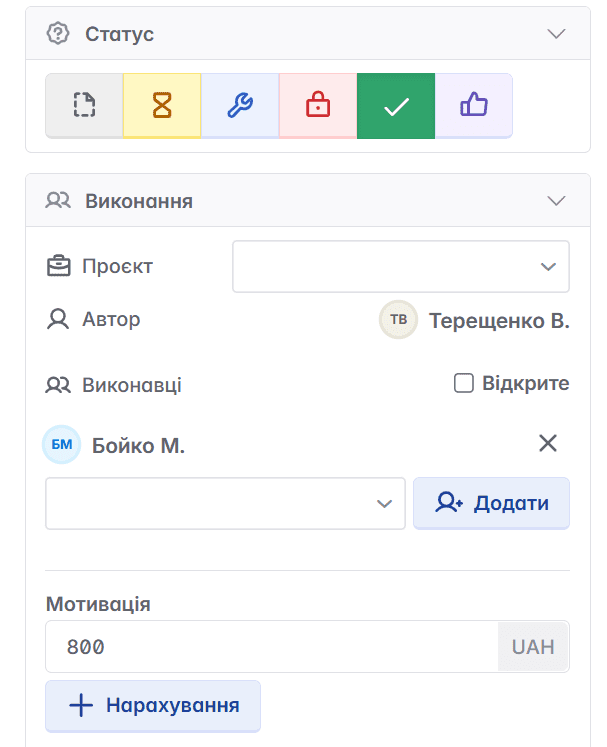
motivation amount - how much the employee will receive for completion
Motivation is added manually when creating or editing a task. This is done in the "Motivation" field.
Why is it designed this way?
Because a task is a clear unit of work. The employee sees:
their tasks
the importance of each action
how much they will earn upon completion
The manager sees:
who performed what
how much the company spent on motivation
how effectively the employee is spending their time
Advantage of the approach
Motivation becomes not just a supplement to the salary, but a specific payment for specific work that is easy to verify: there is a task → there is a result → there is motivation.
Motivation in projects
Why is it important to add tasks to projects?
Because it is in projects that you see the big picture:
all team tasks
who did what
what costs were incurred
how much motivation is accrued for each participant
total costs on the project
Thus, Keruj allows you to formulate and control the reward based on the task.
How does motivation work within a project?
A project is created (for example, installation of a system, website development, marketing campaign).
Tasks are created inside the project
In each task, a reward is specified
When a task is completed → motivation is automatically displayed in the "Motivation" tab. The manager sees:
the motivation amount for each employee
the total cost of work
plan-vs-actual expenses for work
can calculate project profitability
Example:
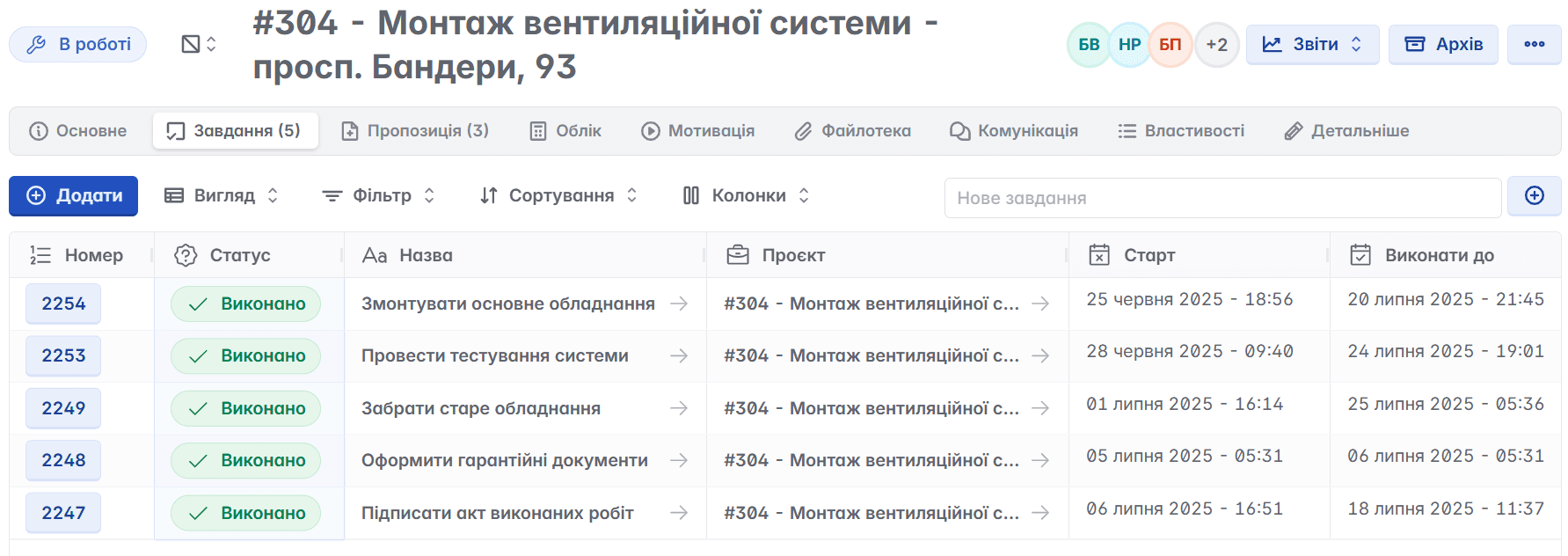
A company is carrying out a project: "Installation of ventilation system". Within the project:
Task 1: Install main equipment - motivation 10,000 UAH
Task 2: Perform system testing - motivation 2,000 UAH
Task 3: Remove old equipment - motivation 1,000 UAH
Task 4: Draw up warranty documents - motivation 1,000 UAH
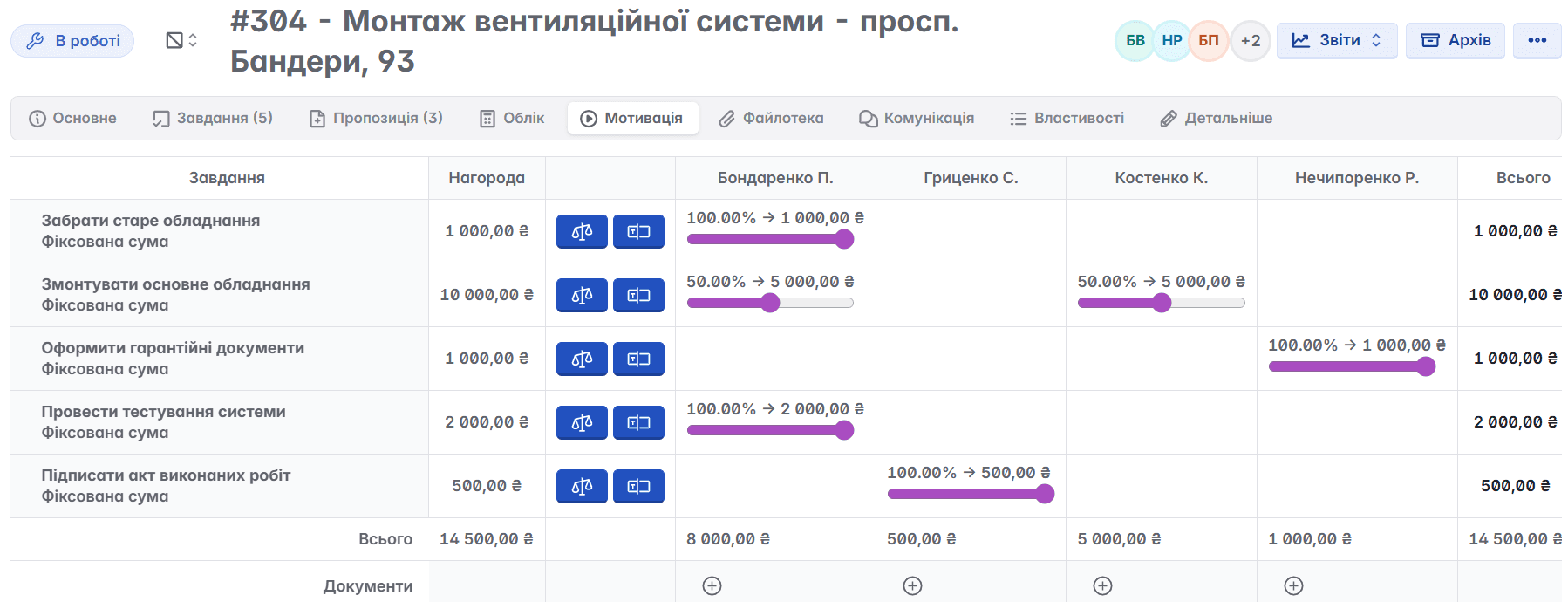
Task 5: Sign the certificate of completion - motivation 500 UAHUpon completion, utilizing specialized buttons (in the form of scales or by typing manually) the manager distributes the motivation in accordance with the completed work in the "Motivation" tab:
Employee Bondarenko completed task 1, 4, and 50% of task 2 (as 2 people were assigned) → will receive 8,000 UAH
Employee Hrytsenko completed task 5 → will receive 500 UAH
Employee Kostenko completed 50% of task 2 → will receive 5,000 UAH
Employee Nechyporenko completed task 3 → will receive 1,000 UAH
Total motivation for the project - 14,500 UAH
What does this give to the business?
Transparency: everyone sees who did what and how much they earned
Budget control: the manager sees the costs for each stage
Analytics: you can recalculate motivation, compare employees, see workloads
No disputes: the system is the source of truth
How to record motivation payout in Keruj™
Accrued motivation in tasks is just a record that the company has to pay the reward.
To reflect the actual payment, you need to create the corresponding financial transaction.
Step 1. Create a financial document
Click on the "+" symbol located under the amount of the employee's accrued reward.
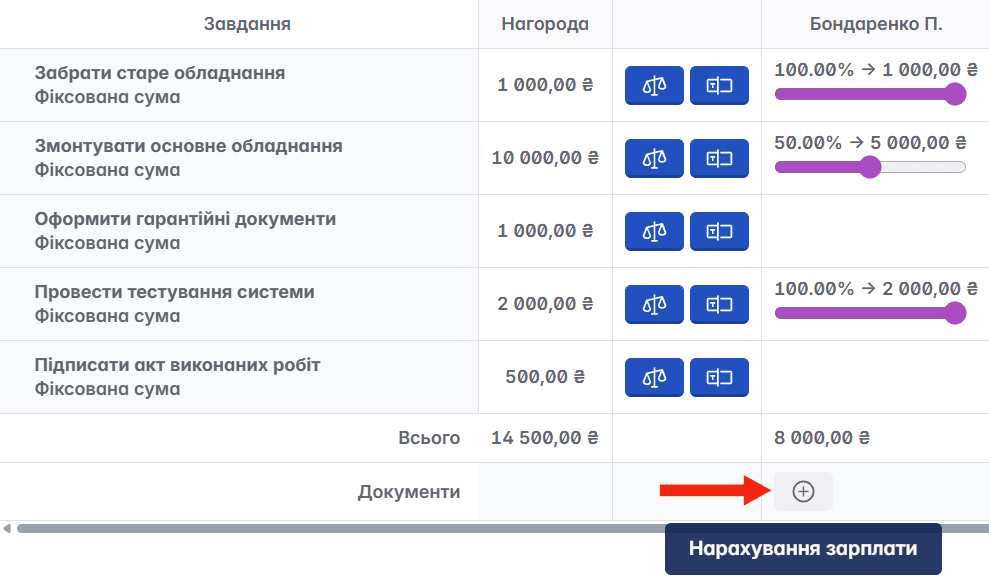
You will be automatically redirected to the layout of the "Payroll Accrual" document
Step 2. Check the document contents and change status
The main data (date, amount, contractor, project) is transferred automatically, you can fill in the required fields and add notes. After verification, change the document status to the appropriate one.
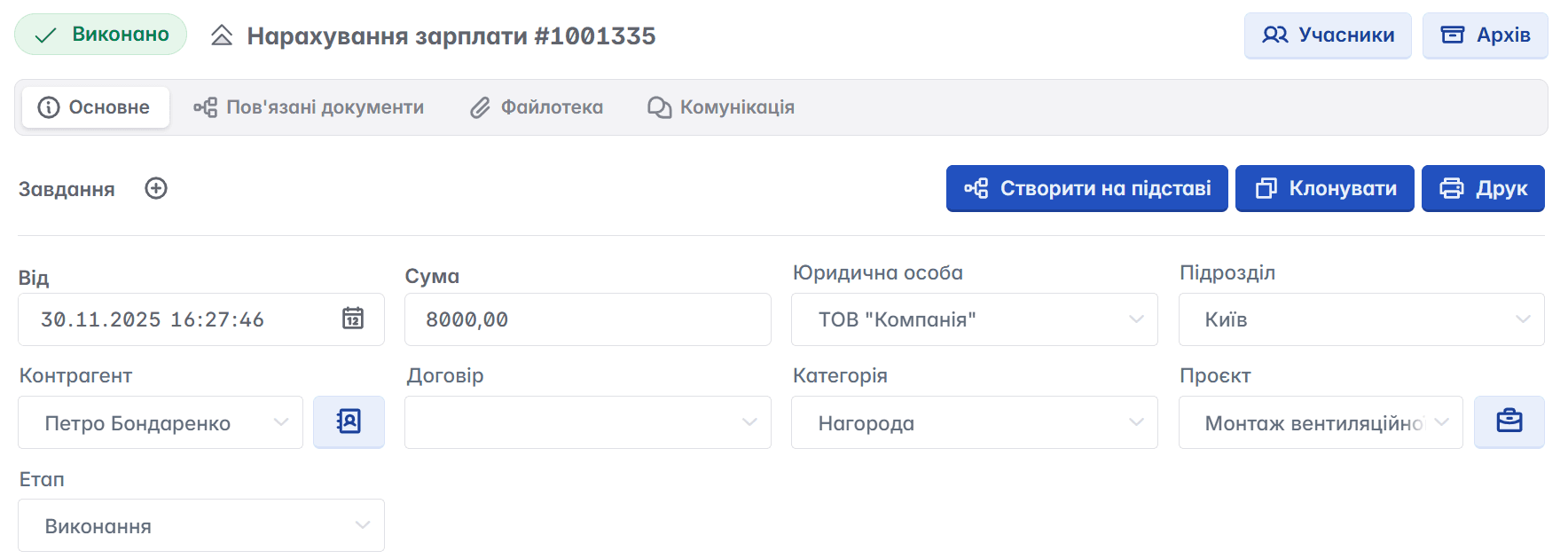
Step 3. Convert the document to "Cash Outflow"
Creating a "Payroll Accrual" document does not write off funds from the account; to do this, you need to record a "Cash Outflow".
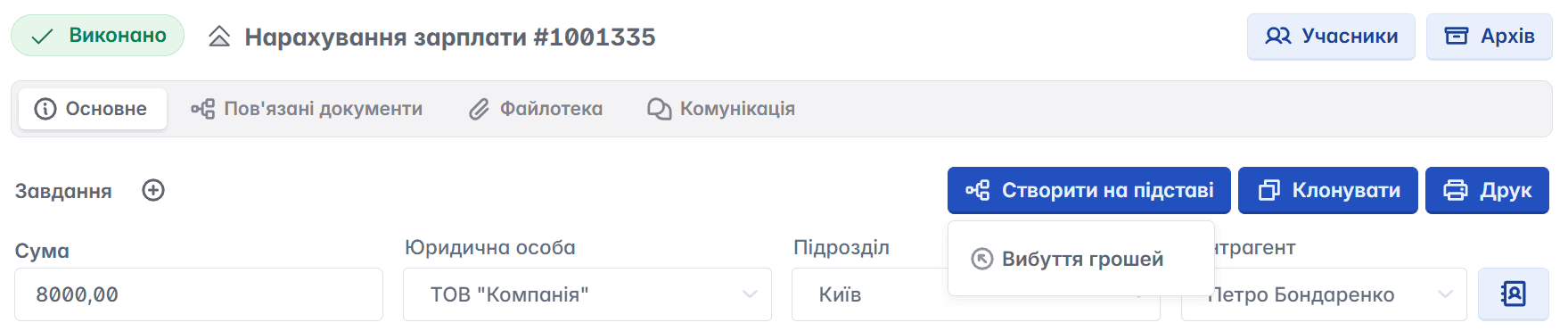
You can create this document and record the cash payout as soon as the task is completed, or after closing the entire project.
Step 4. Cash Outflow
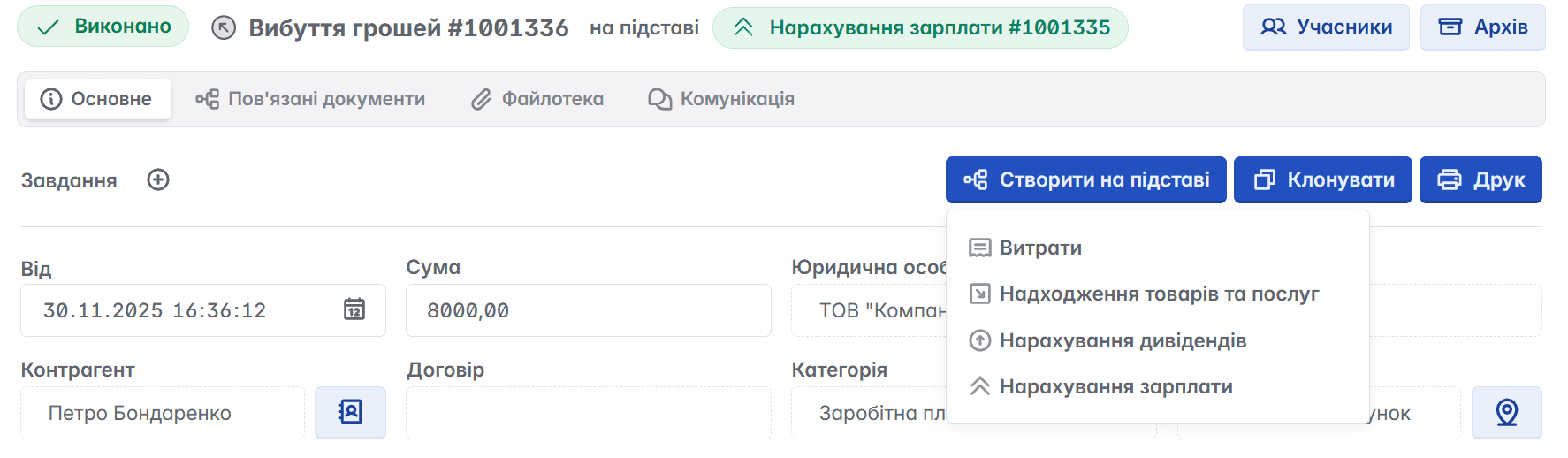
When clicking the "Cash Outflow" field, you will be automatically redirected to a new document, where you should fill in the required fields (the main ones are filled in automatically), select the account from which the payment will be made, and change the status
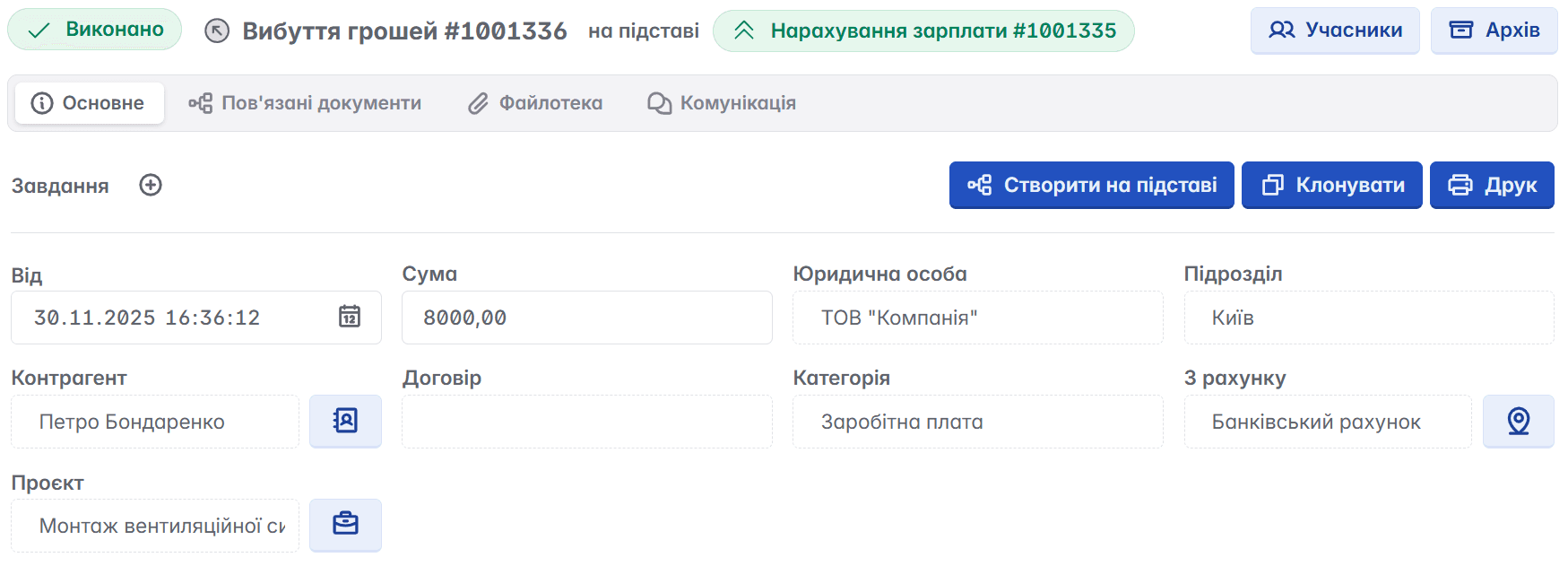
What happens next
All created documents regarding rewards will be displayed in the "Accounting" and "Motivation" tabs - and you will definitely not forget about the accrual
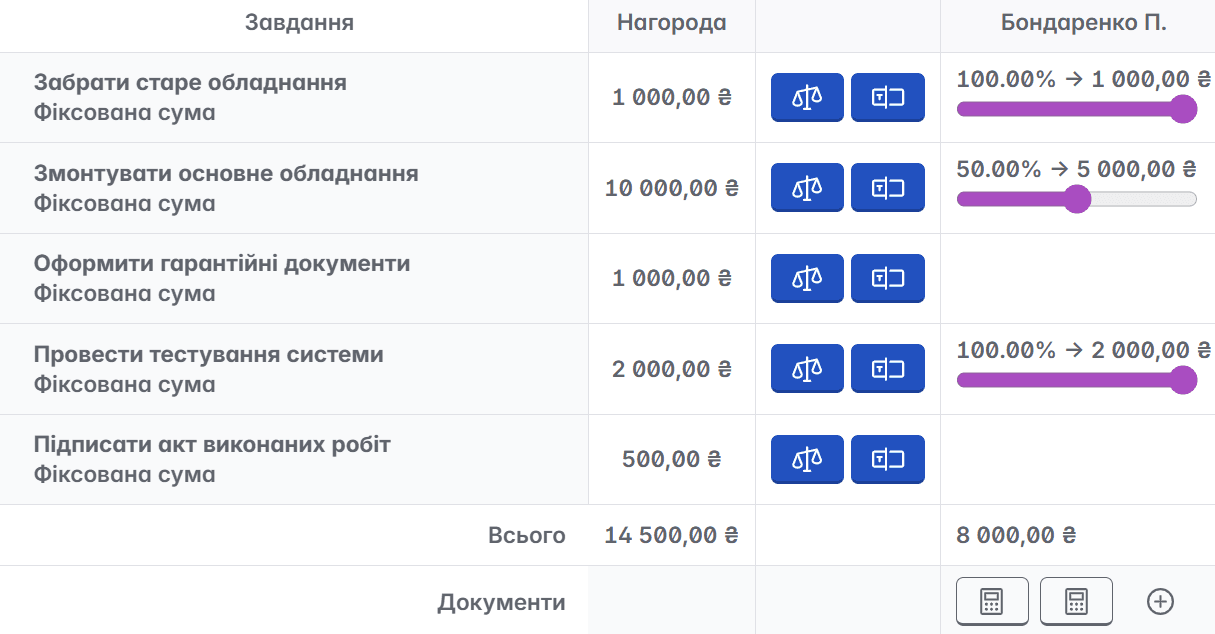
The "Cash Outflow" document will immediately be reflected in the project economics
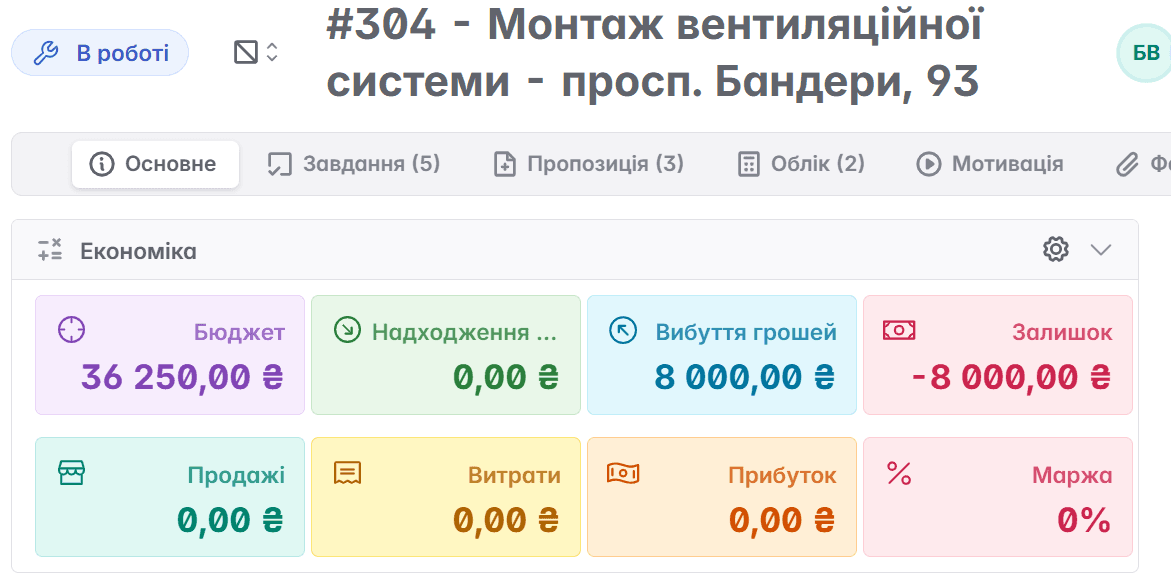
If necessary, the "Cash Outflow" document can be converted to "Expenses", if the accounting in your company involves such a classification.
In Keruj™ motivation is configured directly in tasks, where the amount or percentage of reward is specified. In projects, this allows you to immediately see who on the team completed what and what motivation they earned.
After the task is completed, motivation is recorded in the project economics, and the actual payment is easily reflected through financial documents.
This ensures complete and transparent accounting: accrual → payment → reflection in the project, which makes the motivation system understandable and controlled.


