Keruj has its own integration catalog for popular Ukrainian and international services. Adding your own application to the catalog helps to integrate Keruj with third-party services and automate work.
The application catalog can be found in the menu Settings - Automation - Integrations
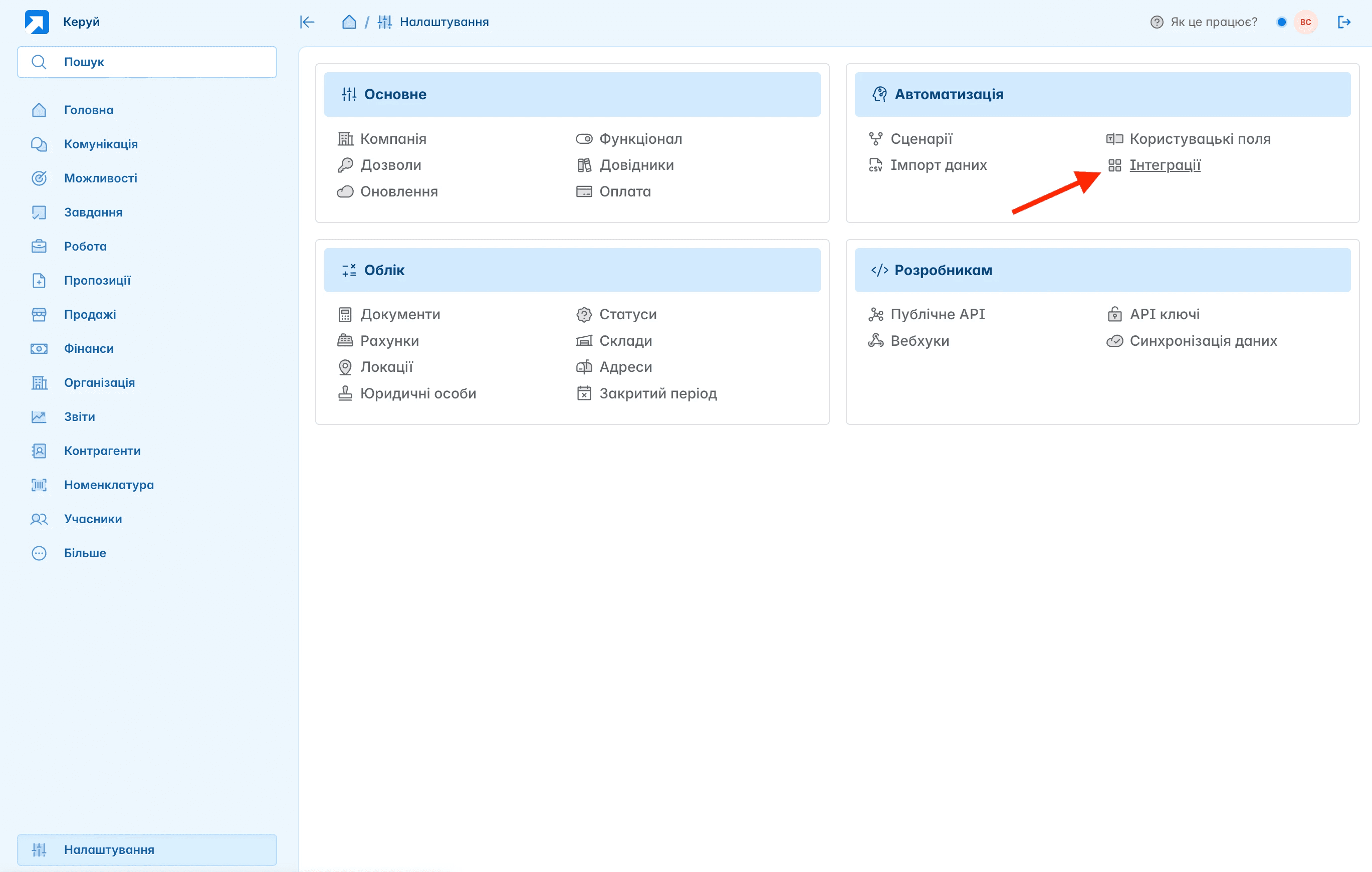
In the Integrations section, clicking "Add" opens the catalog of available applications
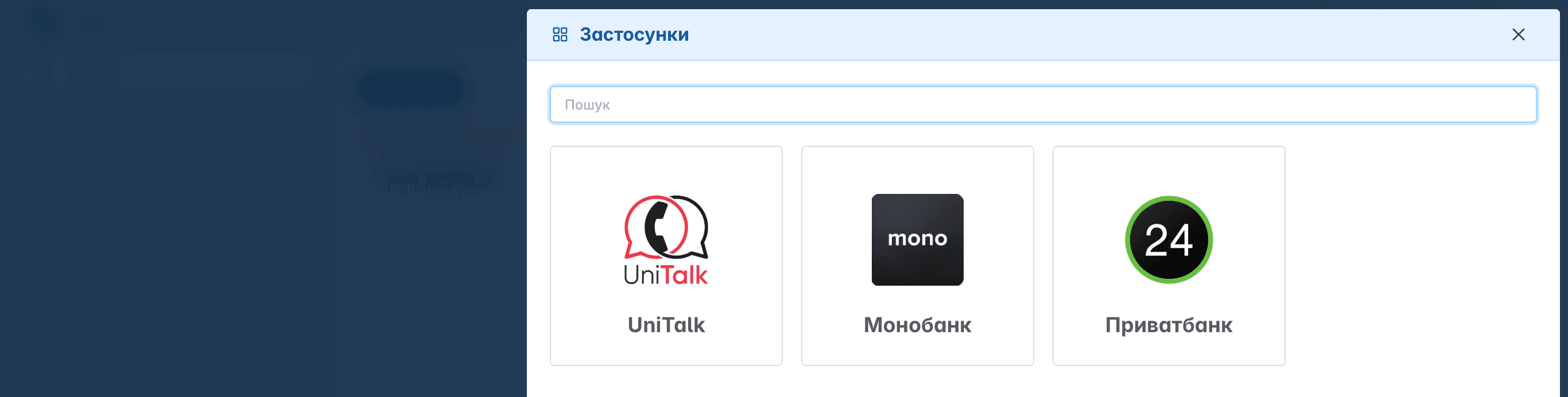
The catalog is constantly improved and updated
What is an integration application?
It is any external backend service capable of receiving and executing HTTP requests. To submit your application to the catalog, contact the support at dev@keruj.com
What is required from you
The endpoint URL where Keruj will send all requests
The health check endpoint URL to verify your application's status
Logo for the catalog
Short description of the integration and what the user receives
What you receive from us
A special secret token for your application to ensure that it is indeed Keruj sending you the data
Endless gratitude for supporting the development of a Ukrainian product 🇺🇦 ❤️
Integration Lifecycle
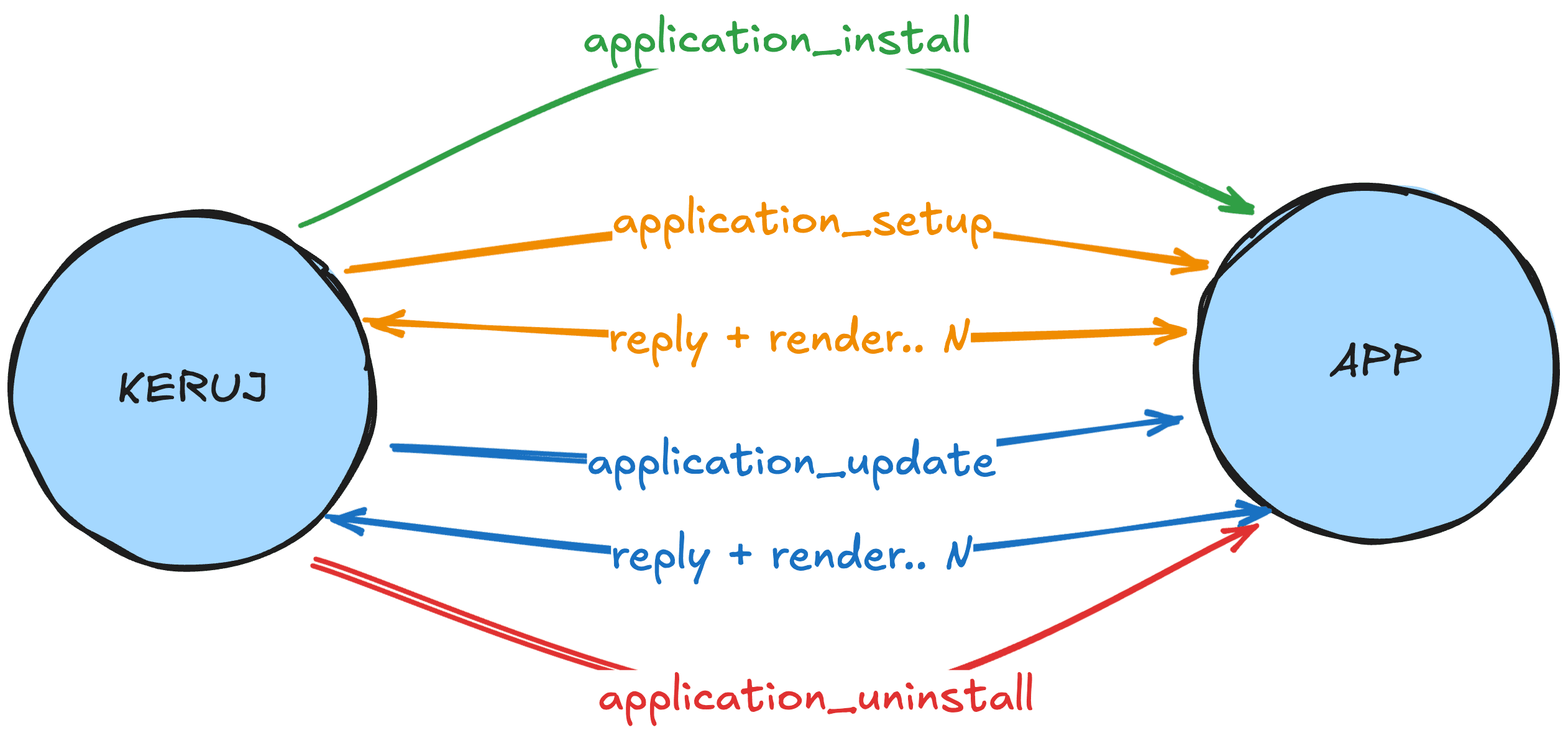
Integration of Keruj with an external service occurs through exchange of messages in application/json format. There are two types of messages
System - sent at the moment of installation/update/removal of the integration
User-defined - you can specify yourself what and how you want to receive from Keruj
All interaction operates on the event + response principle
Installation
A third-party service that provides its API key, and the user must provide it by installing the application.
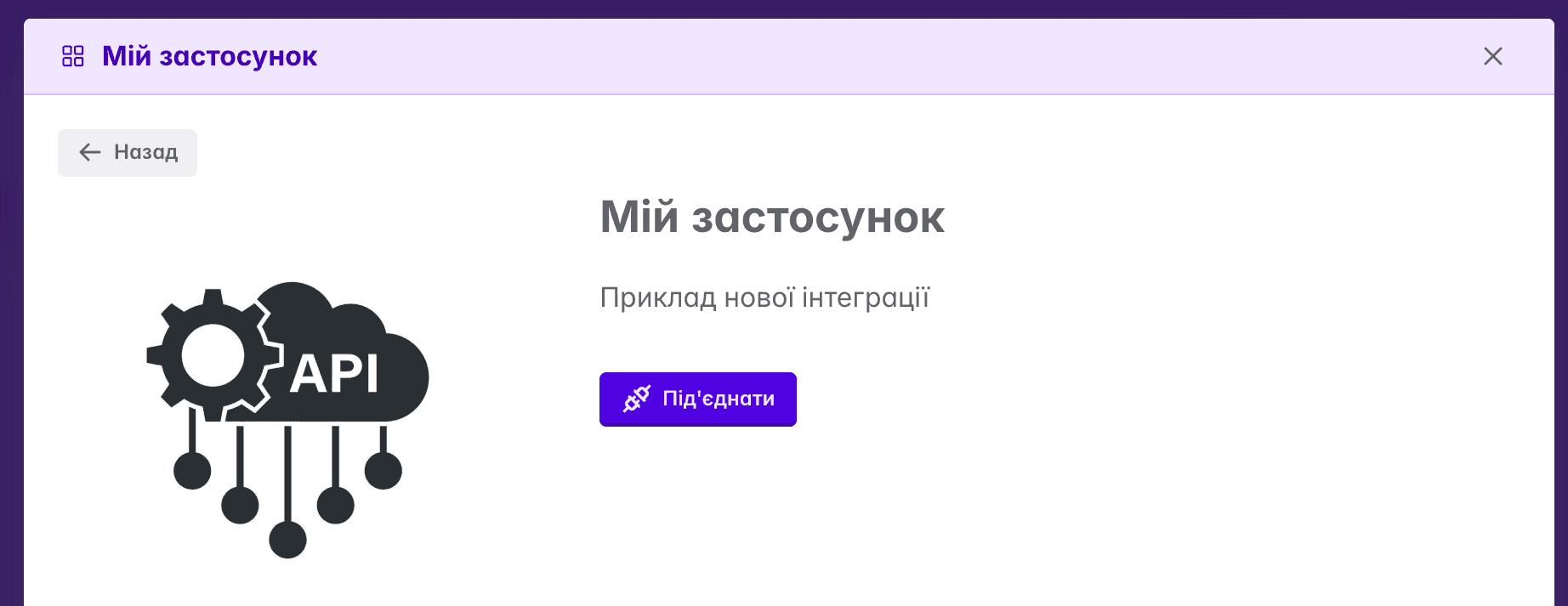
At the moment of installing the application from the catalog, you receive a POST request
{
  "event":"application_install",
  "company_id":"9b6116b7-20fc-438e-bbbc-96502f8e5a8d",
  "account_id":"df2ee18d-8beb-436b-9663-2f449ebd23a8",
  "account_api_key":"dDZRdjBoNTlqd2NIbnFWODFDNWJ0dz09"
}
{
"event":"application_install",
"company_id":"9b6116b7-20fc-438e-bbbc-96502f8e5a8d",
"account_id":"df2ee18d-8beb-436b-9663-2f449ebd23a8",
"account_api_key":"dDZRdjBoNTlqd2NIbnFWODFDNWJ0dz09"
}{
"event":"application_install",
"company_id":"9b6116b7-20fc-438e-bbbc-96502f8e5a8d",
"account_id":"df2ee18d-8beb-436b-9663-2f449ebd23a8",
"account_api_key":"dDZRdjBoNTlqd2NIbnFWODFDNWJ0dz09"
}event - event name
company_id - unique identifier of the company in Keruj
account_id - unique identifier of the integration in Keruj
account_api_key - API access key on behalf of the integration application
We strongly recommend saving this information in your secure database, and keeping the account_api_key value only in encoded form
After a successful 2xx response, the user will be redirected to the settings page
Settings
At the moment of redirecting the user to the settings page, you will receive a POST request
{
  "event": "application_setup",
  "company_id": "9b6116b7-20fc-438e-bbbc-96502f8e5a8d",
  "account_id": "df2ee18d-8beb-436b-9663-2f449ebd23a8"
}
{
  "event": "application_setup",
  "company_id": "9b6116b7-20fc-438e-bbbc-96502f8e5a8d",
  "account_id": "df2ee18d-8beb-436b-9663-2f449ebd23a8"
}
{
  "event": "application_setup",
  "company_id": "9b6116b7-20fc-438e-bbbc-96502f8e5a8d",
  "account_id": "df2ee18d-8beb-436b-9663-2f449ebd23a8"
}
Depending on your response, 2 actions are possible
status 2xx and empty body - successful completion of the installation
status 2xx with JSON schema - ask Keruj to perform some action
For example, you want to ask the user to fill out a form with an API key and other fields from your service.
In this case, you should respond with status 2xx and a JSON schema
{
   "reply": "provide_api_key",
   "render": {
      "elements": [{
         "type": "paragraph",
         "format": "markdown",
         "content": "Read details at..."
      }, {
         "type": "form",
         "id": "config",
         "fields": [{
            "name": "api_key",
            "type": "text",
            "label": "API Key",
            "required": true
         }, {
            "name": "topic",
            "type": "select",
            "label": "Subject",
            "required": true,
            "options": [{
               "label": "Technical Support",
               "value": "tech_support"
            }, {
               "label": "Feedback",
               "value": "feedback"
            }, {
               "label": "Question",
               "value": "question"
            }, {
               "label": "Other",
               "value": "other"
            }]
         }, {
            "name": "newsletter",
            "type": "checkbox",
            "label": "Subscribe to news"
         }],
         "submit": {
            "text": "Connect",
            "icon": "check"
         }
      }]
   }
}
{
"reply": "provide_api_key",
"render": {
"elements": [{
"type": "paragraph",
"format": "markdown",
"content": "Read details at..."
}, {
"type": "form",
"id": "config",
"fields": [{
"name": "api_key",
"type": "text",
"label": "API Key",
"required": true
}, {
"name": "topic",
"type": "select",
"label": "Subject",
"required": true,
"options": [{
"label": "Technical Support",
"value": "tech_support"
}, {
"label": "Feedback",
"value": "feedback"
}, {
"label": "Question",
"value": "question"
}, {
"label": "Other",
"value": "other"
}]
}, {
"name": "newsletter",
"type": "checkbox",
"label": "Subscribe to news"
}],
"submit": {
"text": "Connect",
"icon": "check"
}
}]
}
}{
"reply": "provide_api_key",
"render": {
"elements": [{
"type": "paragraph",
"format": "markdown",
"content": "Read details at..."
}, {
"type": "form",
"id": "config",
"fields": [{
"name": "api_key",
"type": "text",
"label": "API Key",
"required": true
}, {
"name": "topic",
"type": "select",
"label": "Subject",
"required": true,
"options": [{
"label": "Technical Support",
"value": "tech_support"
}, {
"label": "Feedback",
"value": "feedback"
}, {
"label": "Question",
"value": "question"
}, {
"label": "Other",
"value": "other"
}]
}, {
"name": "newsletter",
"type": "checkbox",
"label": "Subscribe to news"
}],
"submit": {
"text": "Connect",
"icon": "check"
}
}]
}
}The user will see a setup form with the corresponding elements
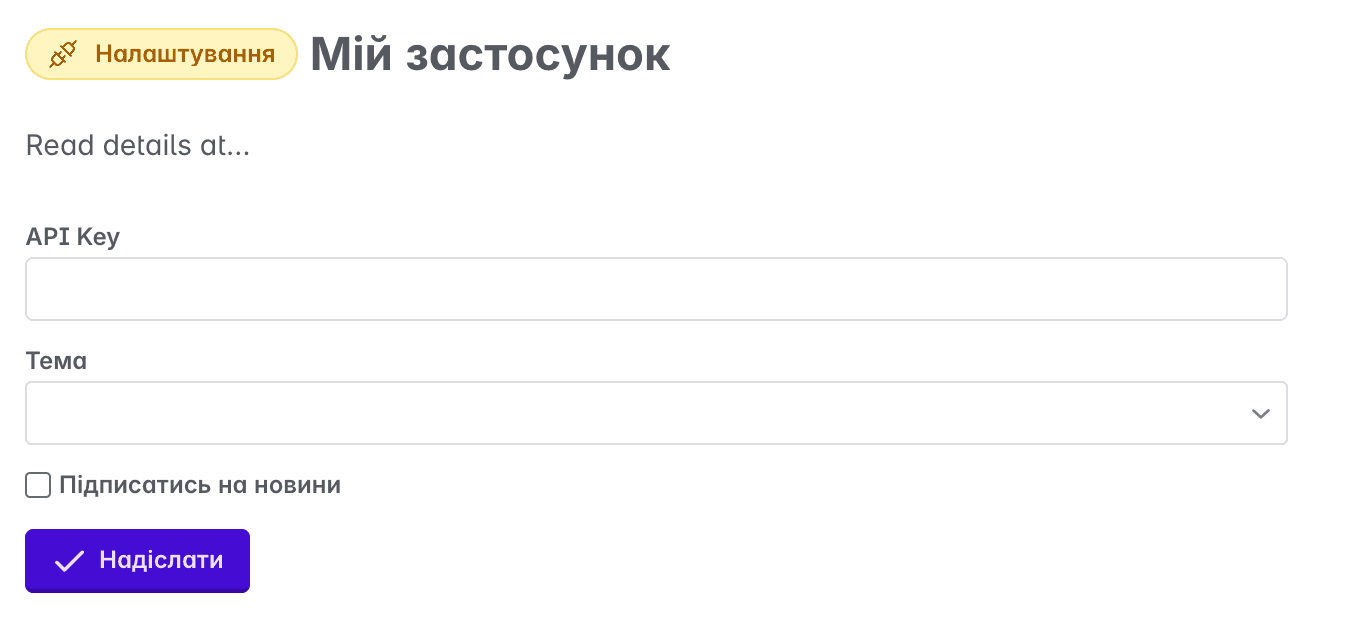
When the user fills in the details and clicks "Submit", you will receive a POST request message
{
  "event": "provide_api_key",
  "company_id": "9b6116b7-20fc-438e-bbbc-96502f8e5a8d",
  "account_id": "df2ee18d-8beb-436b-9663-2f449ebd23a8",
  "data": {
    "config": {
      "api_key": "my apu key",
      "topic": "tech_support",
      "newsletter": true
    }
  }
}
{
"event": "provide_api_key",
"company_id": "9b6116b7-20fc-438e-bbbc-96502f8e5a8d",
"account_id": "df2ee18d-8beb-436b-9663-2f449ebd23a8",
"data": {
"config": {
"api_key": "my apu key",
"topic": "tech_support",
"newsletter": true
}
}
}{
"event": "provide_api_key",
"company_id": "9b6116b7-20fc-438e-bbbc-96502f8e5a8d",
"account_id": "df2ee18d-8beb-436b-9663-2f449ebd23a8",
"data": {
"config": {
"api_key": "my apu key",
"topic": "tech_support",
"newsletter": true
}
}
}event - the event name you specified in reply
company_id - unique identifier of the company in Keruj
account_id - unique identifier of the integration in Keruj
data - data from elements filled in by the user
After this, you have 2 response options again:
status 2xx and empty body - successful completion of the installation
status 2xx with JSON schema - ask Keruj to perform another action, and thus you can build a step-by-step dialogue with the user until you have all the necessary data and are ready to finish the installation by responding with 2xx and an empty body
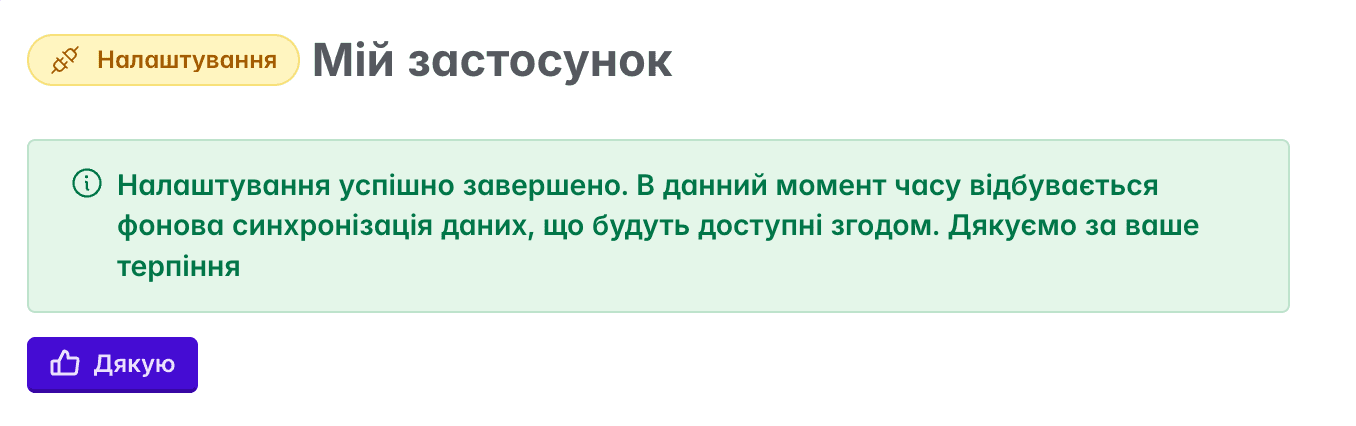
Successful completion will notify the user that the integration is finished and the magic is about to happen
Removal
When the user decides to remove the integration, you will be notified of this by a POST request
{
  "event": "application_uninstall",
  "company_id": "69ff6d01-92ca-4015-84cb-a91b7c1d7386",
  "account_id": "df2ee18d-8beb-436b-9663-2f449ebd23a8"
}
{
"event": "application_uninstall",
"company_id": "69ff6d01-92ca-4015-84cb-a91b7c1d7386",
"account_id": "df2ee18d-8beb-436b-9663-2f449ebd23a8"
}{
"event": "application_uninstall",
"company_id": "69ff6d01-92ca-4015-84cb-a91b7c1d7386",
"account_id": "df2ee18d-8beb-436b-9663-2f449ebd23a8"
}A response with a 2xx status is expected, and that you will delete all information about this company.
Authorization
All requests from Keruj contain an HTTP header x-keruj-app-token. Make sure to check if it matches your secret token
Healthcheck
Your application will be added to our status page https://status.keruj.app/
In case of prolonged unavailability of your endpoints, the application will be disabled.