For developers
Public API
GraphQL API
Today, this is the only publicly available data exchange format that can satisfy the needs of any type of client. Documentation is built directly into the endpoint, and convenient tools elevate the developer experience to a new level.
If you have not yet had experience working with GraphQL API, we highly recommend checking out the best resource for beginners - https://www.howtographql.com/
Endpoint
A universal endpoint for any company
https://api.keruj.com/api/graphql
You can also use your own endpoint which depends on your subdomain, but keep this in mind in case of changing the company's subdomain
https://{{my_company}}.keruj.com/api/graphql
Client
You can use any http client to execute requests that are capable of making POST requests. And here is a great article reviewing well-known GUI clients.
Documentation
For maximum convenience, we have prepared a playground for you that is directly connected to the public API endpoint https://graphiql.keruj.app/. You only need to add your authorization headers and you will immediately be able to test all the features of our GraphQL API
Authentication
All interaction in Keruj occurs on behalf of the user, taking access rights into account. You will need the user's API key and the ID of the current company.
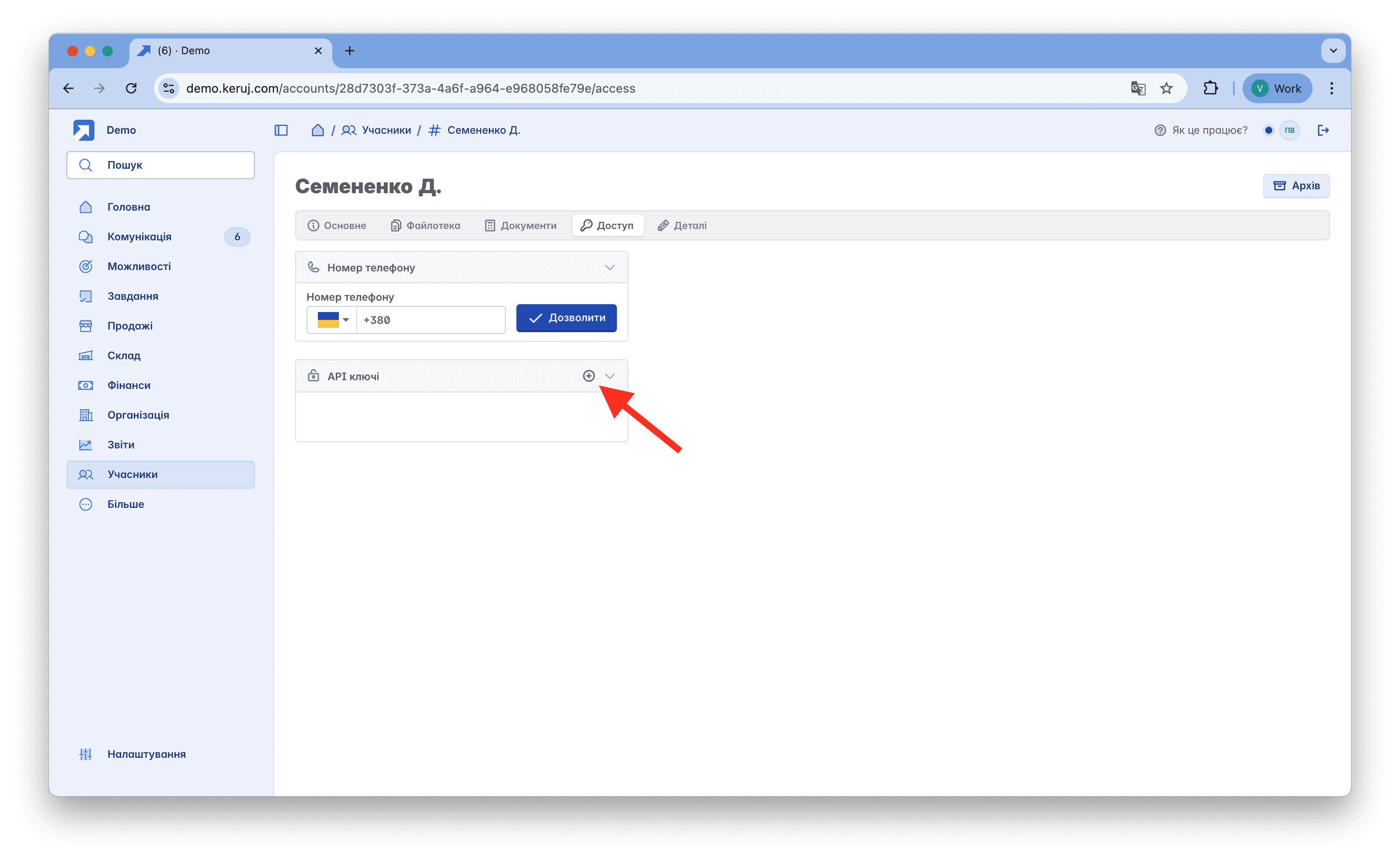
On your portal, go to the main menu and select Members.
Select the member you need or create a new one exclusively for API access.
On the “Access” tab, click “Add” in the API section
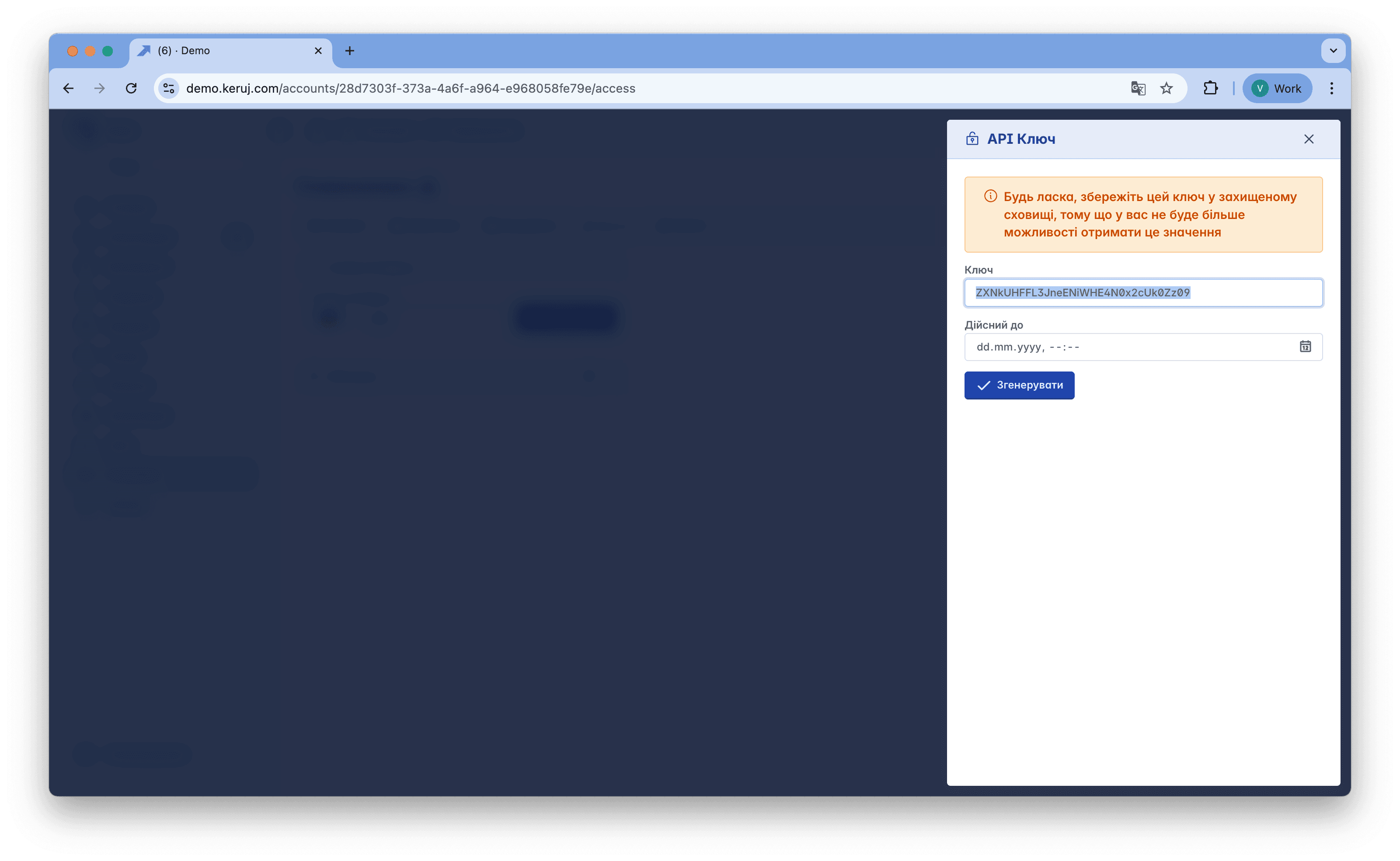
In the window on the right, get the API key and save it in a safe place. This is a very important step, as you will never be able to retrieve this key again. Do not share the key with third parties, as this is a matter of your data security.
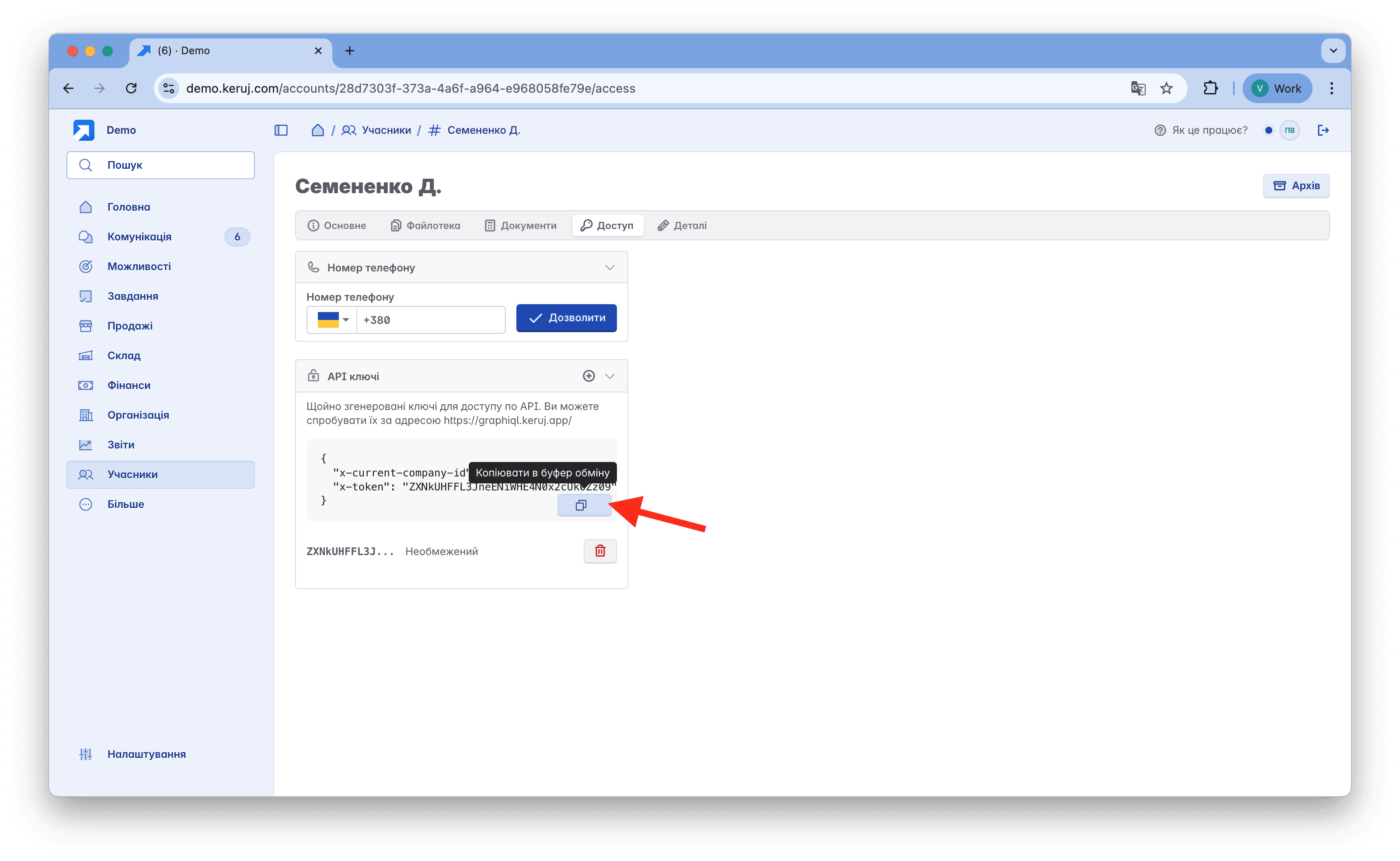
After generating the API key, you will also receive a full set of headers for testing in our GraphiQL application - https://graphiql.keruj.app
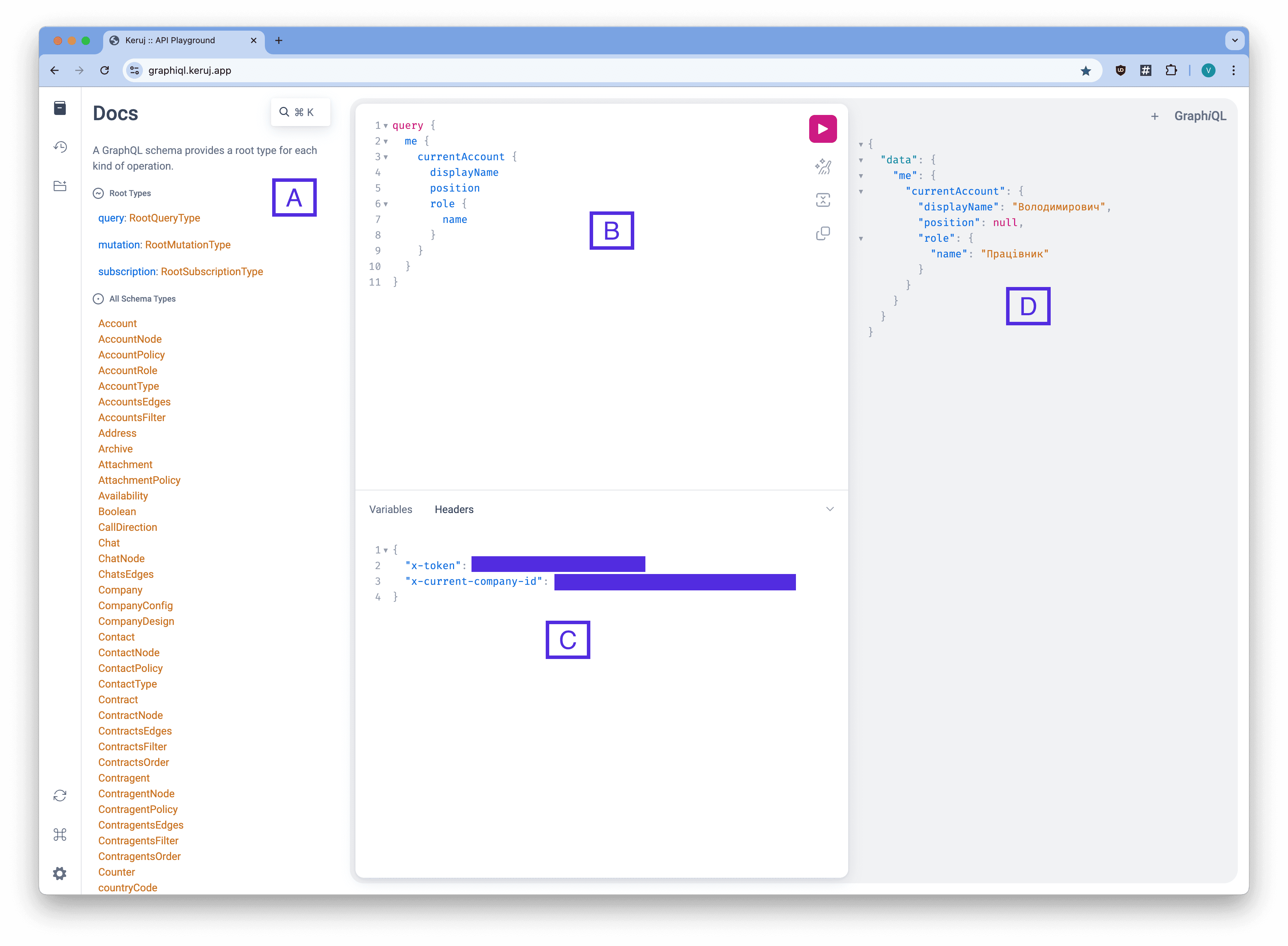
A) You can read the built-in documentation
B) Create a request as a query or mutation
C) Specify authentication headers x-token and x-current-company-id (you can just paste the copied data from the member access page here)
D) Get the result
Example of a request to get information about the current user and role
Query requests
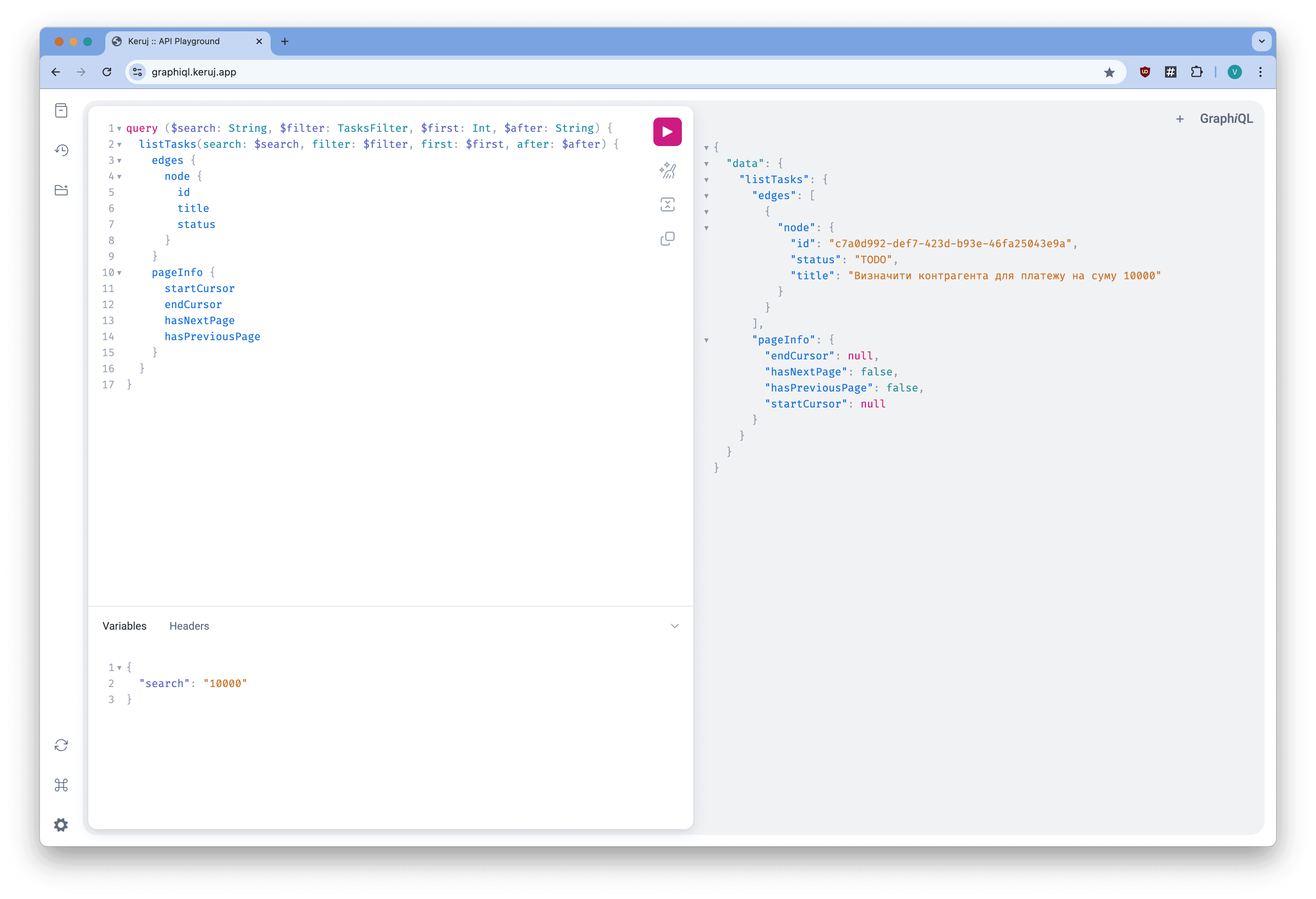
Query is analogous to a GET request in REST API, but you can specify exactly which response format you need. We suggest actively using variables and requesting only the fields you need for your work. This will help generate responses faster and more efficiently, avoiding network overload with unnecessary data
Example of a request to get a list of tasks searching by keyword
Mutation requests
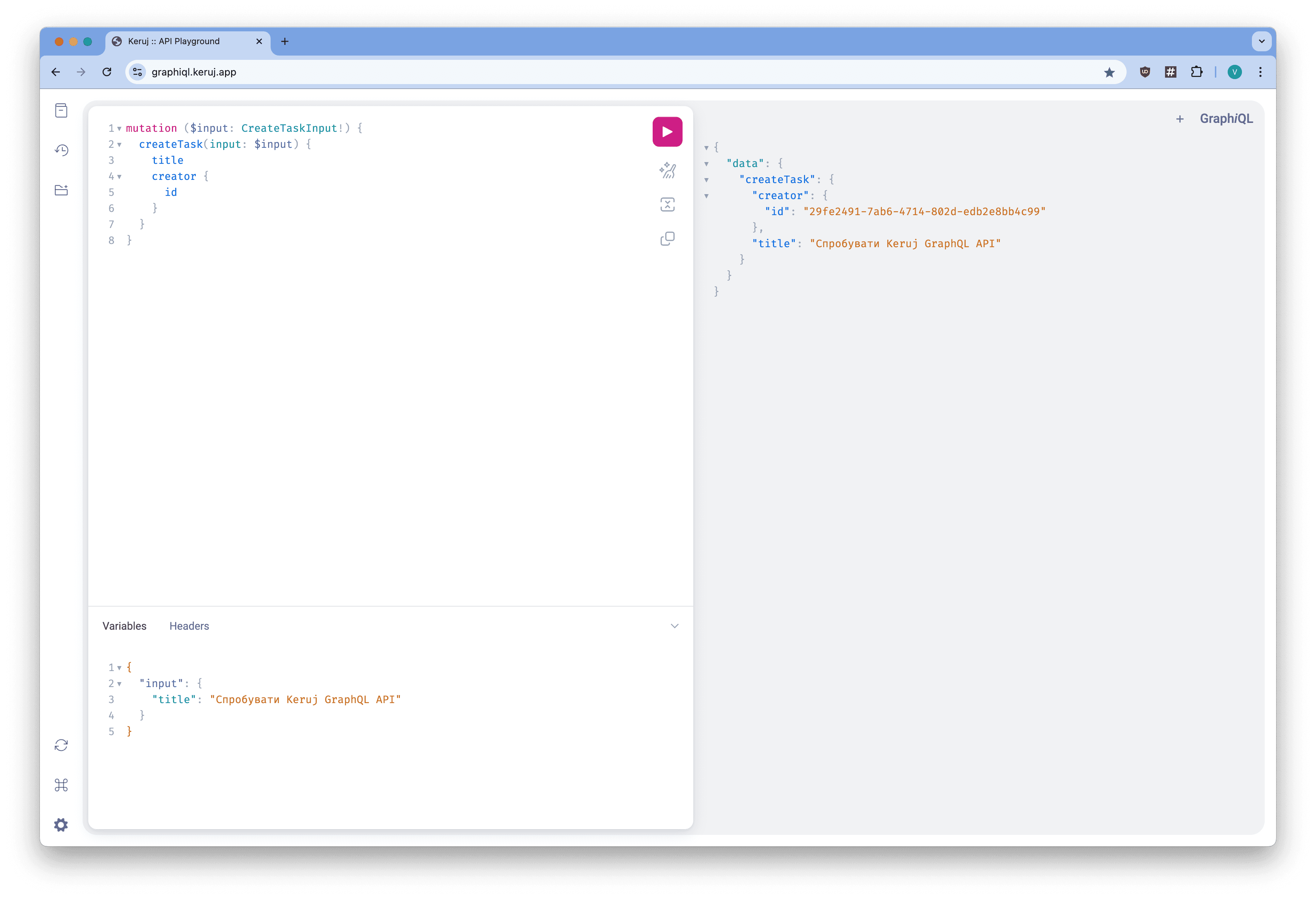
Mutation is analogous to POST/PUT/DELETE requests in REST. They are used to create, update, or delete data. Usually, a certain Input data type is passed, and you receive the structure you need in return.
Example of a request to create a new task
Errors
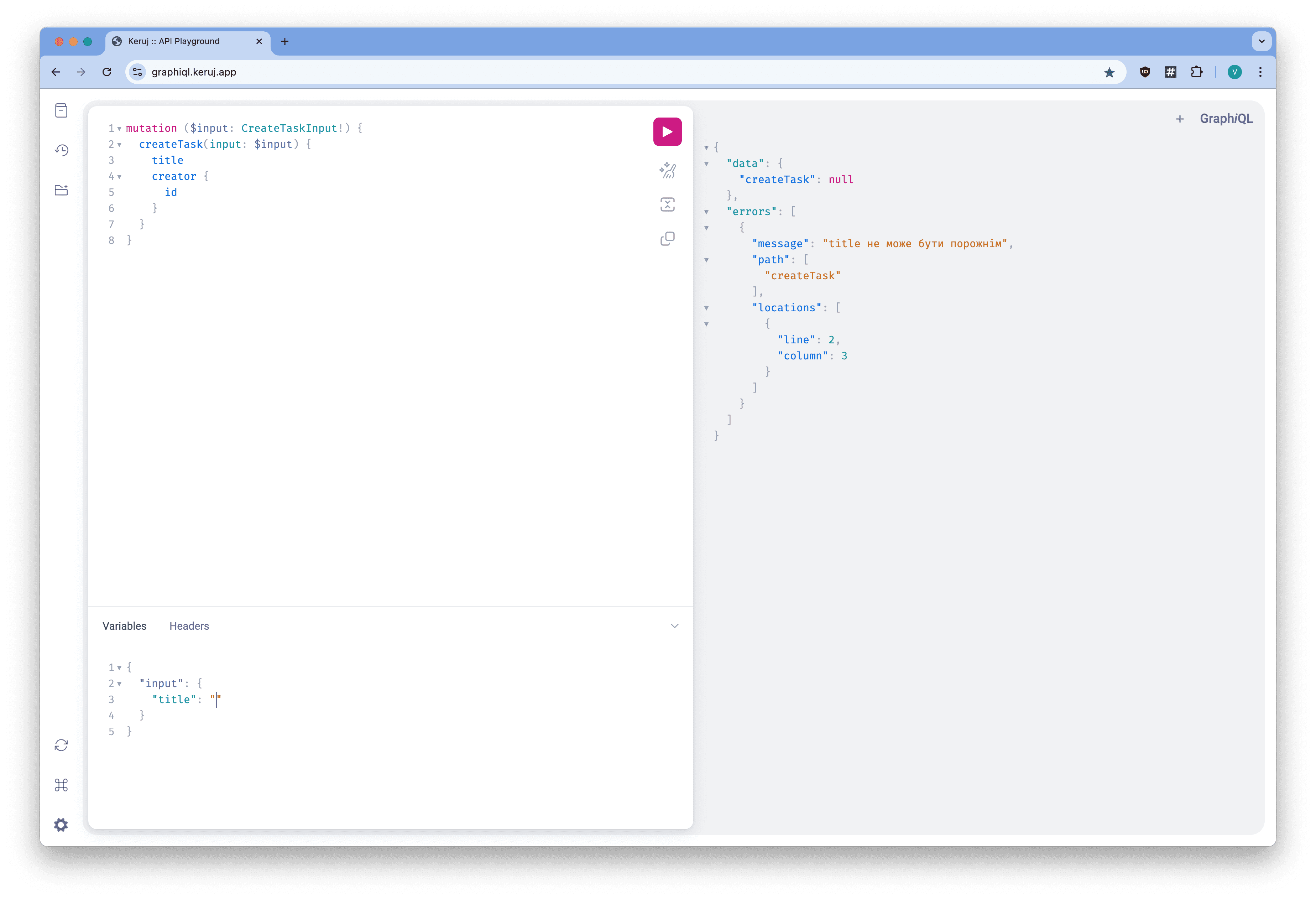
As a reminder, there are no status codes in GraphQL, and all requests return 200. Check the contents of data and errors in the response
Rate Limiting
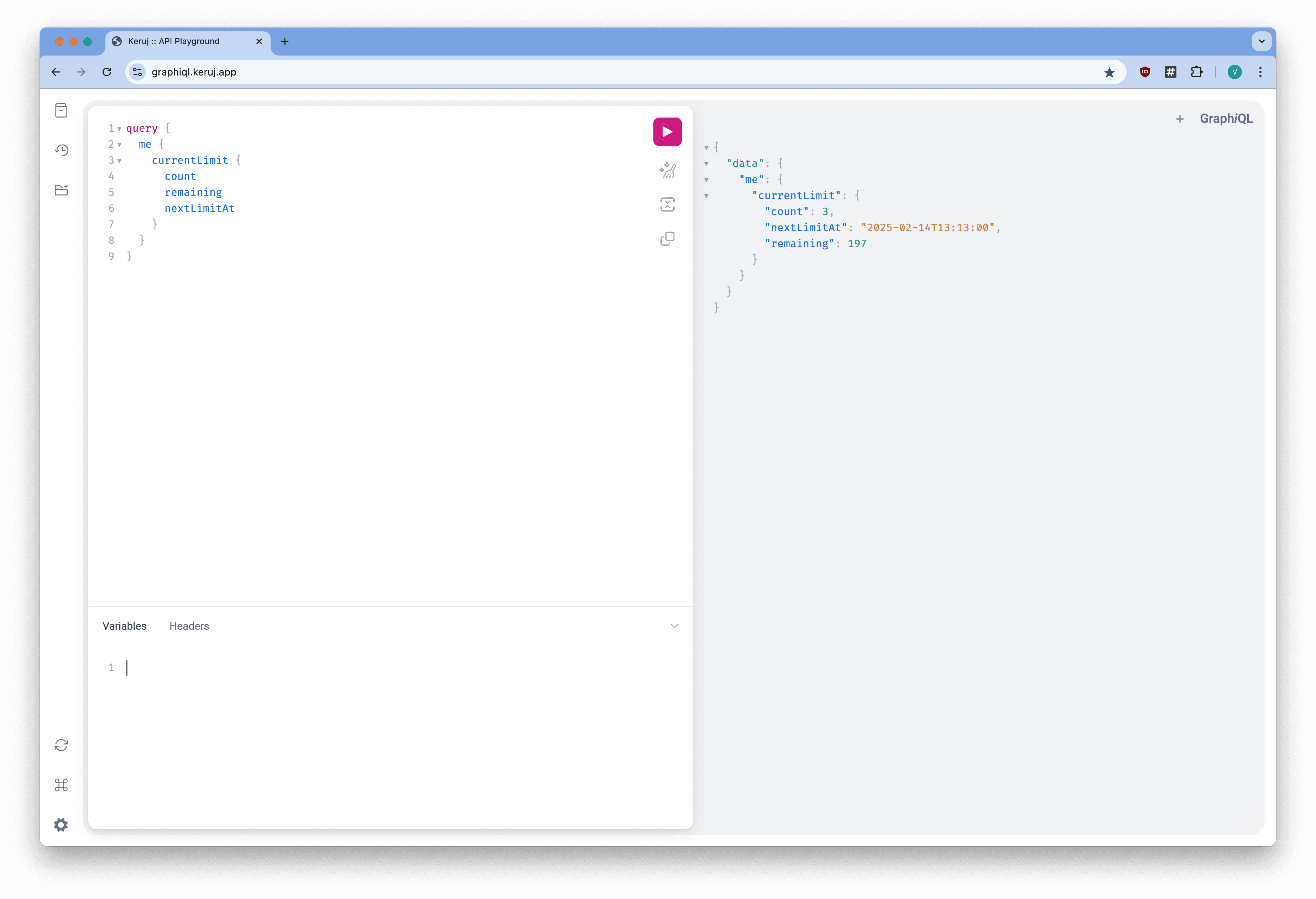
Each member is limited to 200 requests per minute per server. This is absolutely sufficient for normal operation, but for importing large volumes of data, it is better to insert pauses of 300ms between requests to avoid getting blocked until the end of the current minute.
Information regarding the current limit can always be obtained from the query
" />
Related articles