Adjustment
Document statuses
Document statuses are markers used to track the processing or execution state of documents (orders, product sales, cash receipts, etc.)
The status is not only a visual tool but also a functional one. If your document has the status "Completed", you will not be able to make changes to the document. And if the status is "Canceled", the document will not affect the cash register or warehouse (there will be no actual product sale or cash receipt)
It is worth noting that document statuses are configured individually for each document type
Location
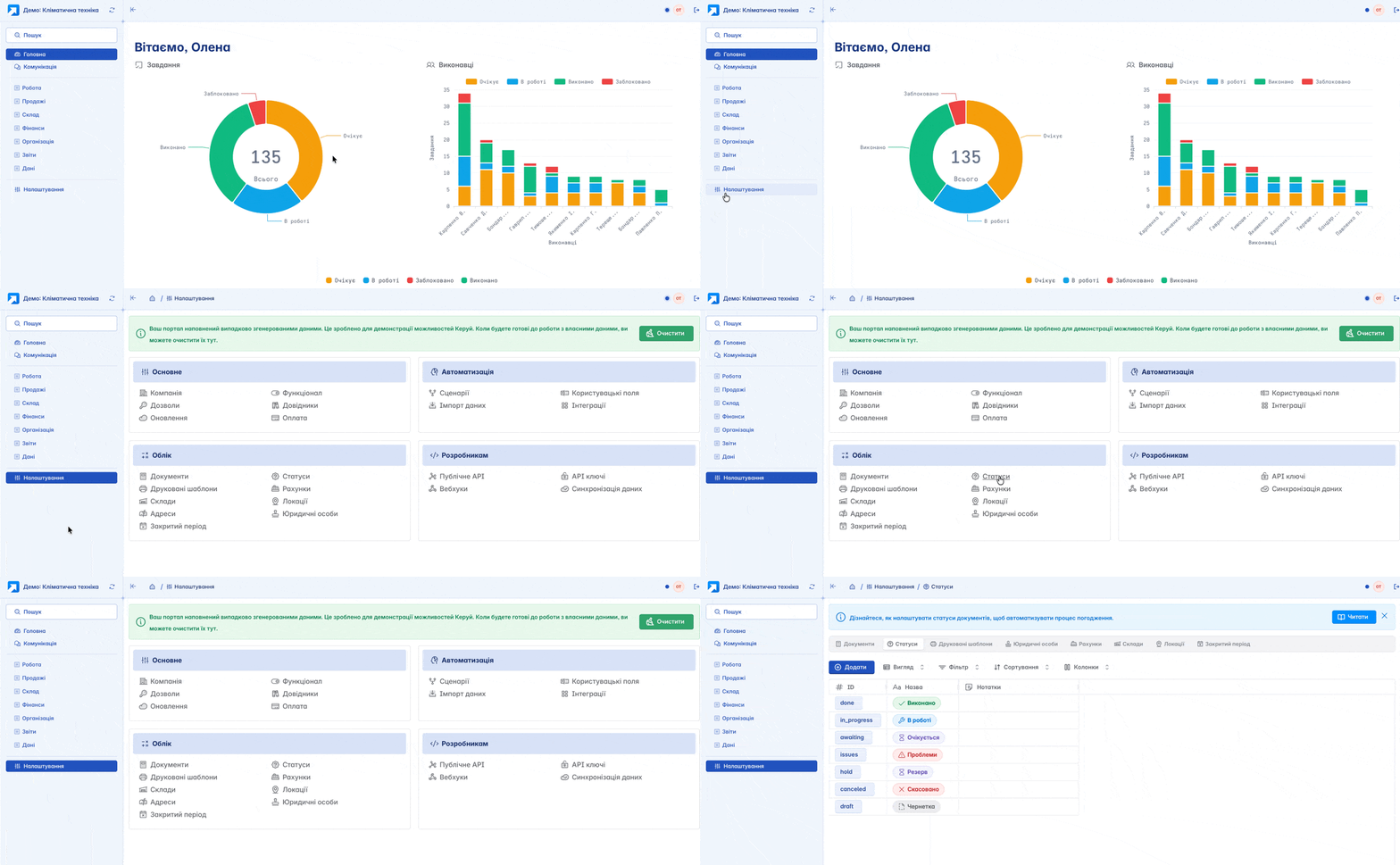
The tool for configuring document statuses is located in the left navigation panel, in the "Settings" section, under the "Accounting" block
Adding
You can add a new status by clicking the "+Add" button on the main page
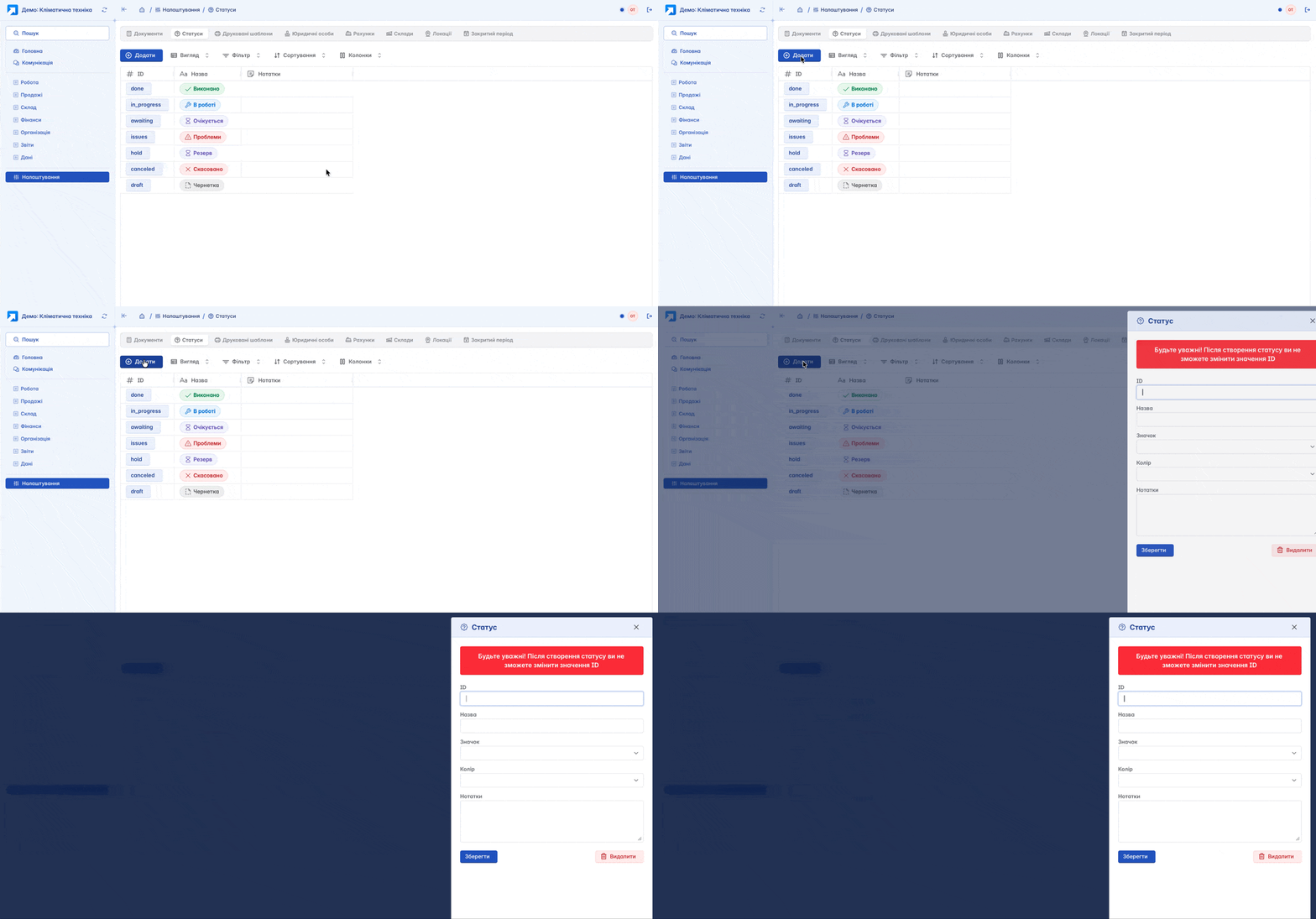
Form for creating a new document status:
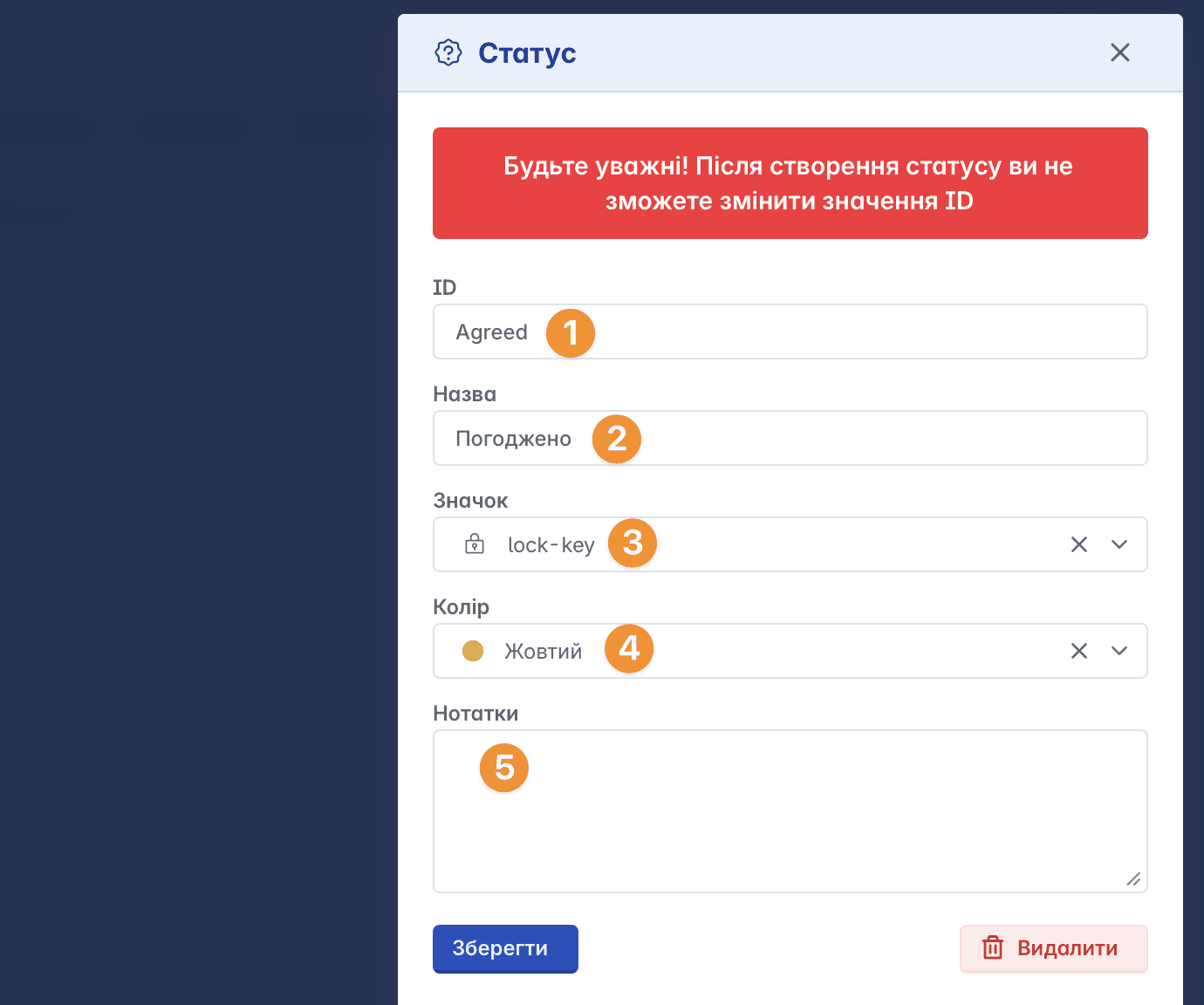
ID - status identifier, which is an entry in English corresponding to the command that the status will execute. For example: done - completed, canceled - canceled, etc. This entry cannot be changed after the status is created
Name - directly, the title of the status. In fact, it is the translated Ukrainian equivalent of the identifier (Ready, Canceled, etc.)
Icon - an icon/image that precedes the status name and is its graphical representation
Color - used to highlight the status to improve visual perception and speed of workflow. It is chosen from the provided list (Colors in the list are shown in English)
Notes - additional information
Editing
To change a document status, click on the status ID. In the form that opens, you can change the name, icon, or color of the status. After making the changes, click the "Save" button and confirm the action

Statuses in Documents
To apply the required statuses in a specific document type, you should configure the use of these statuses in the document settings

Here, you can not only select statuses but also configure their behavior during workflow: define the sequence of transitions, add confirmation for status changes, etc.
Changing Status
The status in documents is located in the upper left part of the document, preceding its name
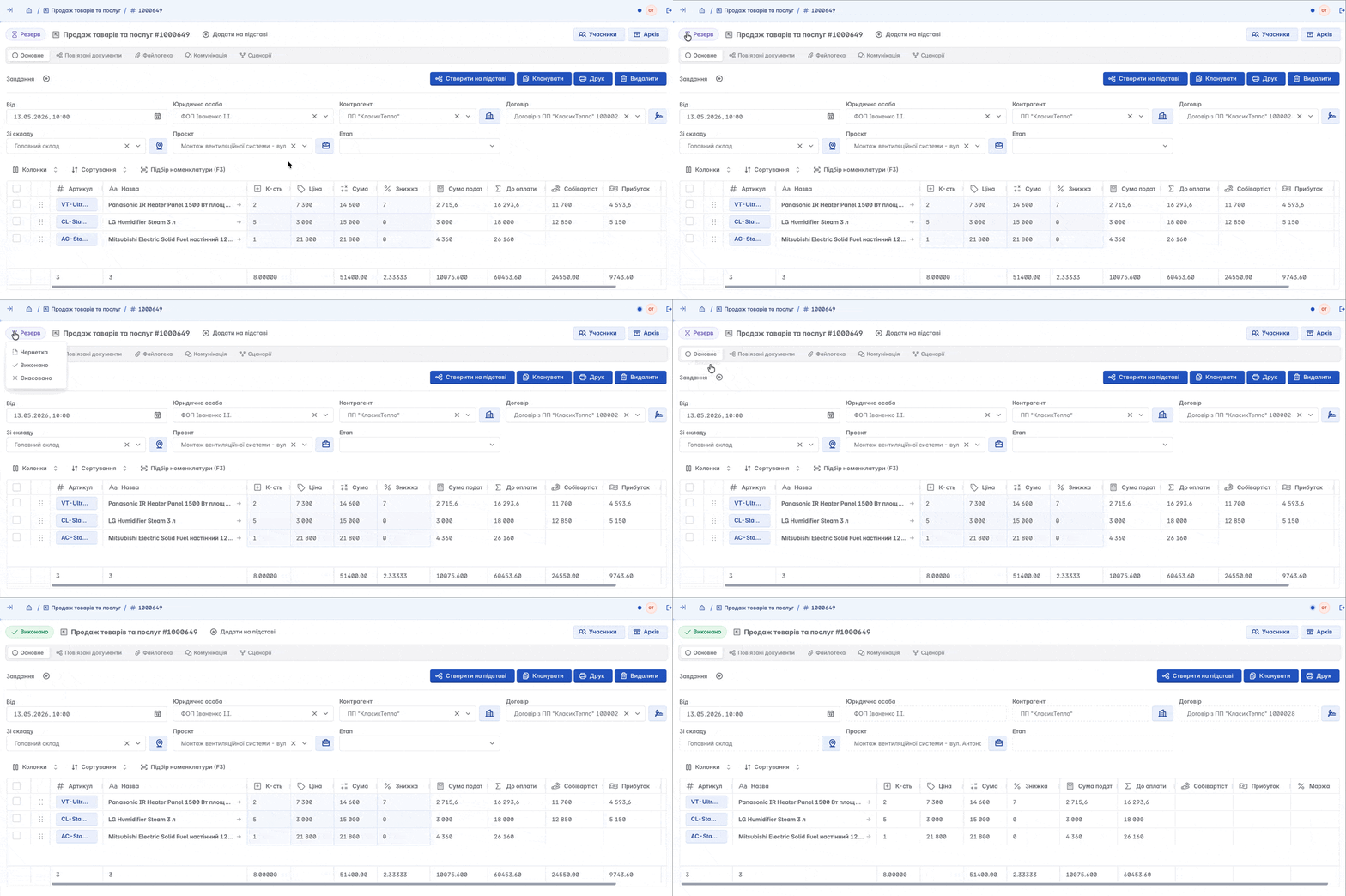
When creating a new document, its initial status is "Draft". You or your employees will manually change the status according to processing stages
Related articles