Adjustment
Custom fields
Custom fields are additional data that can be stored in Keruj that is not part of the standard column structures in the database. They allow you to customize accounting and processes to the individual needs of the company and store structured information that is specific to your business
You can add custom fields to capture "Number of items in a box" for nomenclature or "Delivery hour" for a counterparty, etc.
Location
The tool for configuring custom fields is located on the left navigation panel, in the "Settings" section, "Automation" block
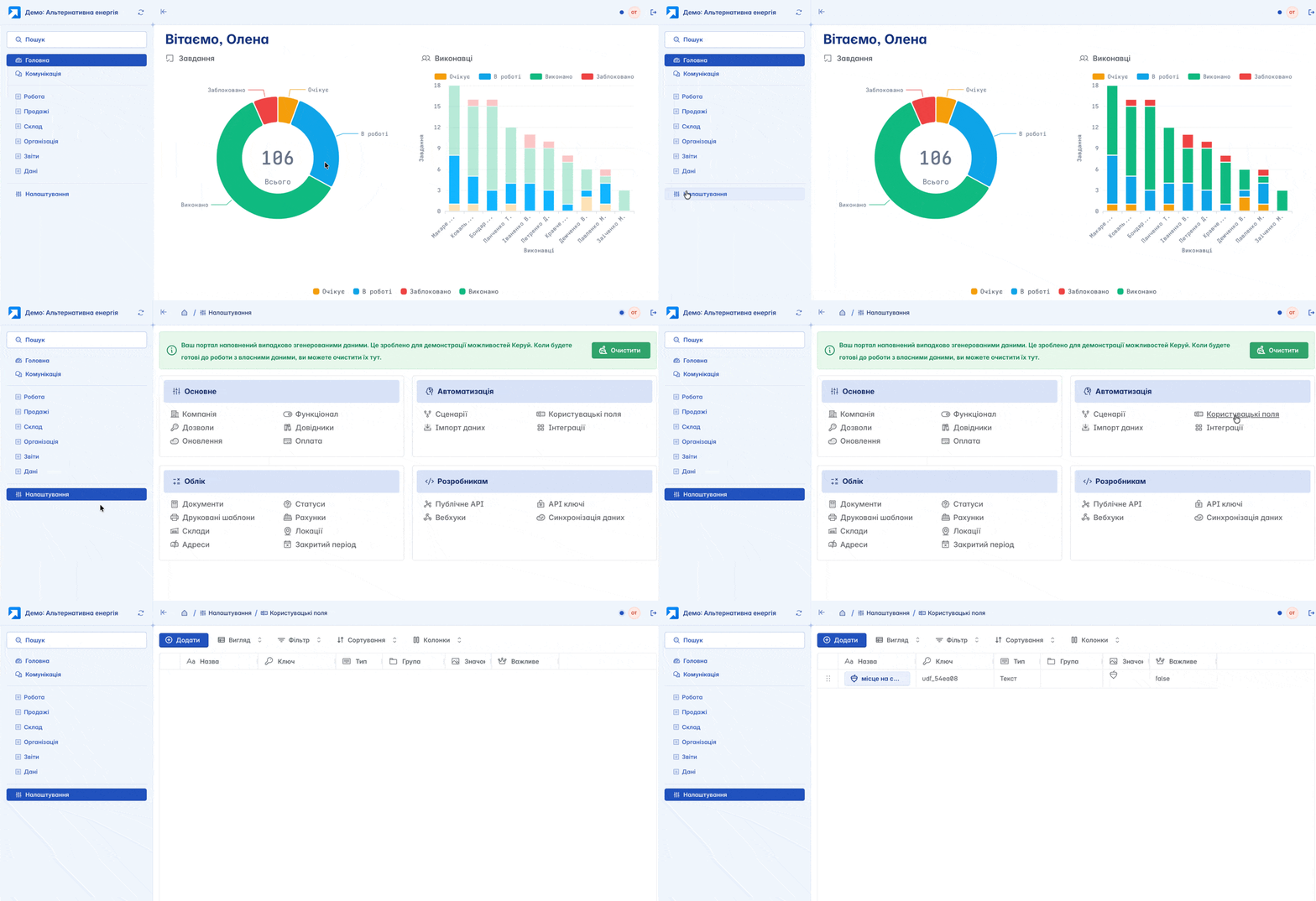
Adding
You can create a custom field by clicking the "+Add" button on the main page
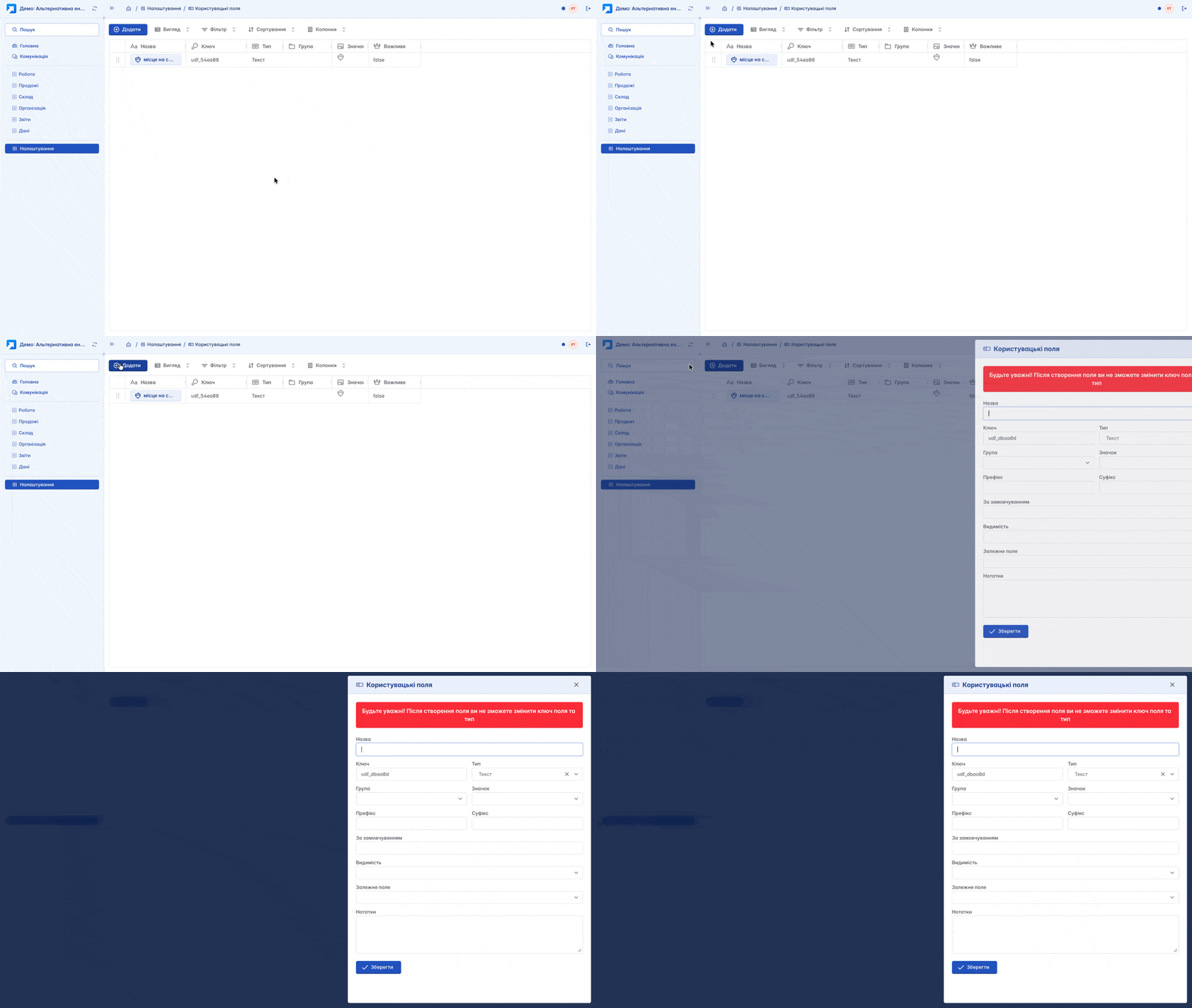
Form for creating a custom field:
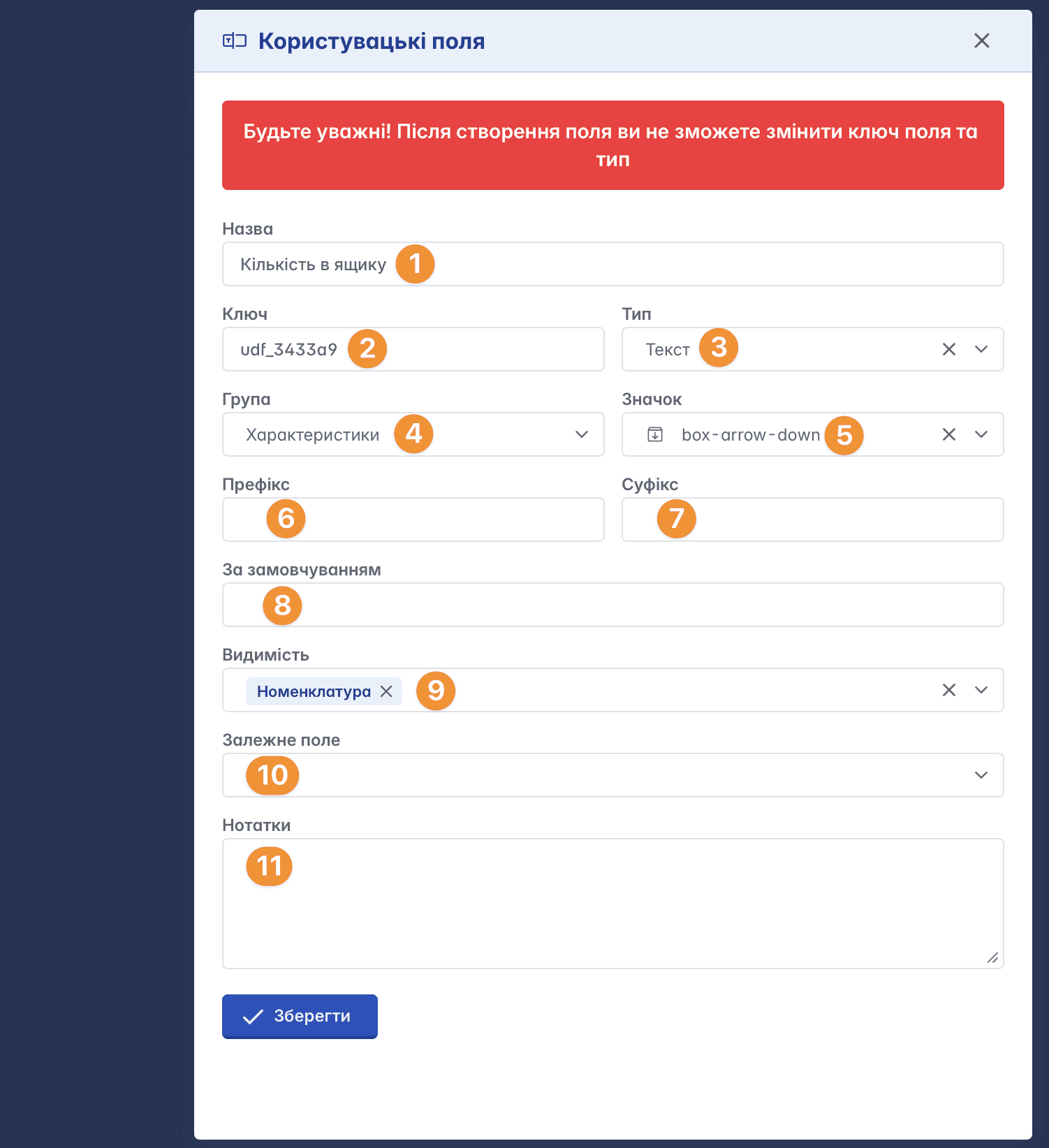
Name – the name of the field that will be displayed in the form
Key – a unique field identifier, which is convenient to use for working via API, it is worth naming it with a clear term. This value cannot be changed in the future, so be careful
Type – type of custom field information (text, number, date, etc.)
Group – to which category it belongs (for example, "Additional Information", "Characteristics", etc.). This affects the grouping of custom fields in the form of future properties
Icon - graphical image, for better orientation
Prefix - text that will be added before the value
Suffix - text that will be added after the value
Default – the value that will be inserted automatically
Visibility – determines in which entities the custom field will be displayed (for example, nomenclature, counterparties, documents, etc.)
Dependent field – another field on which the display of the current field depends
Notes – additional information
Application
Custom fields are displayed in the record properties
It is important to note that in order for a custom field to be displayed in documents, you need not only to define visibility but also to add properties in the document settings

You can choose specific custom fields from the list or add a group. Groups of custom fields are formed automatically when they are created if they belong to the same category
Default properties
Custom fields can be added by default so that they automatically appear in the record card of the selected entity. This feature is configured in the entity's functionality

In this case, the user does not need to manually add the field every time - it will already be present in the record, and they only need to fill in its value
Related articles