Adjustment
Directories
Directories in Keruj are used for centralized list management. They are used to unify categories, types of operations, processes, etc.
Location
The tool for configuring directories is located on the left navigation panel, in the "Settings" section, "General" block

The list of available directories is displayed in a tabular format, divided by categories. Its view can be changed according to your own criteria using filters, columns, and other tools. Here, users can create, edit, and basic configure directories for further work with data
Adding a directory
You can add a new directory by clicking the "+Add" button on the main page

In the form for creating a new directory, you need to specify its "Name" and "Key". These values are conditional and should correspond to the purpose of the directory. The key is in English and is a translation or short description of the name
For example, if you create a directory "Packaging", which will be used for inventory, the key can be items_packing, which translates as "Inventory Packaging"
Adding categories
You can add corresponding categories to existing directories. To create a new category, navigate to the desired directory and click the "+Add" button

In the form, you must specify the Name of the record. This concept is conditional and serves informational purposes
Editing and deleting
To make changes or delete a record from the directory, click on its name
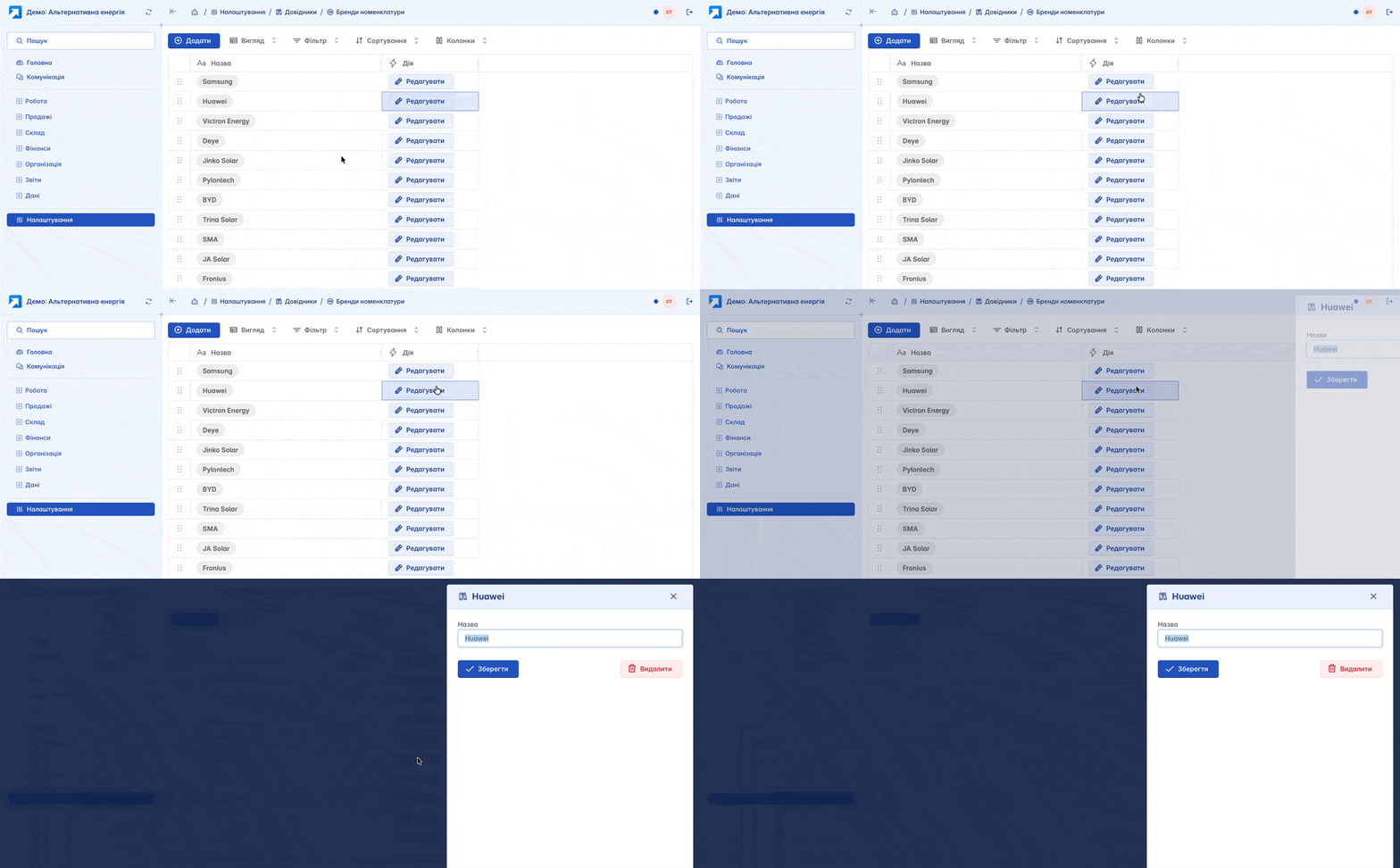
Deleting directories or their categories is possible only if the user has the appropriate access rights and there is no associated data. If any dependent information is linked to the directory (counterparties, items, etc.), deletion will be unavailable
Directories in documents
Directories are an integral part of the forms for creating a document, adding an item, or a counterparty. They are designed to standardize accounting by configuring categories and provide a unified approach to accounting and structuring information. In the document settings, you can define relevant directories according to its purpose
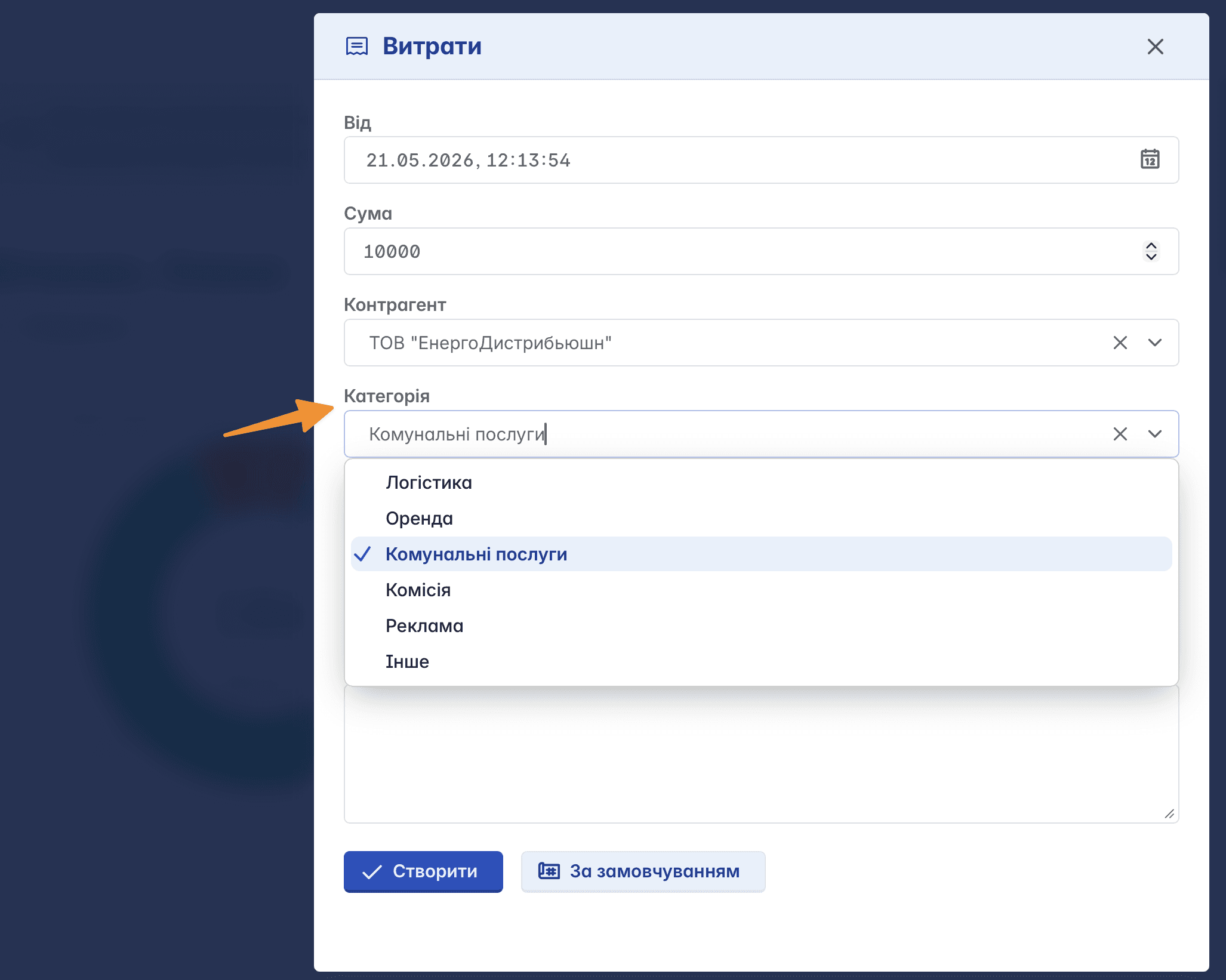
According to the sample, thanks to the category, we correctly classify the expenses of the organization in accordance with their purpose: payment of utility services or expenses on advertising services, etc.
Directories in reports
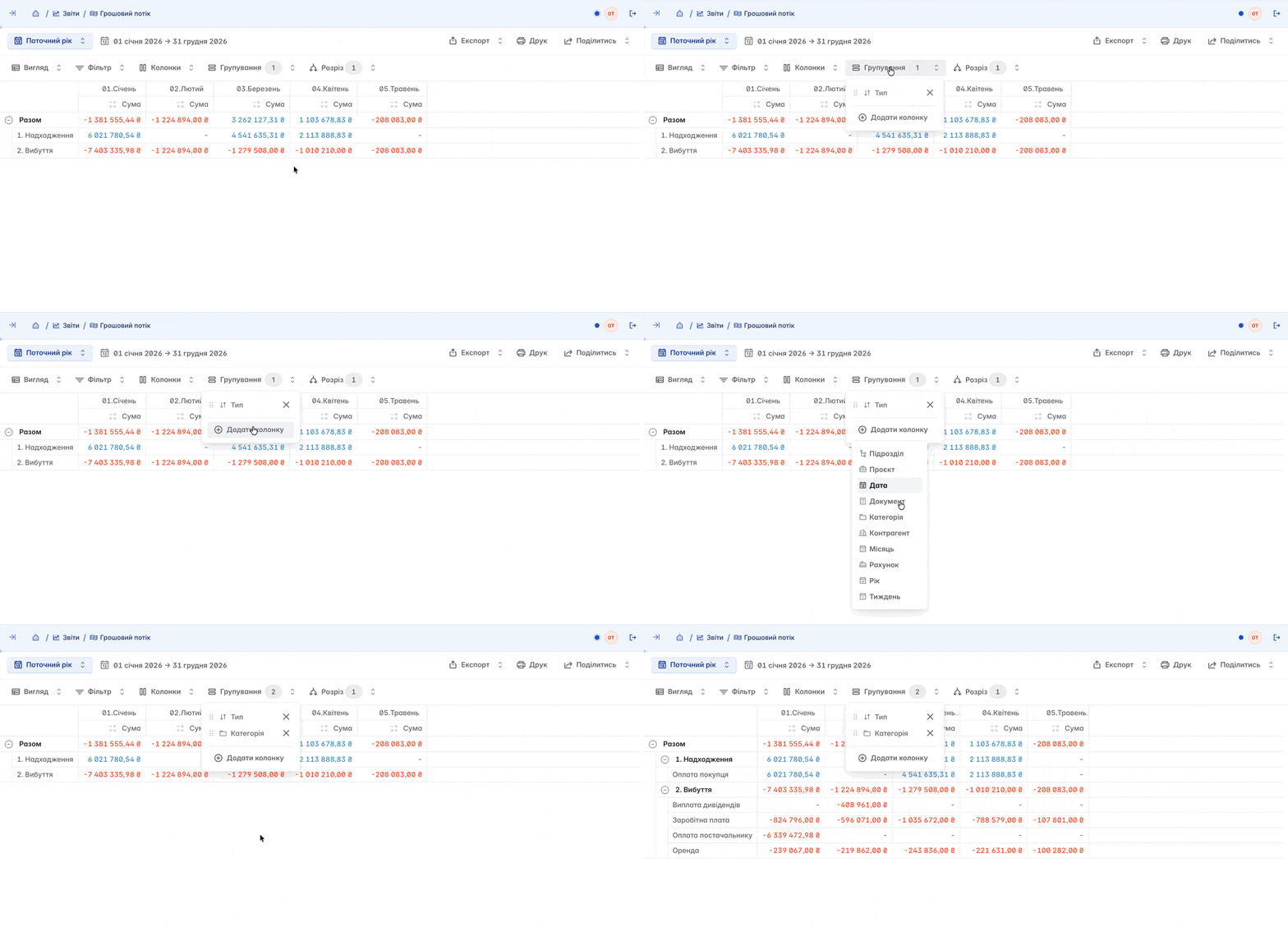
Classification by directories is best represented in reports, enabling you to track cash flows according to the relevant categories
Related articles