Accounting
Warehouse
Warehouse is a Keruj module designed for maintaining inventory records and controlling the movement of inventory items
Its purpose:
tracking product balances in the warehouse
recording receipts with the date and supplier specified
controlling the transfer of goods between responsible parties or departments
tracking product shipments and sales
maintaining optimal stock levels and inventory accuracy
Properly organized warehouse accounting helps to avoid shortages or excess inventory and ensures the accuracy of financial reporting
Location
The "Warehouse" module is located on the navigation panel on the left

You can immediately view "All" available warehouse documents or select the required type. The list of documents is displayed in a table format. Its view can be changed according to your own criteria using filters, columns, and other tools
Warehouse Document
A warehouse document is a record that registers transactions involving the movement of inventory items in the warehouse: receipt, transfer, shipment, write-off, etc.
For warehouse accounting in Keruj, seven types of warehouse documents are used: "Goods and Services Receipt", "Inventory Reconciliation Act", "Goods Transfer", "Opening Balances Entry", "Purchase Order", "Return to Supplier", and "Write-off of Balances"
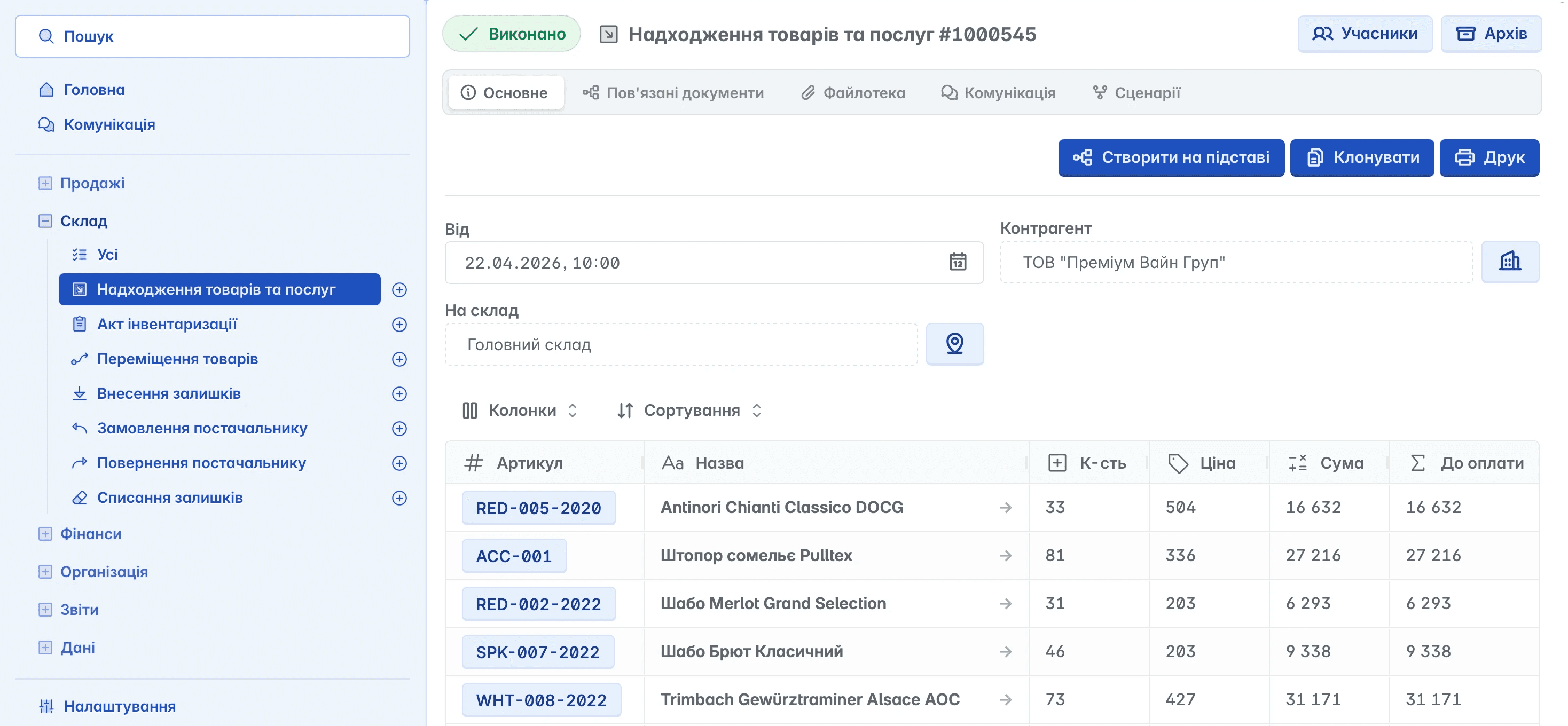
Goods and Services Receipt
A document confirming the fulfillment of a purchase order and registering the receipt of goods and services in accordance with the agreements made with the counterparty
Serves as the basis for tracking goods and generating balances in the warehouse
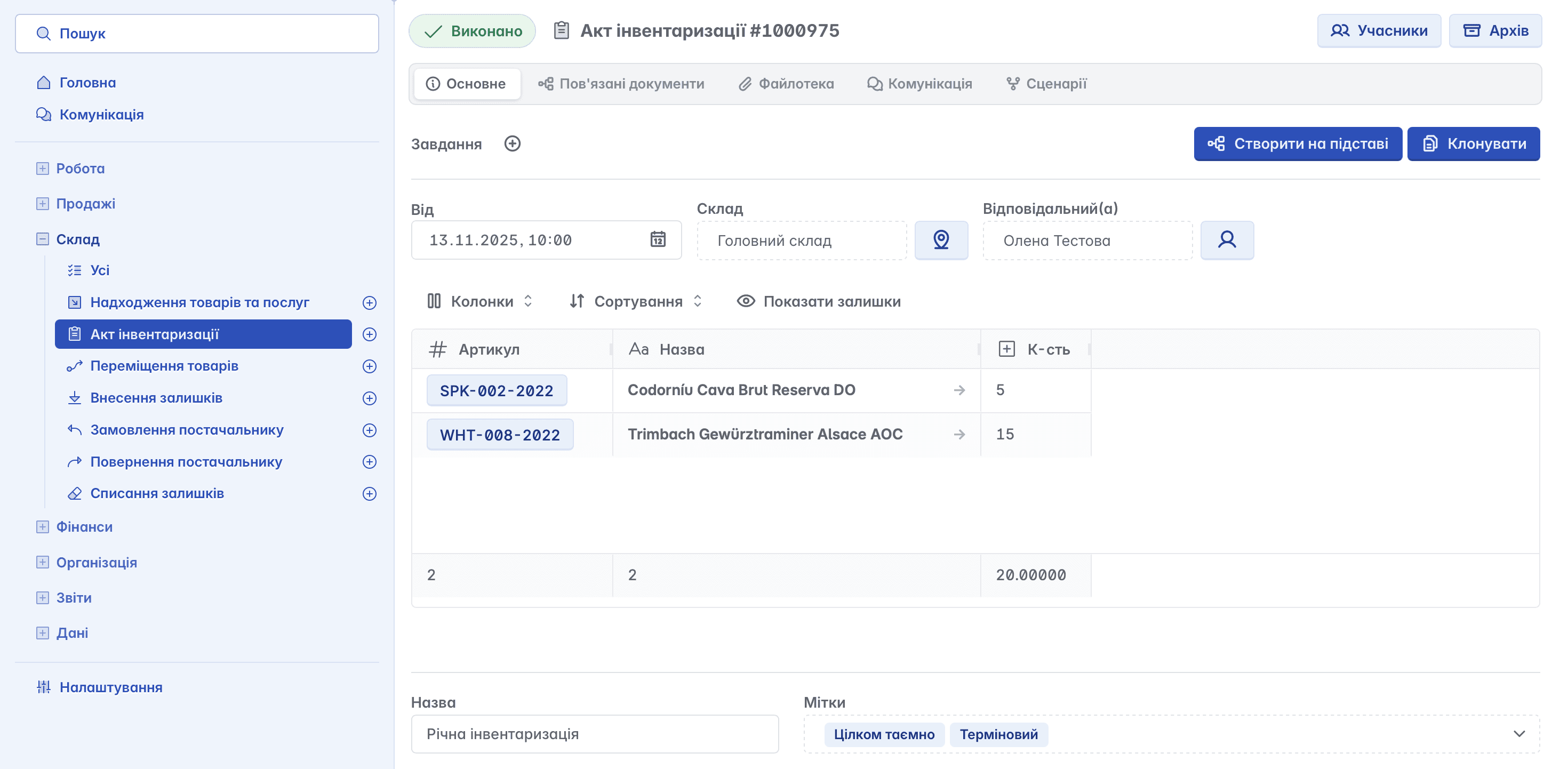
Inventory Reconciliation Act
An accounting tool used to verify and record the actual presence of goods in the warehouse by comparing it with the book data
Used for:
conducting an inventory of product balances in the warehouse
identifying discrepancies between actual and book data
recording surpluses or shortages
preparing grounds for subsequent adjustments of balances (write-off or recognition of assets)
ensuring the accuracy of warehouse records and inventory control
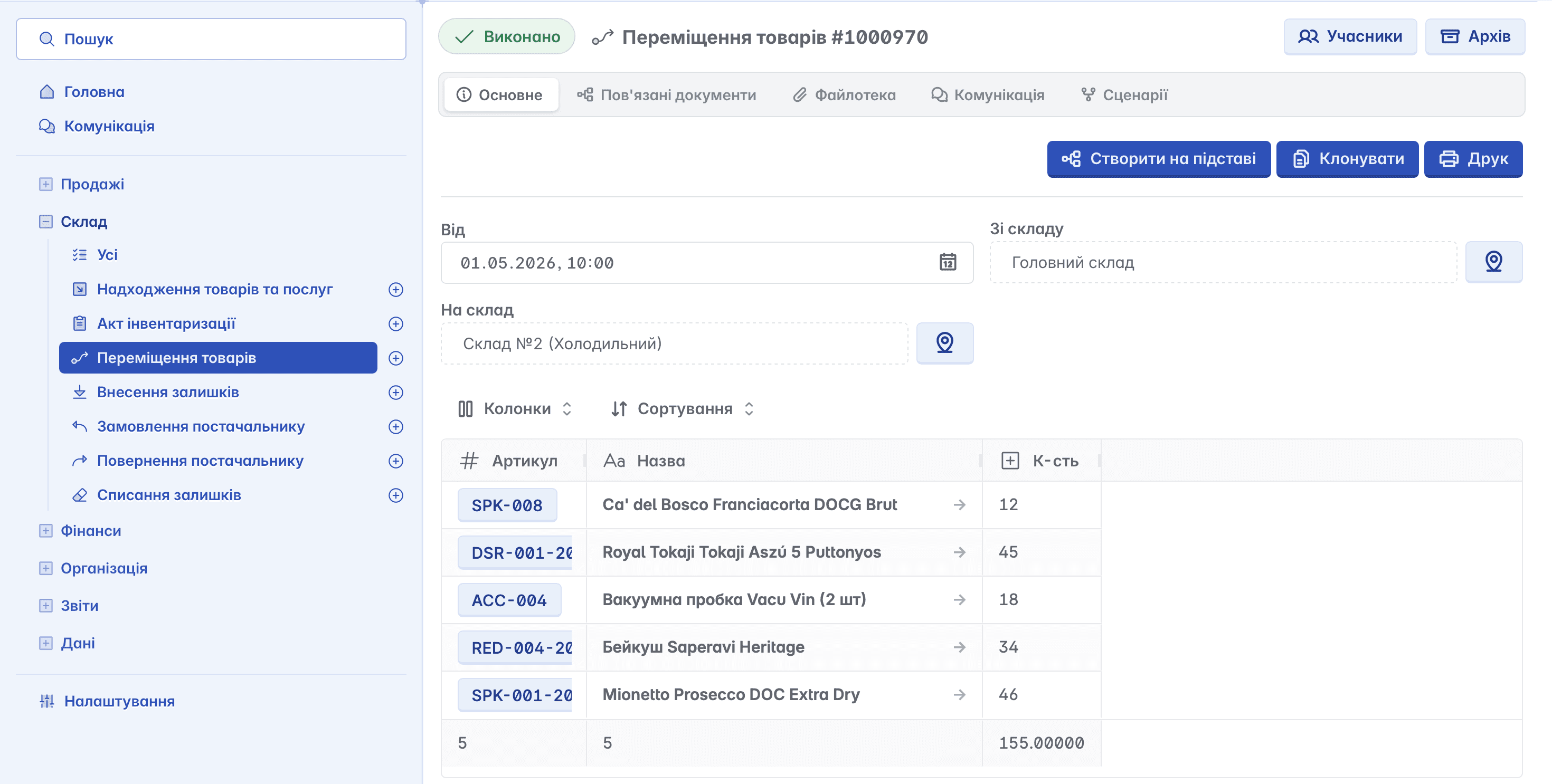
Goods Transfer
A document that allows distributing goods between company warehouses by transferring them from one warehouse to another within the same enterprise
Used for optimizing inventory and logistics
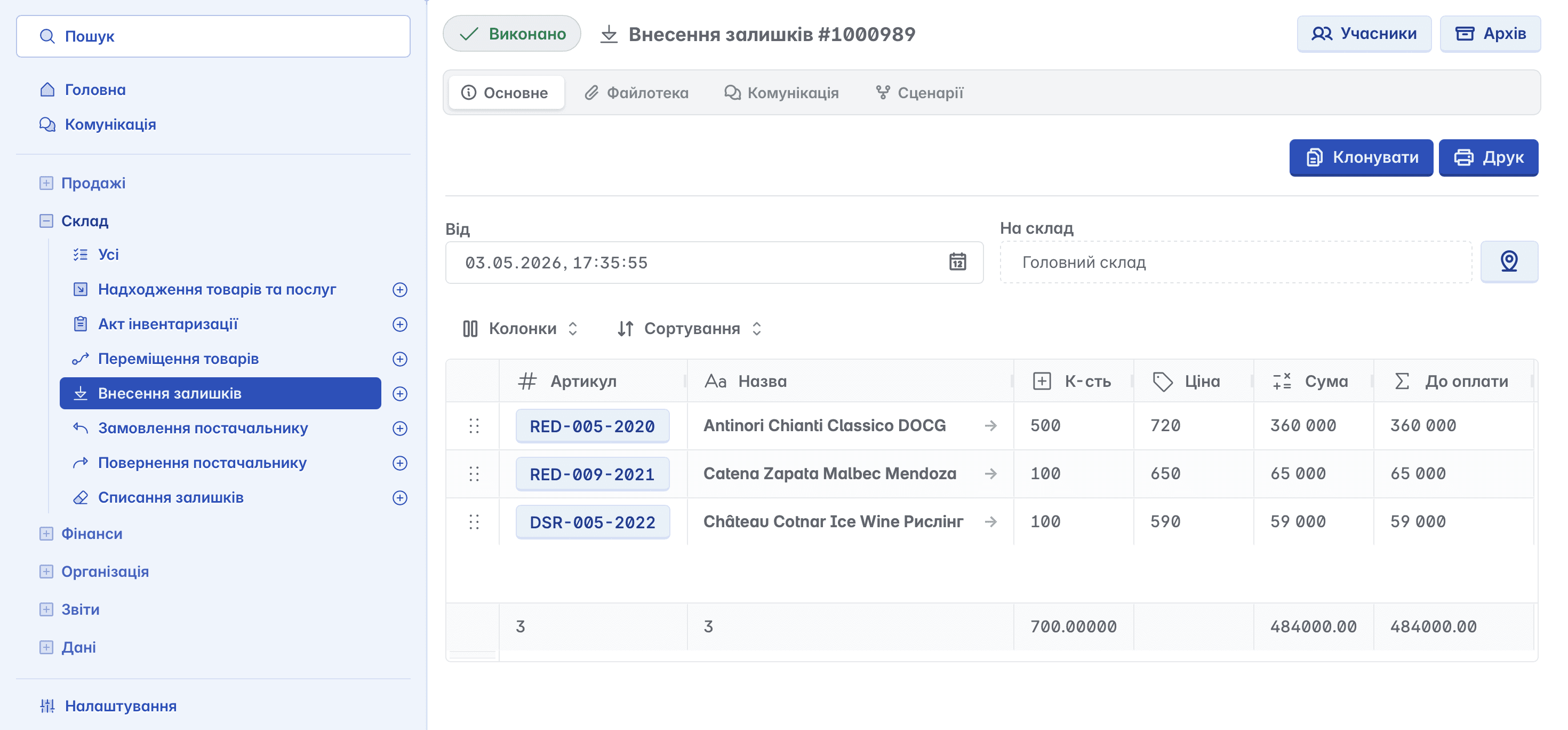
Opening Balances Entry
A document that records the initial balances of goods or materials in the accounting process.
Used in the following cases:
starting accounting in specialized software - entering up-to-date data at the beginning of work
after inventory reconciliation - to correct discrepancies between actual and book data
after migrating from other accounting software - transferring balances from the previous program
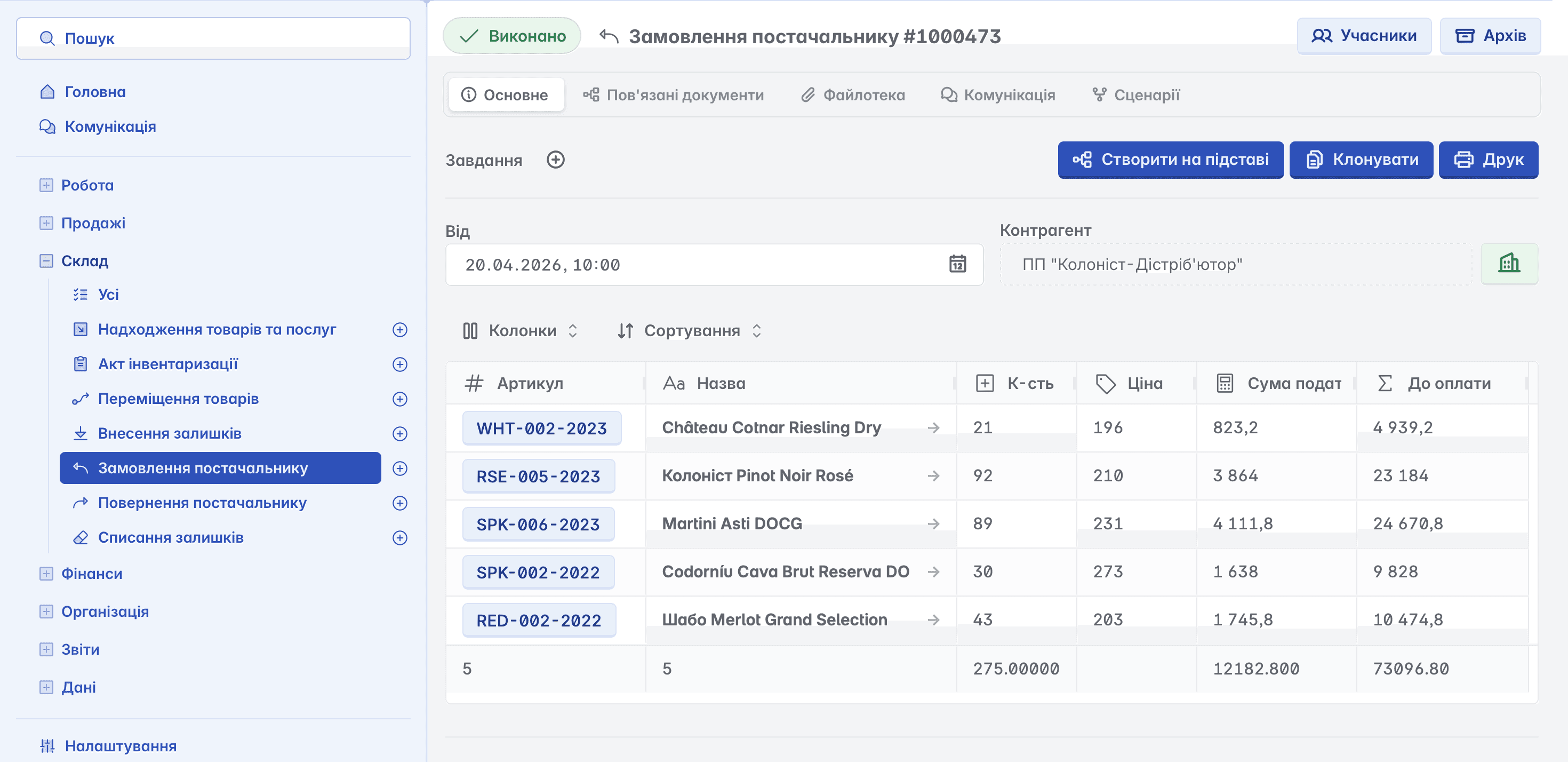
Purchase Order
A warehouse document used to formalize a request for the purchase of goods or services from a supplier and to record the agreed delivery terms
Its purpose:
planning purchases and replenishing inventory
recording the product range, quantity, and cost of goods/services
agreeing on delivery conditions (deadlines, supplier, responsible parties)
monitoring the fulfillment of the order by the supplier
preparing the basis for subsequent warehouse and financial documents (goods receipts, payments)
Return to Supplier
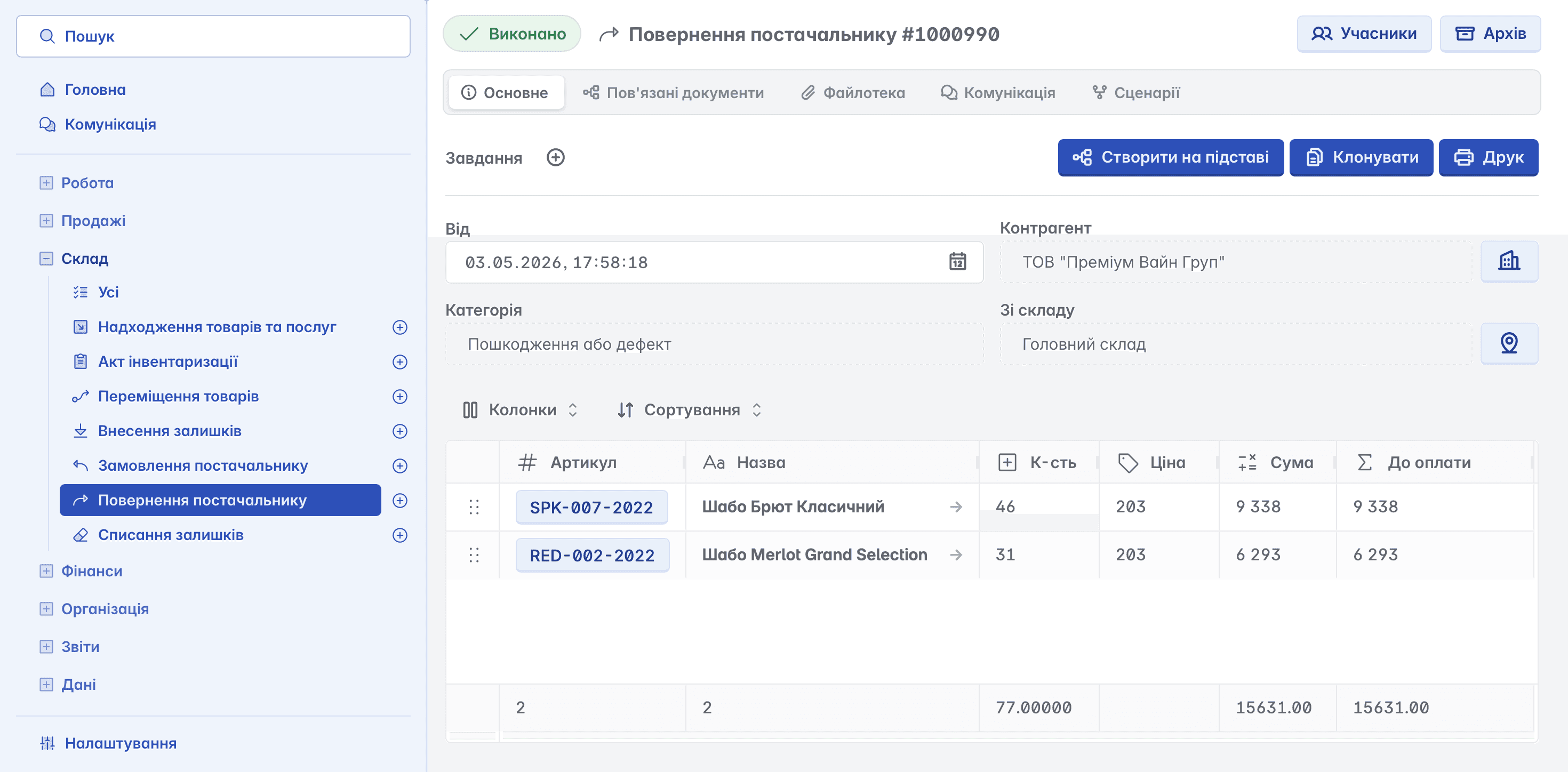
A document that formalizes the process of returning goods to a supplier (counterparty) for specific reasons:
defect or damage
delivery of non-conforming products
discrepancies in quantity or quality
expired shelf life
A return to supplier can be created as a separate document or based on a "Goods Receipt" document. A partial return is possible - in this case, unreturned goods remain in the receipt document but are removed from warehouse records
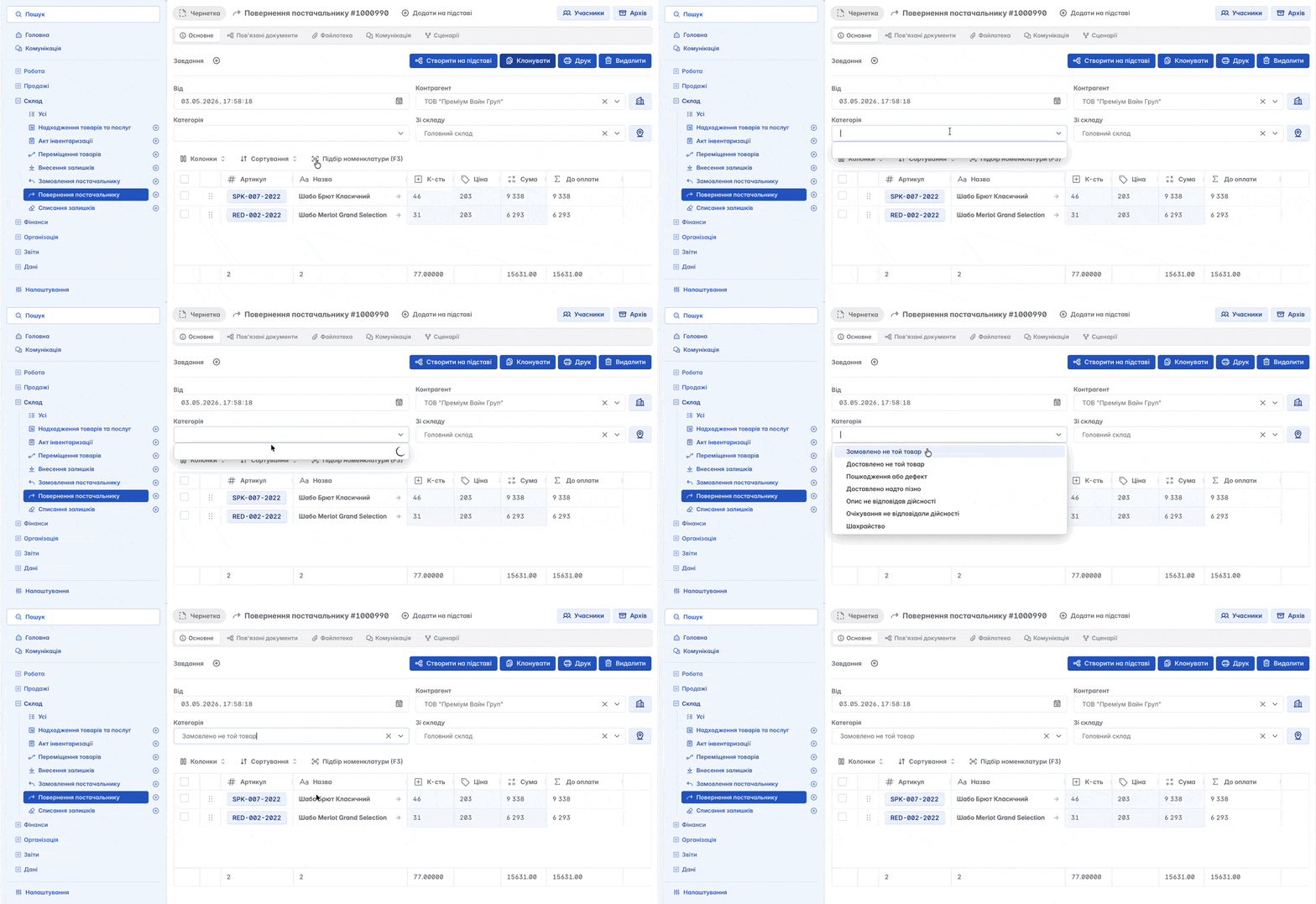
When creating a document, you can specify the relevant category - the reason for the return. This will help organize accounting and generate analytical reports
Write-off of Balances
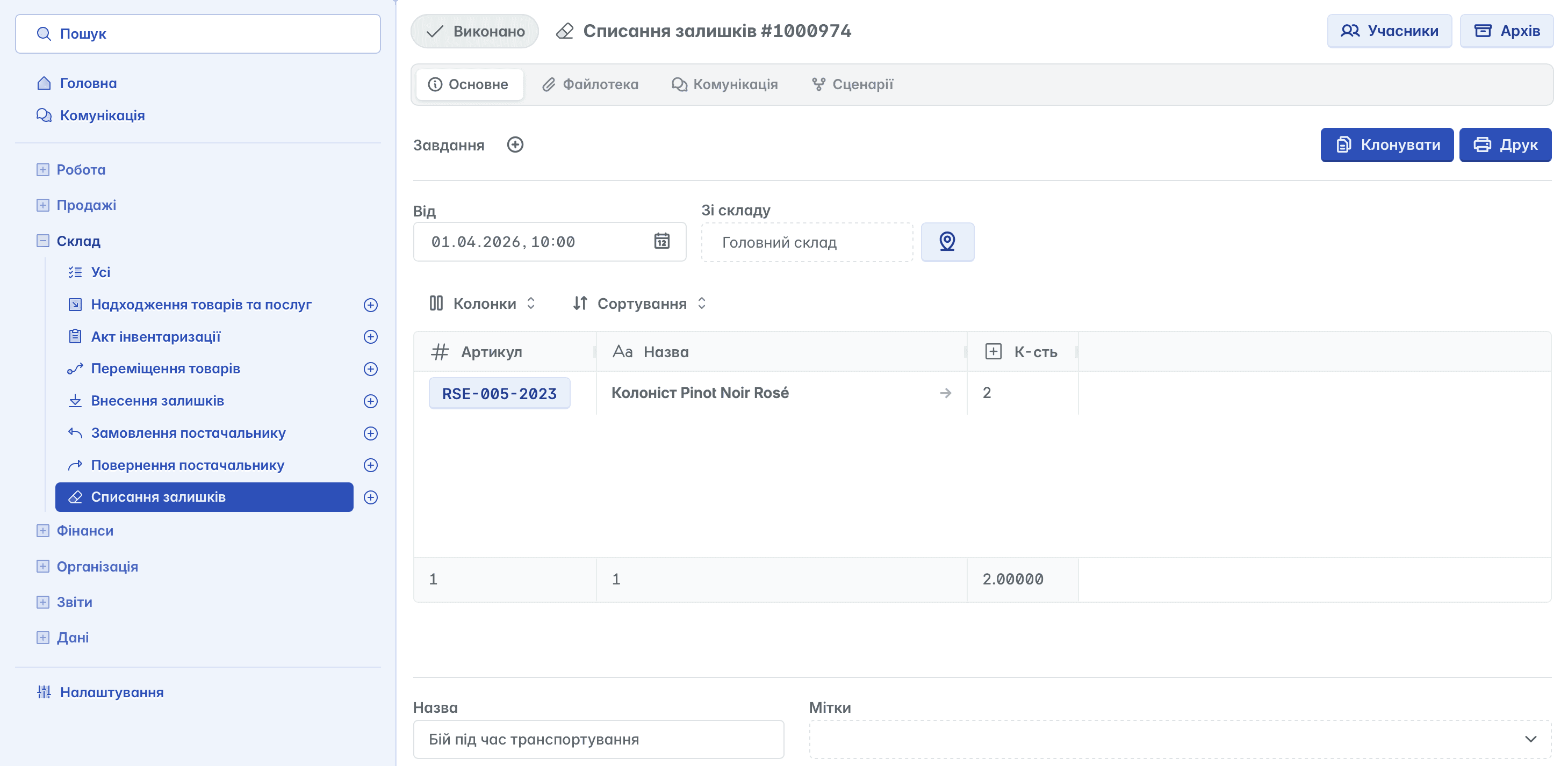
This is a warehouse accounting tool used to record the disposal of goods from the warehouse without a sales transaction.
Its purpose:
reflecting losses of goods (damage, defect, expiration of shelf life)
writing off shortages identified during inventory reconciliation
adjusting actual balances in the warehouse
recording the use of goods for the company's internal needs
ensuring the relevance of warehouse accounting and reporting
Inventory Reconciliation
Selection of items in the "Inventory Reconciliation Act" can be done manually or automatically according to given criteria

The actual quantity of goods can be displayed or hidden to ensure maximum accuracy of the results

To perform an inventory reconciliation, you must specify the actual availability of goods in the warehouse in the "Quantity" column. The service will automatically calculate the difference between the book and actual data, enabling quick identification of surpluses or shortages and preparing the ground for subsequent correction of balances

Related articles