Tips and tricks
Closed period
A closed period is a function that limits the ability to create, edit, or delete documents up to a specified date. It helps to lock data and prevent changes to an already completed accounting or reporting period
Its purpose is to:
complete a reporting or financial period without the risk of subsequent changes
preserve the integrity of accounting and financial data
avoid errors, accidental changes, or unwanted adjustments after reports have been generated
be confident that documents prior to the specified date will remain unchanged for all users
Location
The tool for closing a period is located on the left navigation panel, in the "Settings" section, under the "Accounting" block
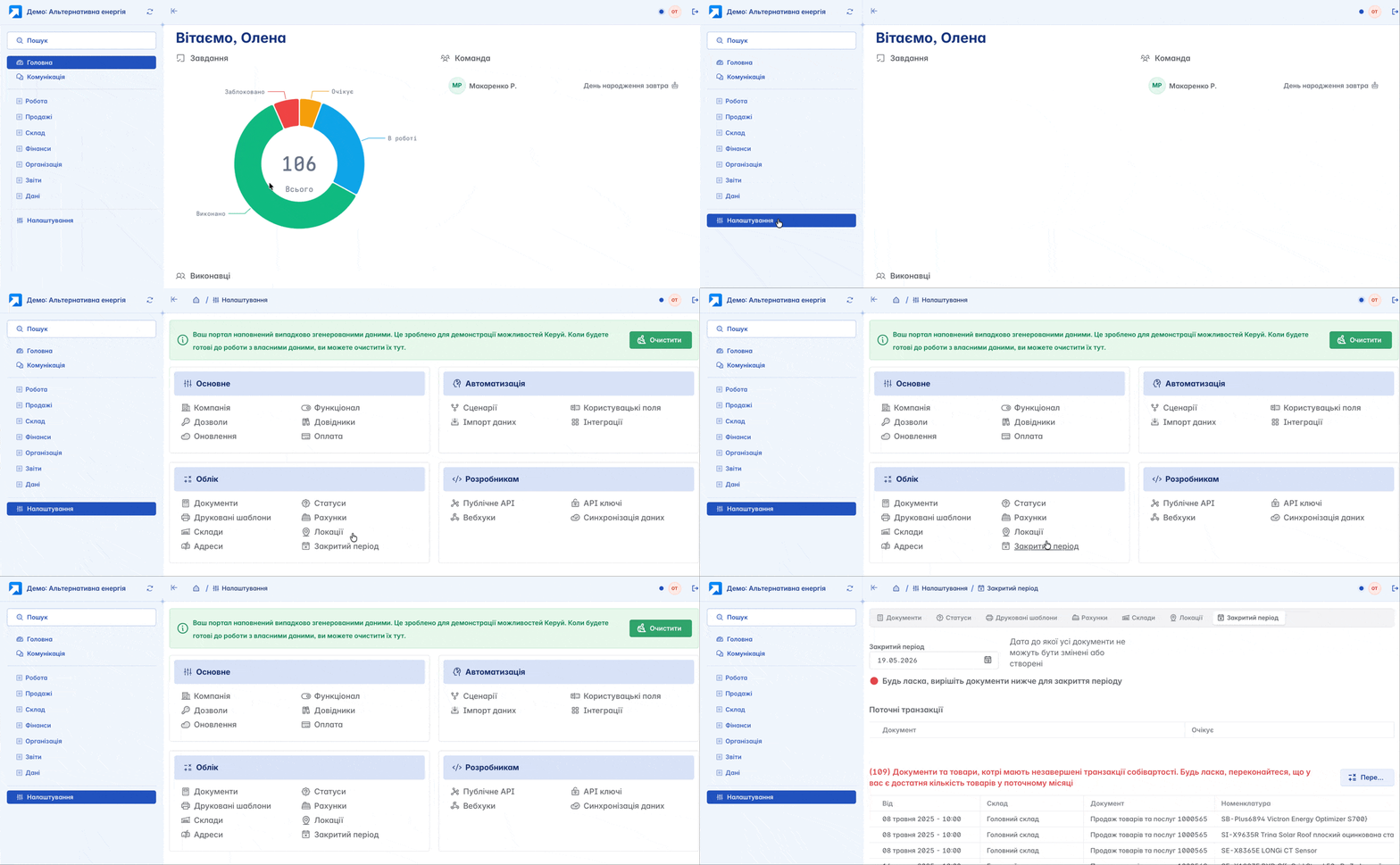
Closing a Period
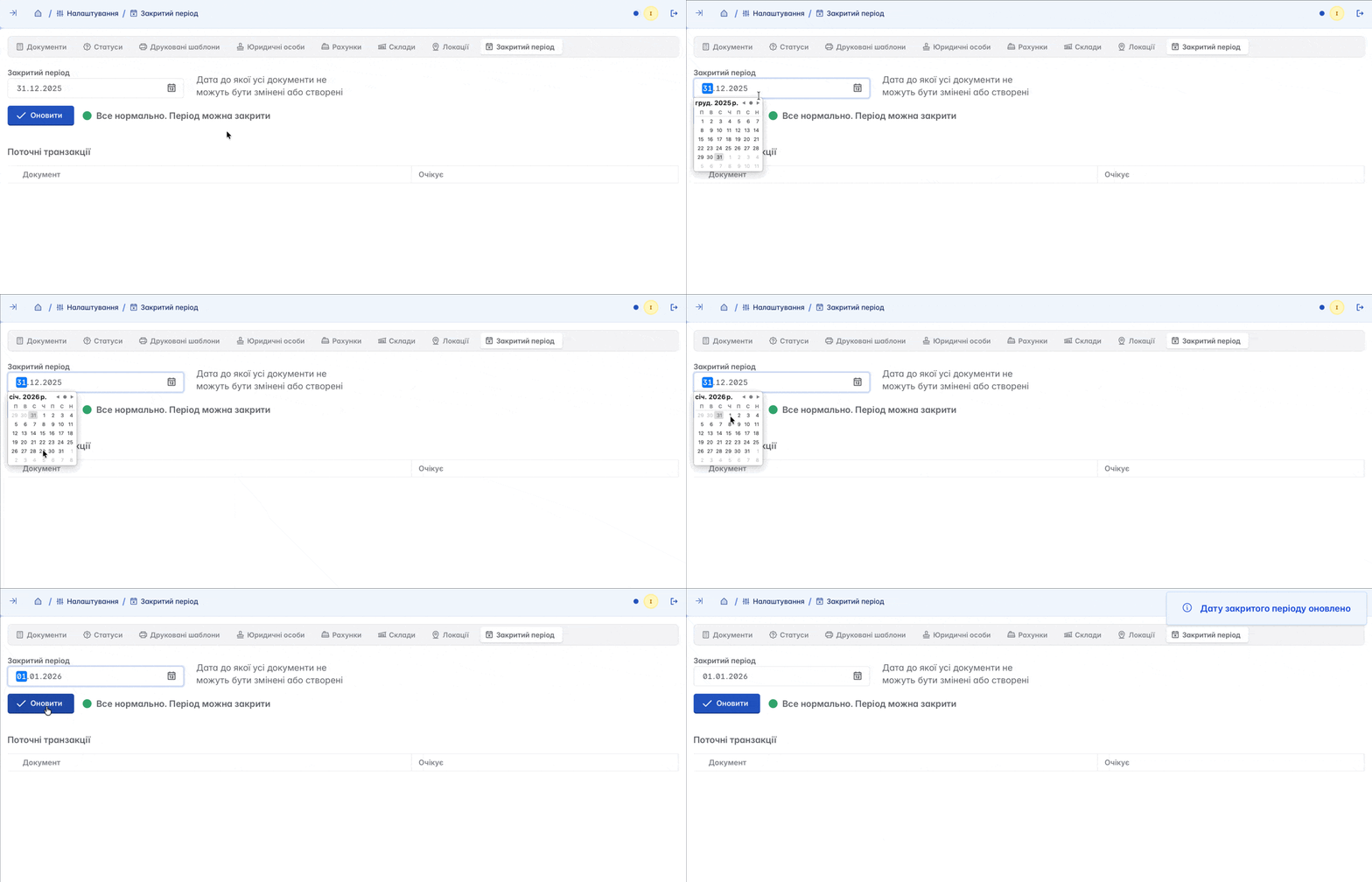
Closing a period is done by specifying a date in the corresponding field, up to which all documents cannot be modified or created
It is important to note that if there are discrepancies or incorrectly created documents, you will not be able to close the period. You must first check and correct these documents
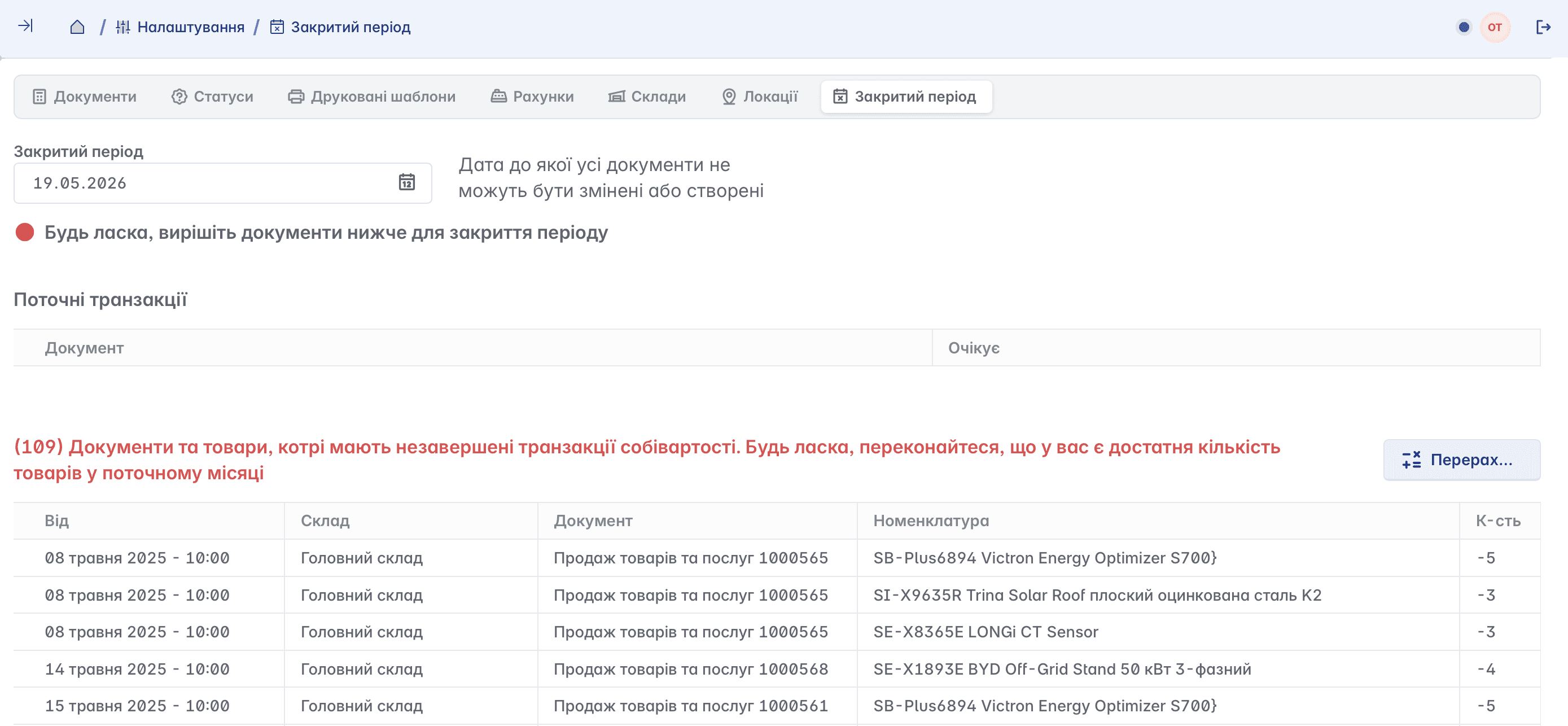
Keruj™ automatically calculates the cost of goods using the weighted average price method, but does not prohibit selling goods "in the negative". However, this does not release you from the obligation to record stock inflows for goods that were previously sold with a negative balance
Related articles