Tips and tricks
File library
File library is a tool for storing, viewing, and managing files linked to a specific object: a project, item, counterparty, etc. It allows centralizing all related documents, images, and other materials in one place
Its purpose:
storing photos, documents, certificates, and technical materials
creating covers and adding accompanying files for items
storing scans or copies of documents of counterparties (employees, clients, or suppliers)
attaching invoices, certificates of completion, photos, and other files related to the project
quick access to all important information within a single object
Adding a file
To add a file or image to a record, go to the "File library" section on the top panel of the record and click on the corresponding field to upload the file

You can select a file from your storage or drag and drop it into the corresponding field
Tools for working with files
A set of tools for downloading, editing, or deleting is available for each file
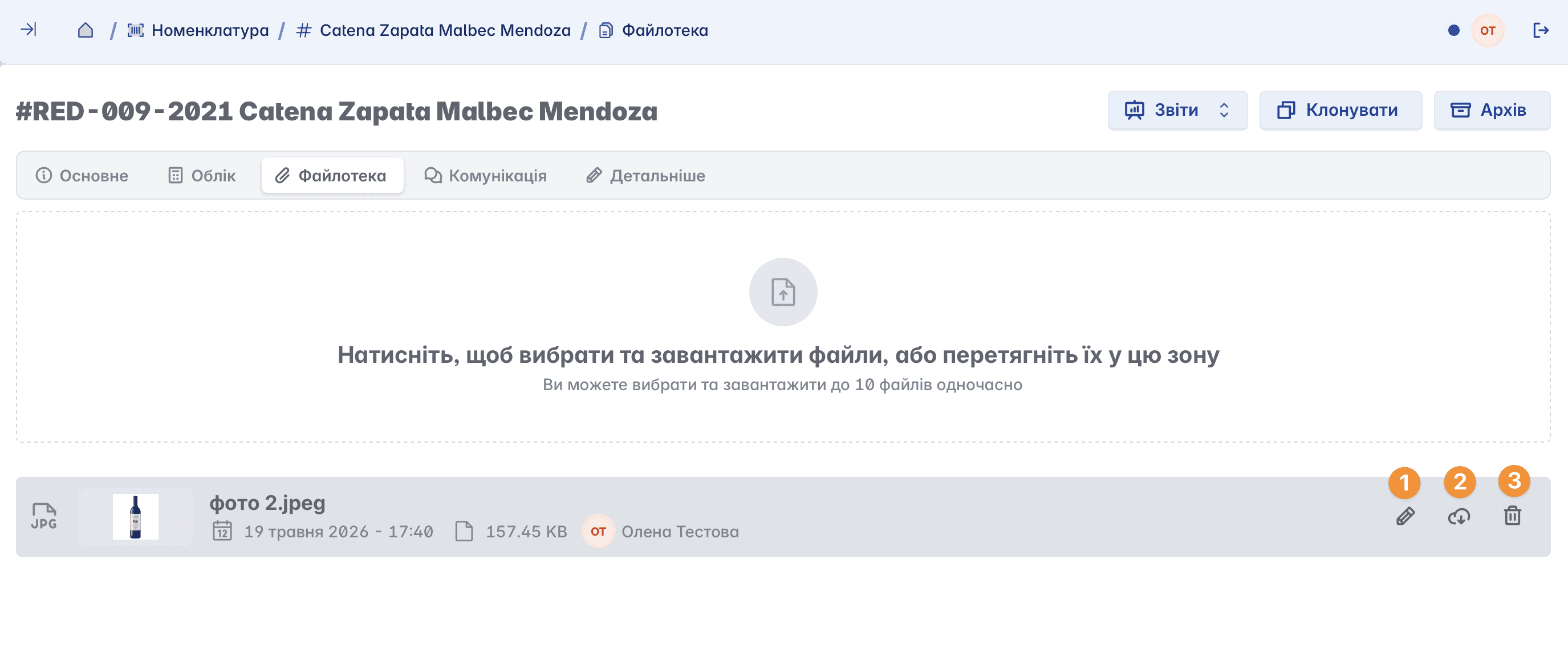
Adding notes to the file (you can also change its name)

Downloading the file to your device
Deleting the file
Related articles