Tips and tricks
Communication
Communication is a universal Keruj tool that reflects the entire history of interactions and events in your company. It records not only messages between participants, but also all changes and processes, including:
creating or editing a nomenclature, counterparty, document, or other record
adding comments and internal notes
system notifications about tasks and reminders
Its purpose:
Full history of work - all actions and changes are saved in the system
Transparency of processes - it is clear who made changes and when
Control of tasks - reminders and notifications arrive directly in the communication
Convenient collaboration - the team works in a single chronology of events without searching for information in different sections
Location
The "Communication" tool is present in almost all Keruj modules - you will find it in the counterparty card, document, tasks, opportunities, projects. There is also a separate general section "Communication" located on the navigation panel on the left

This section stores all notifications about completed work and changes made in your Keruj environment. It should be noted that to view updates made by your specific user, you must activate the "Show read" parameter in "Settings"
Communication in records
Communication allows you to track all actions and changes regarding a specific record, project, or document
To view information, open the required record and go to the "Communication" tab in the top menu. All actions, comments, and internal notes are displayed here
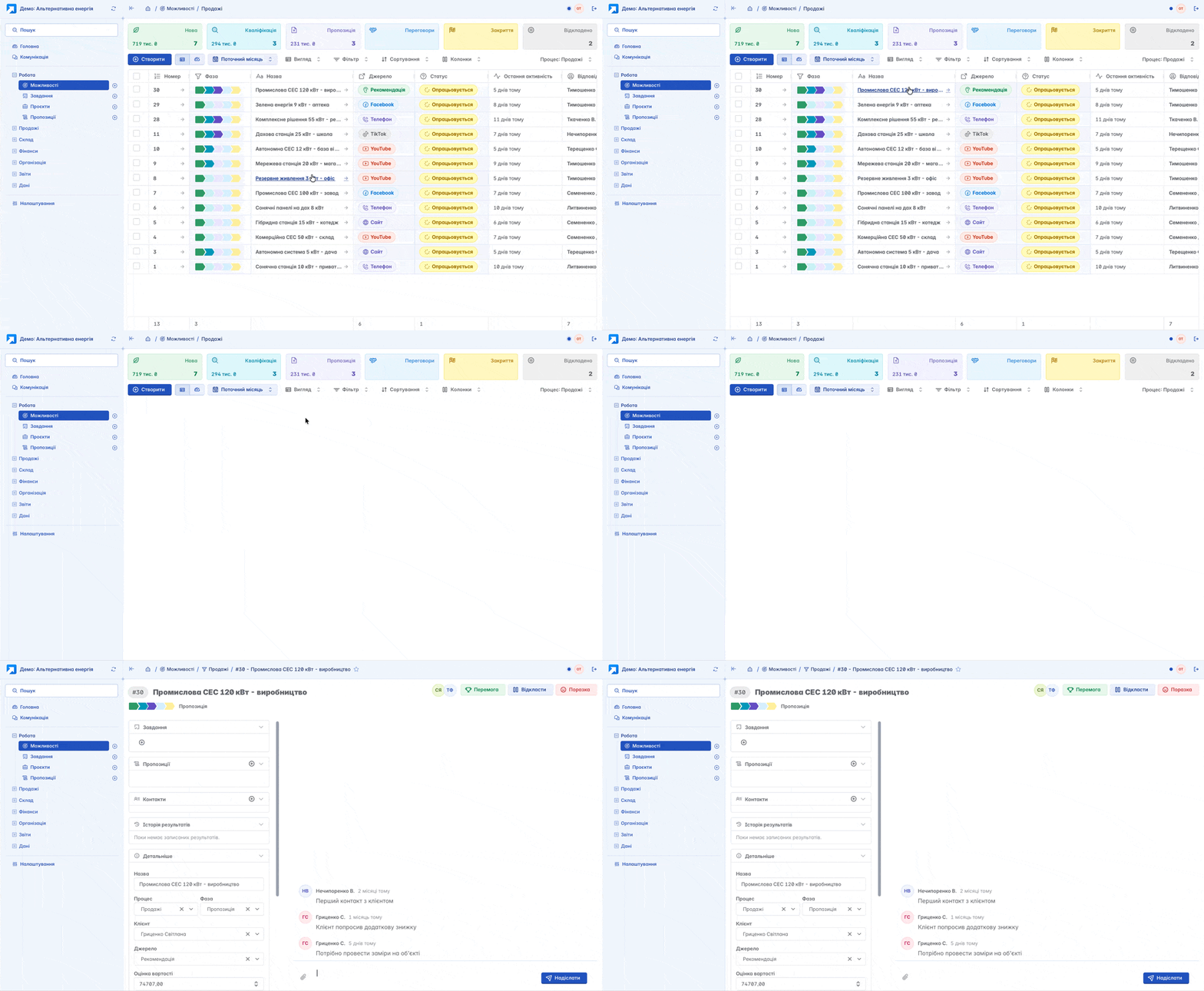
Thus, communication ensures the transparency of processes and maintains the full history of interactions in Keruj
If you want to add a new participant to the communication for a specific entity, simply mention them in the chat

In turn, the invited participant will receive a notification in the "Communication" section. Also, all information added to the communication earlier will be available to them

Communication in tasks
Communication in tasks is a key tool for control and tracking of execution. It allows you to:
View all actions of participants regarding the task
Send notifications to the assignee and manager about the need to complete the task or a reminder
In tasks, there is a separate tool "Time Limit" which is directly connected with communication
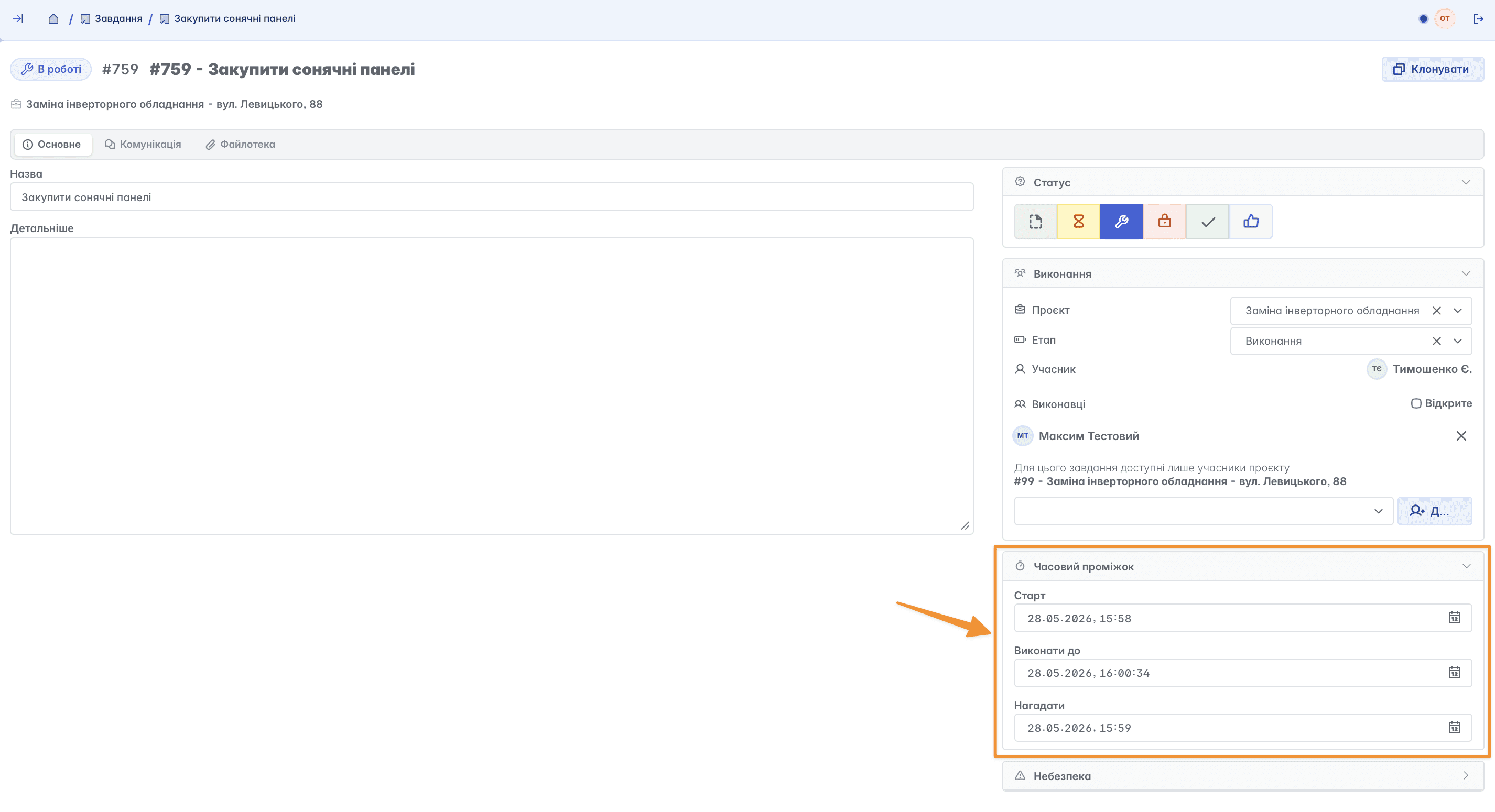
When "Time Limit" is configured properly, the assignee will receive notifications if statuses do not match the workflow. For example, if a task already needs to be taken "In progress", but it is still in the "Pending" status
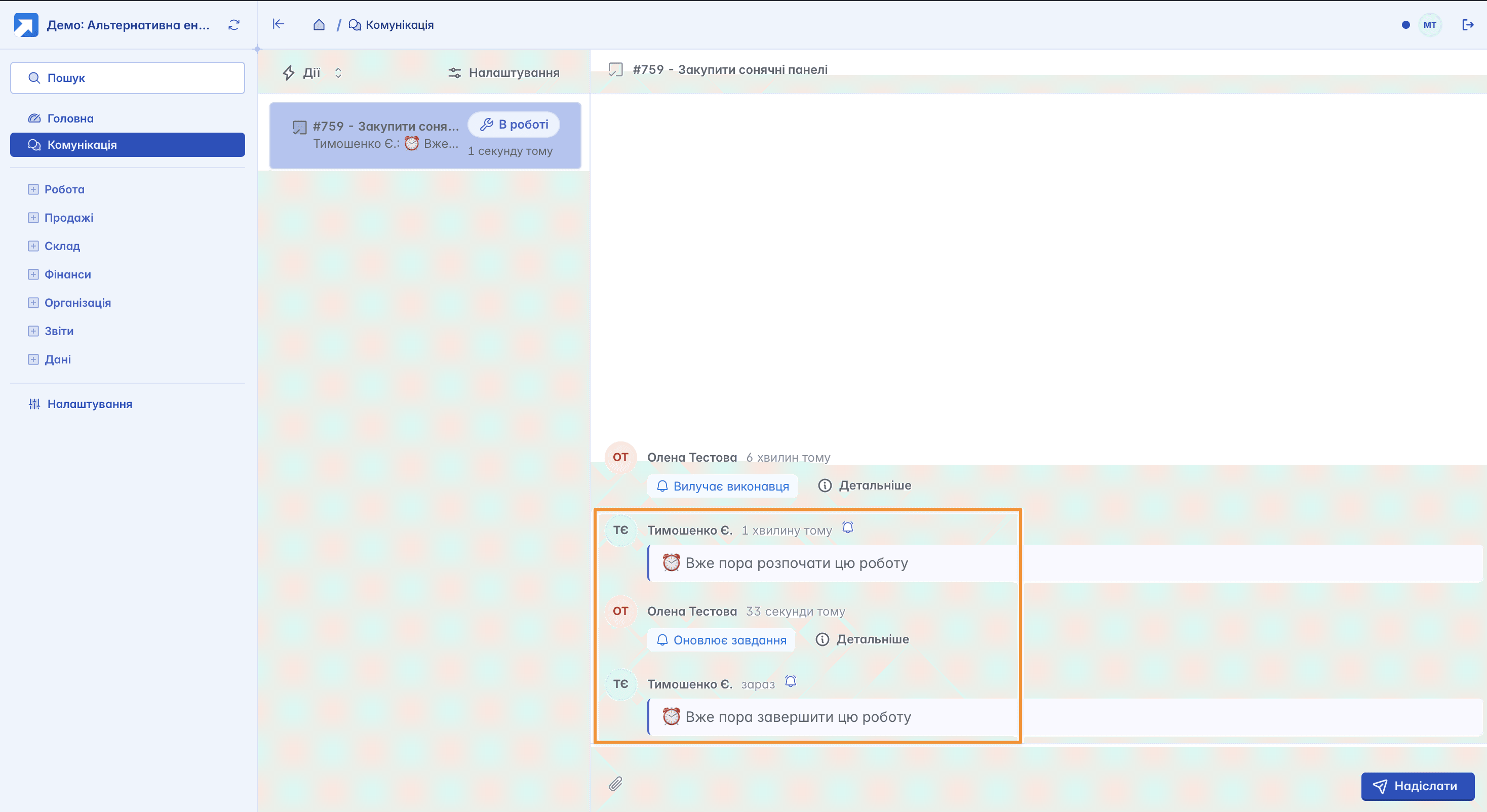
Communication ensures transparency and timely completion of tasks for all participants
Related articles