Settings
Functionality
Features in Keruj are tools that allow you to activate or deactivate individual sections (modules) to adapt Keruj to your company's needs
This setting helps avoid interface clutter and allows you to focus only on the sections relevant to you
Location
The tool for configuring features is located on the left navigation panel, in the "Settings" section, under the "General" block
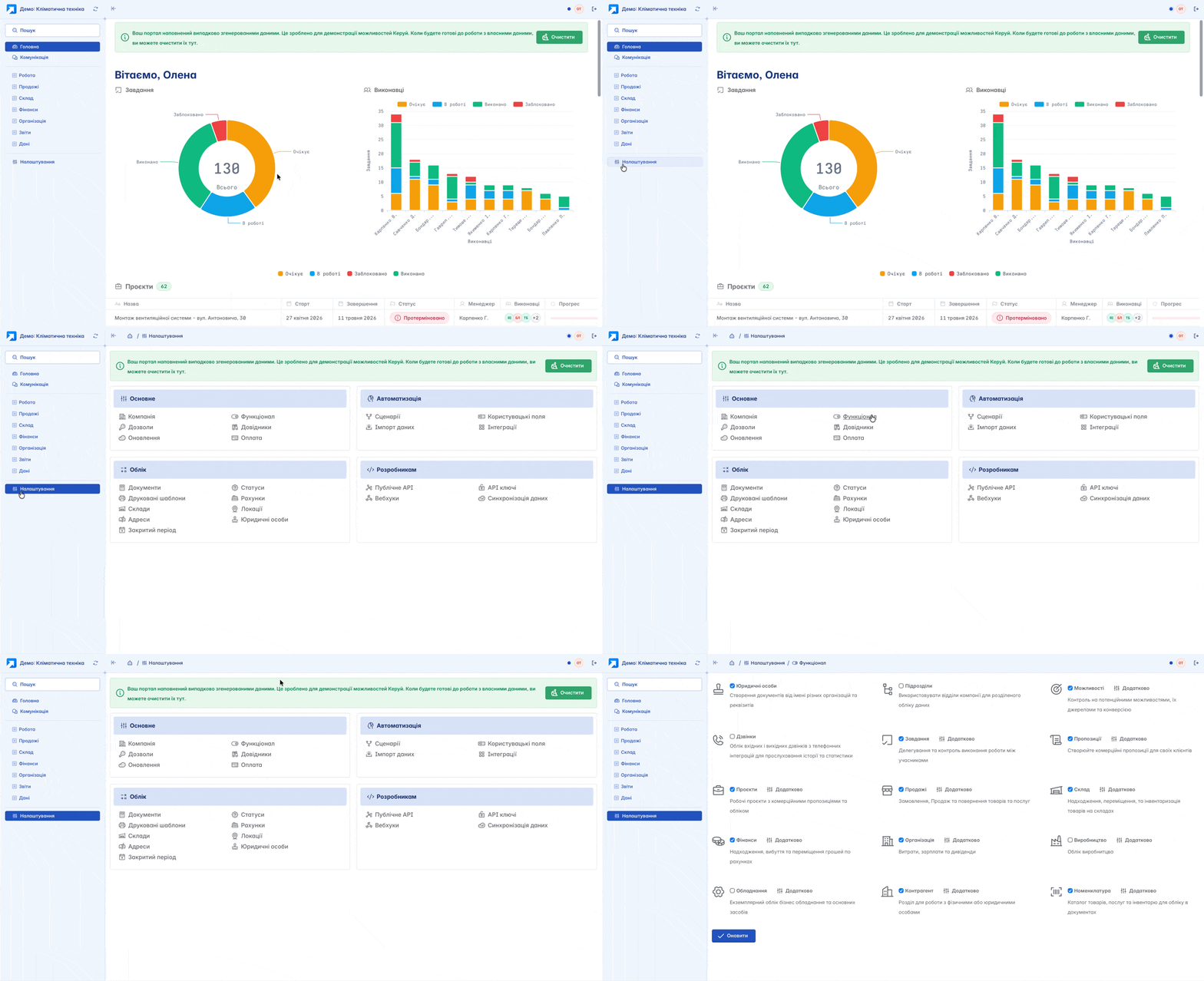
Features Configuration
It is these sections (modules) that form the left sidebar menu of your workspace in Keruj. To add a section, check the box next to its name and click "Update". To remove a section respectively, uncheck the box and click "Update"

Modules Configuration
In some modules, advanced feature configurations are available. That is, you can not only enable the required module but also configure its behavior in advanced mode, select relevant documents for the module, or additional features by clicking the "Advanced" button

To add a required function, check the box next to its name and click "Update". To remove it, uncheck the box and also click "Update"
Related articles