Settings
Warehouses
Setting up warehouses in Keruj is a basic step in preparing the service for working with goods and inventory control. It is warehouses that are used in documents, transfers, sales, purchases, and monitoring balances
Location
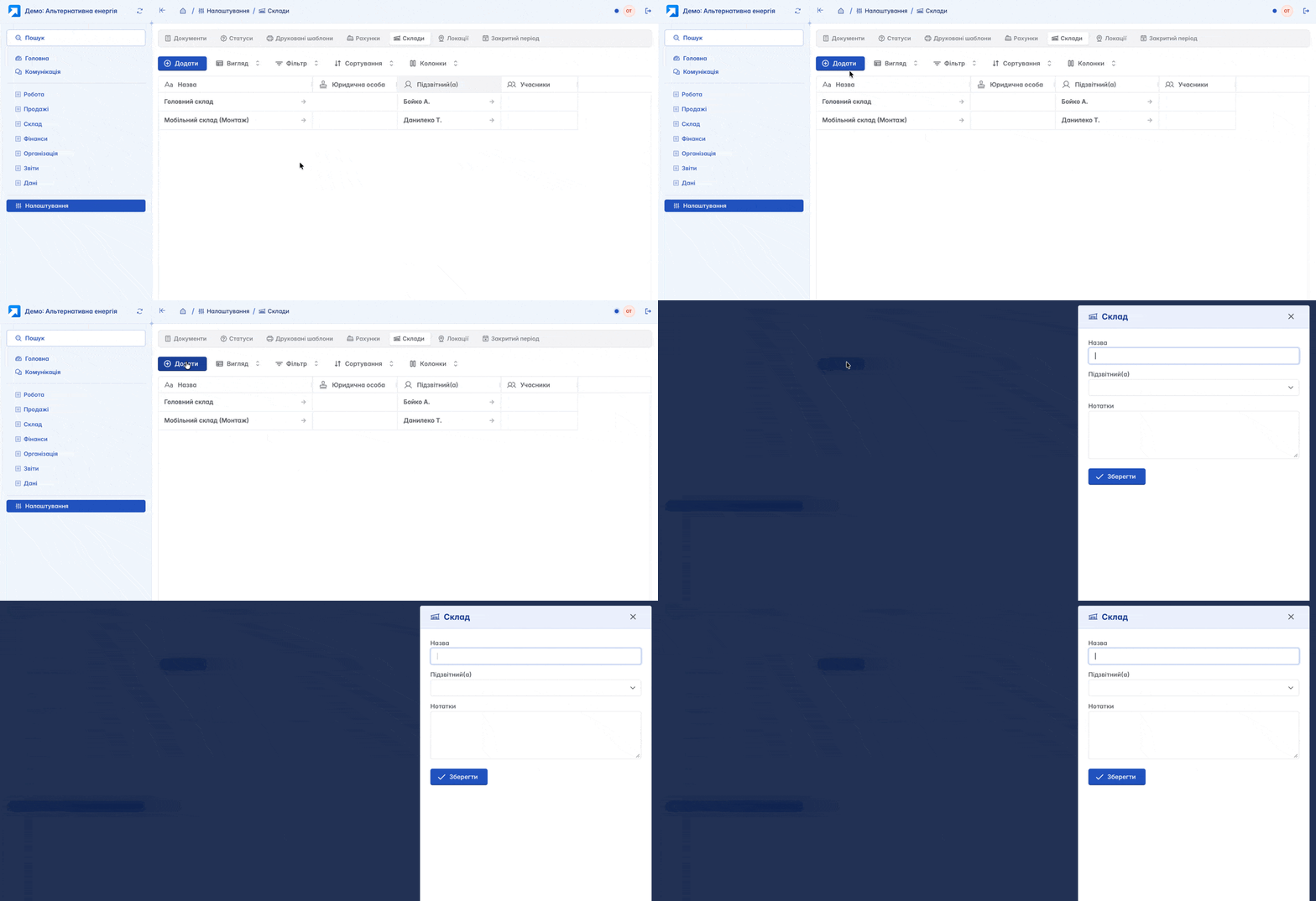
The tool for setting up warehouses is located on the navigation panel on the left, in the "Settings" section, under the "Accounting" block

The list of warehouses is displayed in a table format. Its view can be changed according to your own criteria using filters, columns, and other tools. Here, you can create, edit, and configure basic settings for warehouses for further work with goods, balances, and warehouse documents
Adding
You can add a new warehouse by clicking the "+Add" button on the main page
Form for creating a warehouse:
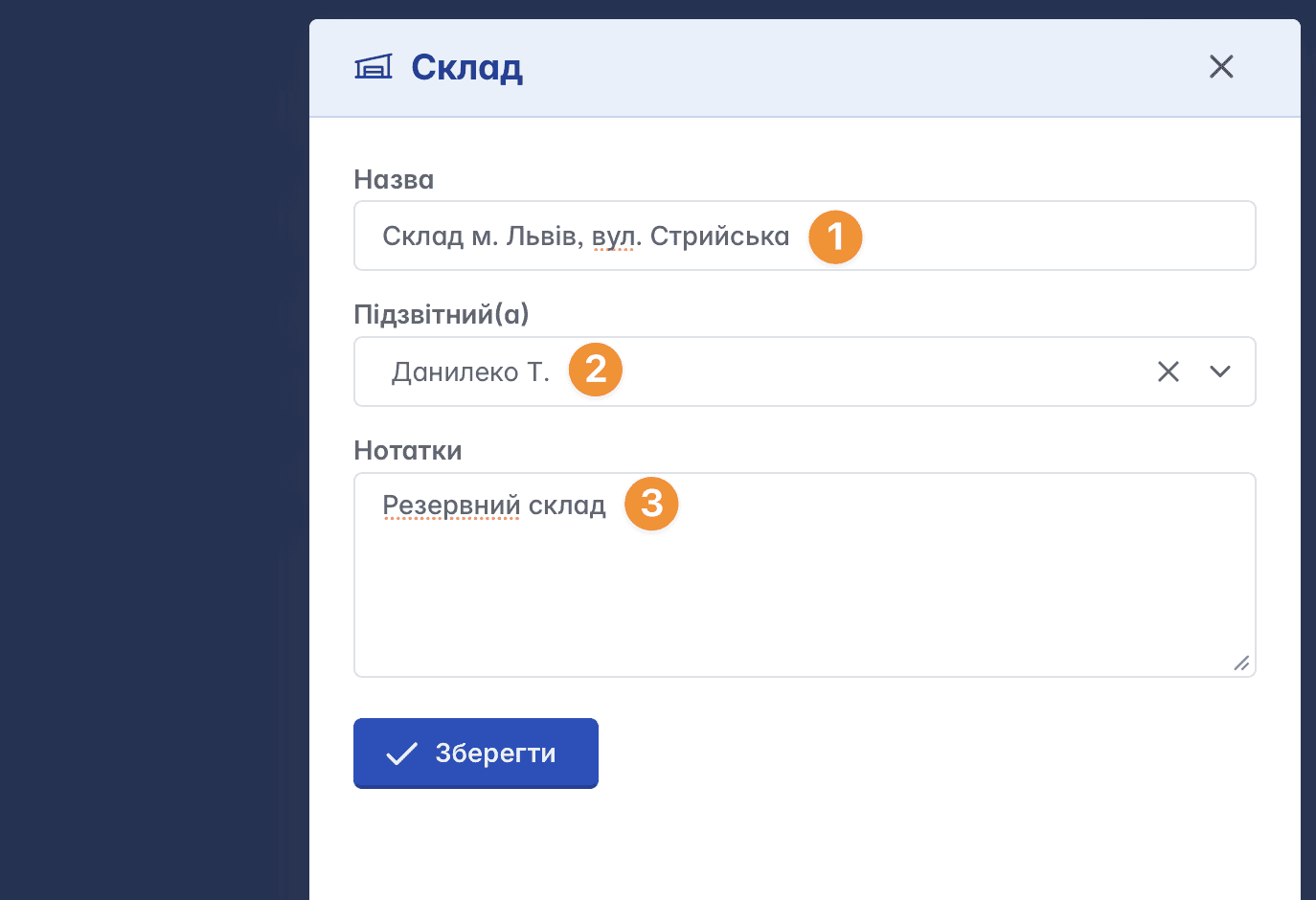
Name - the name of the warehouse
Accountable person - the responsible person (a member of your Keruj workspace)
Notes - a field for additional information
Warehouse Card
The warehouse card contains a number of tabs located in the top menu and work tools in the upper right part of the page
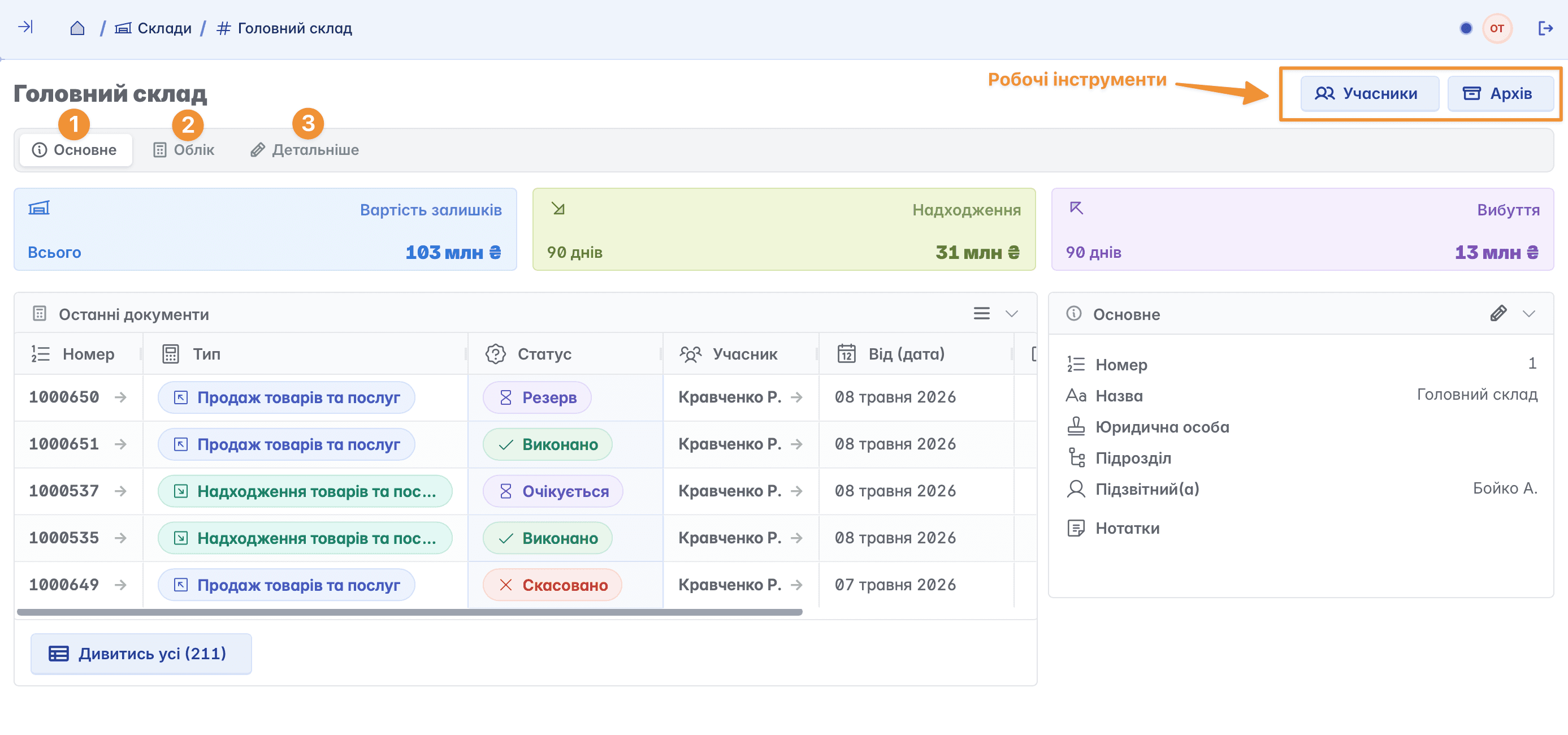
General
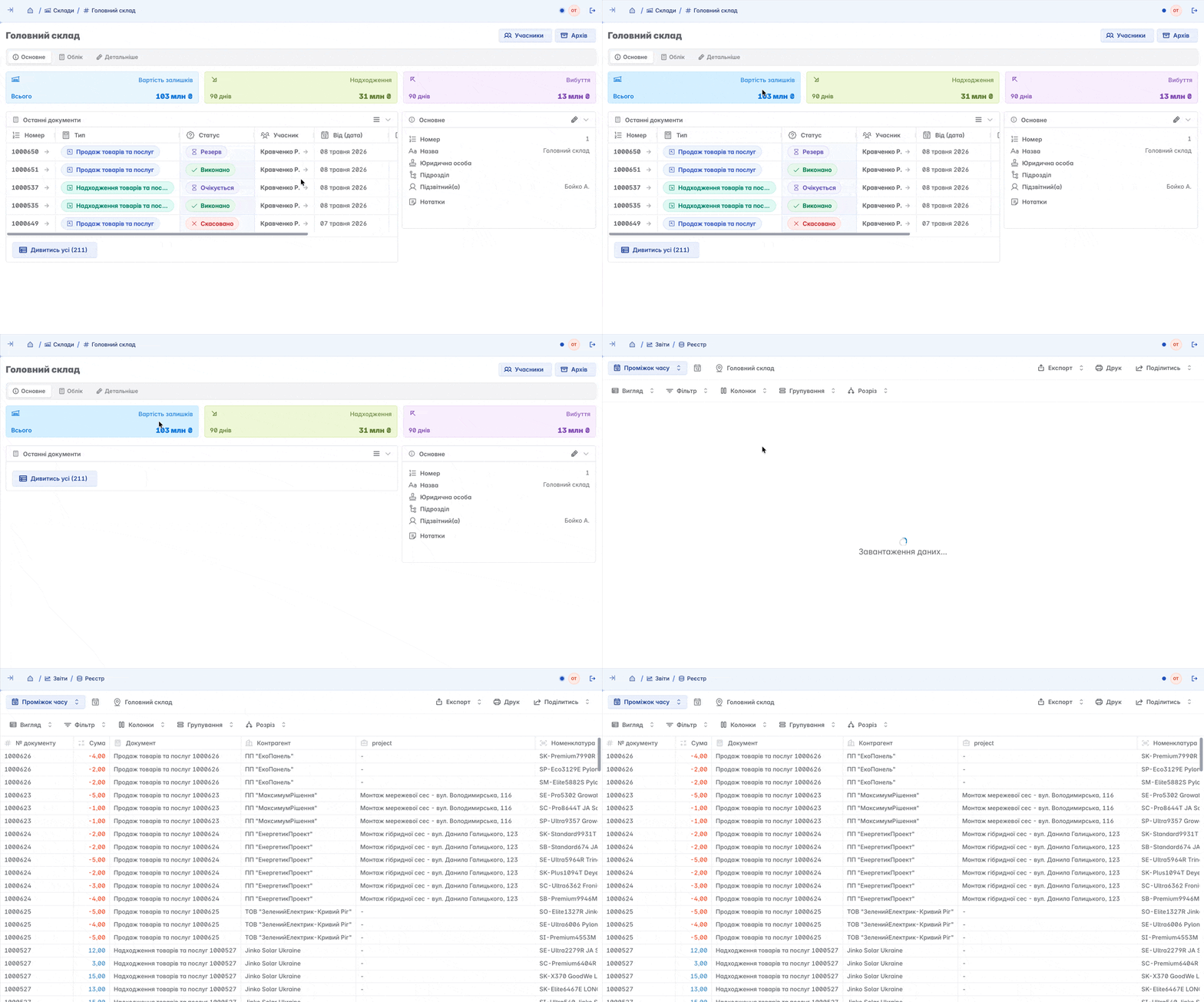
The main page of the warehouse. Here you can find all general information about the warehouse, the latest documents, and financial analytics
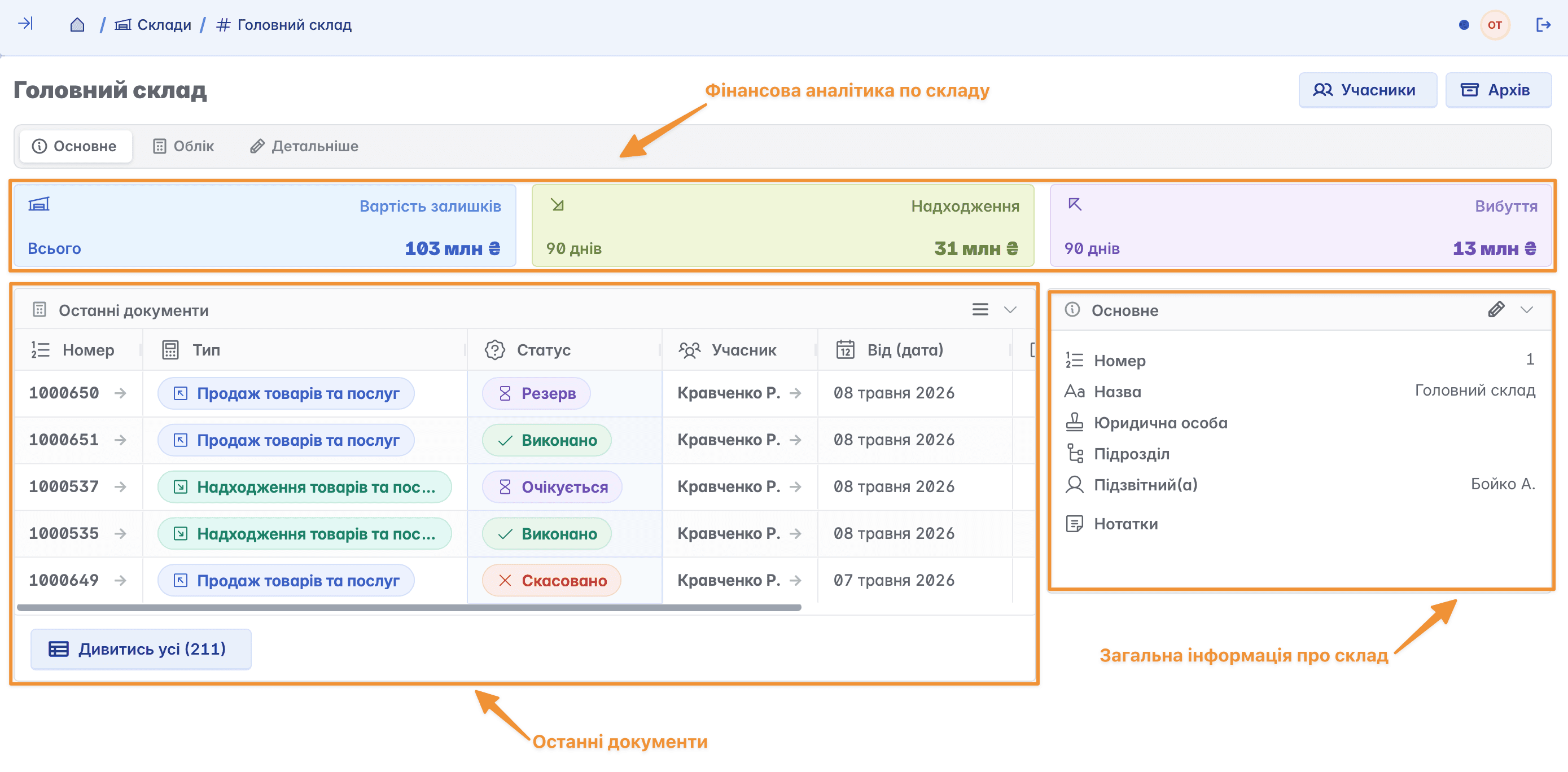
For a detailed look at the analytics of the warehouse, click on one of the available fields. After that, you will have access to detailed information regarding the selected metric in a report format
Accounting
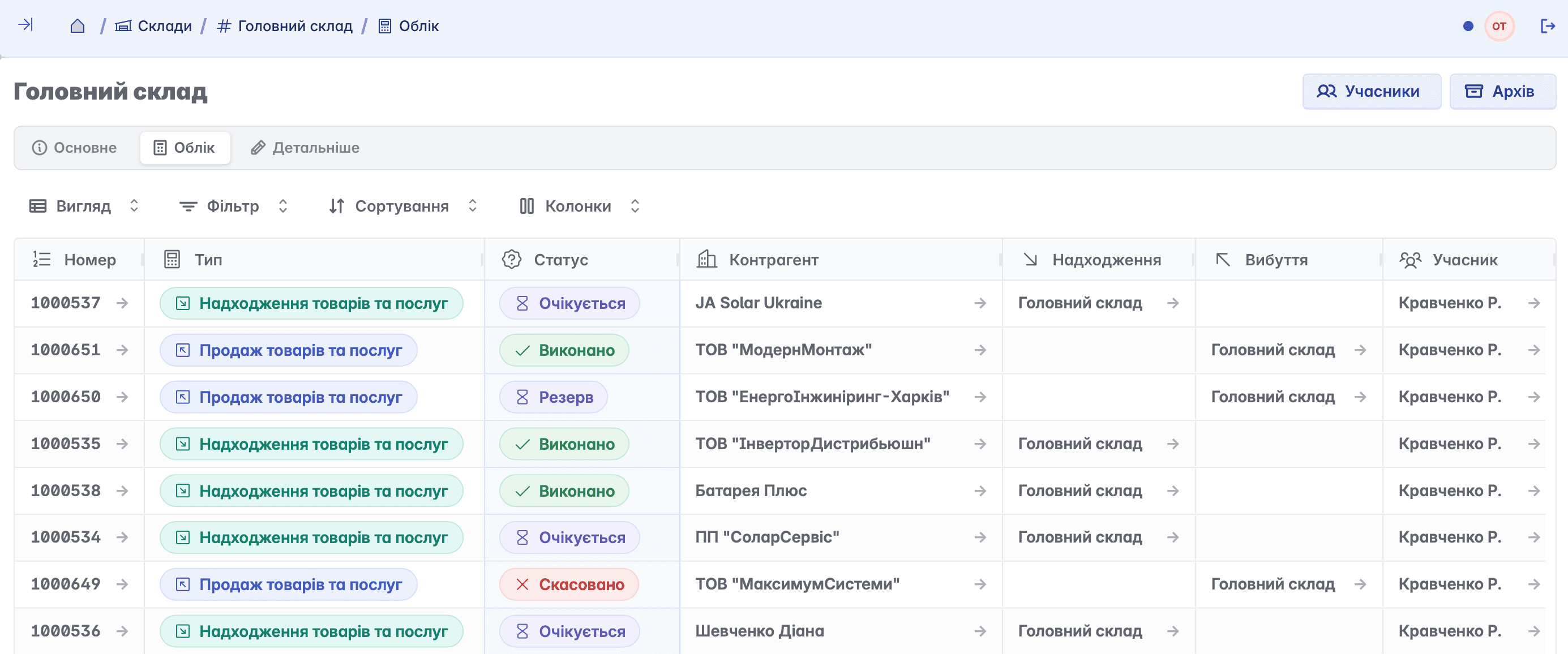
Data regarding processes carried out with goods. Here you can view all warehouse documents where the selected warehouse is used
Details
A tab for editing and adding basic information about the warehouse. Here you can change the warehouse name, the responsible user, add notes, or delete the record if necessary
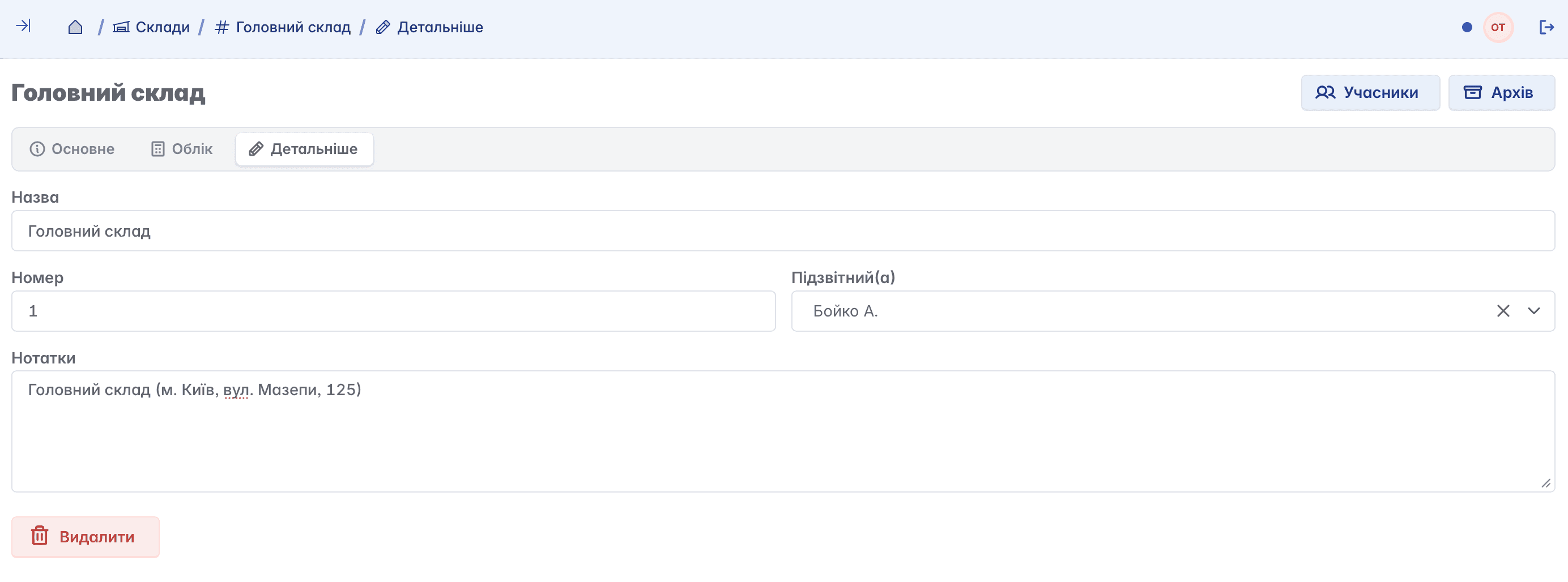
Deleting a warehouse is only possible if the user has appropriate access rights and there is no related data. If the warehouse is associated with an item list, warehouse documents, or other dependent information, deletion will be unavailable
Adding members
Members are company employees who are granted access rights to certain information. Unlike the accountable person, you can assign multiple members to a warehouse

Archiving
Since deleting a warehouse with related data is not possible, the record can be moved to the archive. This allows you to remove the warehouse from active use without losing important information and transaction history

Related articles