Settings
Accounts
Accounts in Keruj™ are your cash registers, bank accounts, etc. Conventionally, these are "wallets" between which your assets in the form of funds are divided. Any place for storing and controlling finances
Location
The tool for managing accounts is located on the left navigation panel, in the "Settings" section, "Accounting" block
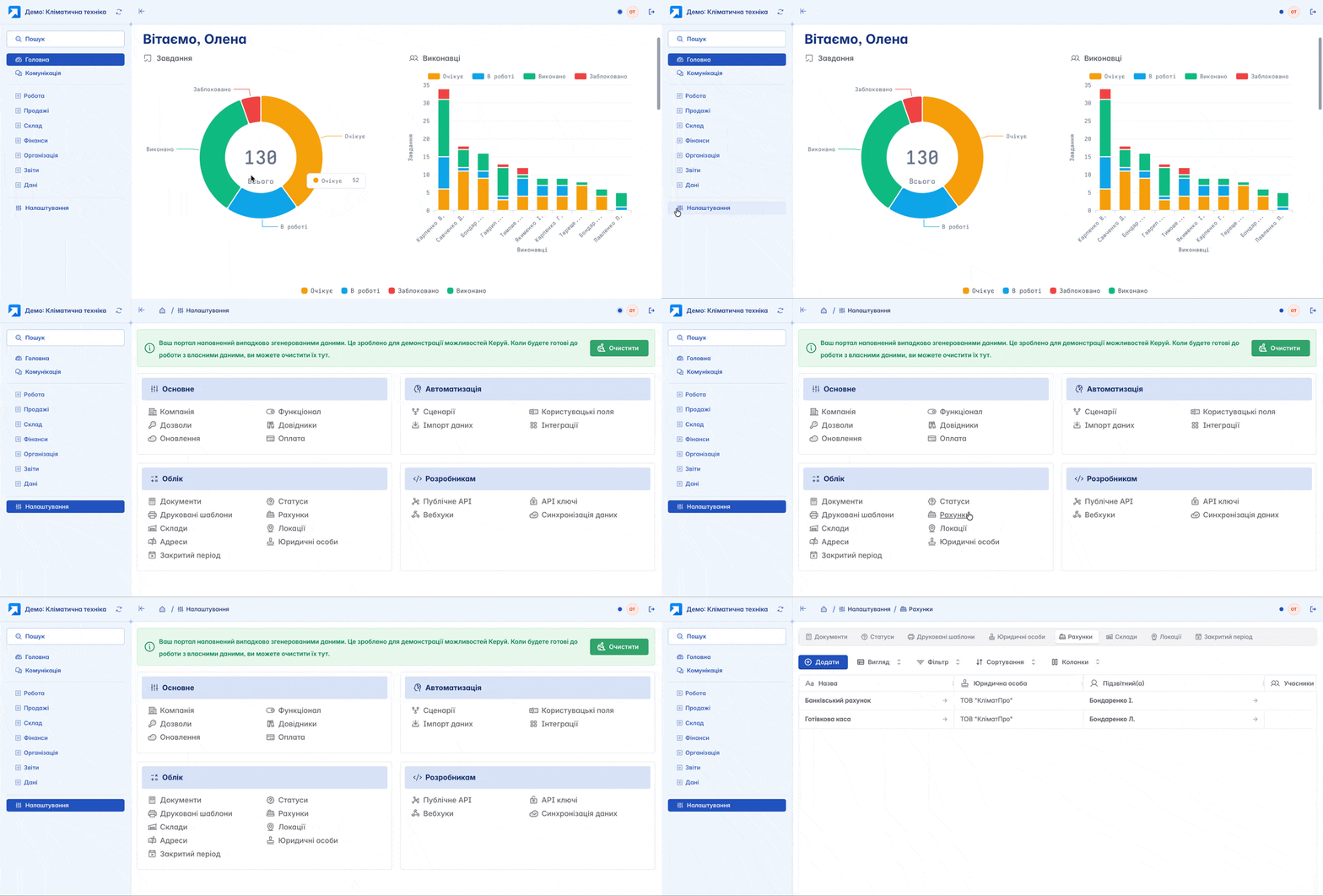
The list of accounts is displayed in a tabular format. Its view can be changed according to your own criteria using filters, columns, and other tools. Here, the creation, editing, and basic configuration of accounts for further work with finances are performed
Adding
You can add a new account by clicking the "+Add" button on the main page
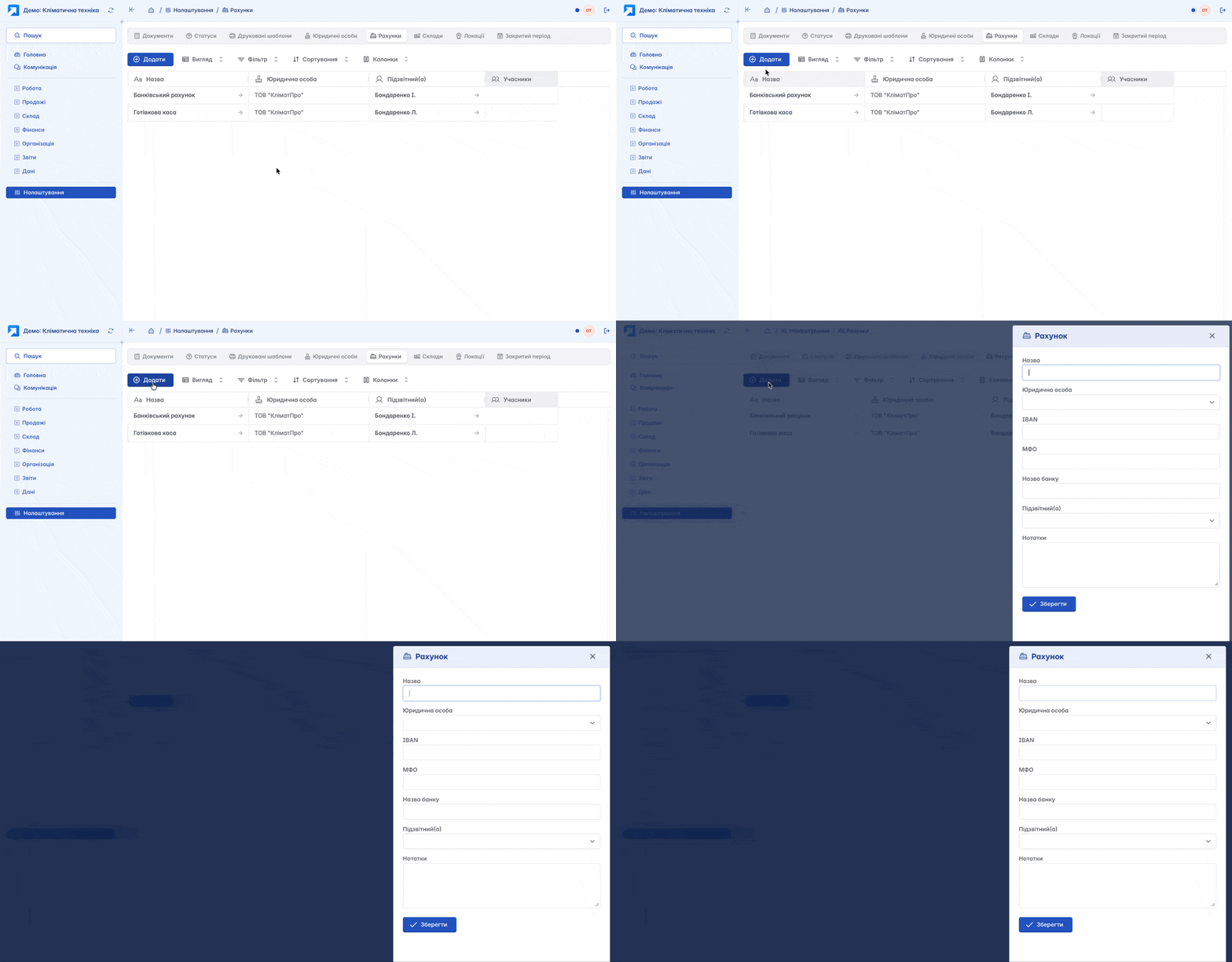
Account creation form
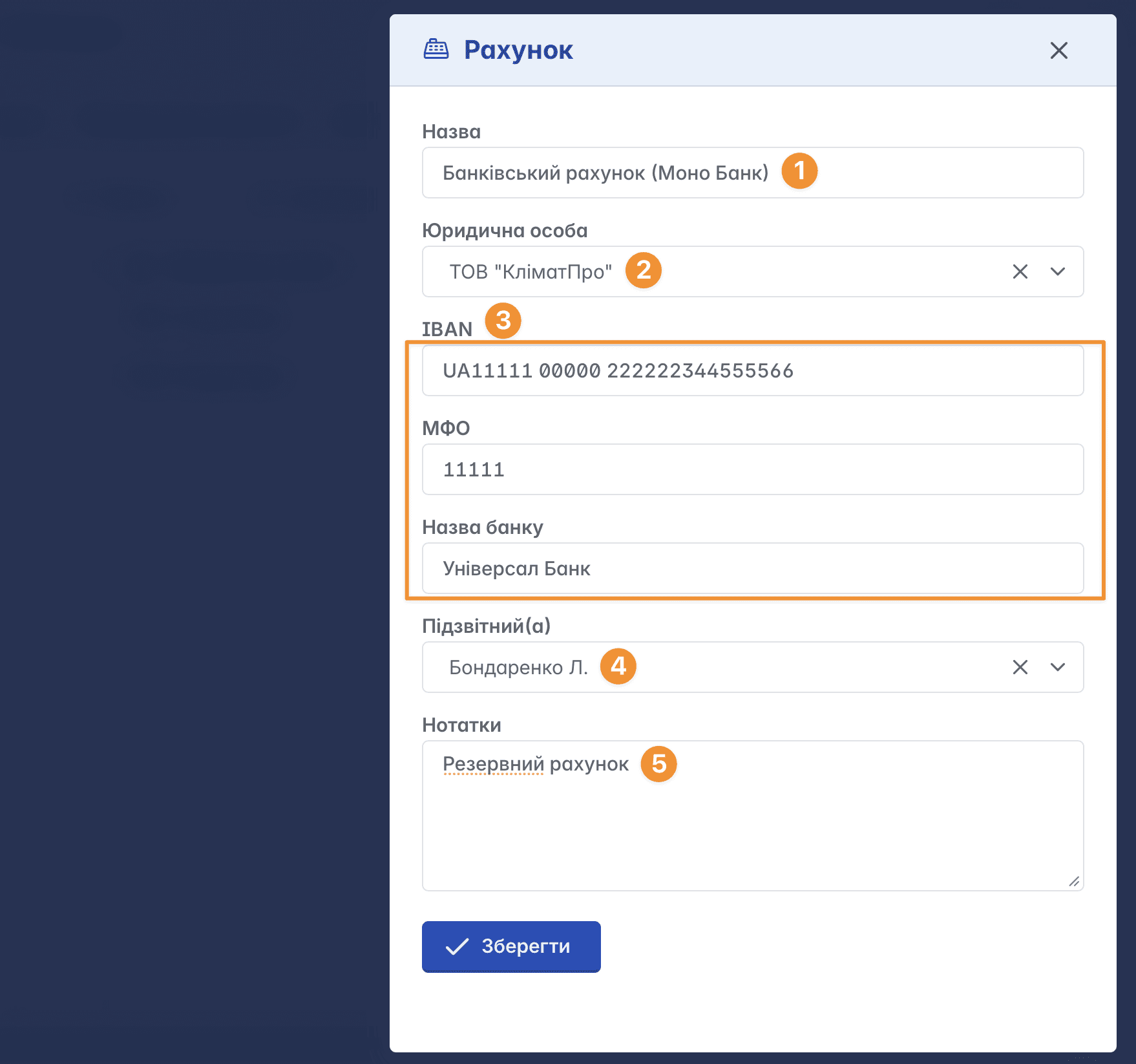
Name - the name of the account. This concept is conditional and serves an informational purpose (Cash registry, PrivatBank Account - etc.)
Legal entity - the registered legal entity of your company to which the account belongs. It must first be added in the legal entities settings
IBAN/MFO/Bank name - account information
Accountable person - the responsible person (a member of your Keruj™ workspace)
Notes - a field for additional information
Account Card
The account card contains a number of tabs located in the top menu and work tools in the upper right part of the page
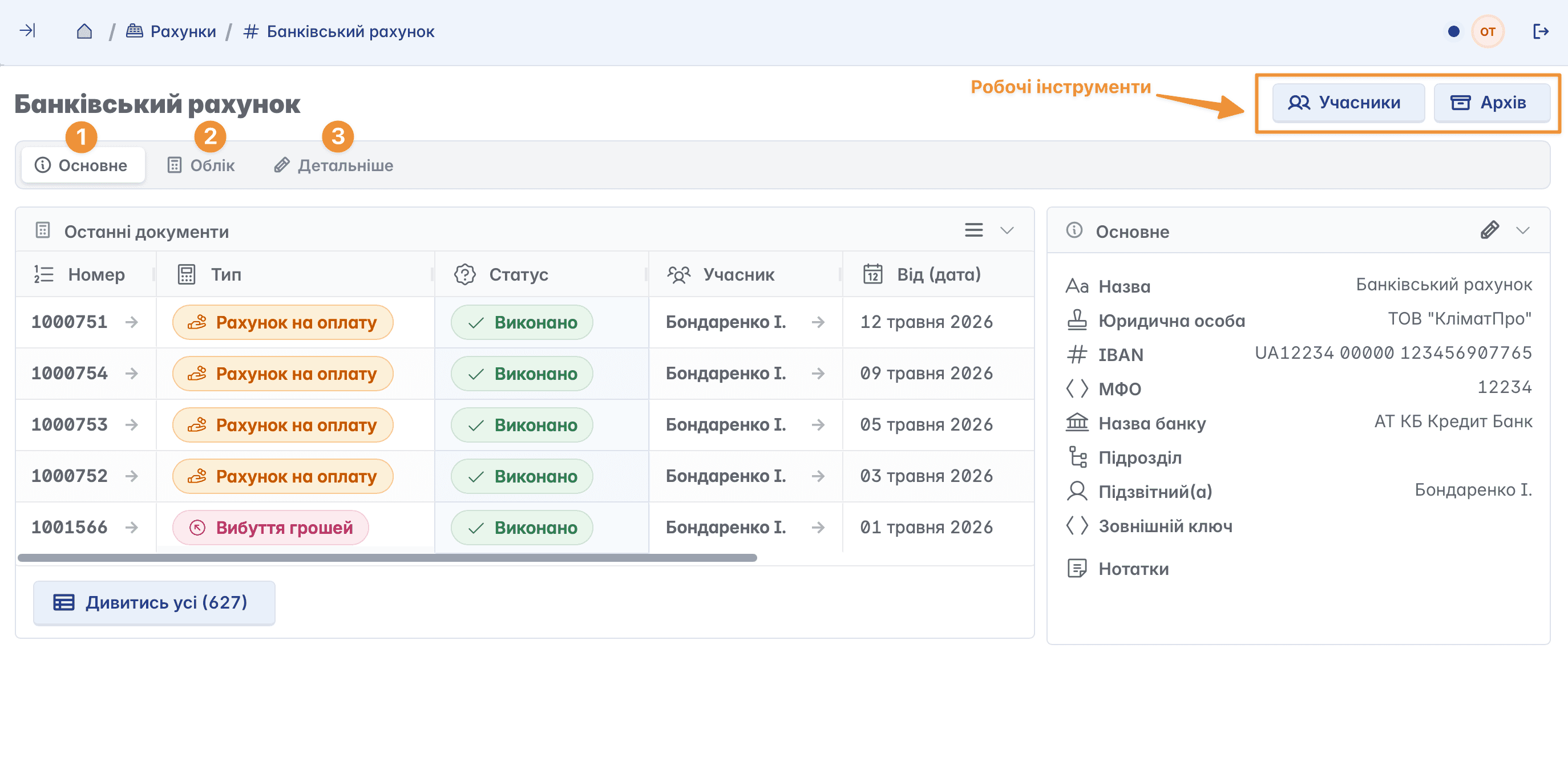
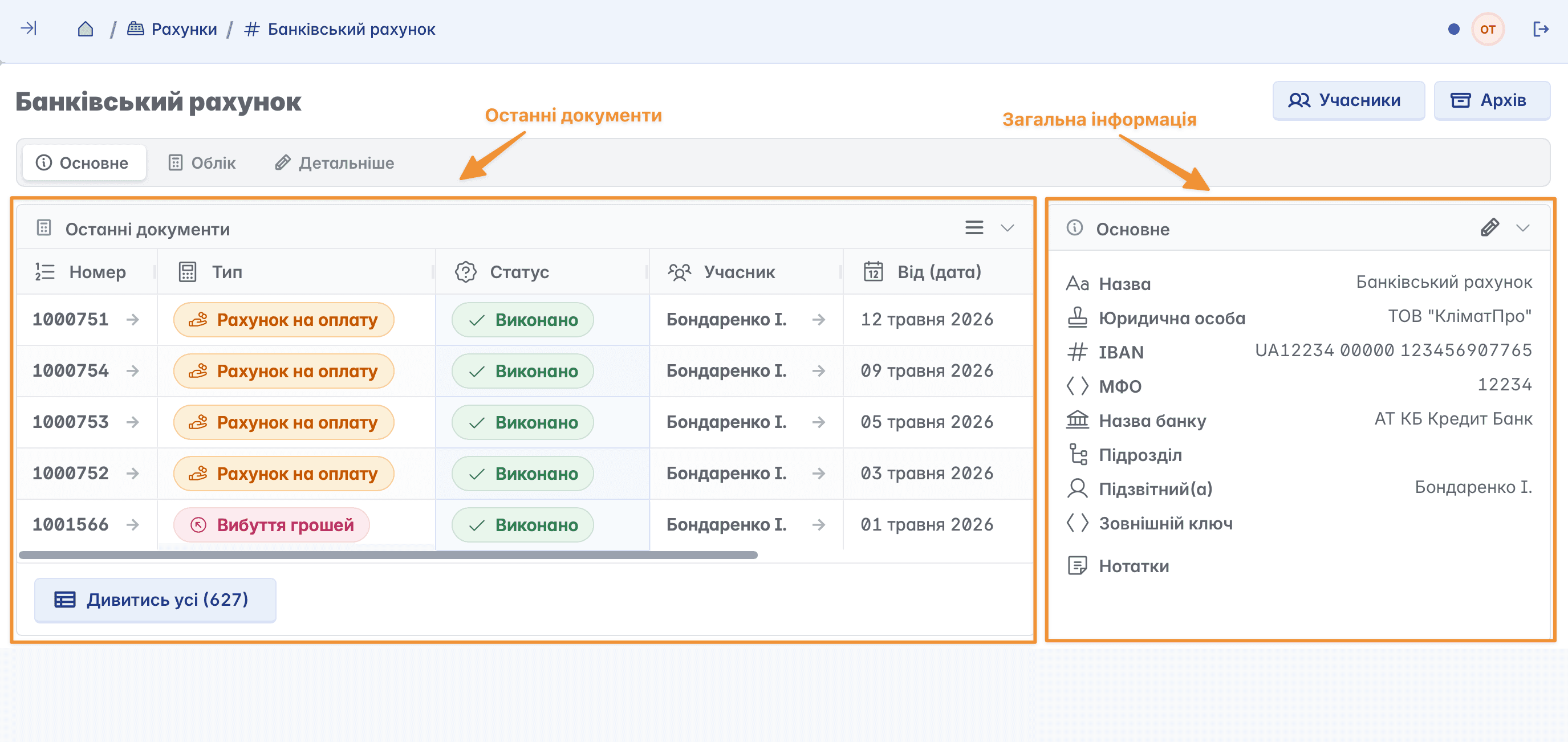
Main
The main page of the account. Here you have the opportunity to familiarize yourself with all the general information about the account and the latest documents related to the selected account
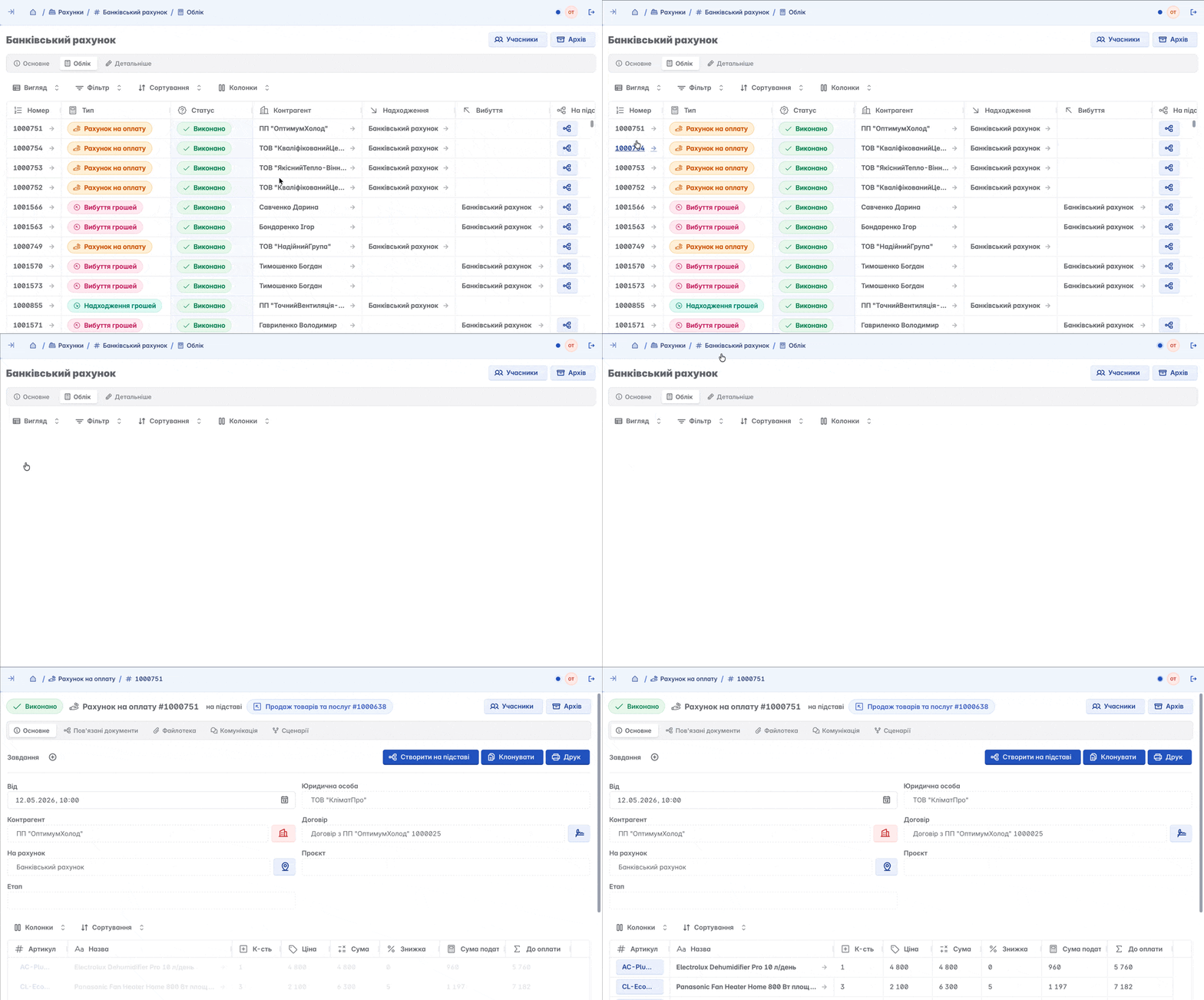
Accounting
Here you can view in detail all the documents where the selected account is used
Details
General information about the account, which is added upon creation. Here you can change the name and legal details of the account, add notes, assign a responsible/accountable person, or, if necessary, delete the record
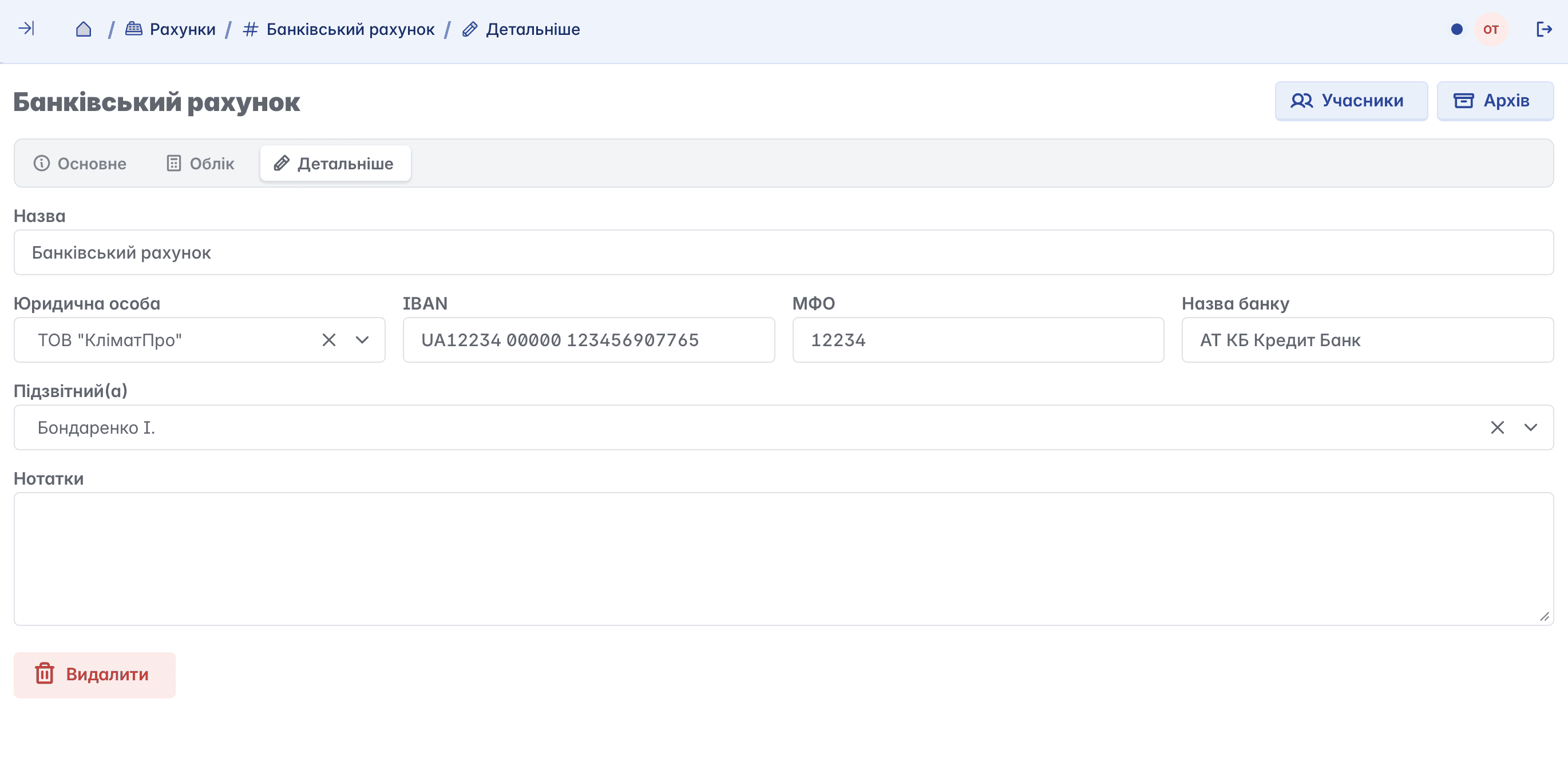
Deleting an account is only possible if the user has the appropriate access rights and there is no related data. If financial documents or other dependent information are linked to the account, deletion will be unavailable
Accounts in documents
In the financial documents creation form of Keruj™, it is necessary to select an account. This is an important step, as it directly affects the company's further financial reporting. Correctly filling out the form ensures accurate financial accounting and proper display of balances
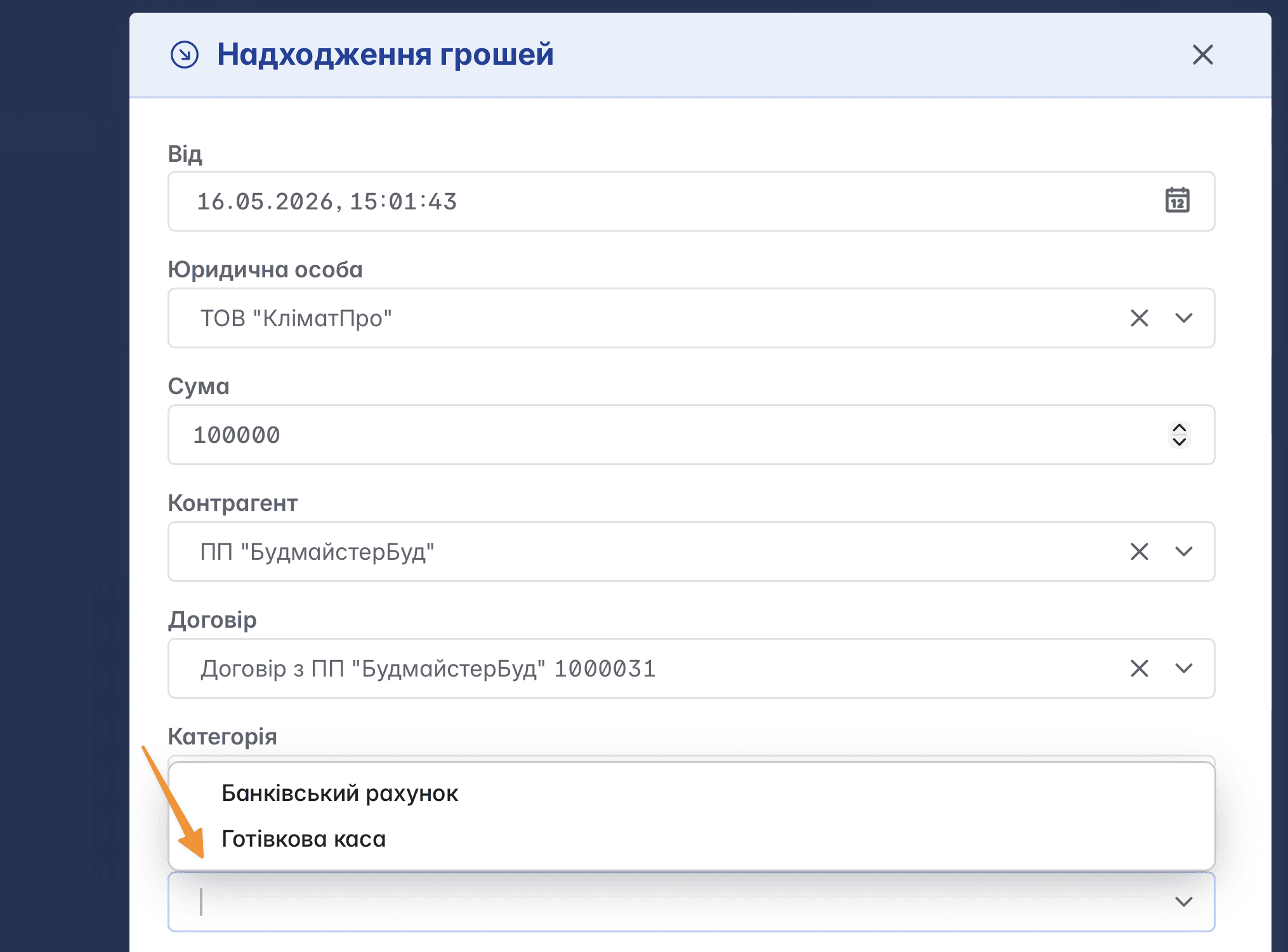
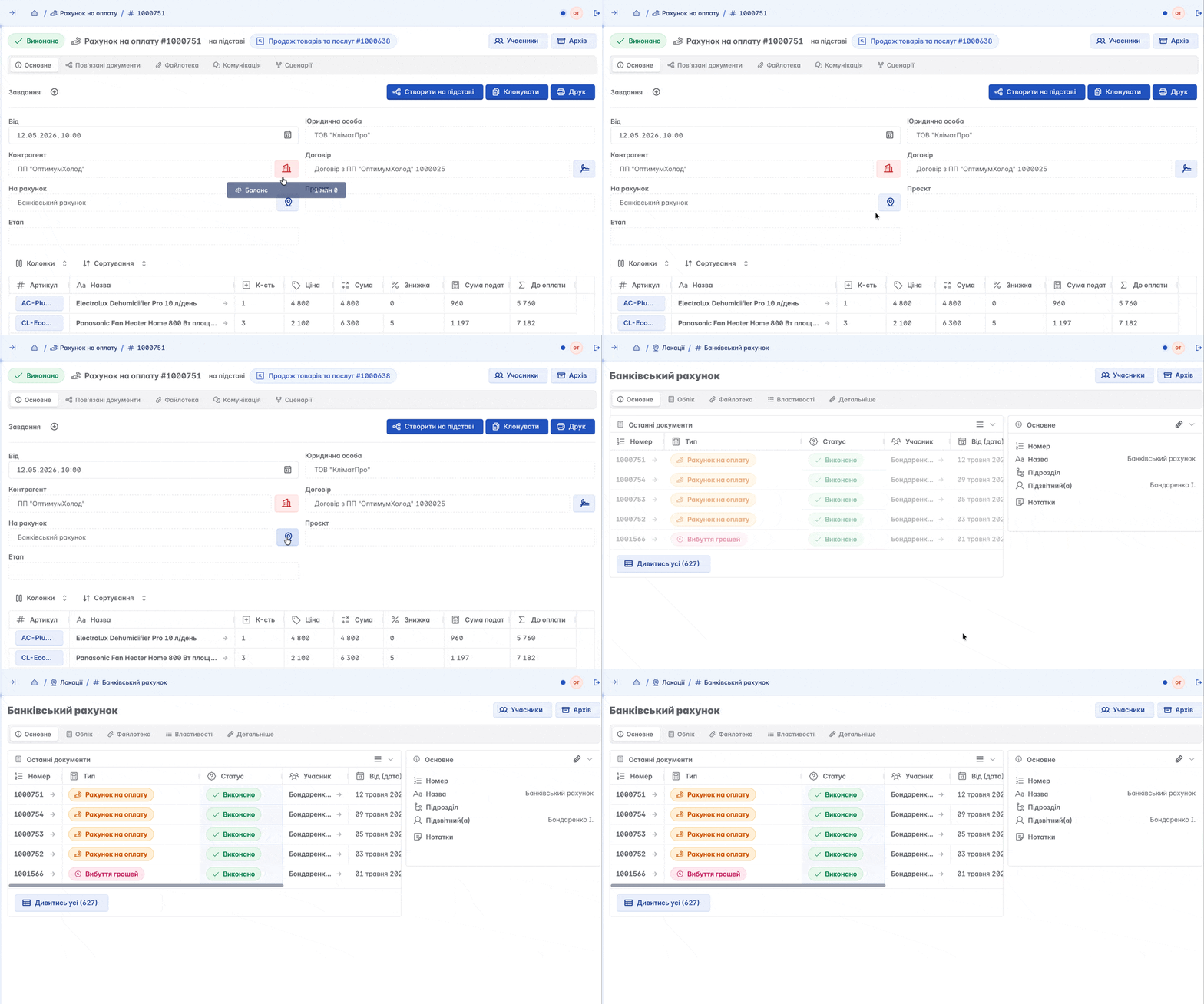
Information about the account to which the document belongs is directly contained within the document. Clicking on the icon at the end of the "To account" field will automatically redirect you to this account
Adding Members
Members are company employees who are granted access rights to specific information. Unlike an accountable person, you can assign several members to one account

Archiving
Since deleting an account is impossible when related data exists, the record can be moved to the archive. This allows you to remove the account from active use without losing important information and transaction history

Related articles