Settings
Units
Departments in Keruj is a tool for creating, editing, and managing structural units of a company, which helps to organize the internal structure of the enterprise and keep accounts separately for each area of activity
Their purpose:
keeping separate accounts by company departments
analyzing income, expenses, and profitability of each department separately
evaluating the efficiency and productivity of departments
structuring business processes and responsibility within the company
Location
The tool for configuring departments is located on the navigation bar on the left, in the "Settings" section, under the "Basic" block
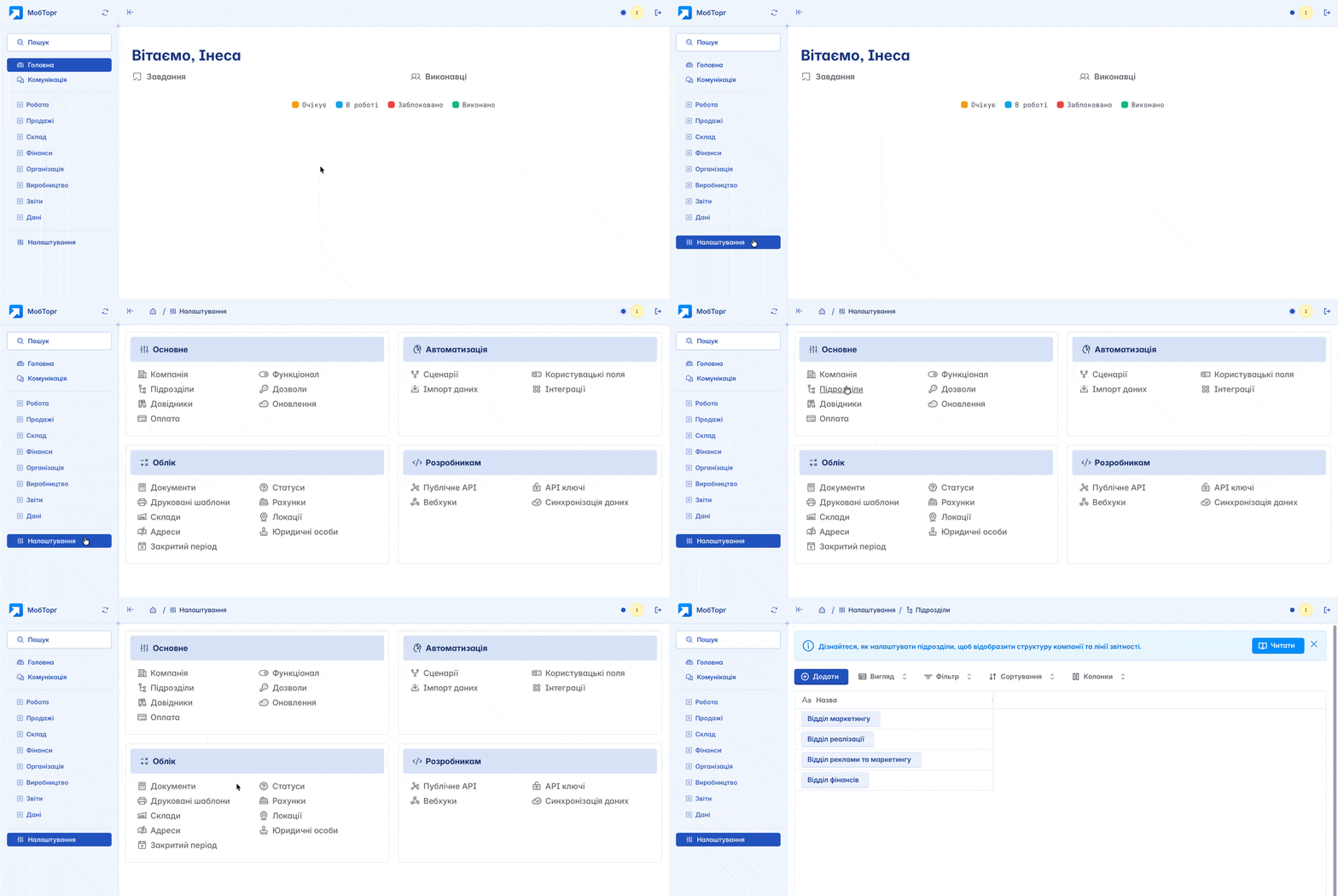
Adding
To add a new department, click the "+Add" button on the main page
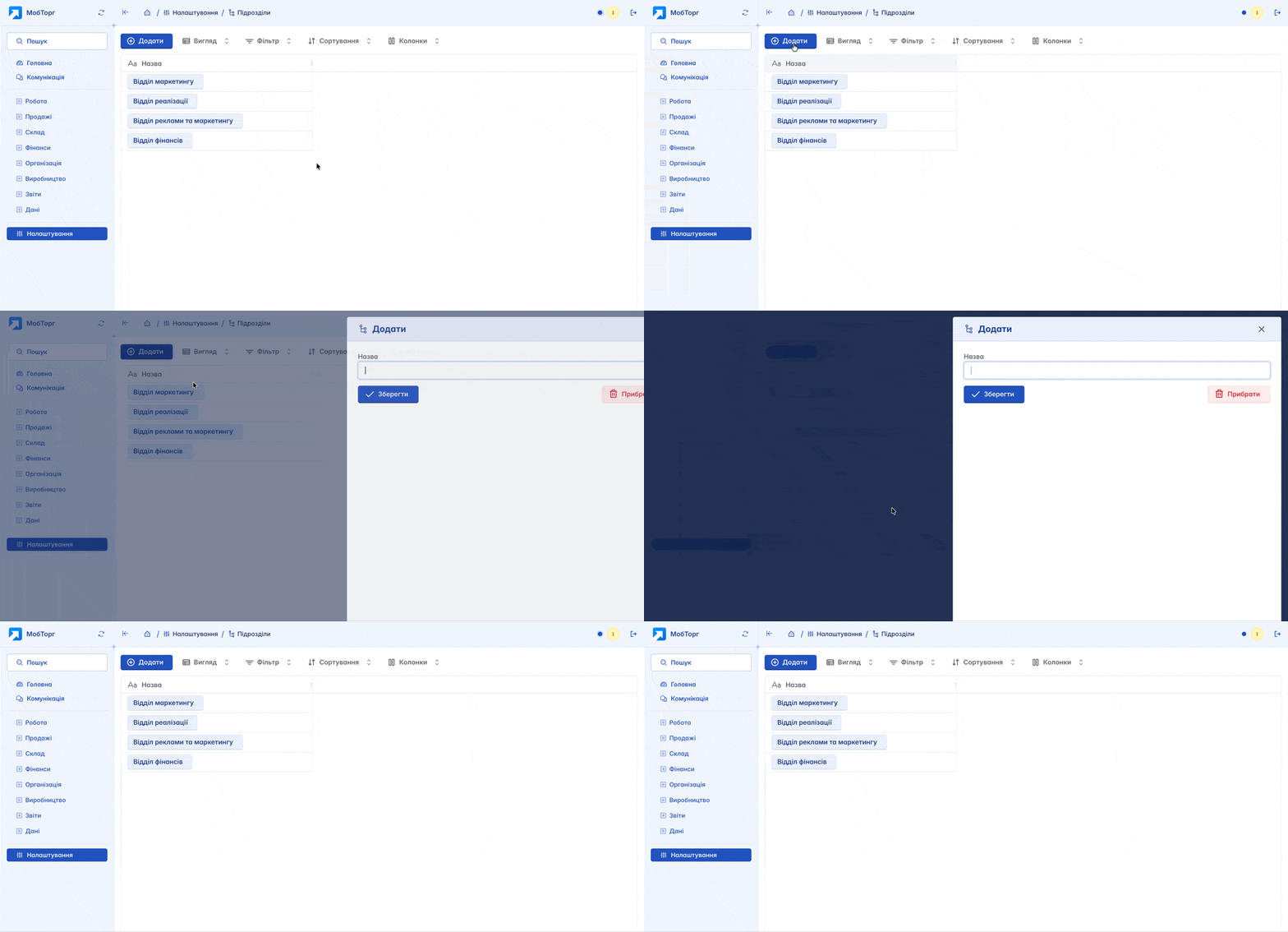
In the form, you must specify the name of the department. This concept is conditional and serves an informational purpose. The name of the department can correspond to actual departments of your company: "finance department", "sales department" or geographical offices such as "Kyiv", "Lviv" or "Odesa"
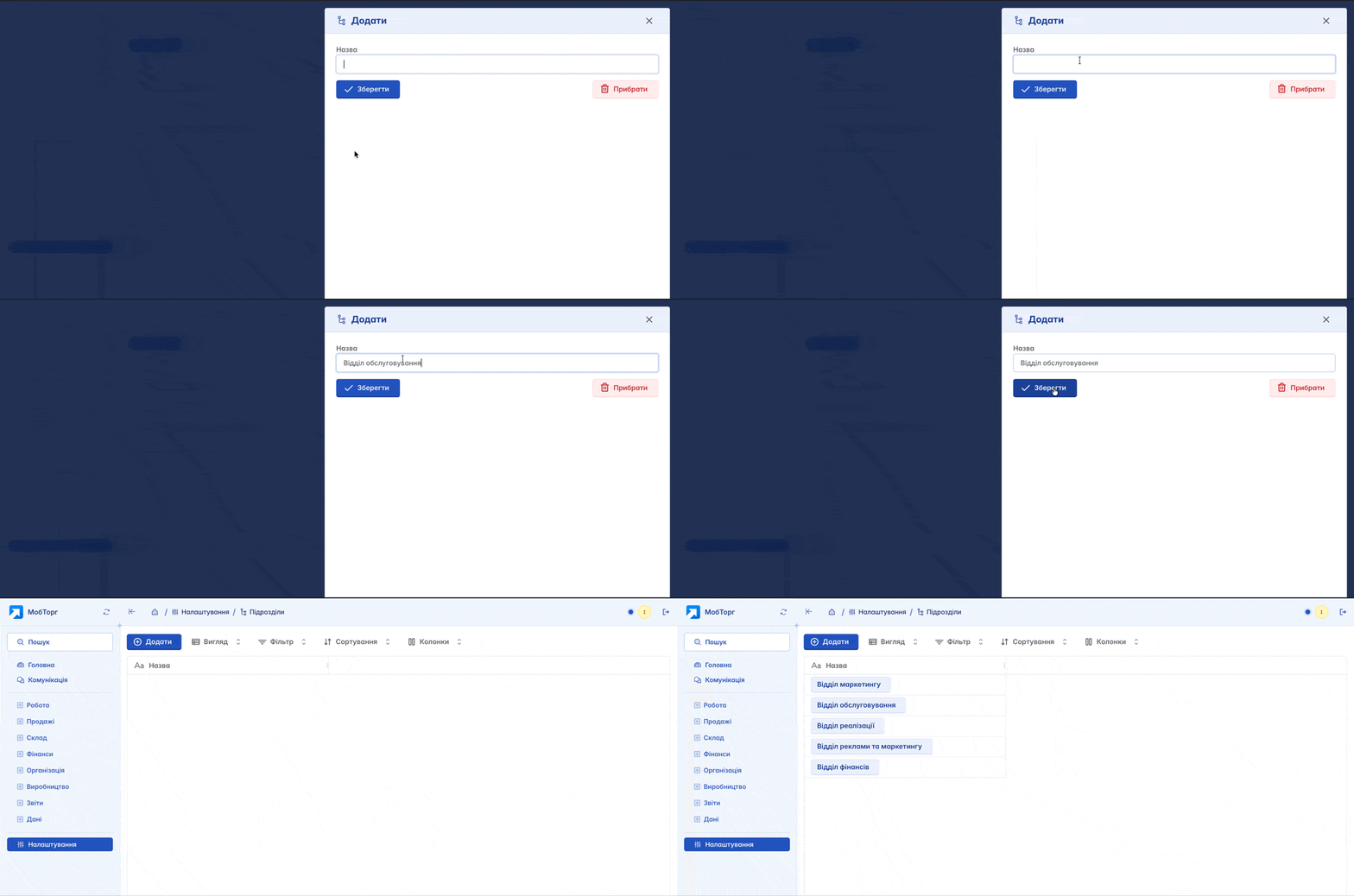
Editing and deleting
By clicking on the name of an existing department, you will open the field for editing it. You have the option to change the actual name of the department and save the changes or, if necessary, delete the department

Deleting a department is possible only if the user has the appropriate access rights and in the absence of associated data. If documents or other dependent information are linked to the department, deletion will be unavailable
Departments in documents
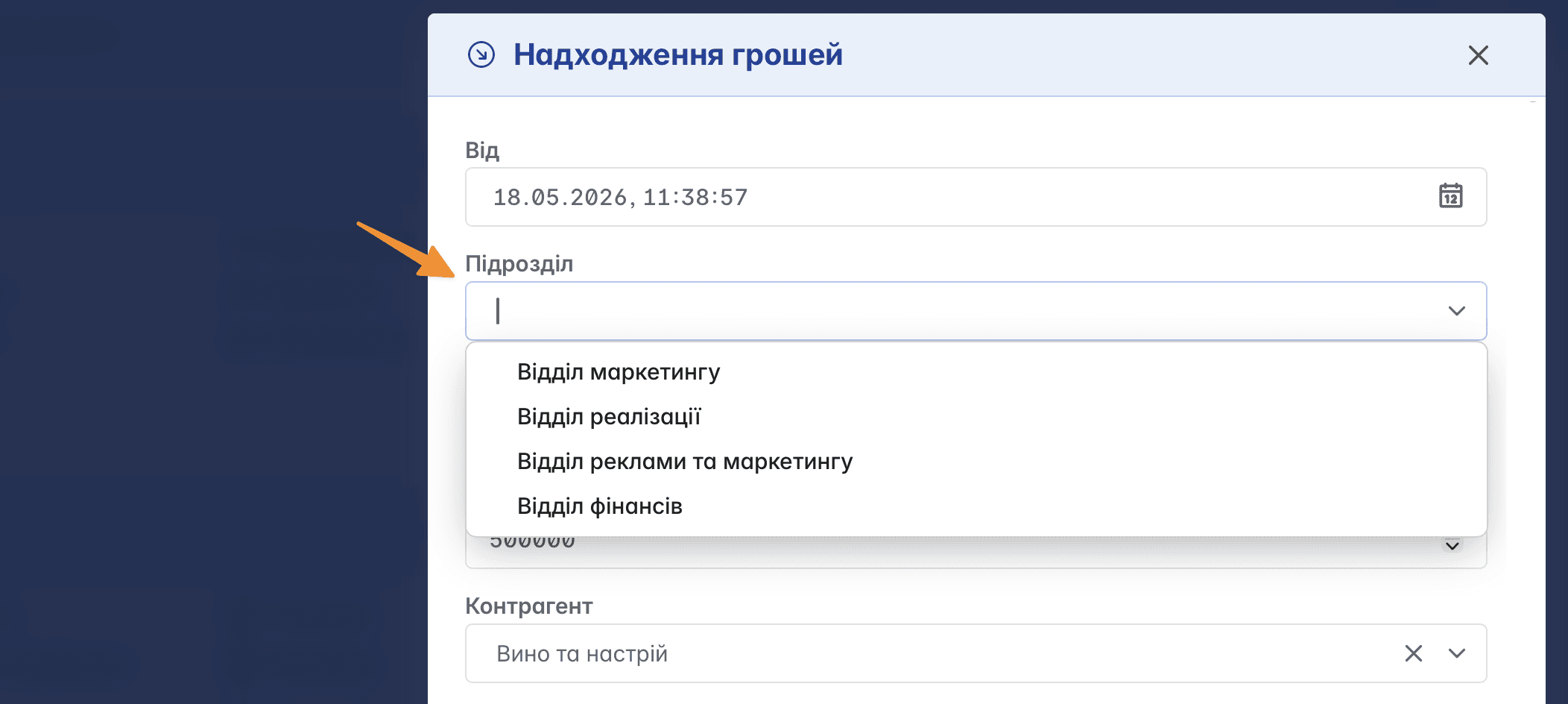
The display and use of departments in a document form are configured directly in the parameters of the corresponding document form. This allows you to determine whether the department field will be available during creation and editing of documents

After activating this functionality, you can immediately select a department when creating or editing a document, which ensures correct distribution of operations and accounting for the respective department of the company
Departments in reports
To analyze the performance of departments, you can view analytics in reports regarding company profits and expenses by adding a department column in the reports

Related articles