Opportunities (full name: Opportunity to Earn Money) is a Keruj™ module where all potential requests from clients (leads) are recorded. Enquiries received from clients through various channels—by phone, via social media, the website, or personal contacts—are entered here
Its purpose:
to store information about the client's request
to add notes, comments, and clarifications
to create tasks for processing the request
to track the status of agreements
Location
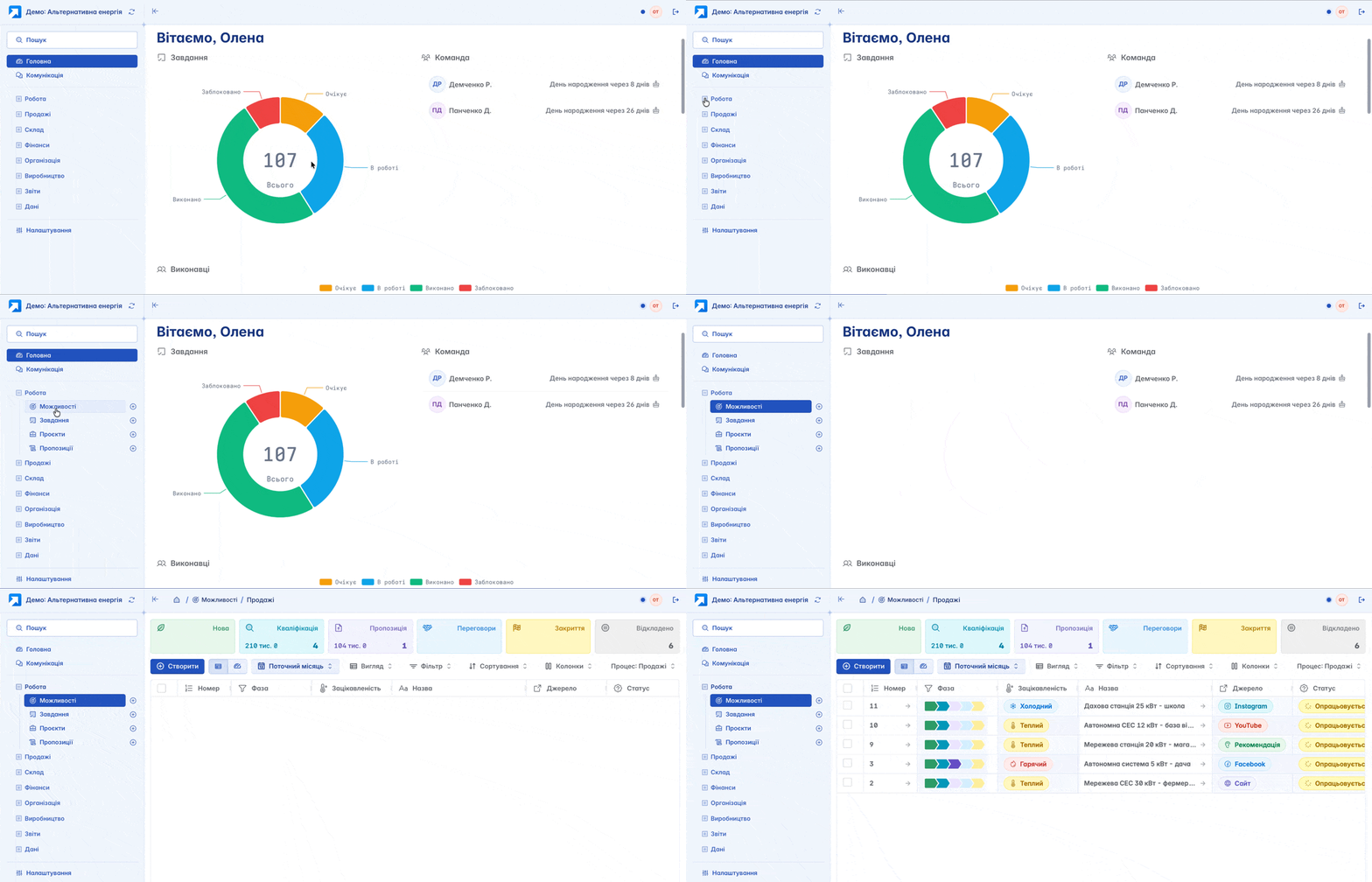
"Opportunities" are located on the left navigation panel, in the "Work" section
The list of opportunities is displayed in a table format. Its view can be customized according to your criteria using filters, columns, and other tools
Creation
You can create a new "Opportunity" by clicking "+" on the navigation panel or the "+Create" button on the main page of the module
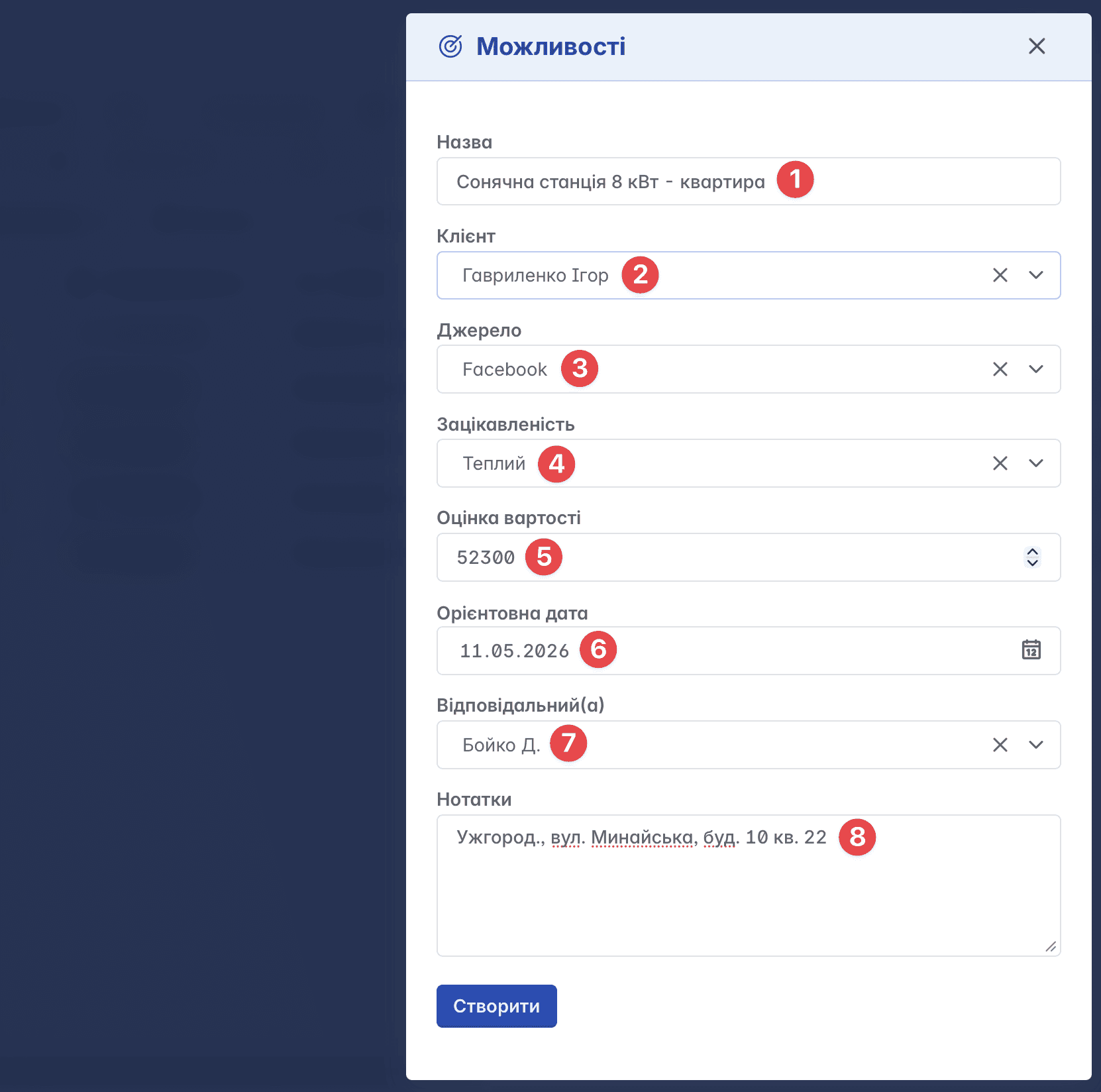
Form for creating an opportunity:
Name - a custom name that can correspond to the client's request
Client - counterparty-customer
Source - the channel through which the request was received. This allows analyzing the effectiveness of referral sources (for example: website, social networks, advertising)
Interest - classification of opportunities by the level of client interest (cold, warm, hot)
Cost estimation - approximate cost of performing works or services
Estimated date - the date from which work on the request is planned to start
Responsible - the employee (a member of your space) who is responsible for working on the request
Notes - an additional field for important information or comments
Record Structure
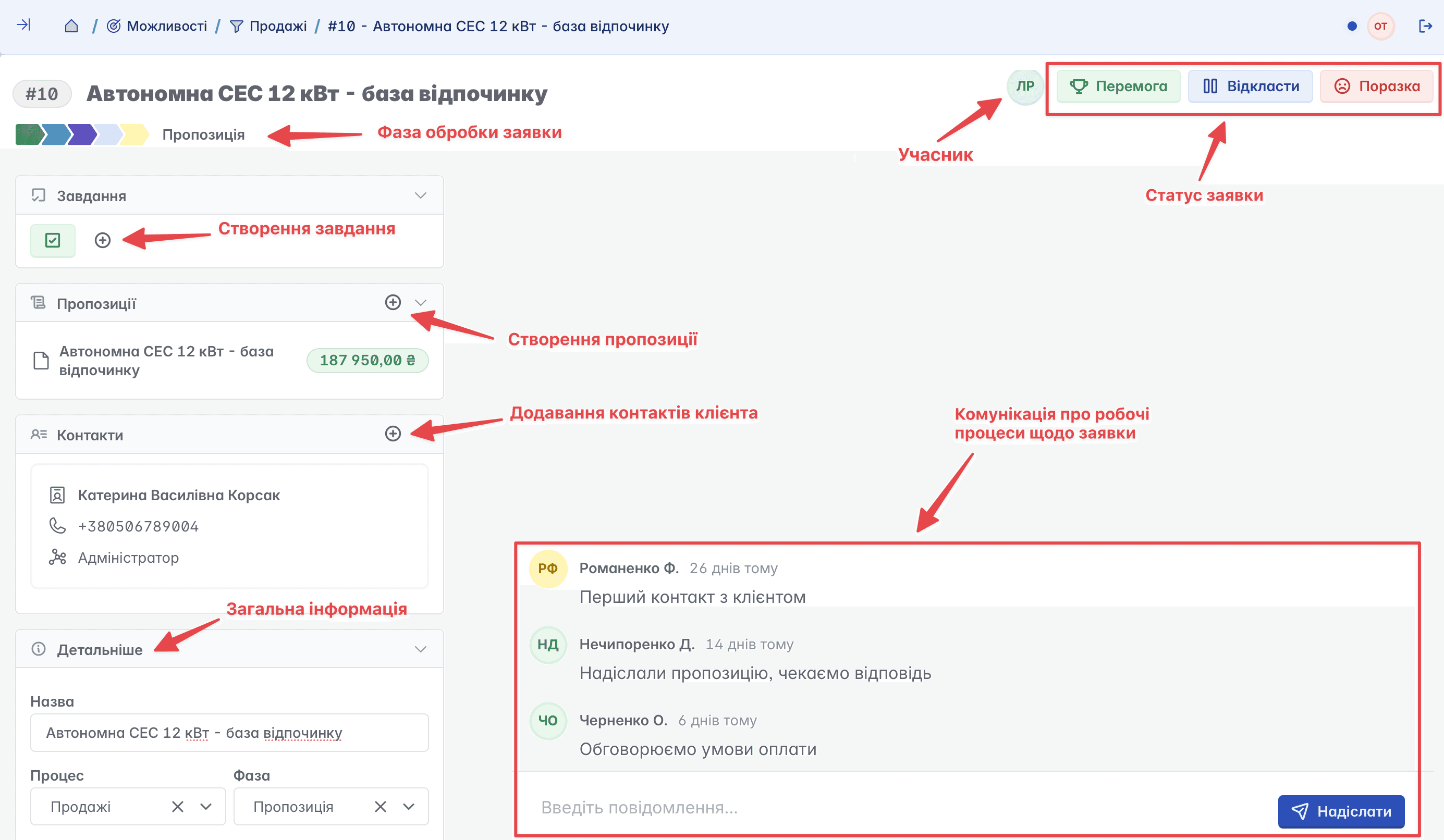
The main page of a record consists of an information block on the left, communication, and functional buttons in the upper right part of the page
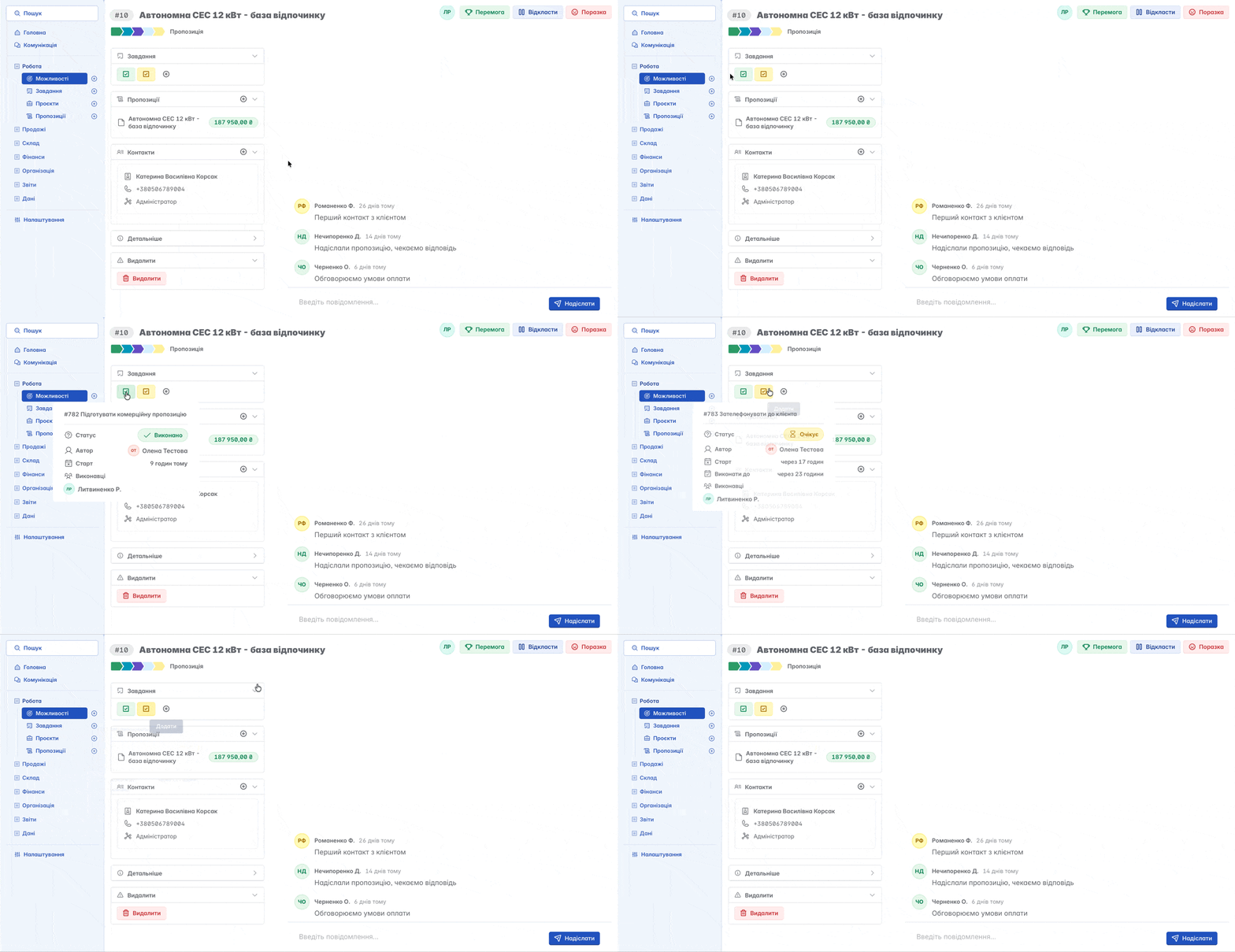
In the information block database, you can create a task or a proposal, as well as add client contacts. All general information about the record entered during its creation is stored here
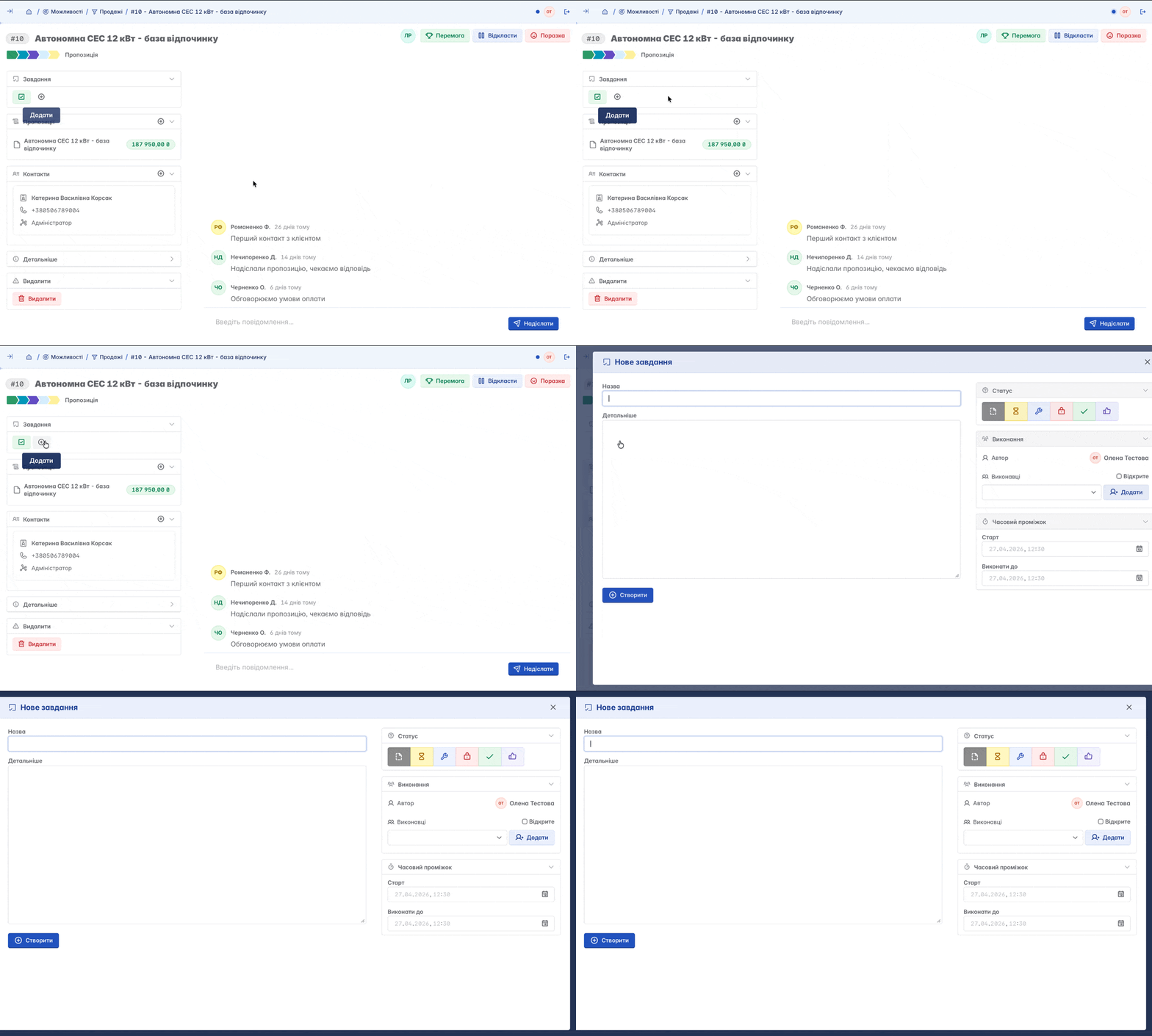
Creating a Task
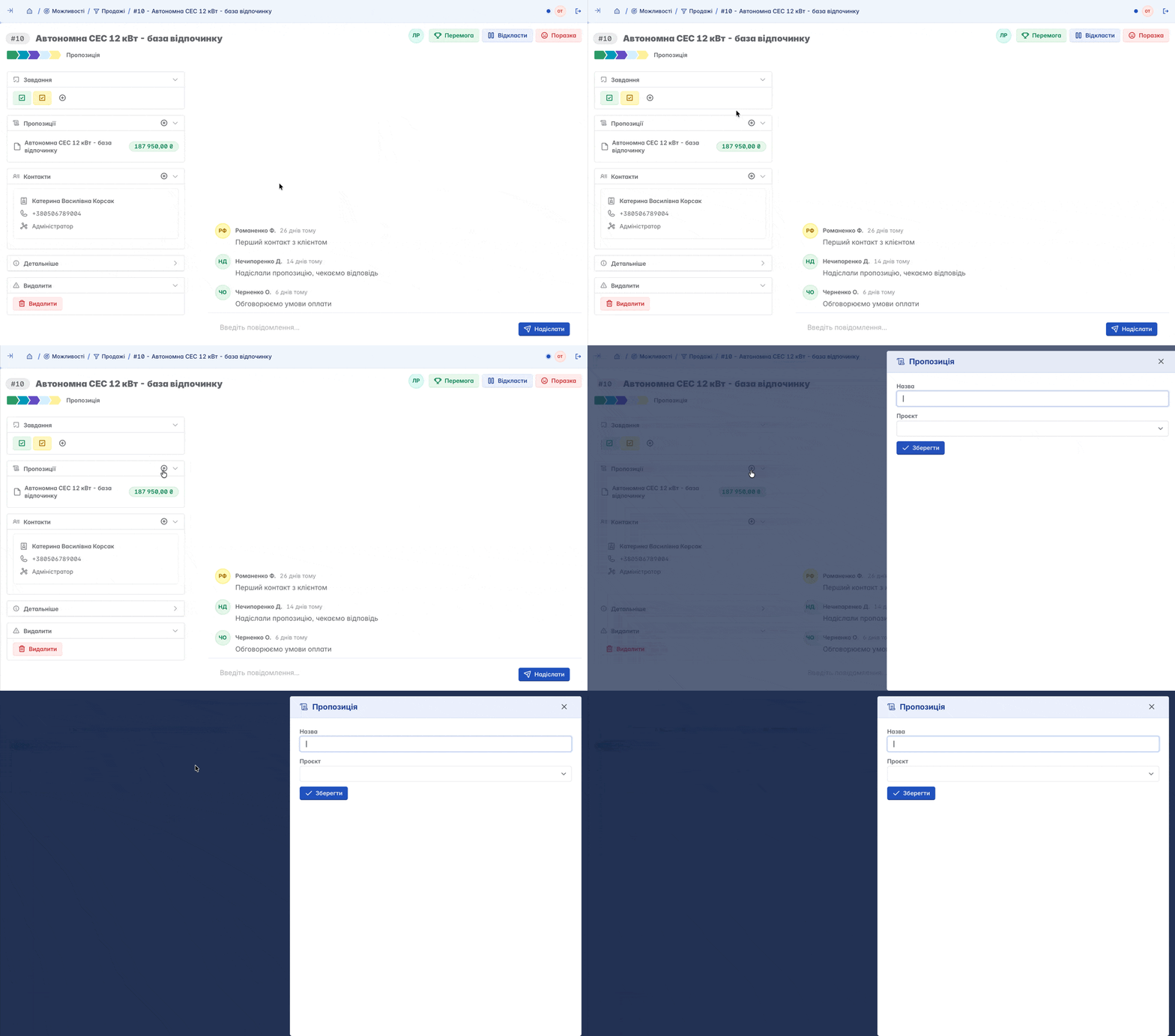
Clicking the "+" symbol will open the standard form for creating a task
All tasks created within the "Opportunity" will be displayed in this field, and you will always be able to track their status
You can create multiple proposals at once - they will all be displayed in the record
Phases in "Opportunities"
Phases define the current status of application processing. A new record automatically gets the "New" phase. During the work process, according to a typical scenario, phases change as follows:
"Qualification" - the request is taken into work
"Proposal" - the first contact occurred, a commercial proposal is being prepared
"Negotiation" - agreement on conditions and details
"Closing" - completed processing of the lead and transitions to determining the final status
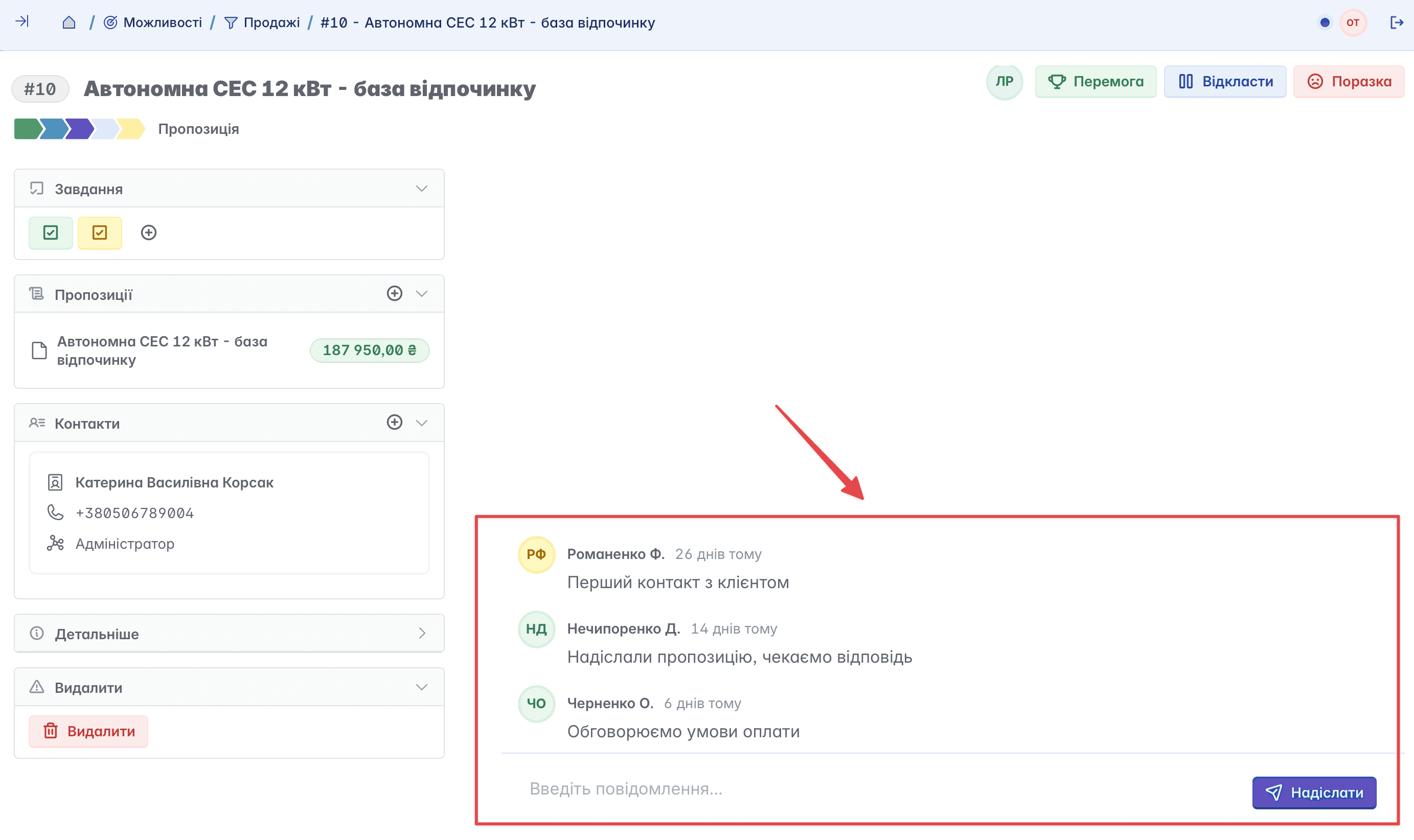
Based on the communication analysis in our example
the request can be transferred from the "Proposal" phase to the "Negotiation" phase, and the action will immediately be reflected in the communication history
Statuses in "Opportunities"
After completing the processing of the request, you need to determine the result by choosing a status - "Won" or "Lost"
If the "Won" status is selected, a form opens that allows you to choose further actions: create a project based on the record, convert the record into a "Sales Order" document, or complete the work without conversion
If the "Lost" status is selected, a form will open for specifying the reason for the unrealized request
Any record can be returned to work again if there is a need to resume the process
If necessary, the processing of the request can be postponed by selecting the status "On hold" and specifying an exact period. You can resume work at any time, regardless of the set period
Deletion
The delete button is located on the main page of the record, in the information block on the left. The deletion function has limited access: the portal owner independently determines who is granted the right to delete records.