Nomenclature is a Keruj module that stores a complete list of goods, materials, and services used in the company's operations
Its purpose is:
maintaining a single directory of goods and services
quickly adding items to documents (offers, sales, purchases)
fixing prices, units of measurement, and characteristics
standardizing data to avoid errors and duplication
the basis for inventory and financial accounting
Location
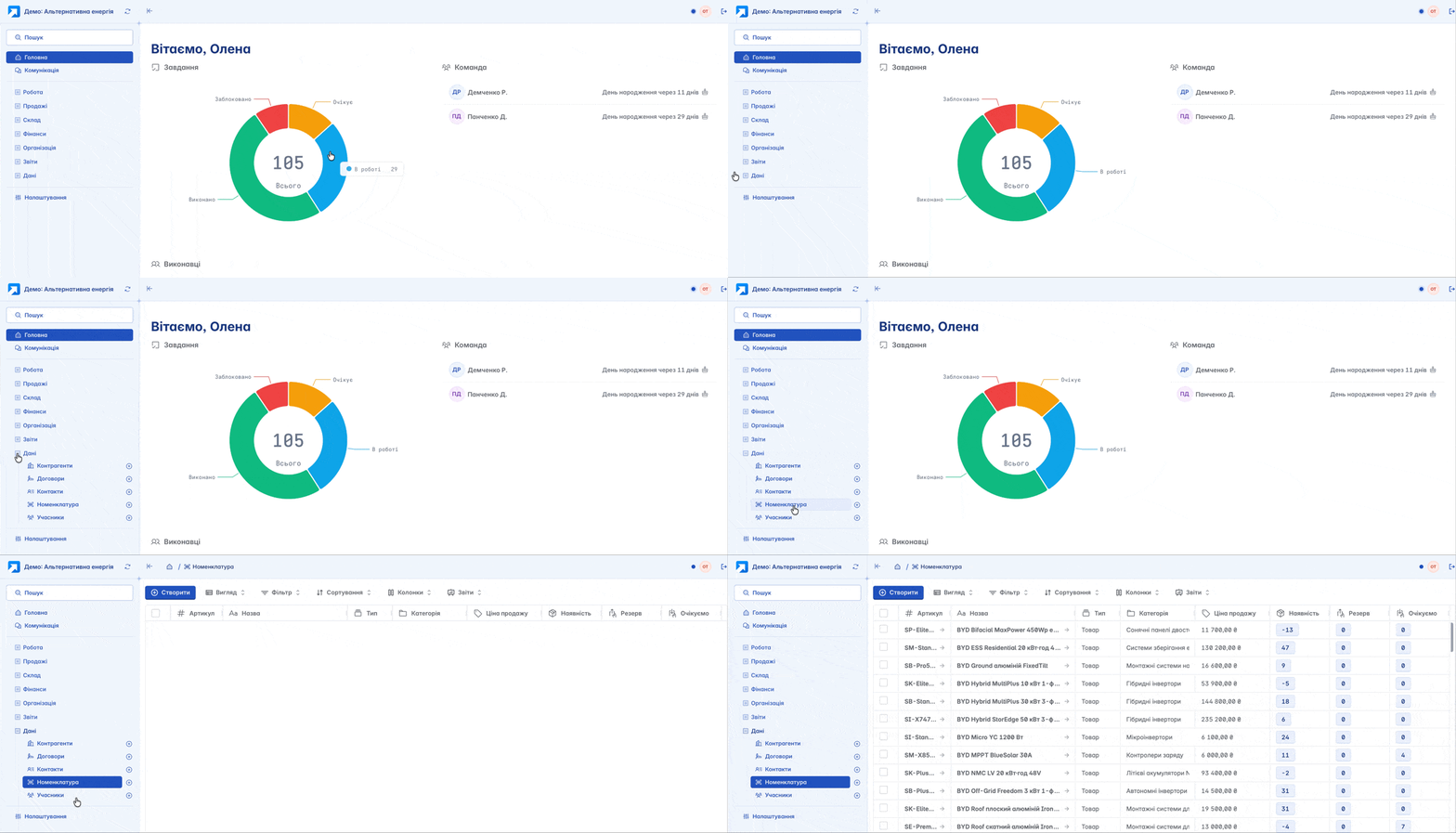
"Nomenclature" is located on the navigation panel on the left, under the "Data" section
The list of nomenclature is displayed in a table format. Its view can be changed according to your own criteria by using filters, columns, and other tools. Here you can immediately view general information about the product: quantity, value, etc.
Creation
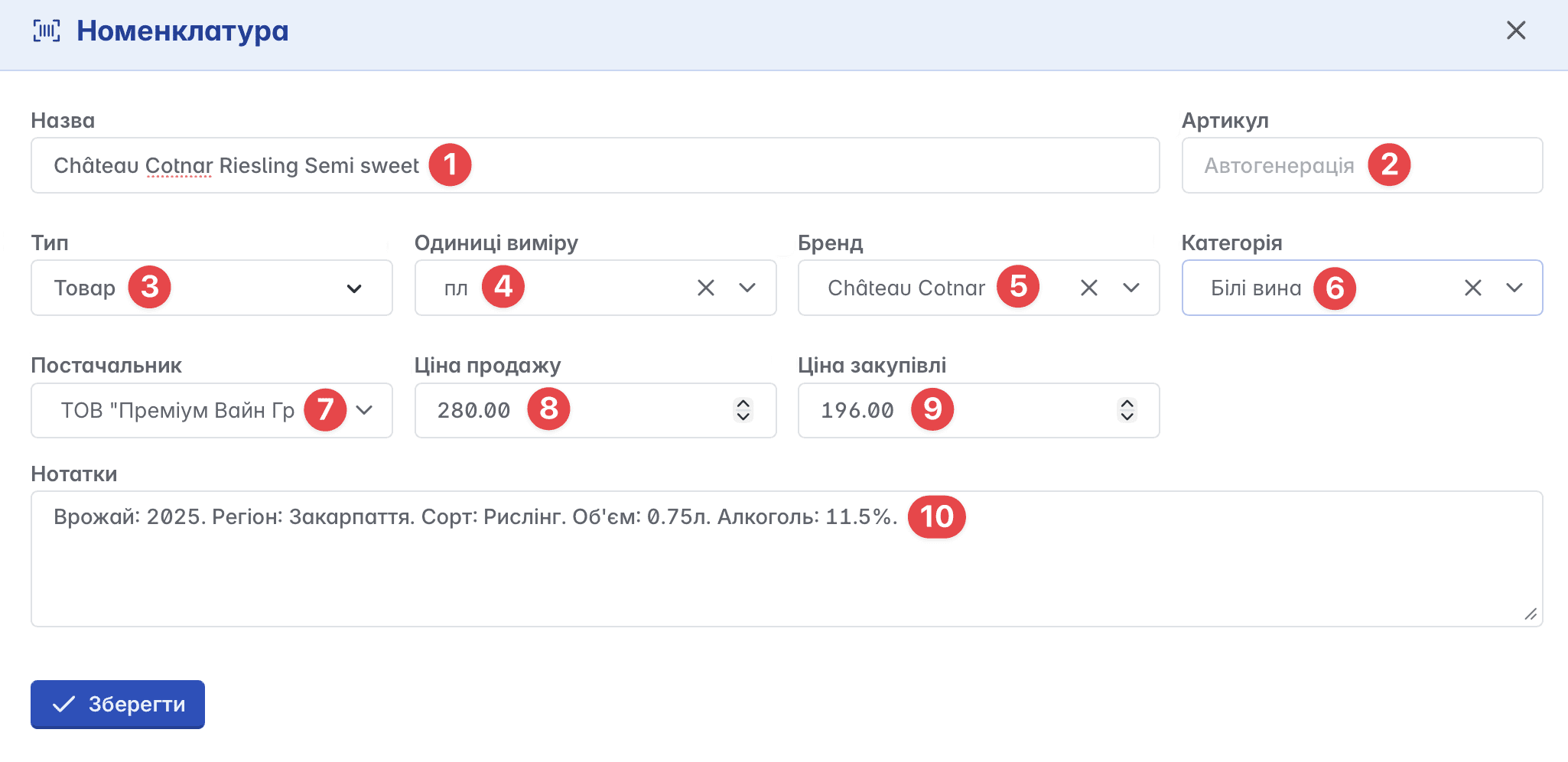
You can create a new nomenclature by clicking "+" on the navigation panel or the "+Create" button on the main page of the module
Nomenclature creation form:
Name - the name of the product, service, or inventory
SKU - a unique identifier or product code (entered manually or automatically)
Type - a characteristic indicating which accounting category the nomenclature belongs to. Choice is given between three types: product, service, and inventory
Units of measurement - used for quantitative accounting (for example: pcs, l, kg, m, etc.)
Brand - the name of the manufacturer or trademark (optional field)
Category - the group to which the nomenclature belongs (optional field)
Supplier - counterparty from whom the nomenclature was purchased (optional field)
Selling price - the retail price for customers
Purchase price - the cost of purchasing the nomenclature from the supplier
Notes - field for additional information about the item
Nomenclature card
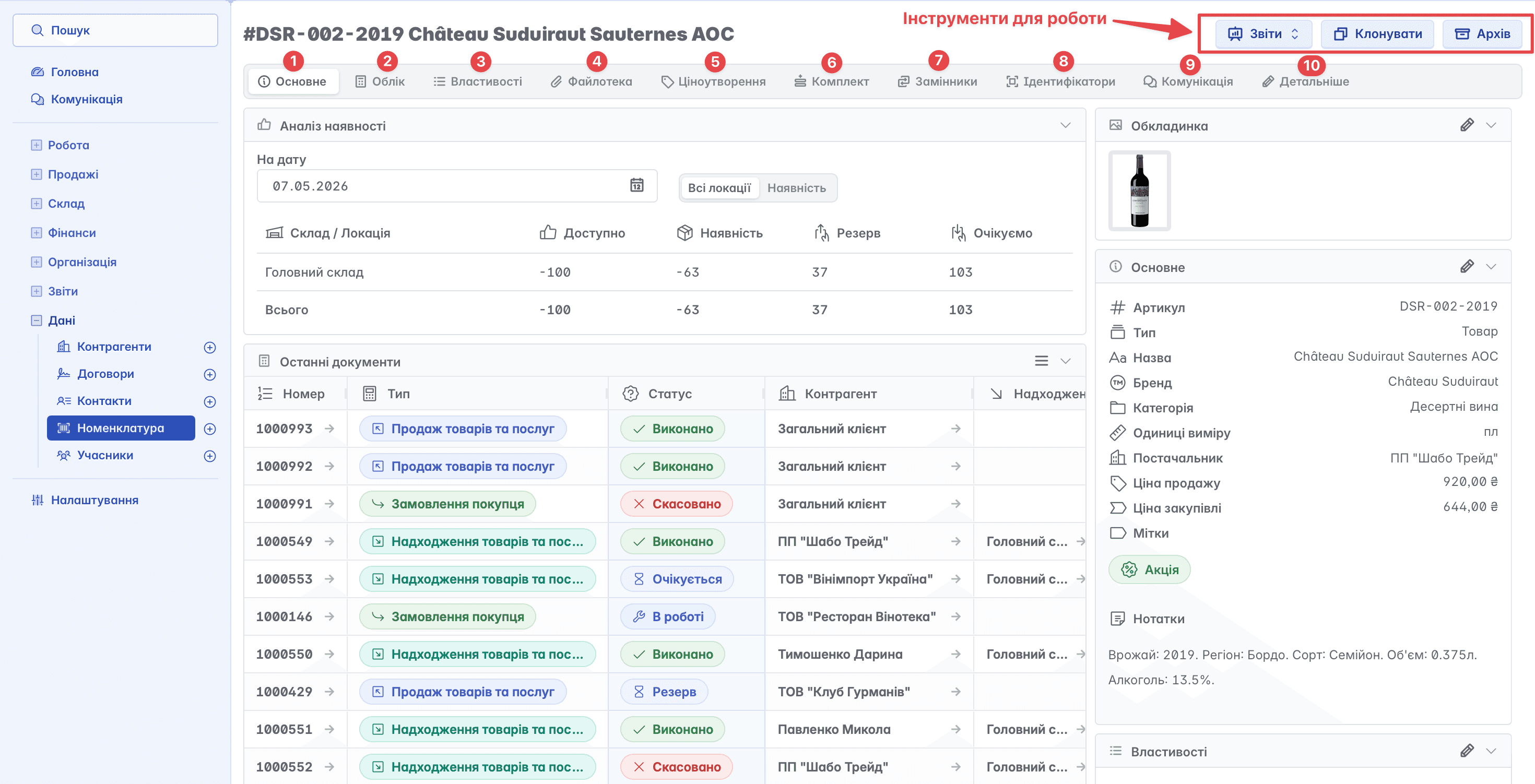
The nomenclature card contains a series of tabs located in the top menu and work tools in the upper right part of the page
It should be noted that the user can customize the appearance of the nomenclature card and the set of active tabs in "Settings" of their Keruj space, under the "Features" block
Here you can enable or disable the required tabs, choose the required document types for working with nomenclature, and set default properties
General
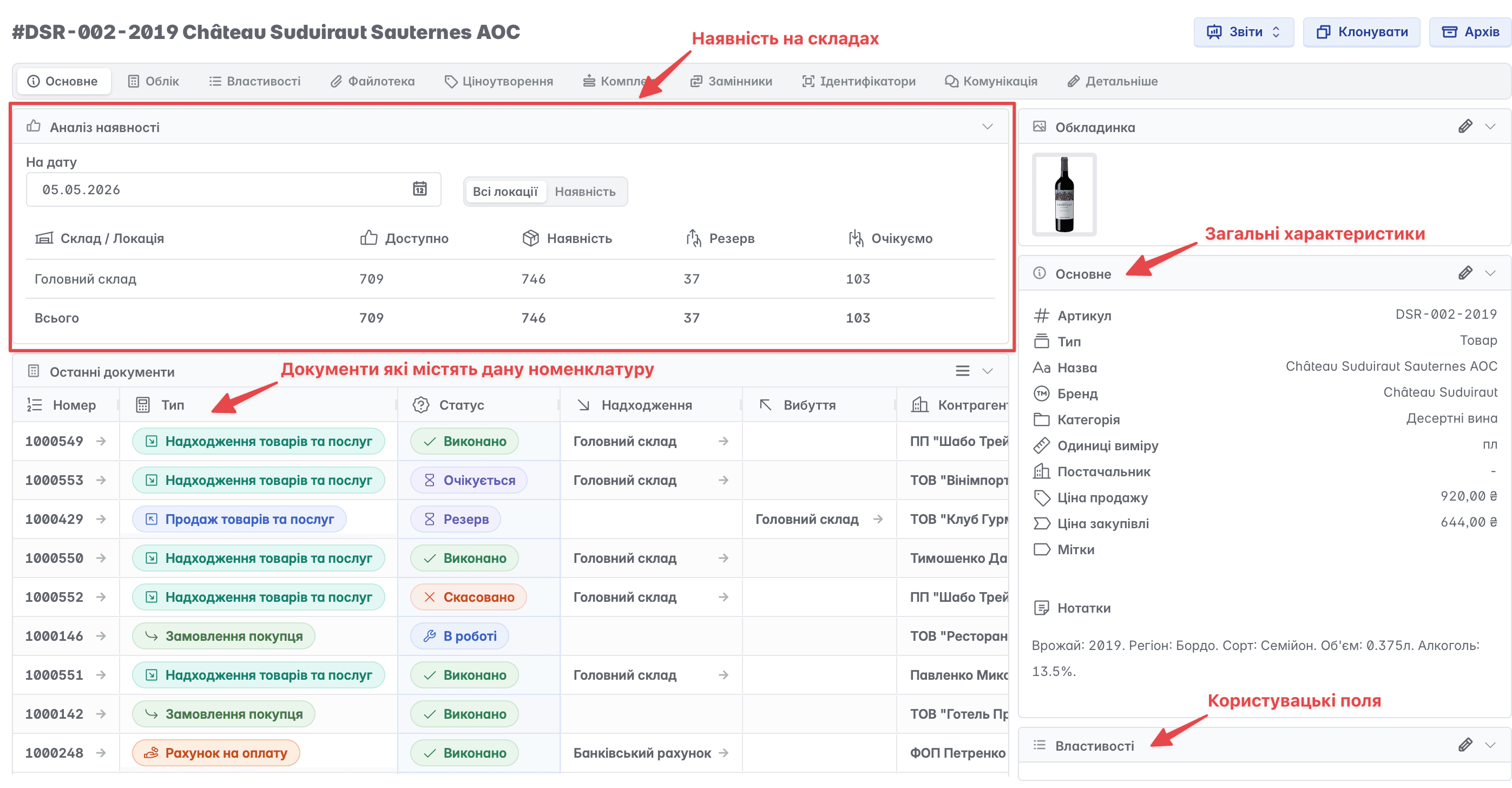
The main page of the nomenclature card contains general information about the nomenclature, its cover, a quick overview of documents related to the selected nomenclature, and data on product availability as of a specific date
Accounting
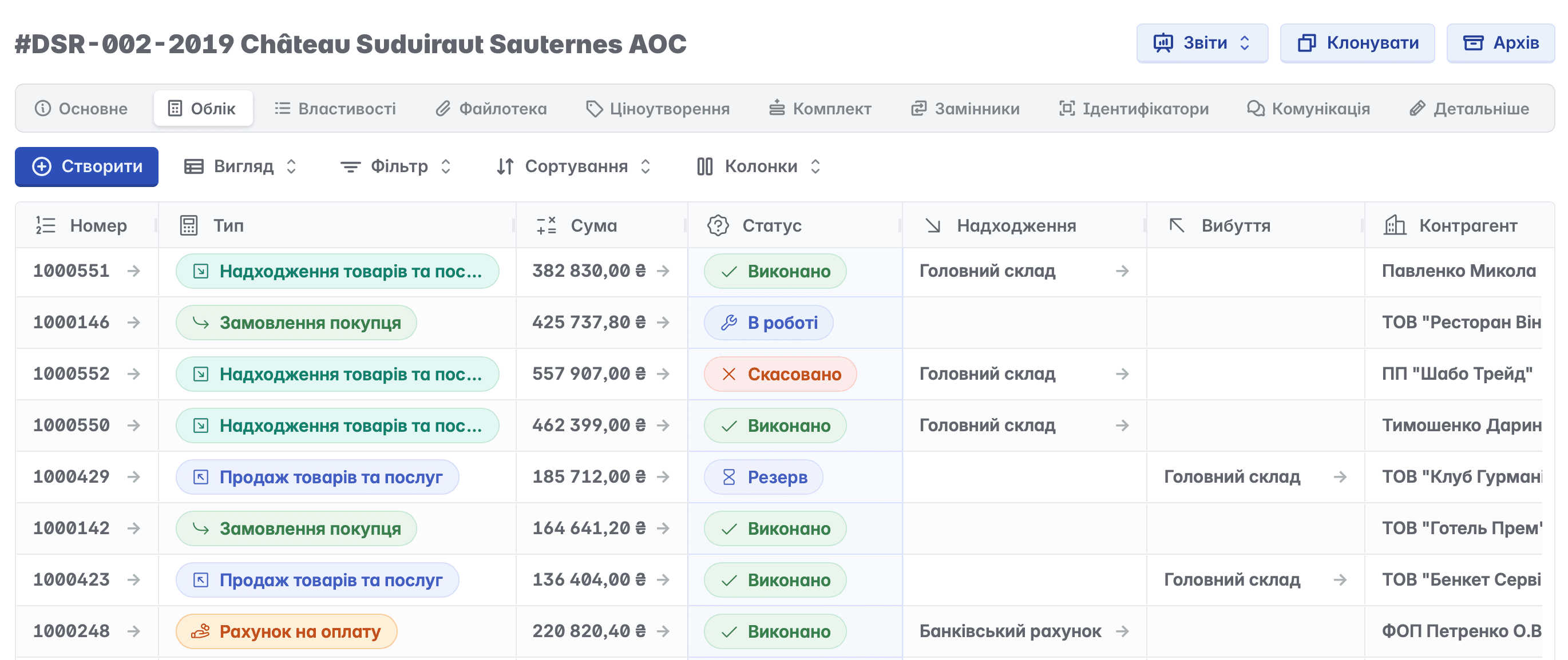
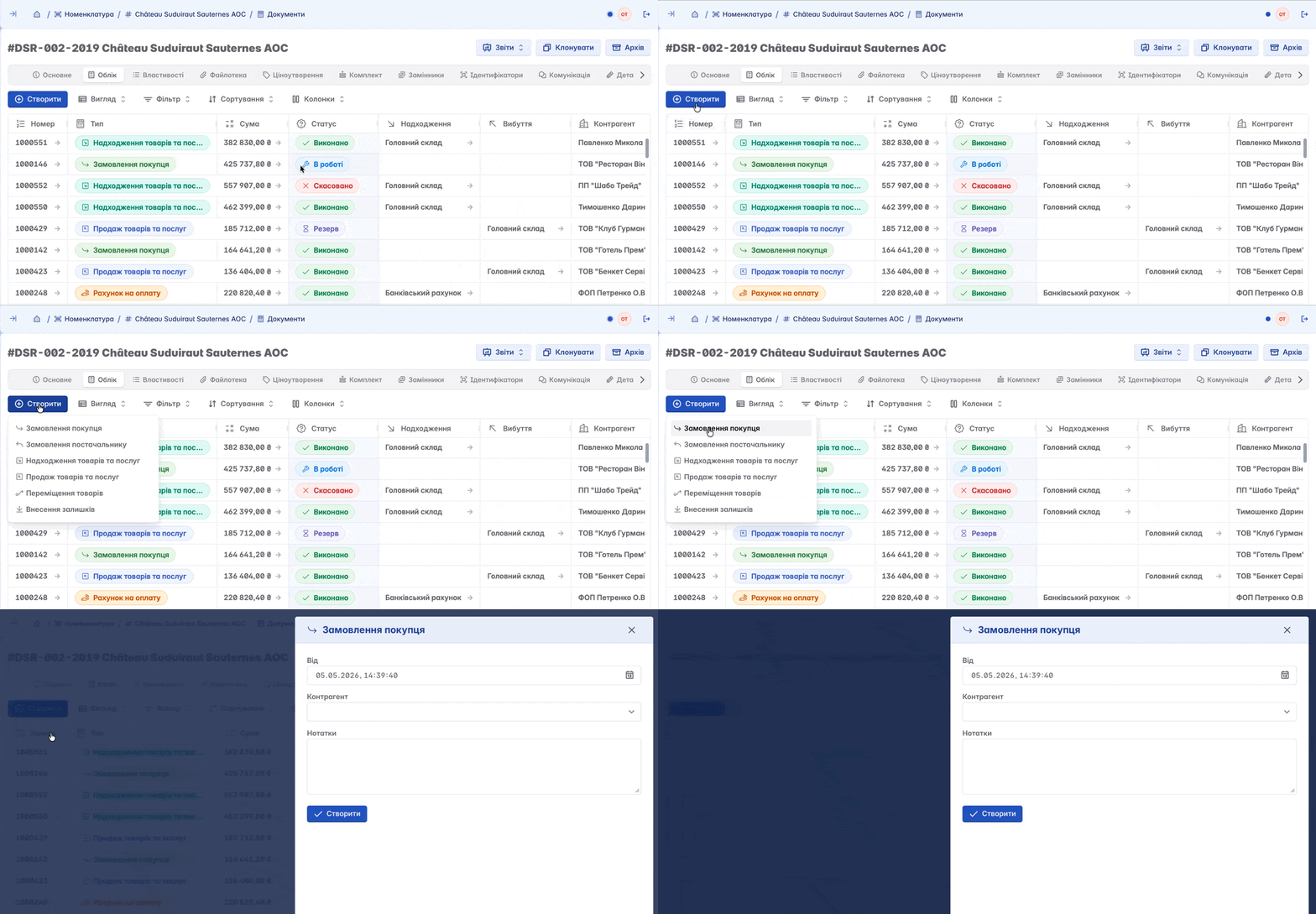
Data on turnover operations. You can view all operations carried out in relation to the selected nomenclature (orders, transfers, sales, payments, etc.). In simple terms, view all documents in which the selected nomenclature is present
Available documents are displayed in table form. In addition to viewing, you can create a new document by clicking the "+Create" button
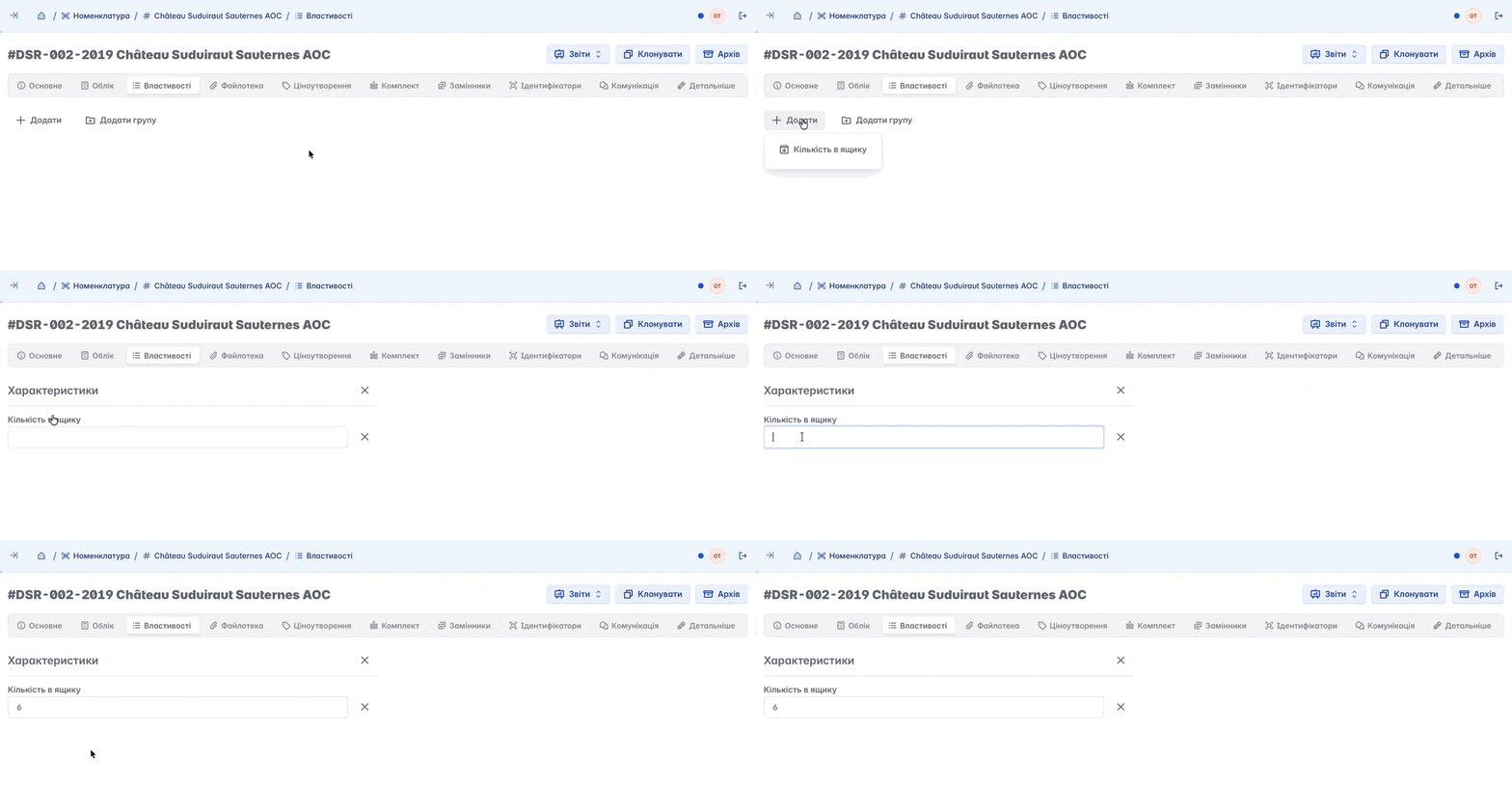
Properties
Additional characteristics, custom fields, defined by the user depending on their needs (for example, the number of units in a box, etc.)
File Library
Archive of uploaded files or images, used to create a nomenclature cover, store scans of documents, warranty cards, or quality certificates
The cover of the nomenclature can be only one image; all other images will be available in the file library
Pricing
The ability to set certain price rules for a product. For example: the cost of a product when ordering from 1 to 5 units is 300 UAH, and when buying from 6 to 10 - 280 UAH. Thanks to this feature, when adding a product to an invoice, Keruj will automatically apply the specified formula (this is not a standard feature, can be configured under "Features" if needed)
Bundle
A tool for creating packaged nomenclature, such as gift sets, etc. (not a standard feature, can be configured in "Features" if needed)
Substitutes
A feature that allows you to select alternative goods and use them directly when placing an order
Selected items can be quickly used as a substitute in case of absence or the need to change the product
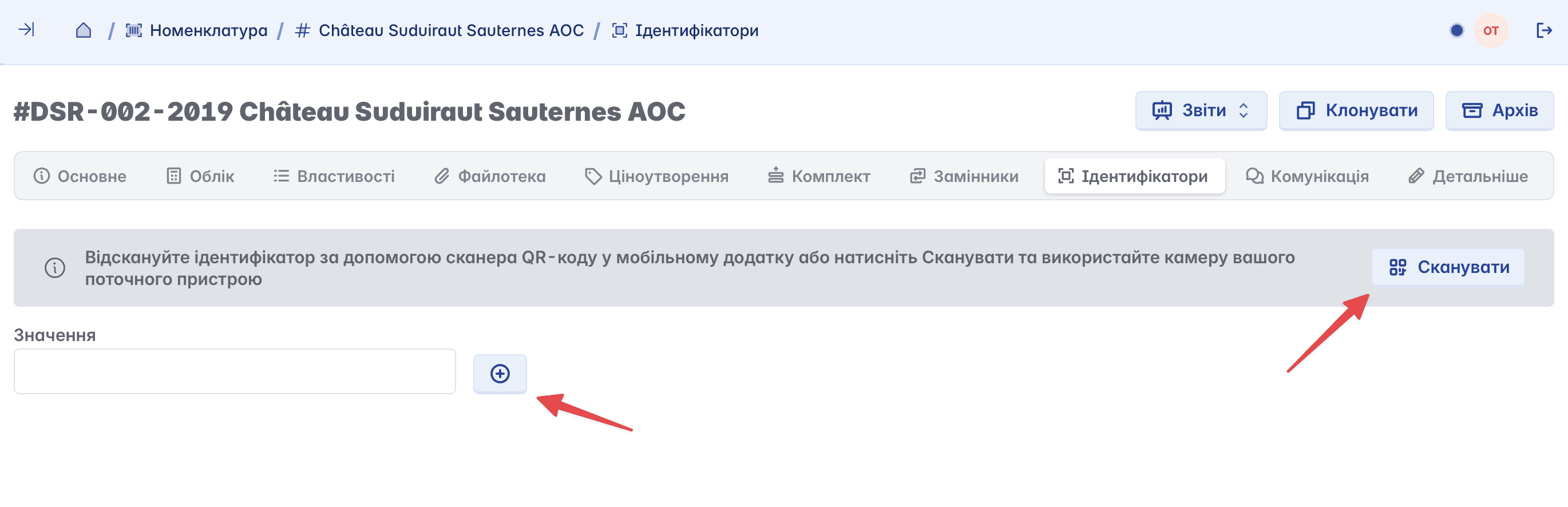
Identifiers
Product barcode. The identifier can be added by "Scanning" with the device's camera or typed manually (not a standard feature, can be configured in "Features" if needed)
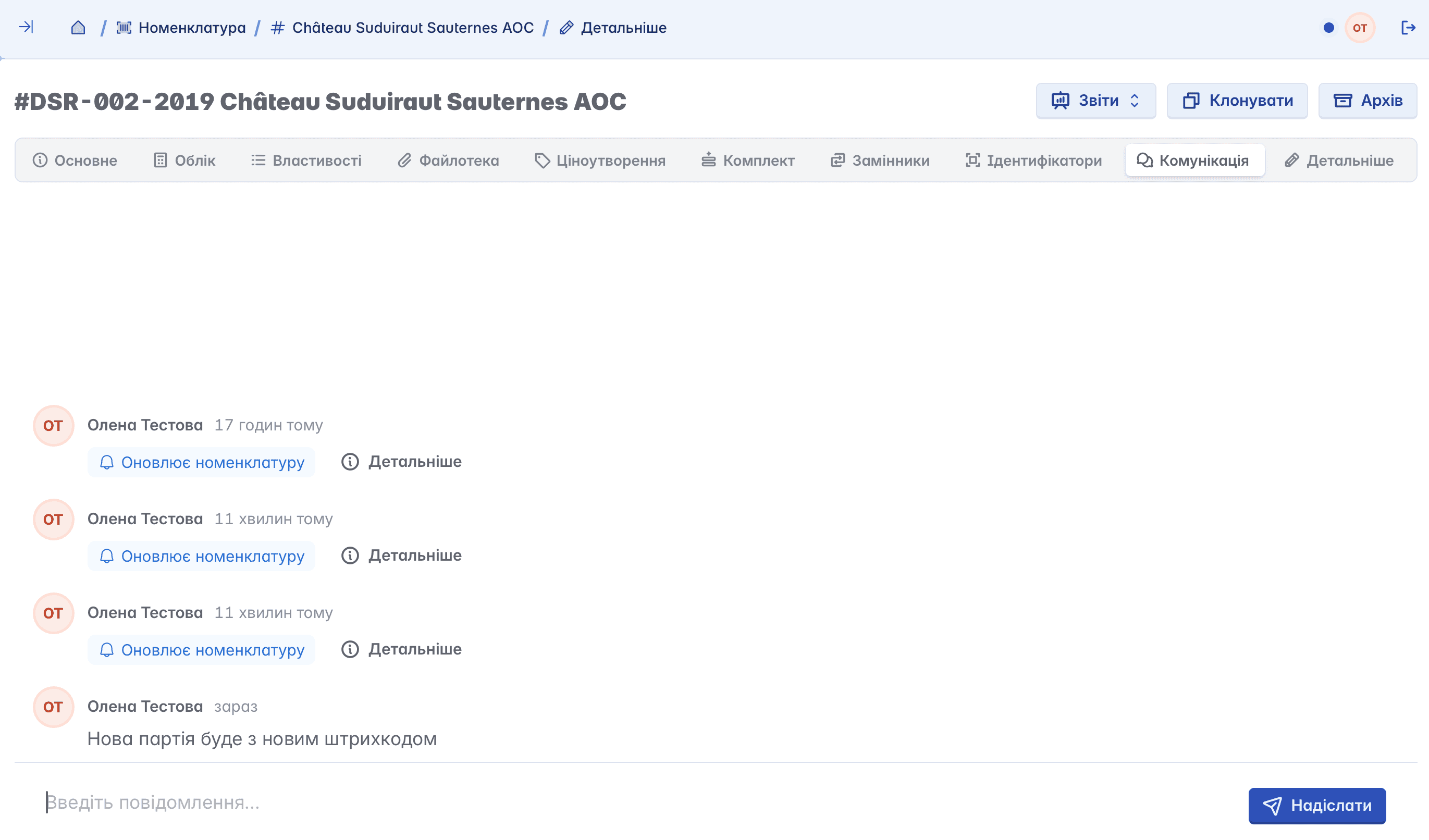
Communication
A section in the nomenclature card where all changes and interactions related to the selected position are displayed. The history of actions is stored here, and you can also leave comments to discuss details and coordinate work
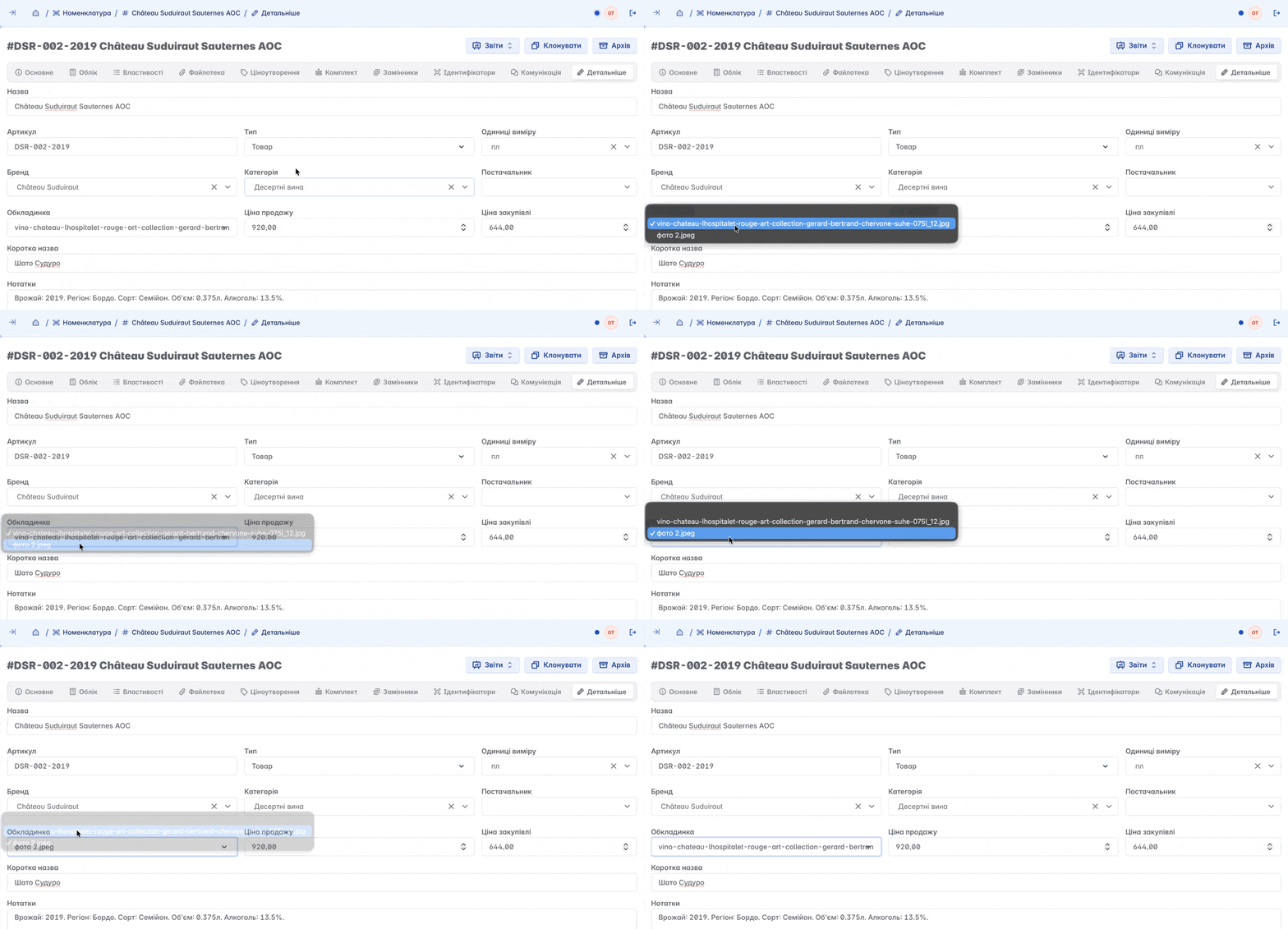
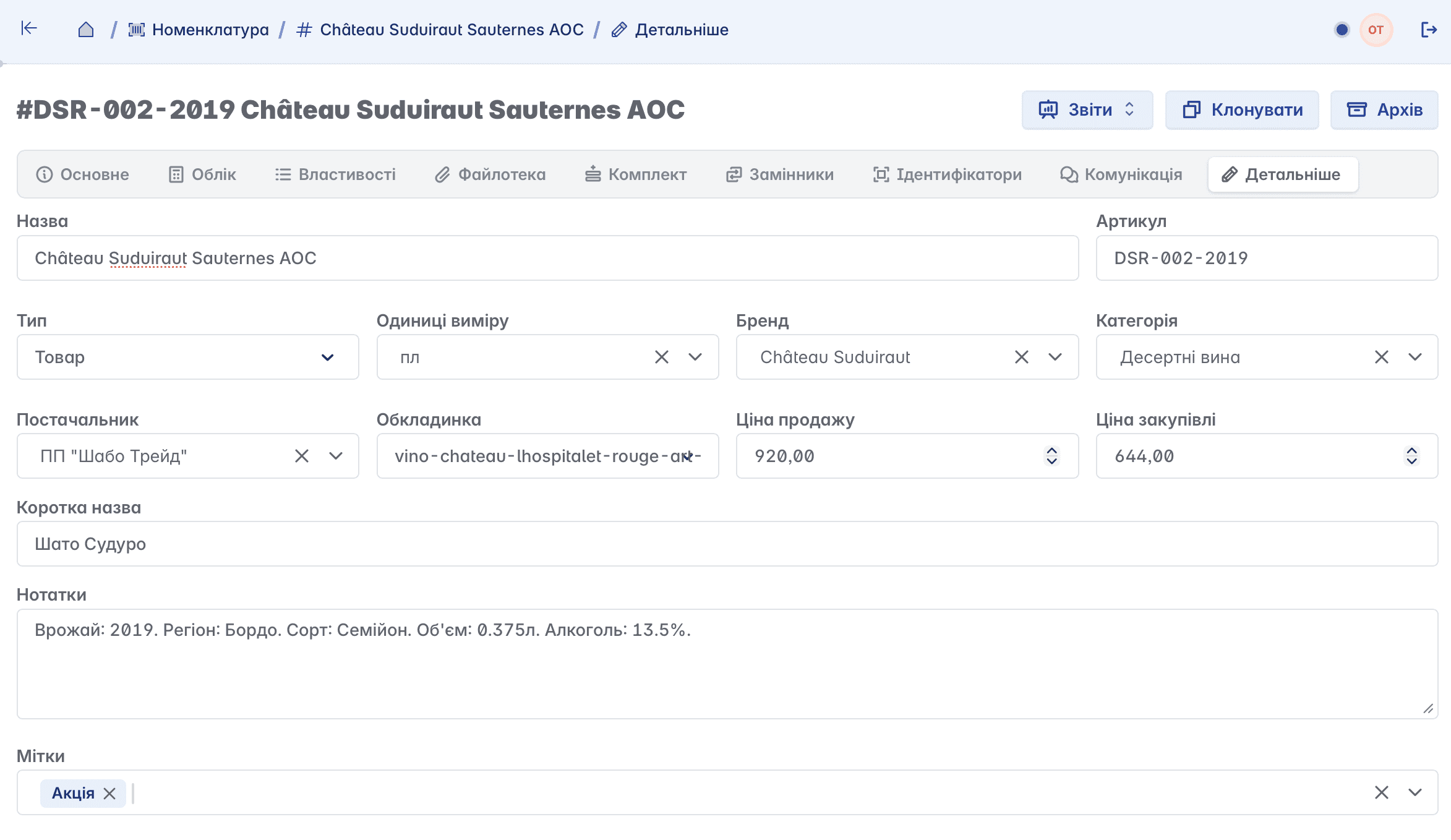
Details
Features for editing or adding basic information about the nomenclature. Here you can change the name, unit of measurement, category, price, add notes, etc.
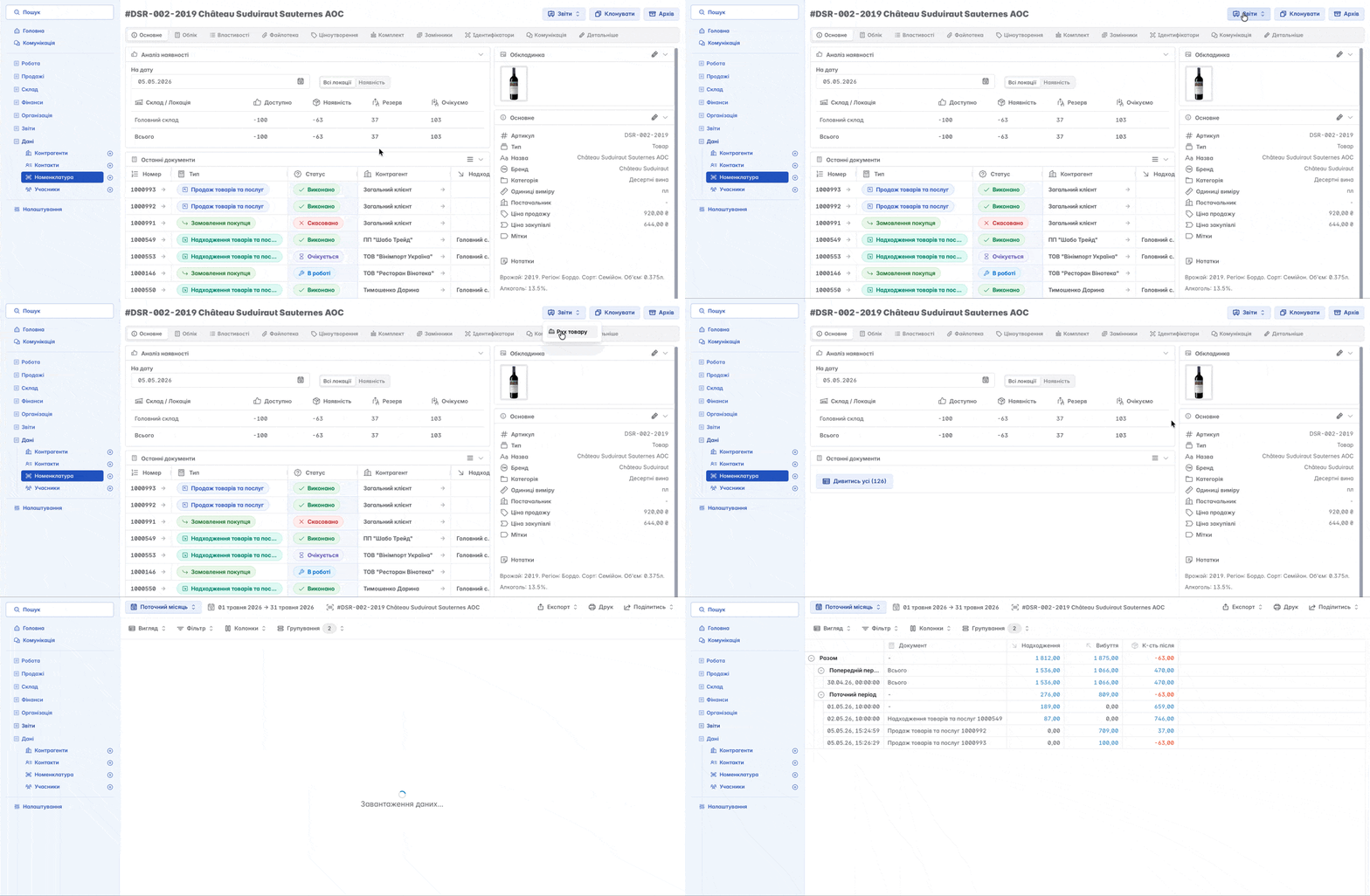
Nomenclature reports
The "Reports" tool provides the ability to view detailed analytics on nomenclature
Cloning nomenclature
The "Clone" tool allows you to create a product or service identical to the original with all characteristics (basic information) and file library
The cloned nomenclature will differ from the original by its SKU (this value is unique), the absence of turnover operations (since there were no inflows), and properties
Deleting nomenclature
Nomenclature cannot be deleted - it can only be moved to the archive