Getting started
Contracts
Contracts is a section in Keruj, which keeps records of concluded contracts between the company and counterparties. It records the legal details of the parties, the validity period, and key information regarding the contracts
Its purpose:
ensuring legal certainty in relations with counterparties
monitoring contract expiration dates
using the contract as a basis for creating related documents
systematization and analysis of transactions related to the contract
Location
"Contracts" are located on the left navigation panel, in the "Data" section
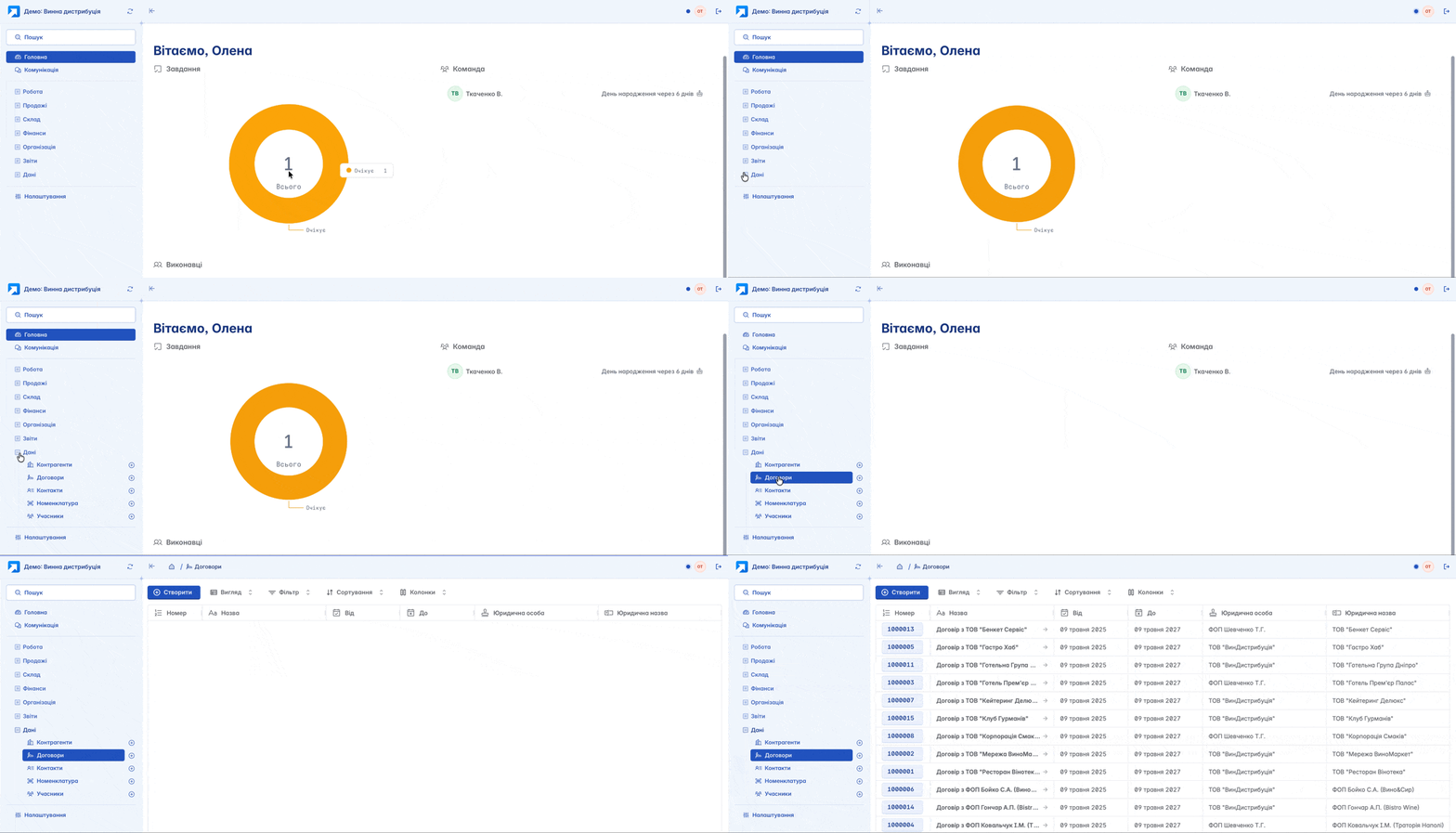
The list of contracts is displayed in a table format. Its view can be customized according to your own criteria using filters, columns, and other tools
Creation
You can create a new contract by clicking "+" on the navigation panel or the "+Create" button on the main page of the section

If a contract needs to be linked to a specific counterparty and used for mutual settlements with them, it can be created directly in the counterparty card
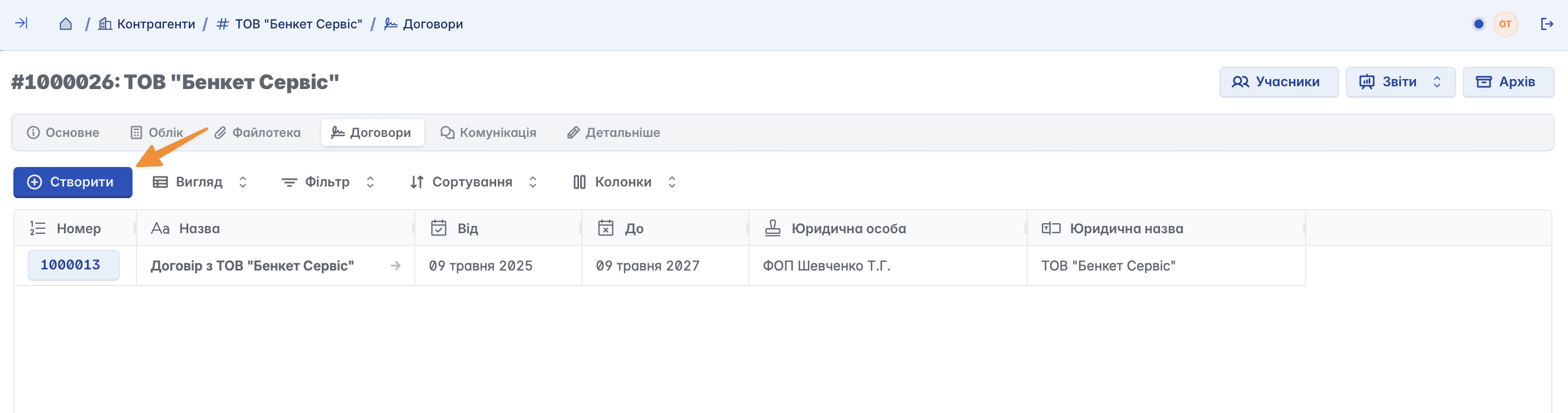
Form for creating a contract:
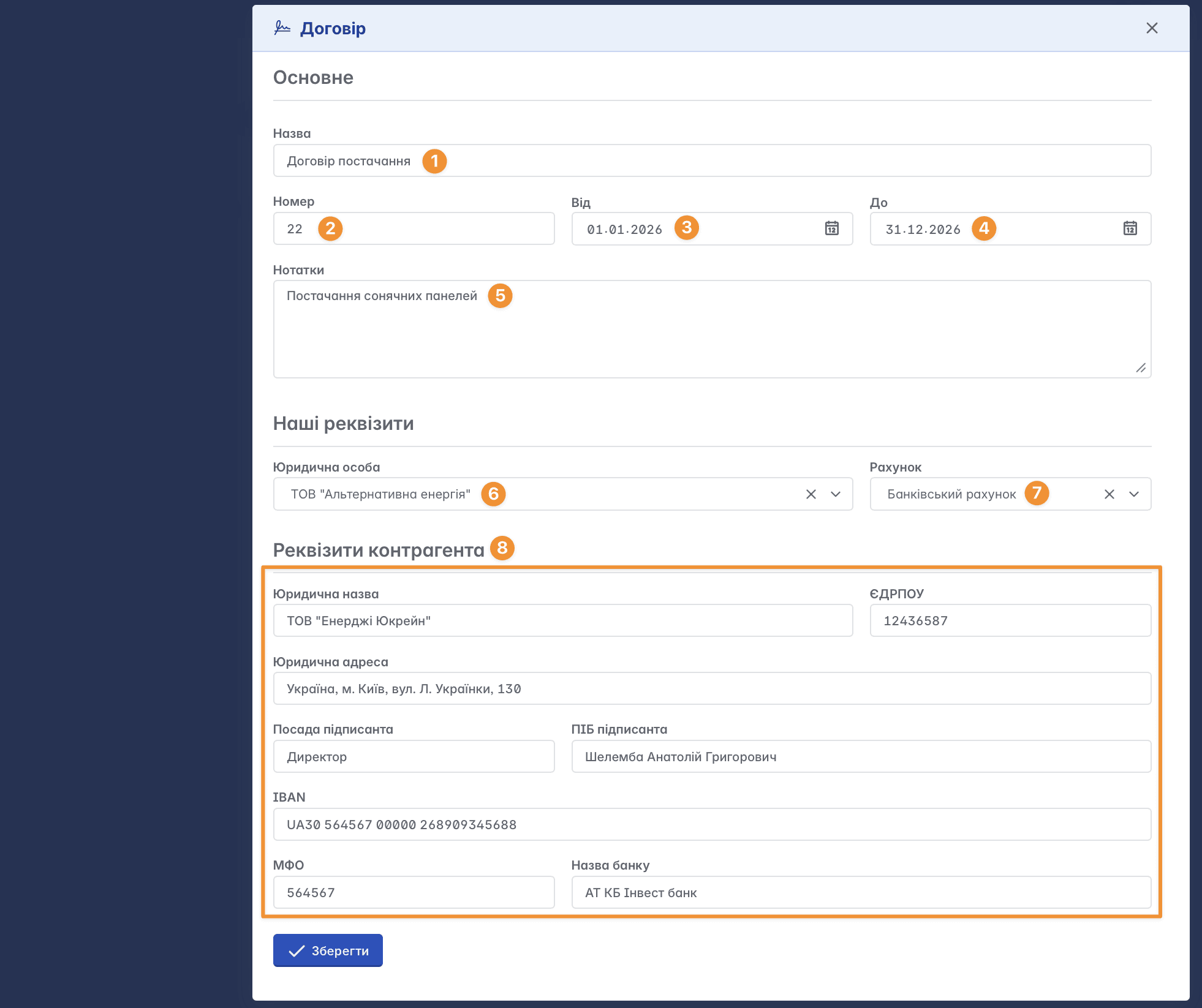
Name - the name of the contract according to its purpose (supply, lease, purchase and sale, etc.)
Number - the contract number according to the register
From - the date of the contract conclusion
To - the contract expiration date
Notes - additional information regarding the contract
Legal entity - the registered legal entity of your company on whose behalf the contract is concluded. It must be previously added in the legal entities settings
Account - the bank account of the legal entity used in the contract. It must be previously added in the accounts settings
Counterparty details - a block with the legal details of the counterparty according to the extract from the Unified State Register with whom the contract is concluded
Filling in all fields of the form is not mandatory, but the more information you enter, the more complete and informative your database in Keruj will be
Contract card
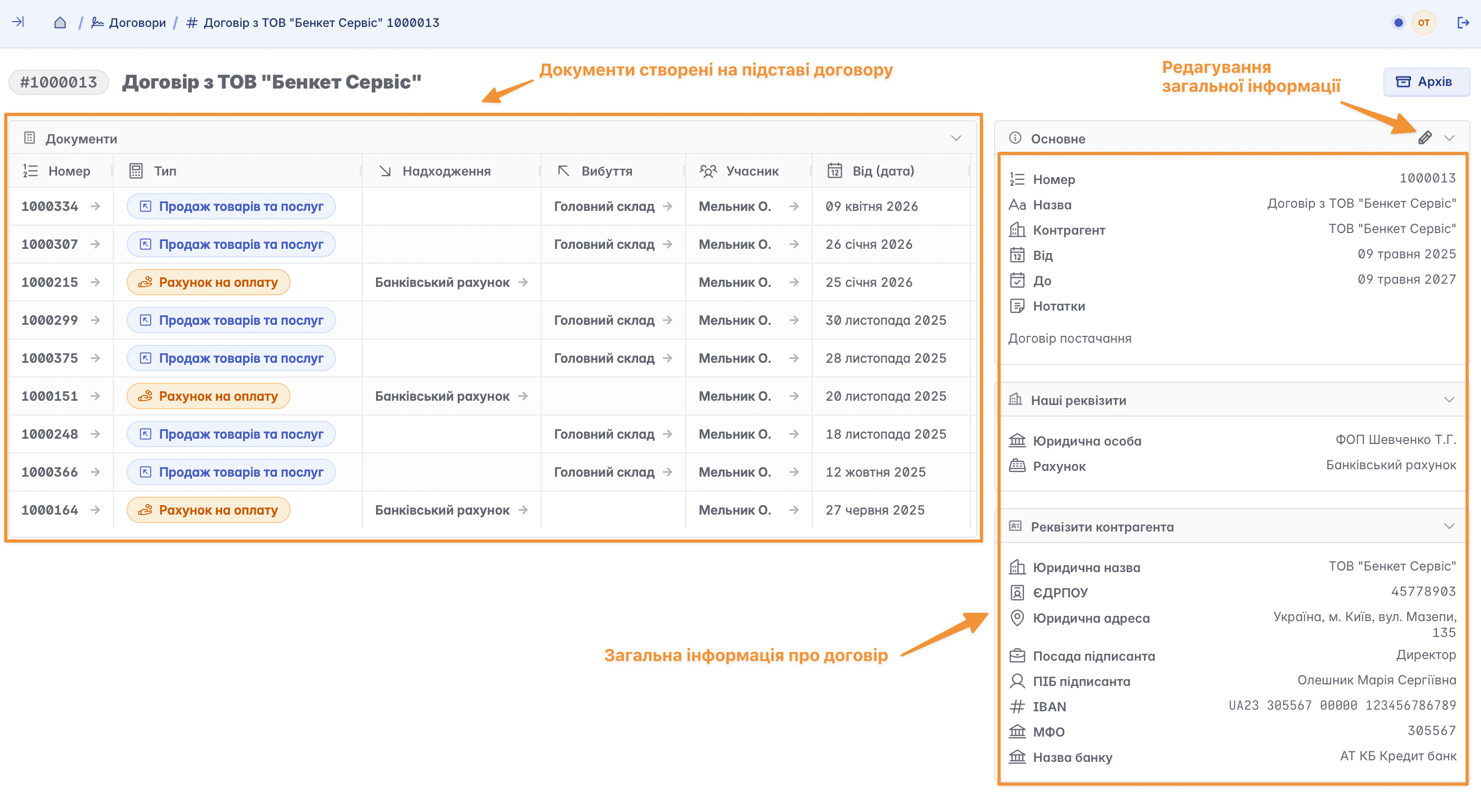
The contract card consists of two blocks: a list of documents created on the basis of the contract, and a block with general information about the contract, which is added when creating the record
If necessary, this block can be edited and the contract can be linked to a counterparty

Contracts in documents
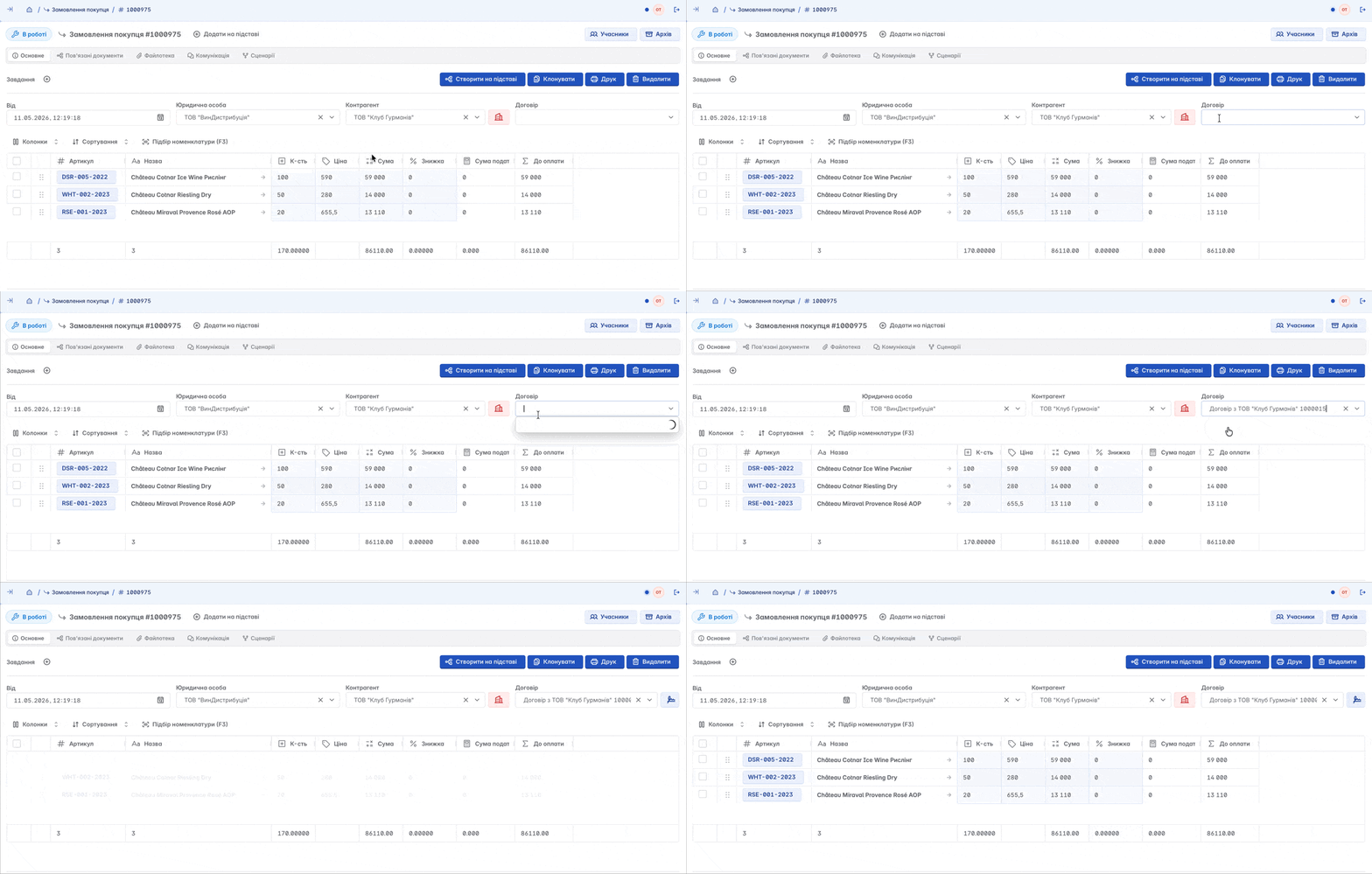
A contract for the selected counterparty can be added to a document during its creation or editing
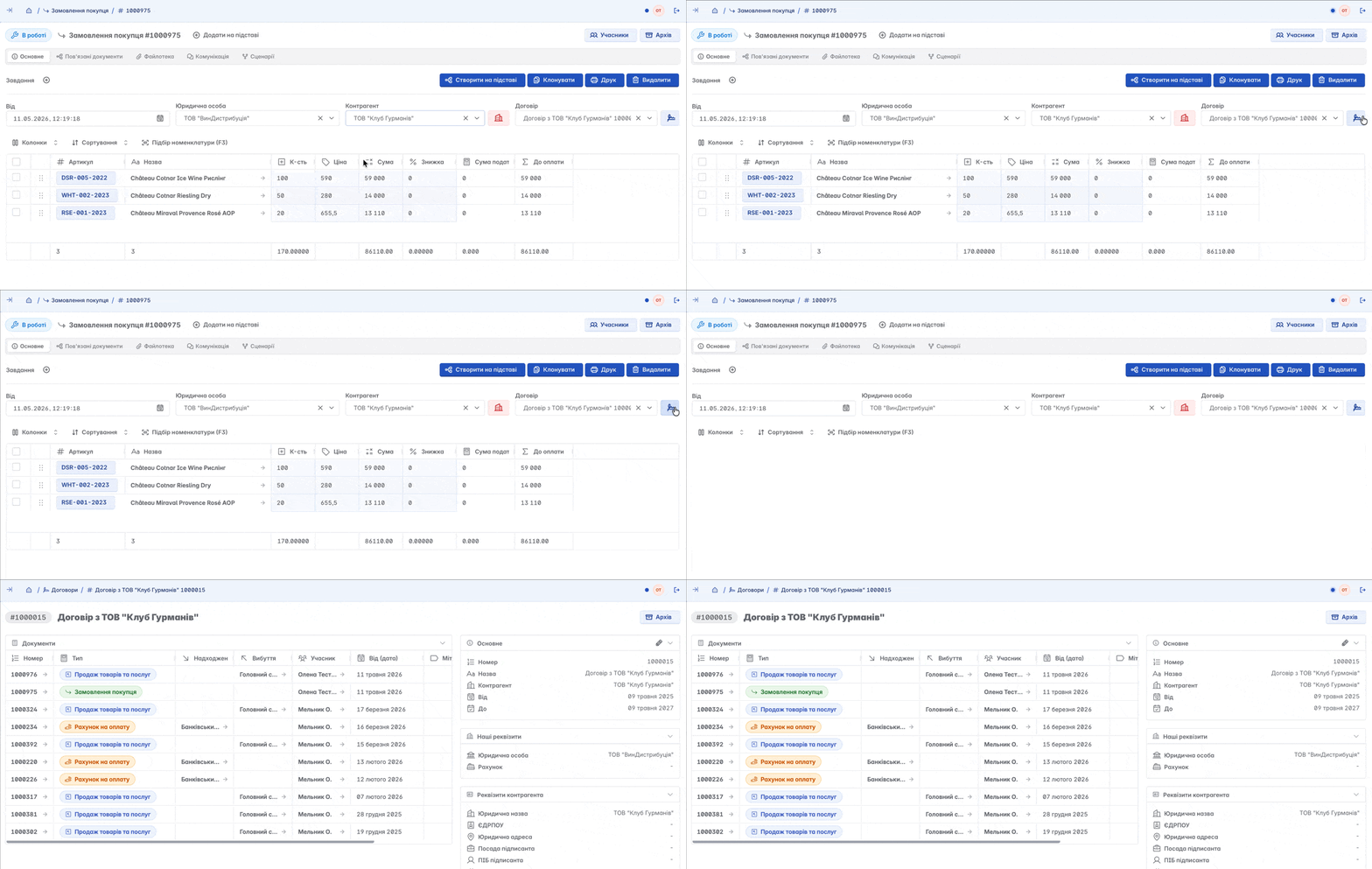
If necessary, you can immediately go from the document to the contract card
Contract analytics
It is especially convenient to analyze the fulfillment of agreements under contracts in reports. To do this, go to reports by counterparties and in the "Grouping" field, add the "Contract" column

Keruj will display a full analysis of income and expenses, grouped by the respective contracts
Archiving a contract
If a contract is no longer valid or relevant, but all data needs to be kept, it can be moved to the archive

Deleting a contract
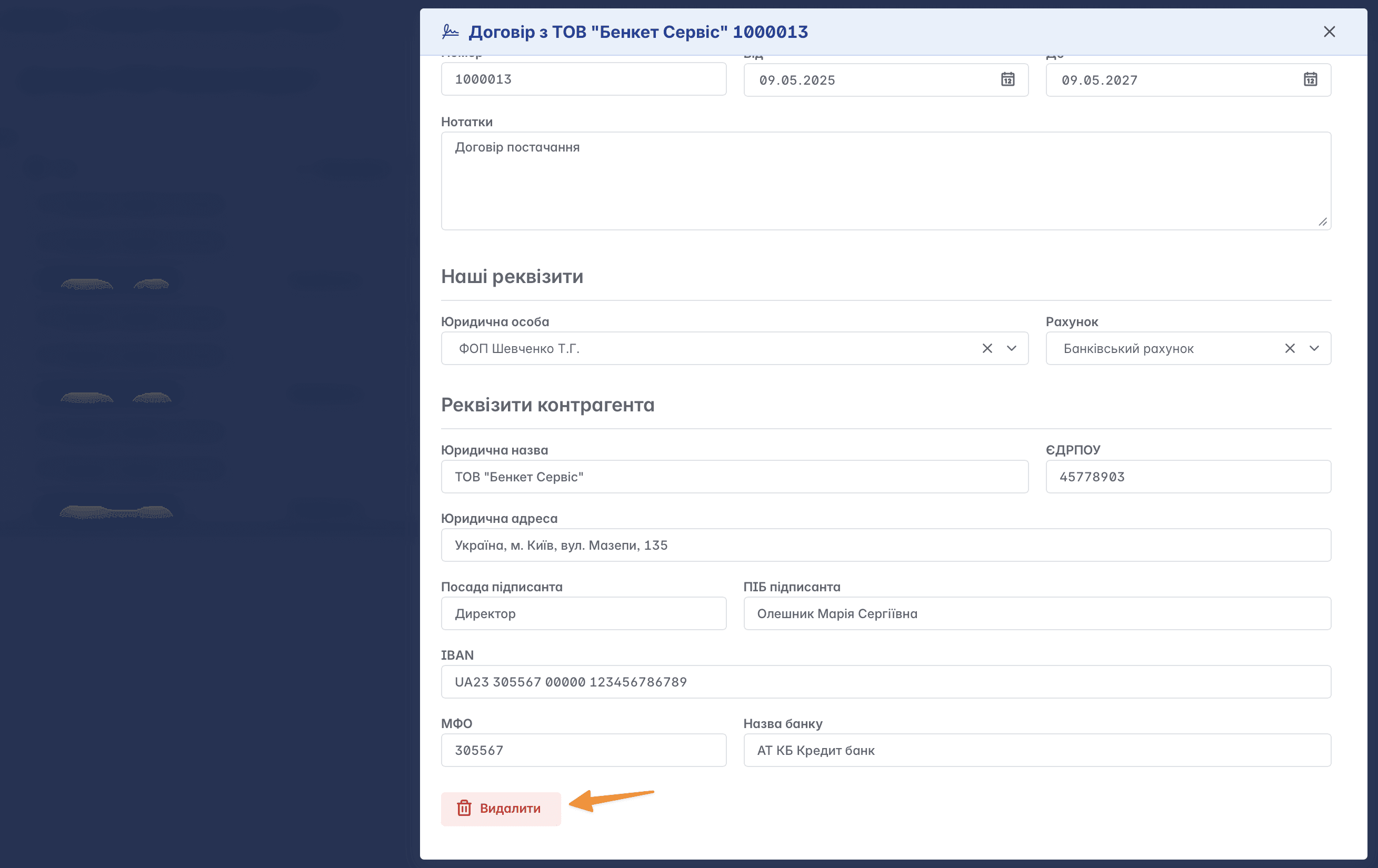
Subject to the appropriate access rights, a contract can be deleted. Deletion is only available if no document is linked to the contract. The delete function is available in the record editing form
Related articles