Getting started
First steps
Welcome to Keruj!
Welcome to your new workspace - smart, reliable, and intuitive
Your Keruj portal is an isolated and secure environment for all important data of your business:
You are not just getting acquainted with Keruj, but have already taken the first important step - taking control of the business finances, warehouse, sales, and expenses. Keruj is your personal business organizer that will help you see the complete picture of your business and manage processes effectively
Now it's time to take the first steps
Invite your colleagues
Teamwork is the key to efficiency!
From now on, all names of employees are fictional, and any coincidences with real people are coincidental
To work together with your team, invite your manager Oleksiy and administrator Oksana to Keruj, and of course, do not forget about accountant Mrs. Nataliia. Warehouse manager Mykhailo will also find it convenient to keep inventory management in Keruj
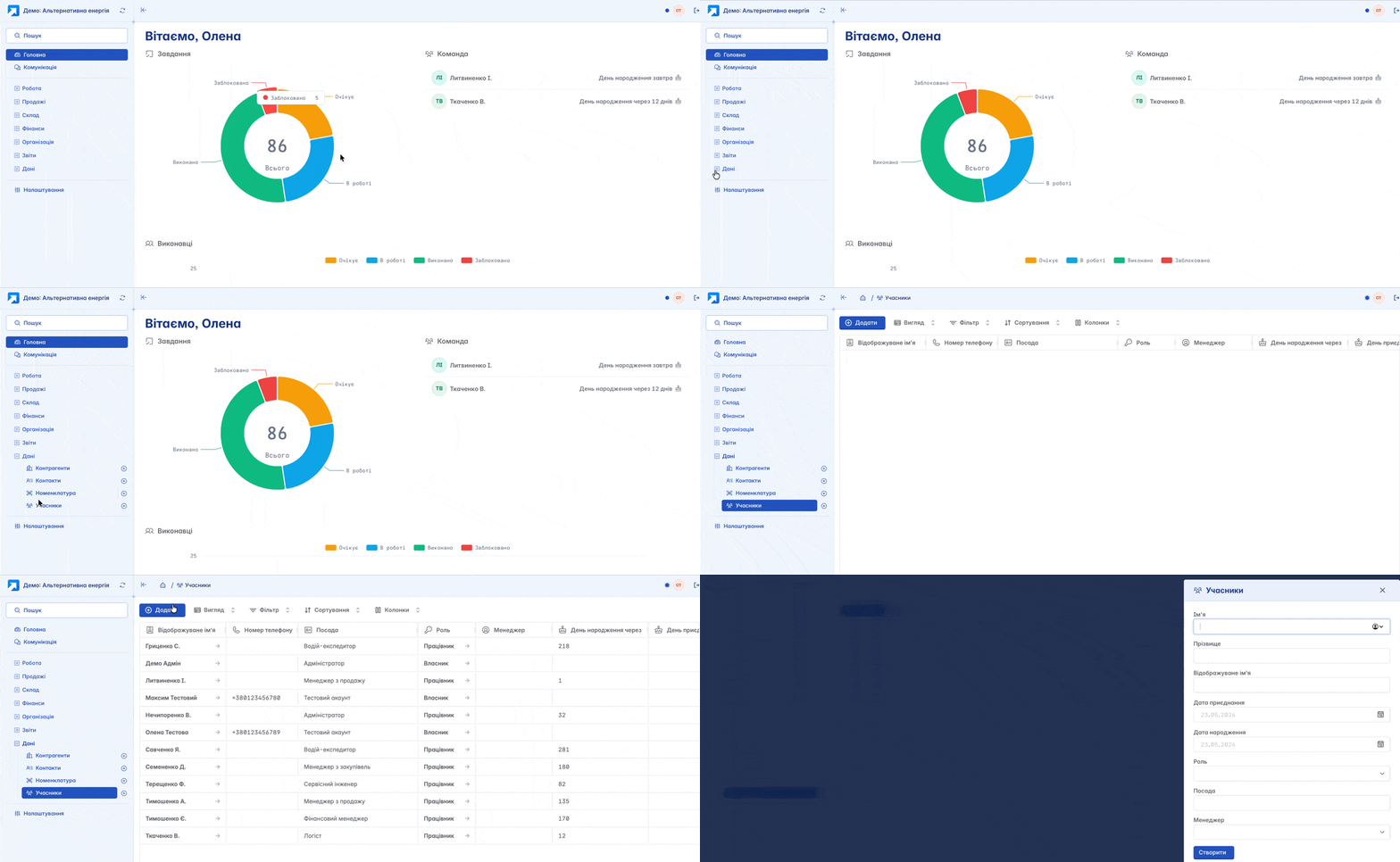
So, go to the "Members" section and click the "+Add" button, enter the basic information about your employee
Be sure to choose the role your employee performs
Owner - full access
Manager - partially restricted access
Employee - highly restricted access
The role determines the access rights to Keruj for your employee, and you have no restrictions in setting up roles for your colleagues. Everything your colleagues can do and see in Keruj is configured by you
Agree, warehouse manager Mykhailo does not need financial reports of accountant Mrs. Nataliia, and administrator Oksana is not very interested in them either...
Be sure to add the employee's phone number on the "Access" tab. This very phone number will be used as the employee's login to enter your portal
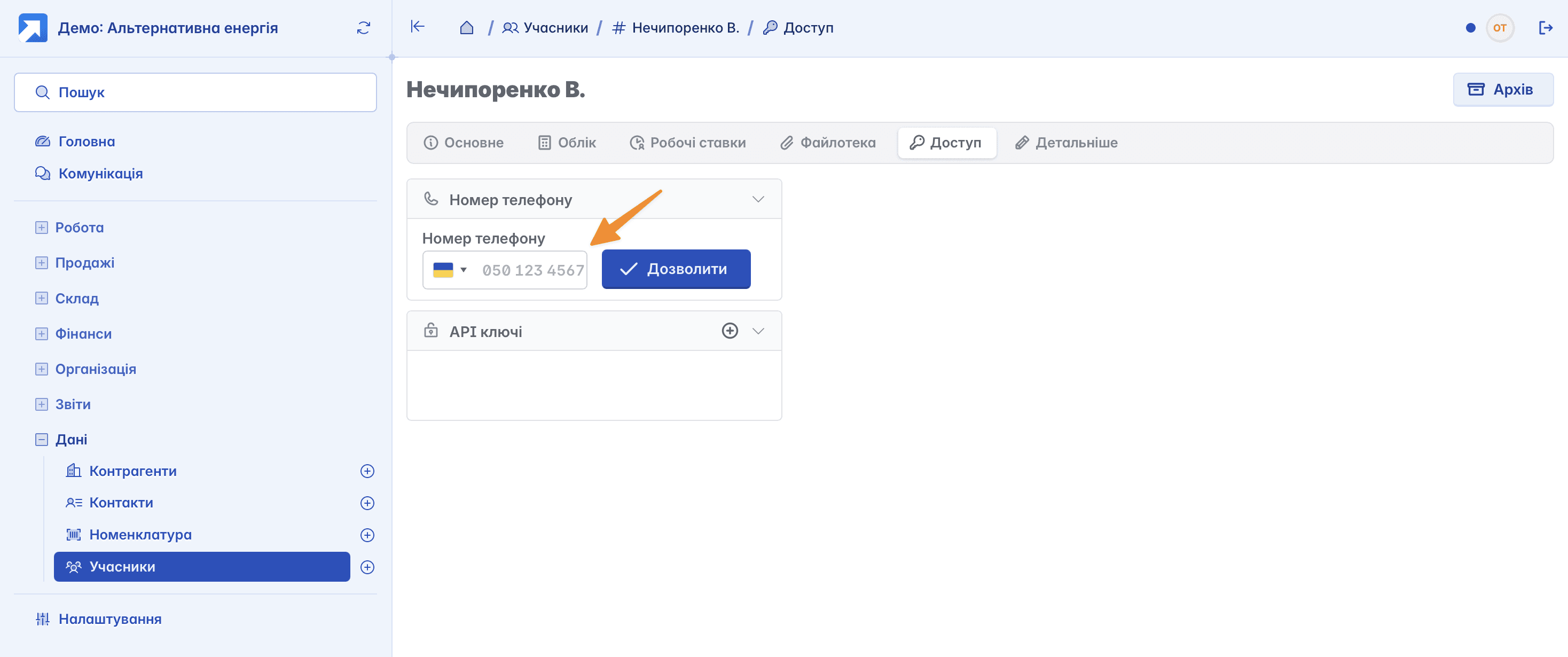
Click "Allow" and the employee will immediately receive an SMS notification on their device with a link to log in
Enter assets
Before starting accounting, it is important to specify the current state of the business:
How many financial assets are in the company
Where they are stored (accounts, cash register)
This will allow Keruj to correctly calculate profits and balances from day one
It's good that you invited accountant Mrs. Nataliia to Keruj in advance - she already has all the data prepared
So, go to the "Finances" module and create your first financial document - "Money adjustment". With this document, you enter the initial balance on your company's account at the start of work in the Keruj workspace
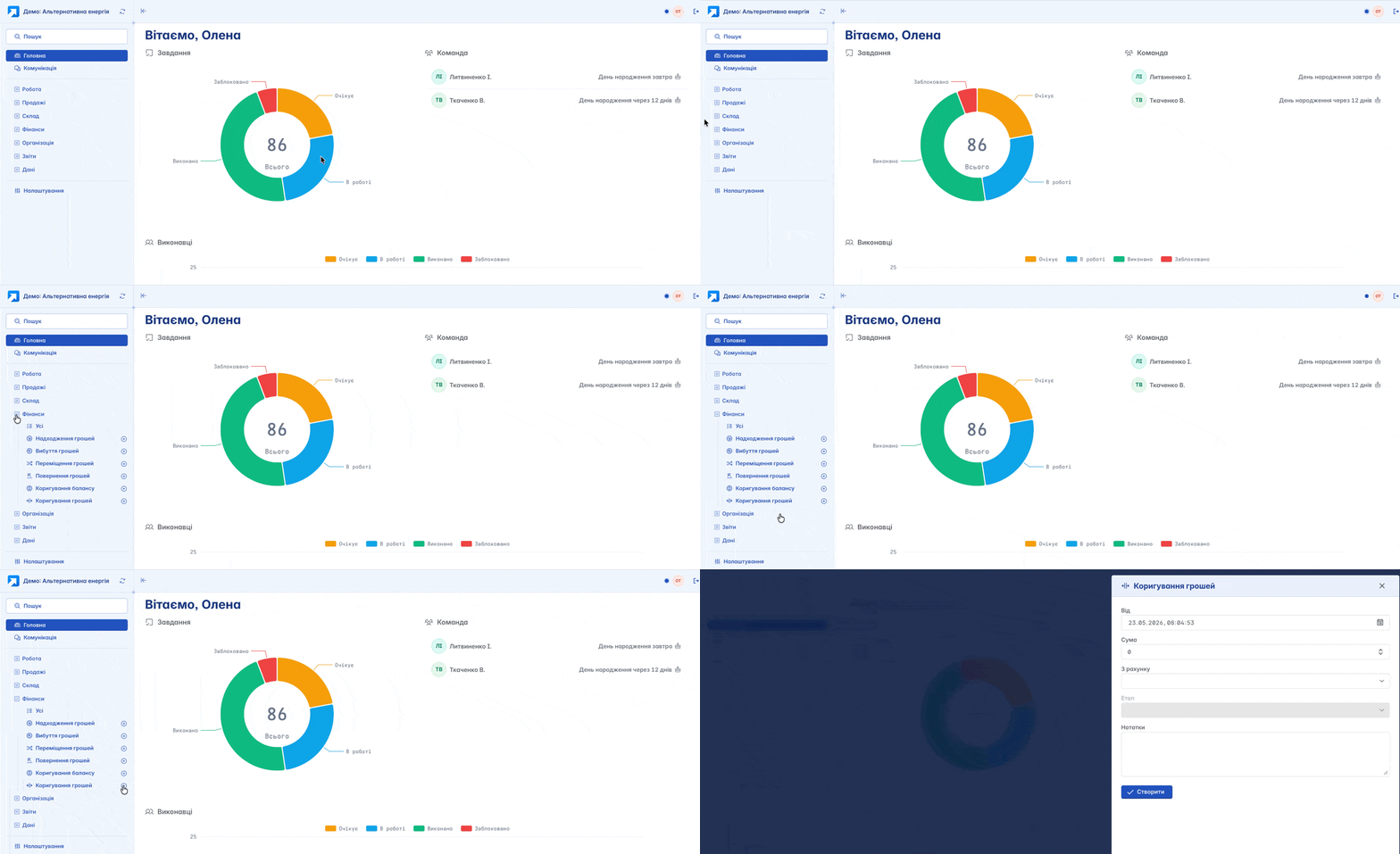
A right start is key to efficient and successful activity
But let's not forget that besides financial assets, you also have other resources - goods, working equipment, etc. And here your warehouse manager Mykhailo comes into play with a ready list of nomenclature and actual balances in warehouses
So, where to start?
First, create items of goods and other resources in the "Nomenclature" section, this step will significantly optimize and speed up the work in Keruj for you and your employees in the future and help avoid duplication and errors
We sorted out the nomenclature, but where to enter the goods? How to distribute them? What if you have several warehouses or part of the goods is under realization at the counterparty?
Keruj has a simple solution for all these questions! Go to "Settings", create warehouses - as many as you need. If the goods are under realization or leased, create locations (external warehouses)
So, the nomenclature catalog and warehouses have been created, it remains to go to the "Warehouse" section and create the first warehouse document - "Entering balances". In the document creation form, select the warehouse or location where the goods are stored

Having created the document, fill it with goods by selecting them from the nomenclature catalog you recently created. Indicate quantity and initial value. Finally, change the document status to "Completed" - this will post the goods to the warehouse

Make the first sale
You have almost finished filling your Keruj portal. Only one detail remains
How to register the sale of goods or services?
Manager Oleksiy has a huge established list of your counterparties-clients. Enter them into your Keruj portal as well. This step, like creating the nomenclature, will maximize work optimization, because all actions associated with a specific counterparty will always be in a single environment
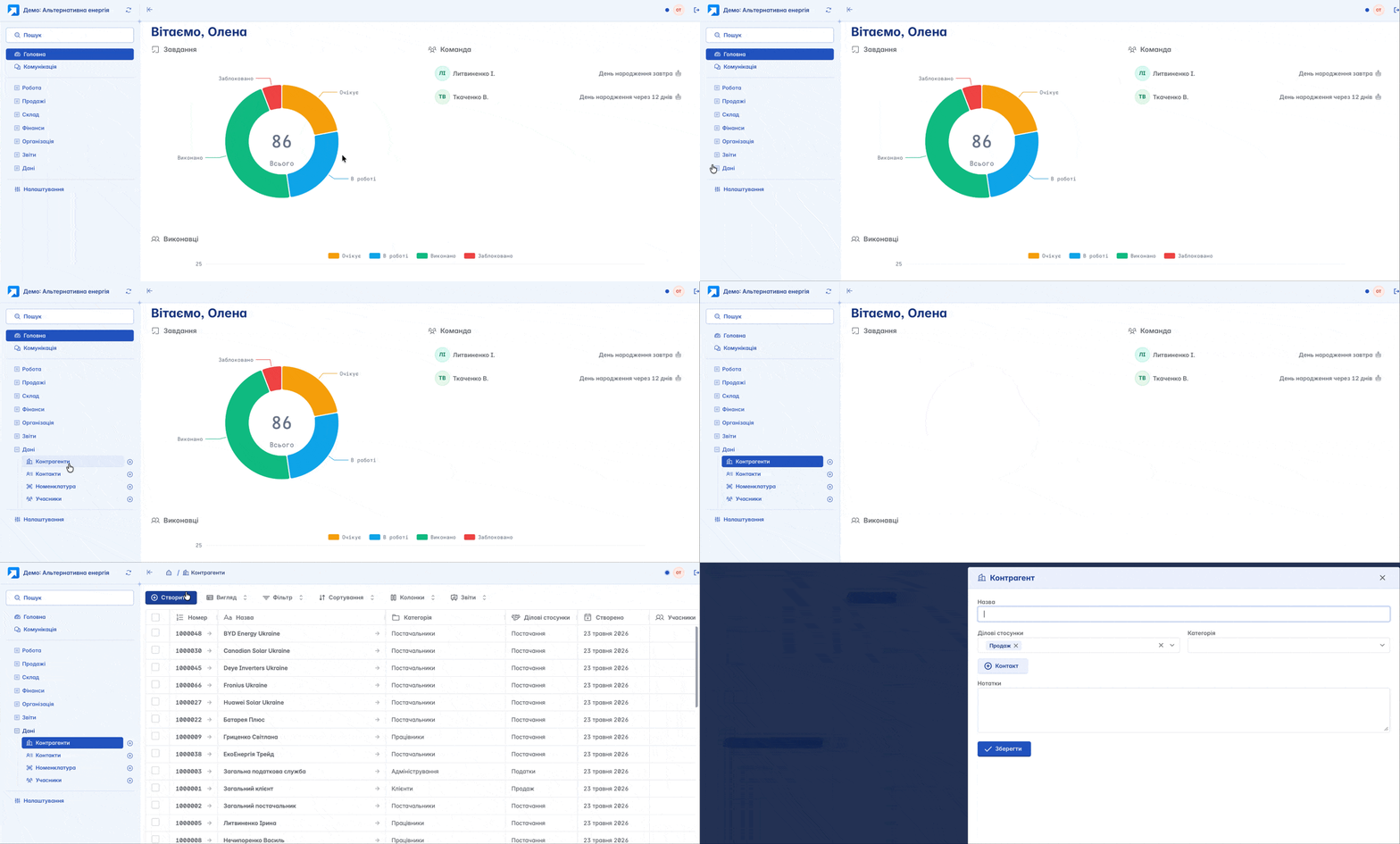
Go to the "Counterparties" section and create a counterparty record. Specify its name, category (supplier, customer, employee, etc.), assign a responsible manager
Now you are at the starting point, and all you need to do is act. Involve your manager Oleksiy in the work and make the first sale
Go to the "Sales" section and create the document "Sale of goods and services". In the creation form, specify which counterparty and from which warehouse or location the sale is made.

Next, open the created document, select the required items of goods from those available in the specified warehouse, and change the status to "Completed"
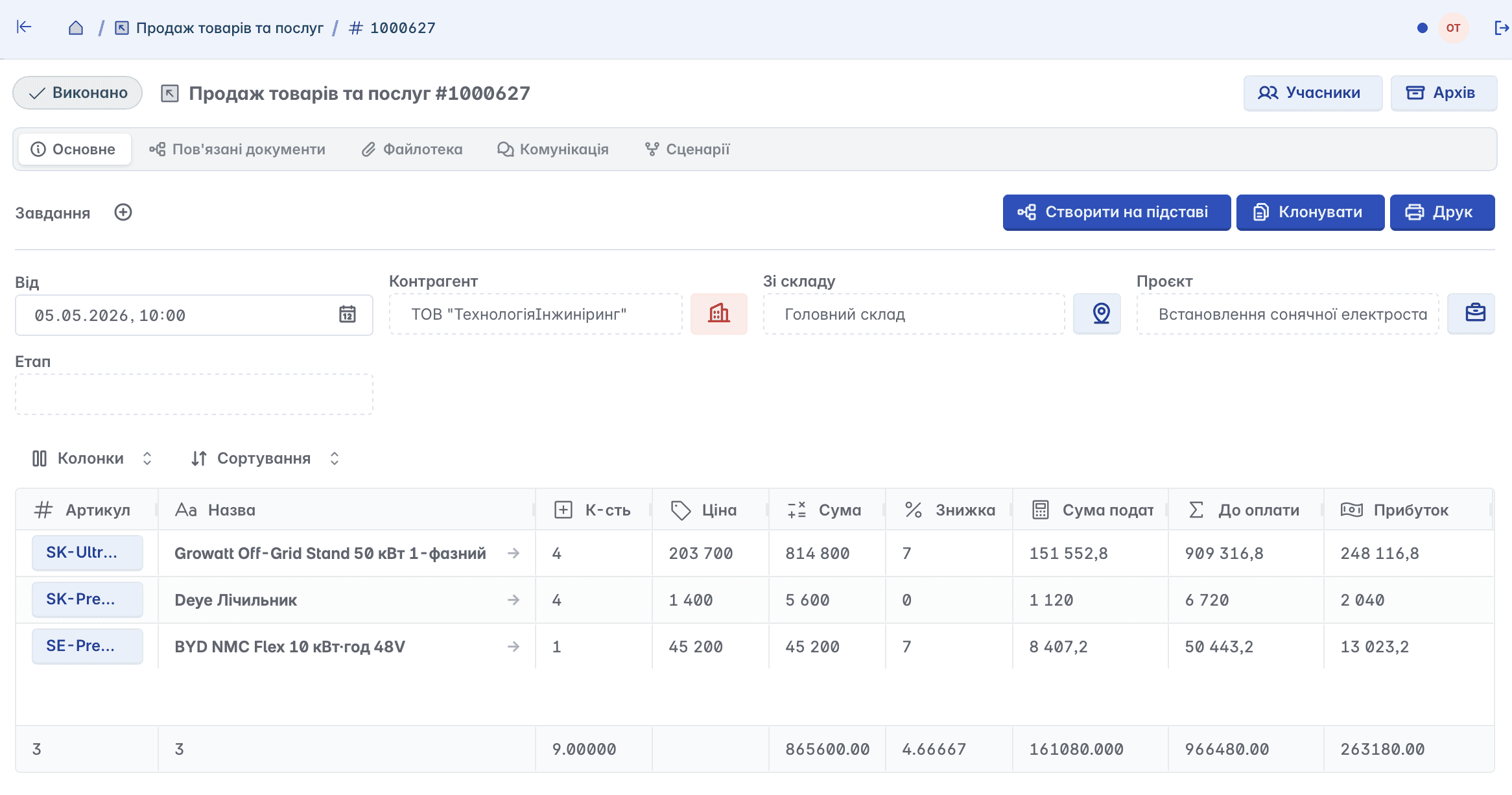
Congratulations! You made your first sale in Keruj and started the workflow
All changes are immediately recorded: balances decrease, finances update, a record is created in the reports. Check it out!
Check the warehouse
It is important for your warehouse manager Mykhailo to know all the processes that occur with goods in warehouses, and you recently made the first sale. Check how your mechanism works
Warehouse analytics can be checked in the "Reports" - Warehouse section
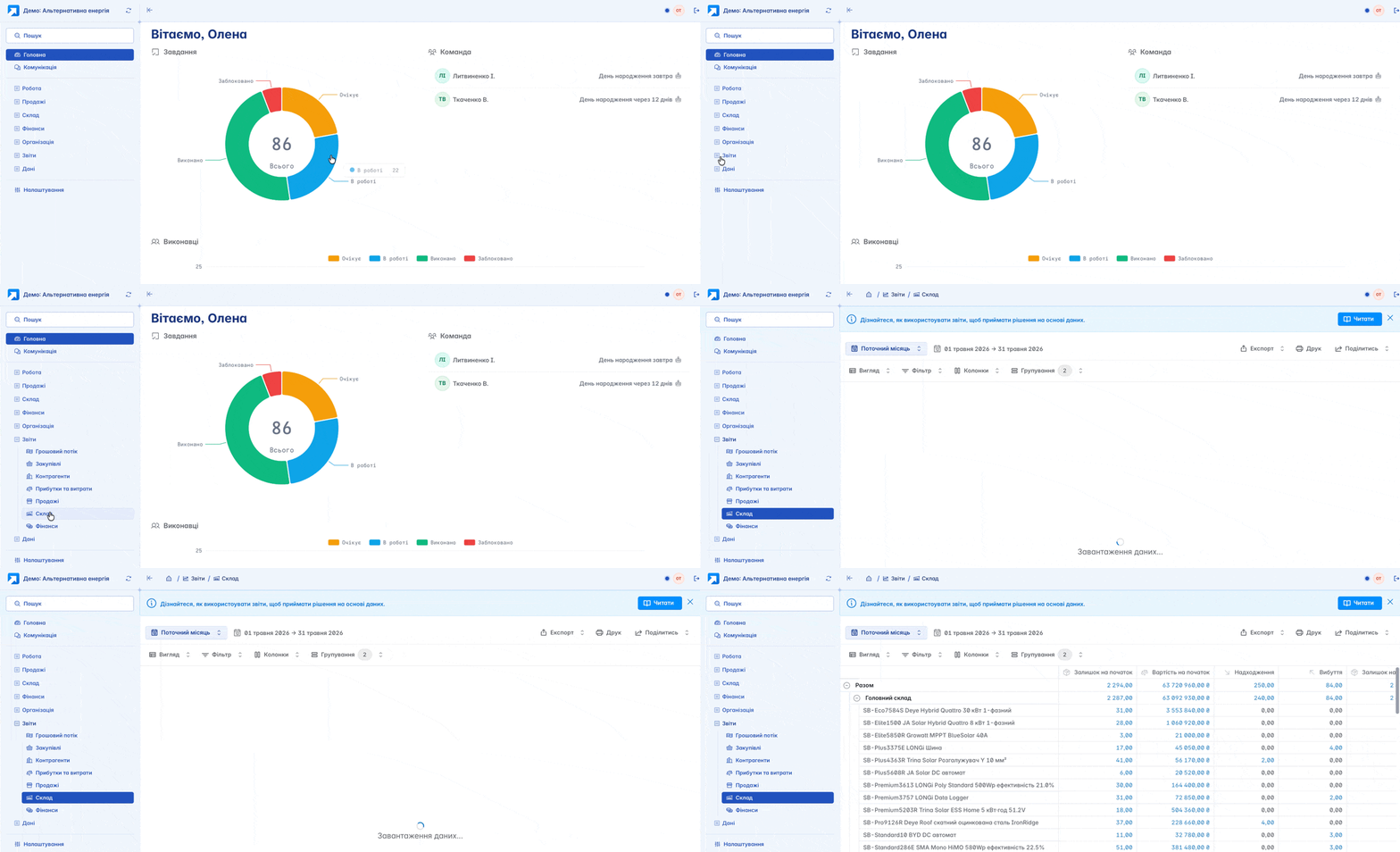
Go to the report, select the period you are interested in, adjust the table view to your liking, add or remove columns depending on the information you want to see in the report - you are absolutely free in your choice and capabilities.

All reports in Keruj are similar in their structure and configuration features. Only the information they contain differs, according to the request
You and your employees can easily track initial availability, disposals, and actual balances - the full trade turnover of your business
View the status of mutual settlements
You created your first sale, and the product report confirms the disposal, but what about mutual settlements?
We return to our counterparties. We have already mentioned that a counterparty record in Keruj is not only informational. It is a record containing absolutely all information: all documents where the selected counterparty was specified. All this data and the state of mutual settlements are also displayed in analytics
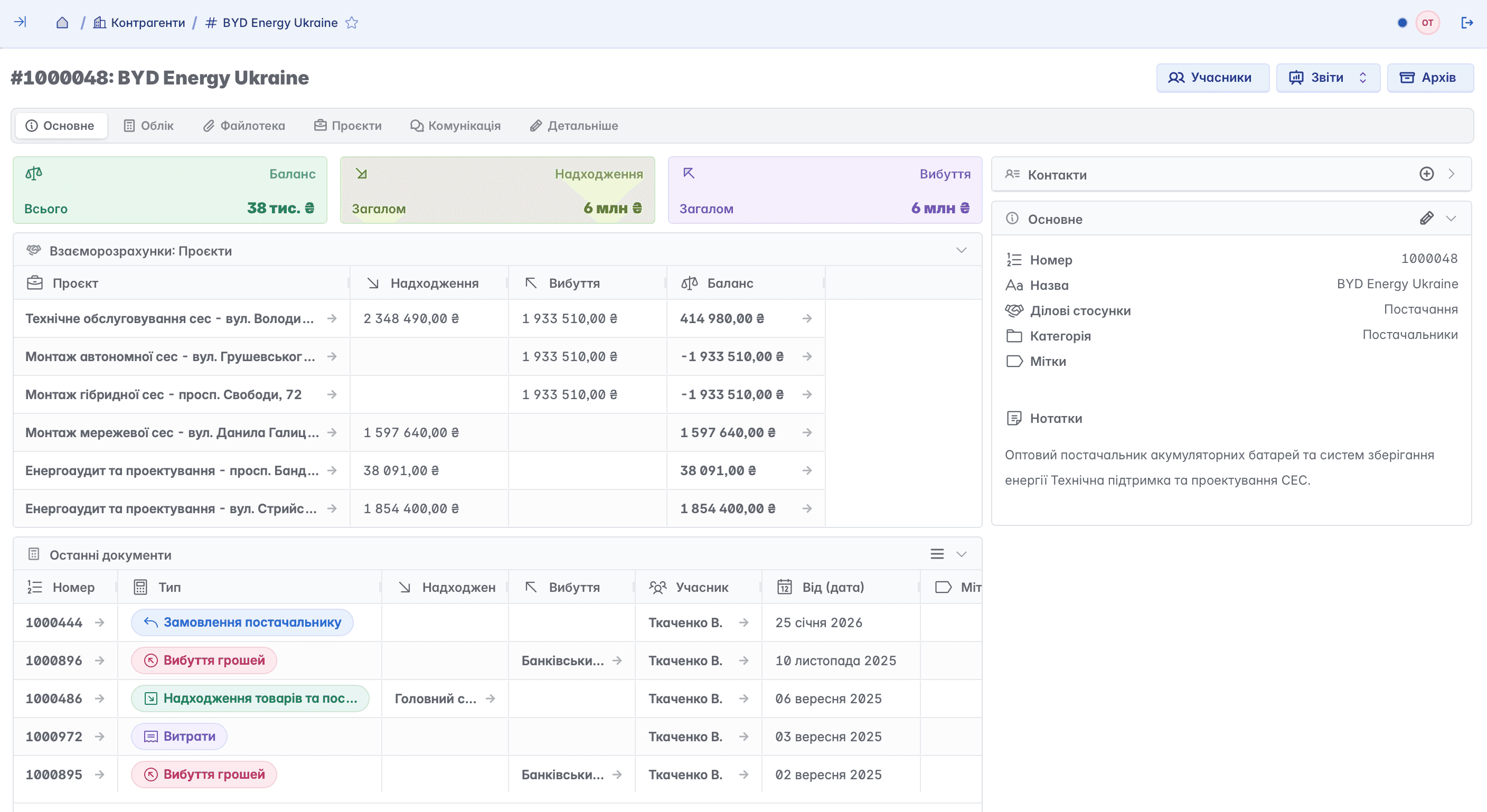
Go to the "Reports" section and select the report by counterparties. Specify the required period - and Keruj will immediately display detailed information on the status of mutual settlements with each of your counterparties: whether there were inflows or outflows, in what quantities, and what the final balance is. Everything is easy, fast, clear, and detailed
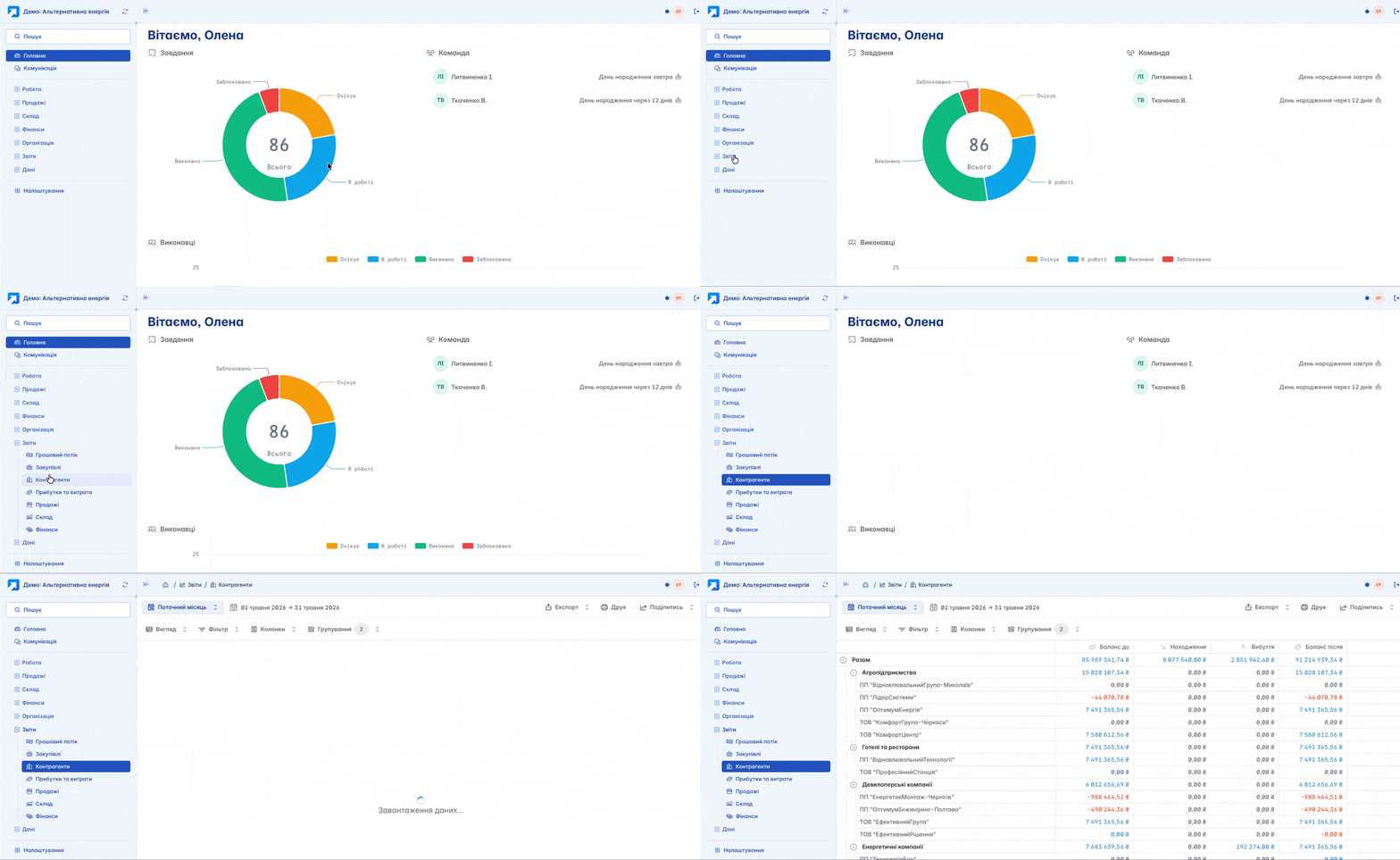
And you can also print, export to an Excel file, or share the report with your employee, even if they do not have access to your Keruj portal

Receive funds from the client
Analyzing the data of the report on the state of mutual settlements, your accountant Mrs. Nataliia noted that manager Oleksiy has not yet entered funds for the first sale into Keruj. Meanwhile, the payment from the counterparty is already reflected in your account's bank statement

Let's record the receipt of funds for your first sale in Keruj. You can go to your recently created document "Sale of goods and services" and on its basis create the document "Receipt of money", or open the "Finances" section and create the "Receipt of money" document directly there. Specify the amount, counterparty, category, and account
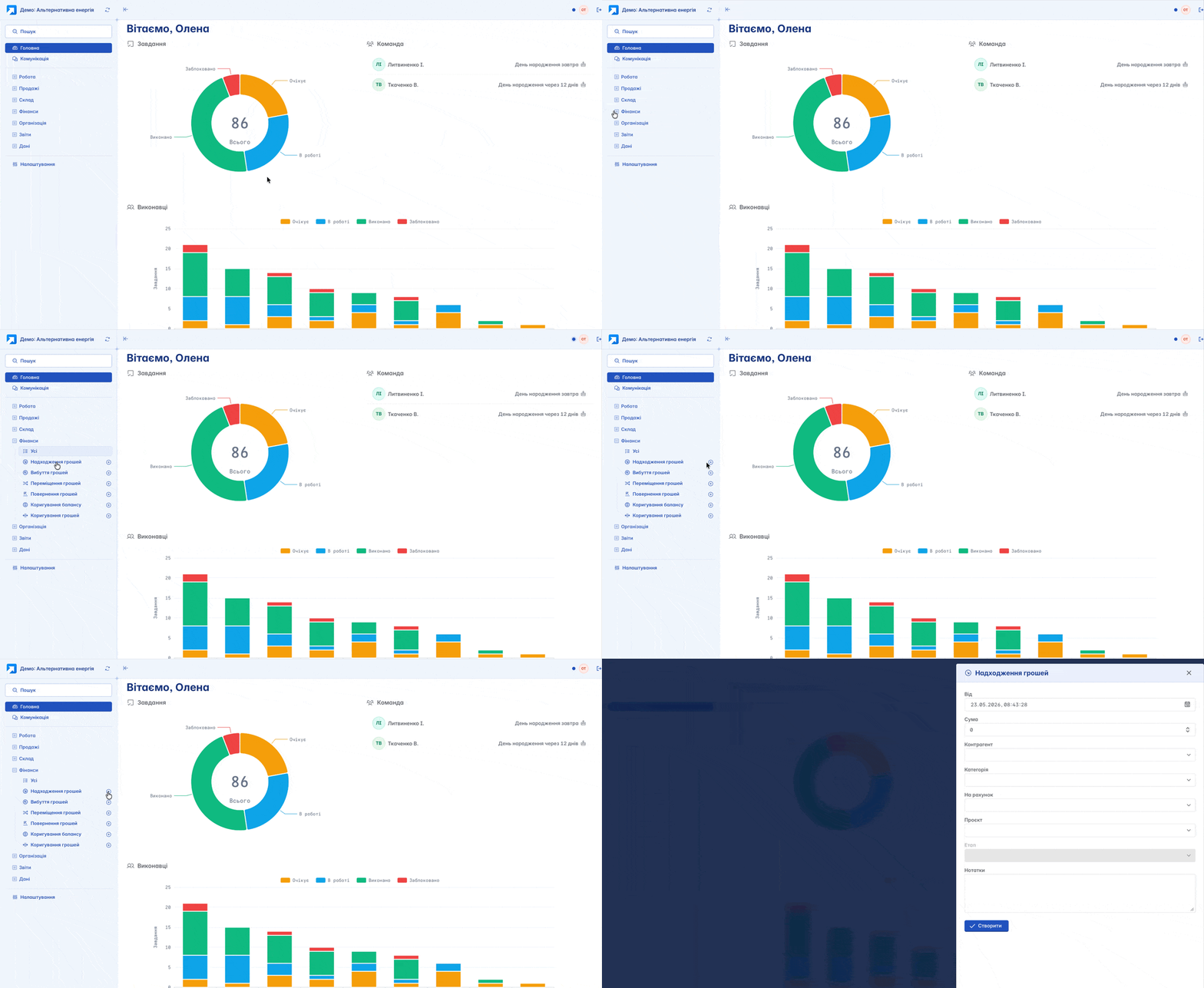
This action will immediately reflect in the mutual settlements between you and your counterparty, ensuring transparency and logic of work in Keruj
Analyze financial balances
All your actions - created documents and records - are important components of a single mechanism of your business. It is with the help of Keruj that you can easily optimize, track, and organize them
And where would we be without basic analytics? Reports help in making right and informed decisions
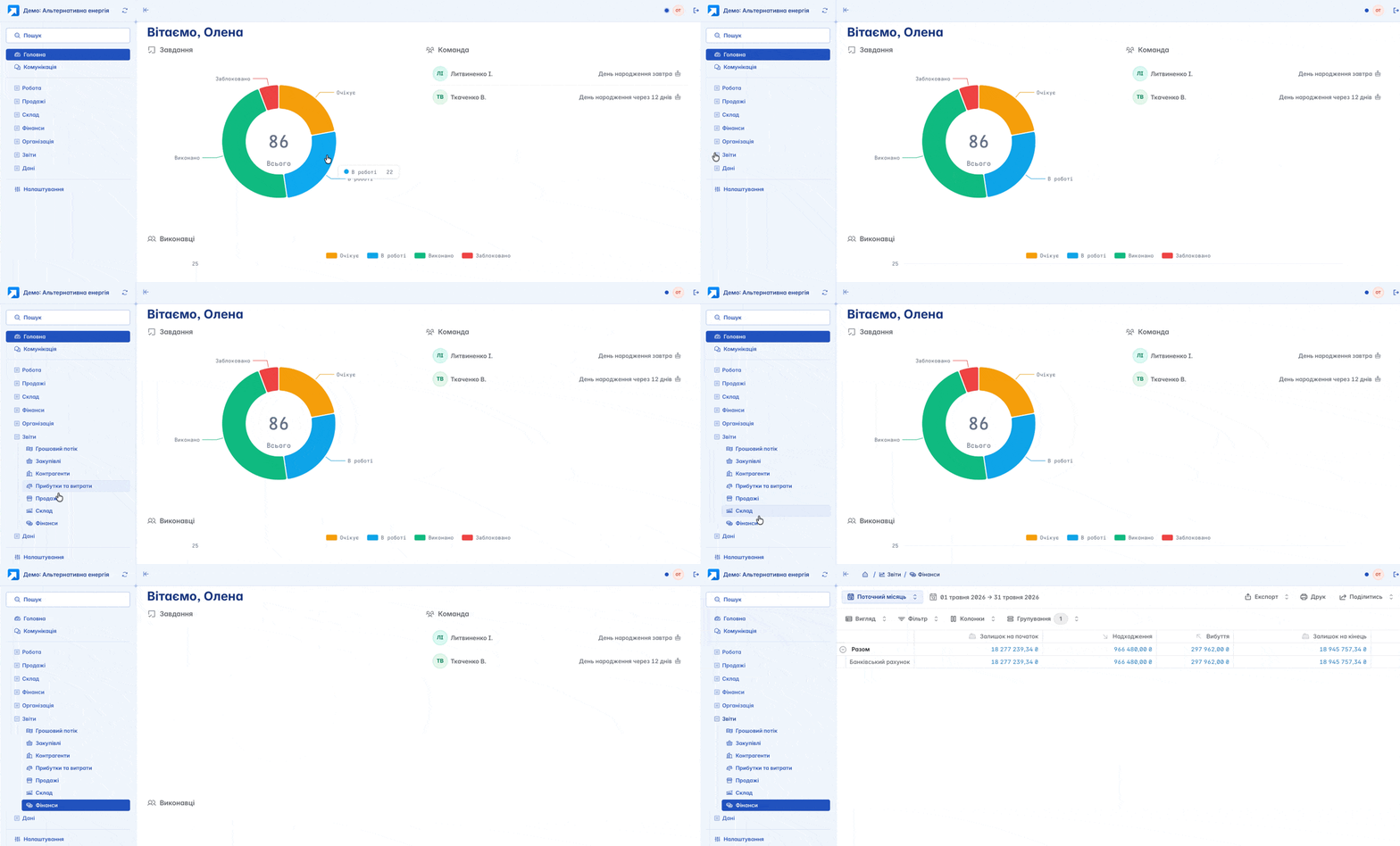
Thanks to the financial report, you see the general picture of cash flow: what comes in and what goes out. And you clearly understand what brings income and what creates expenses in your business
Success in your work
Keruj is a powerful environment for accounting automation, managing finances, sales, projects, purchasing, warehouse, manufacturing, and internal processes of the company
Keruj adapts to your business - not the other way around. You just need to start
If you have any questions, we are always near
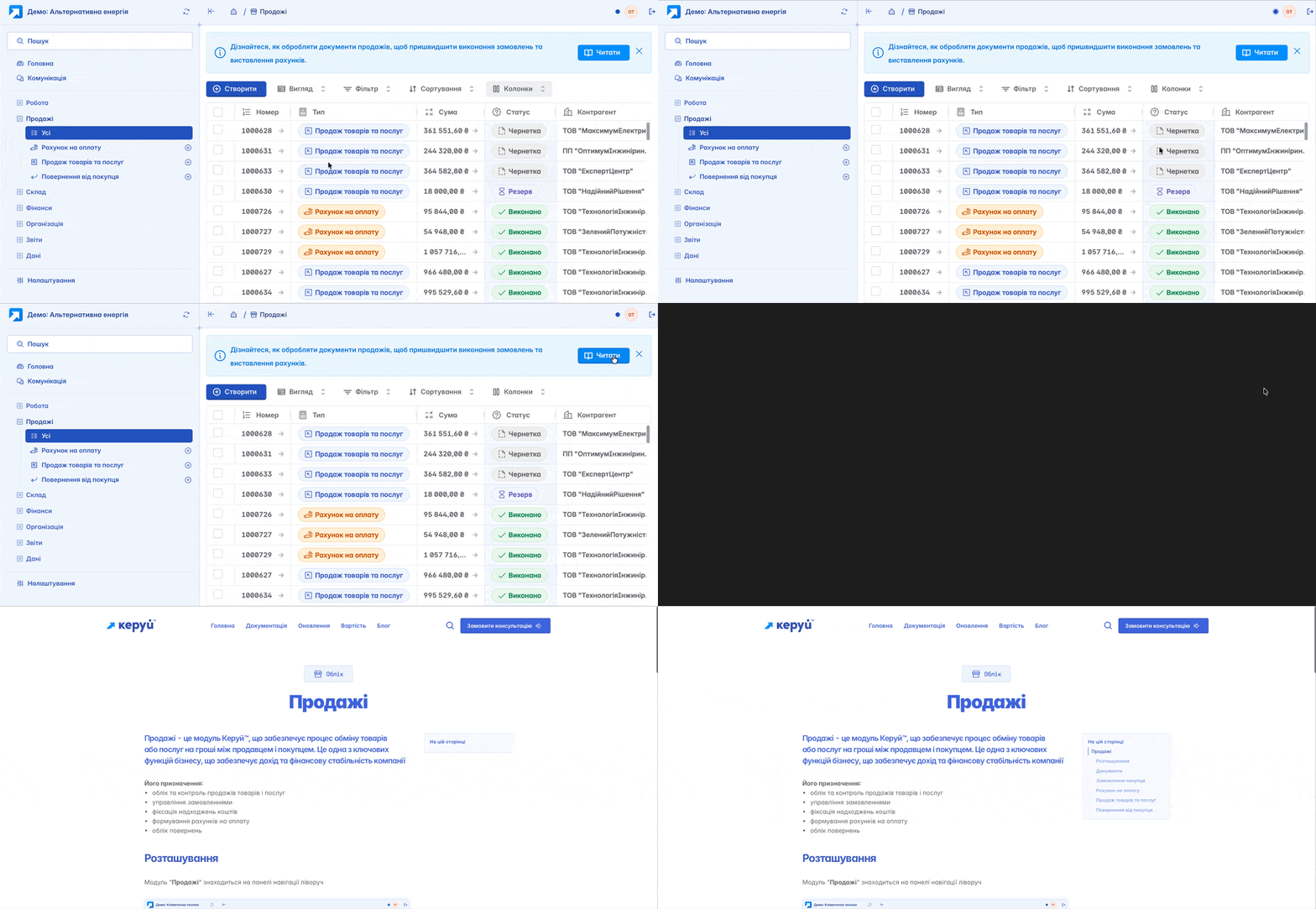
The support service, interface tips, and documentation will help make each next step even simpler
Related articles